
Focus stacking is a useful technique that allows you to get more depth of field in a single image without using resolution-busting small apertures. It’s a technique that can be done with any digital camera. You just shoot a series of images, shifting the focus a little between each shot and then merge the images so that only the sharp areas are visible.
It’s a time-consuming process.
However, manufacturers are beginning to introduce in-camera focus stacking. In some cases, this just automates the shooting and focus adjustment. In others, the camera also merges the images to create a composite that’s sharp from the foreground to the background.
The Olympus OM-D E-M1X and OM-D E-M1 Mark III fall into the latter category. And in an improvement on previous Olympus cameras with this feature, the stack can be made of up to 15 images. In addition, the crop which is applied because of the slight change in the framing as the focus shifts, is indicated in the viewfinder.
So how do you use it? Read on.
How to use the Olympus Focus Stacking mode
- Press the menu button and navigate to Shooting Menu 2
- Select ‘Bracketing’ and press the right navigation button followed by the down button to select ‘On’, then press the right button again.
- Now scroll down to the bottom of the bracketing options and select Focus BKT before pressing the right navigation button.
- Scroll down to ‘On’ and press the right button again.
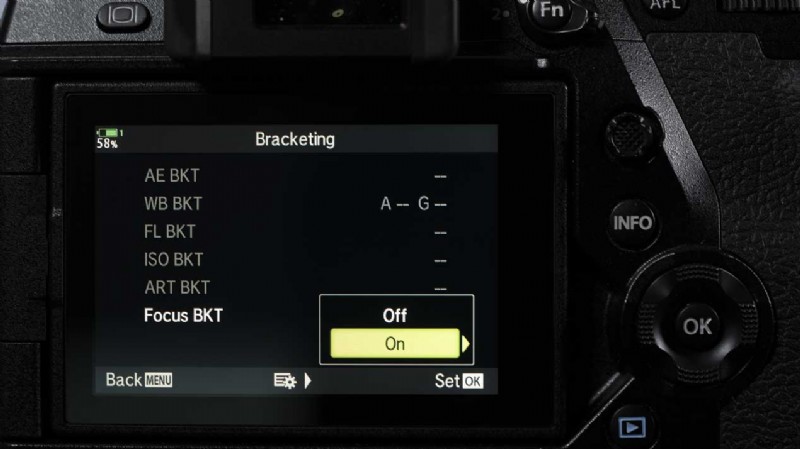
- Now you can see the focus stacking options. Simply scroll down using the navigation controls to select each item and use the right navigation button followed by the up and down buttons to access and set the settings.
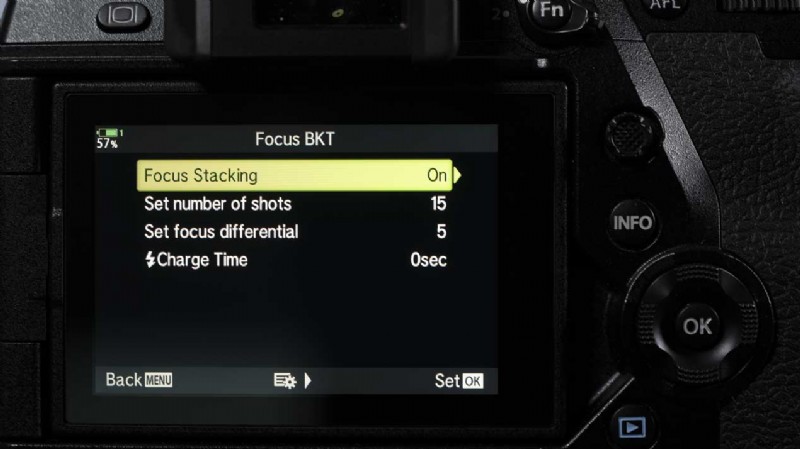
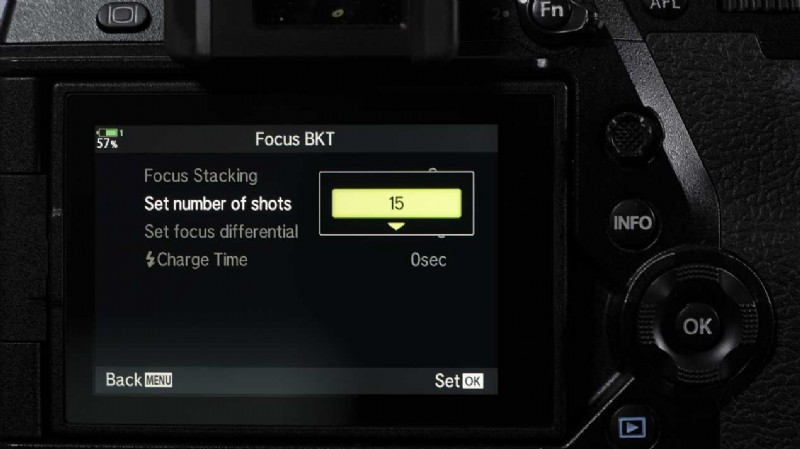
- The first step is to set the number of shots. You can set between 3 and 15. If you’re not sure, go for 15 as this gives you the widest scope.
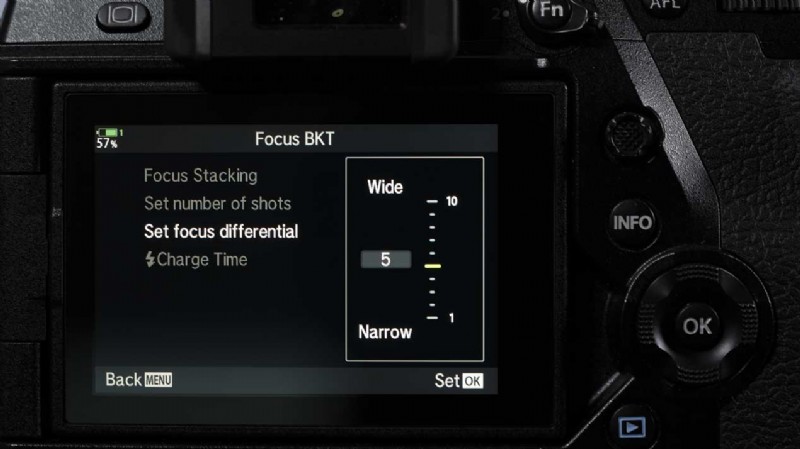
- Next, set the focus differential. This is how much the camera shifts the focus between each shot. There’s a range from 1 to 10 with 10 being the greatest shift in focus. Very wide scenes, such as landscapes, require a larger shift than a macro image. If you’re not sure, try 5 and see how it works for the scene. Over time you’ll develop a feel for the range you need.
- If you want to use flash and you’re not using an Olympus flashgun, you need to set the Charge time. That’s how long the camera waits for the flash to charge between shots when using a flash.
- Once you made your setting selections, make sure that Focus Bracketing is set to ‘On’ and press the OK button repeatedly to move back through the menu.
- The camera will display a BKT icon and a keyline shows the framing of the final image.
- Ideally, with the camera on a tripod, compose the shot and press the shutter release as normal.
- The camera will shoot the number of images that you specified and then composite them into one Jpeg with greater depth of field.
- To turn off the Focus Stacking either go back into the menu, or on OM-D E-M1X, press the Bracket (BKT) button on the top plate. You can also use this button to turn it back on again.
Read how to use Olympus High Res Shot Mode
Read our Olympus OM-D E-M1X Review
Check the price of the Olympus OM-D E-M1X at Amazon UK, Amazon.com, Wex Photo Video, Park Cameras, Adorama, B&H Photo Video.