
The Olympus OM-D E-M1X has a clever new autofocus option that helps you get certain subjects sharp. It uses artificial intelligence (AI) to detect specific objects, then focuses on them and tracks them around the frame.
Olympus calls this ‘Intelligent Subject Tracking’, but refers to it as ‘Tracking Subject’ in the camera’s manual and menu.
- Read our Olympus OM-D E-M1X review
Currently, this has settings for Trains, Motorsports and Airplanes. Olympus promises to introduce more, but as yet don’t know what will be added. I expect that wildlife or animals to feature at some point as the Olympus OM-D E-M1X is aimed at professional and high-end enthusiast wildlife and sports photographers. It’s for long lens users.
- Read how to use Olympus Live ND Shooting mode
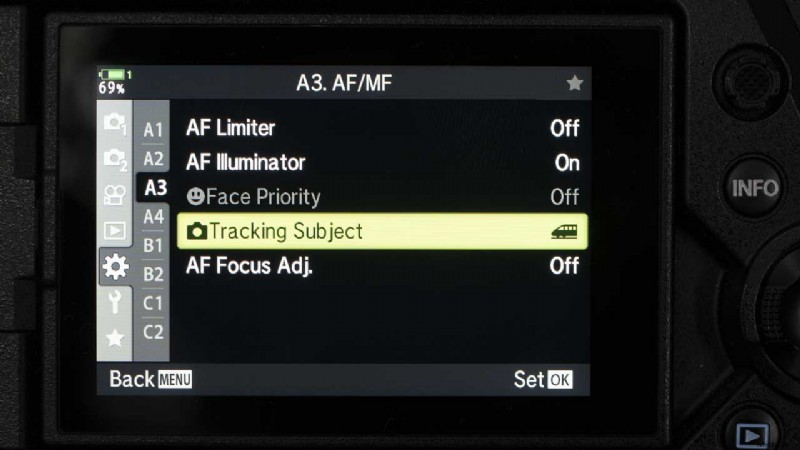
The Tracking Subject needs to be set via the menu before it has any impact on the AF tracking option selected via the Quick Menu or button and dials. Here’s how it’s done.
How to use the Olympus OM-D E-M1X Intelligent Subject Tracking
- Press the Menu button and navigate to Custom Menu A3. AF/MF
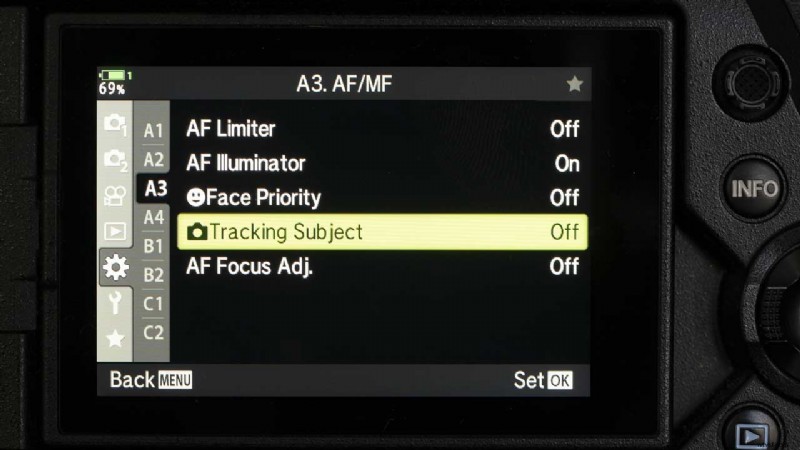
- Scroll down to Tracking Subject and press the right navigation button to access the options.
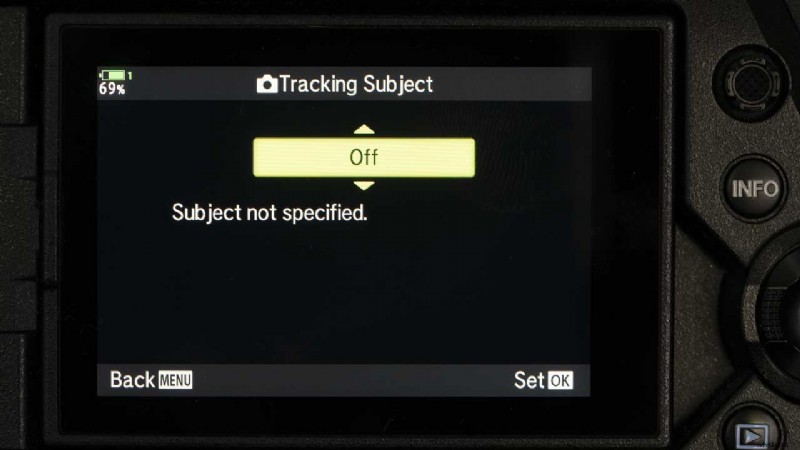
Motorsports: sets the OM-D E-M1X to detect cars or motorcycles, it looks for (and tracks) features such as the chassis and or the driver.
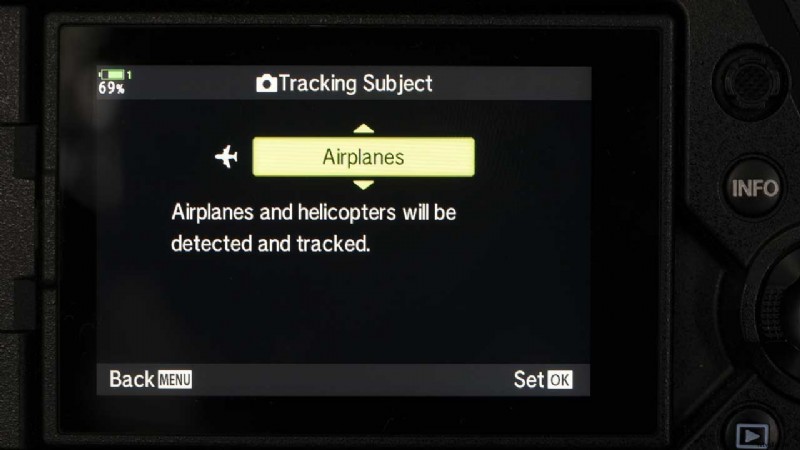
Airplanes: sets the camera to detect aeroplanes and helicopters, it looks for (and tracks) features such as the fuselage or cockpit.
Trains: in this mode, the camera looks for (and tracks) features such as the carriages (cars) and driver’s compartment or the engine.
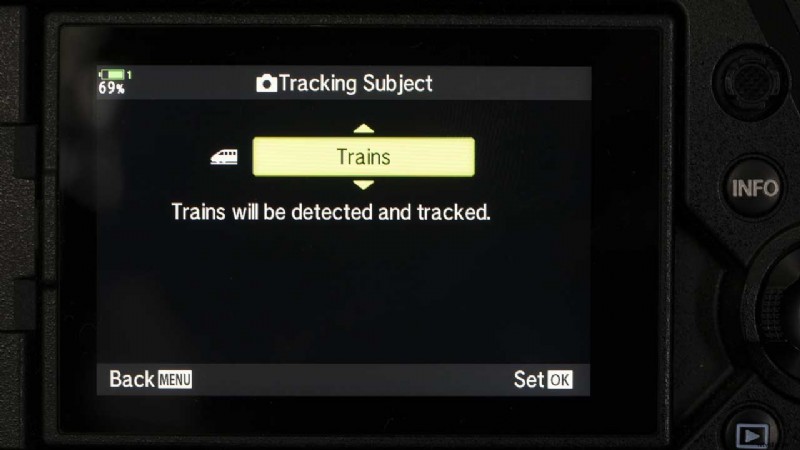
- Scroll to the one you want to use and press OK to confirm the selection. Press Menu repeatedly to exit.
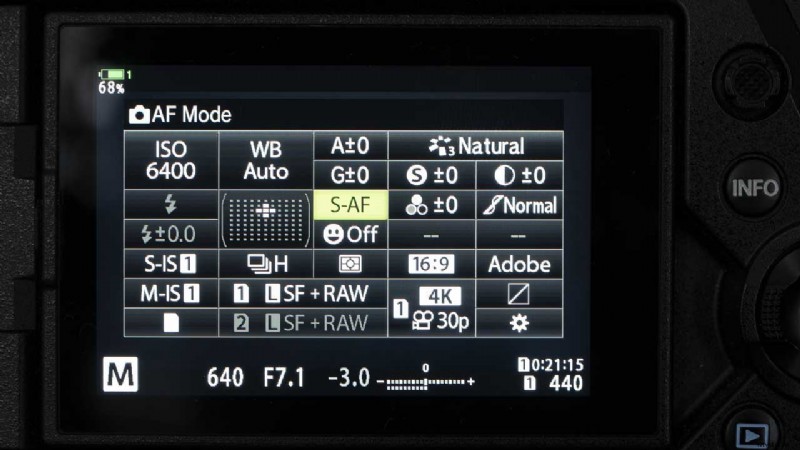
- Now either press the OK button to open the Super Control Panel and tap on the Focus Mode box (see below) or press the AF/Metering Mode button on the camera’s top plate.
- Select C-AF+TR (continuous autofocus and tracking). Now, if the subject you selected comes into the frame, the camera should detect it. It puts a box around an object to indicate that it is detected. It then focuses on and tracks the subject. If no subject is detected, you can use C-AF+TR as normal.
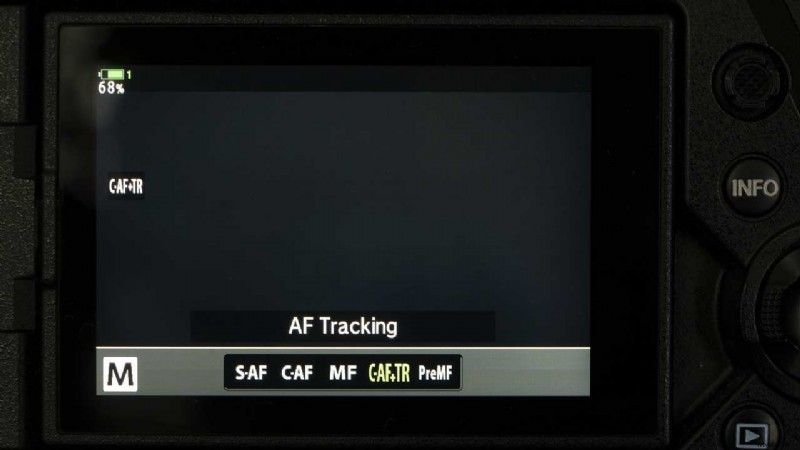
Using the Intelligent Subject Tracking automatically deactivates face/eye detection as the two tracking modes cannot be used together. It’s also impossible to use Live ND Shooting, the interval-timer, HDR photography, Keystone compensation, Fisheye correction, High Res Shot, Focus bracketing, or Pro Capture High mode.
- Check the price of the Olympus OM-D E-M1 II at Amazon UK, Amazon.com, Wex Photo Video, Park Cameras, Adorama, BH Photo Video.
- Read how to use Olympus Live Composite mode
- Find our best Olympus OM-D E-M1 II deals