
Have you ever come across aerial footage that has a cinematic mirror scene and thought about how hard it must be to achieve this type of effect?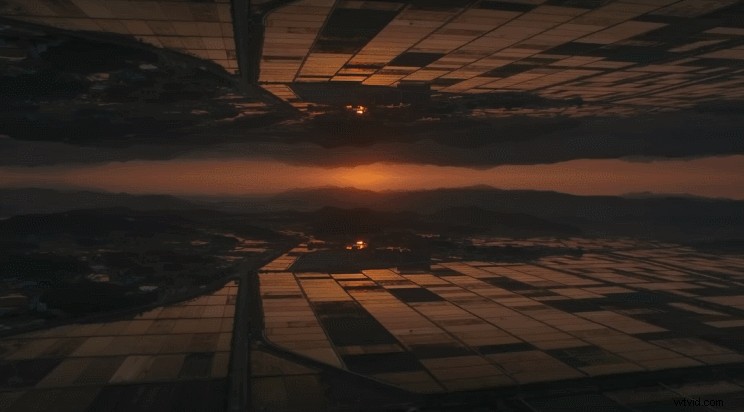
The truth is, it’s simpler than you think. In this example, all you need is a DJI drone, a computer with Adobe Premiere Pro installed, and this article as your guide.
Mirror Effect Samples
But before we start, let’s take a second to appreciate some examples of the mirror effect to give you some inspiration.
Combine the mirror effect with the Dolly Zoom feature on the Mavic 2 Zoom.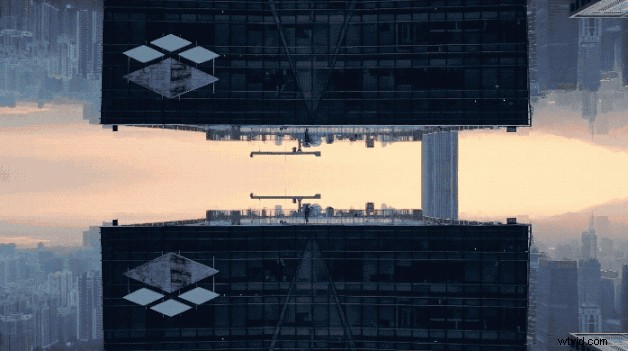
This feature can also be combined with Hyperlapse, adding a new dynamic to an aerial timelapse.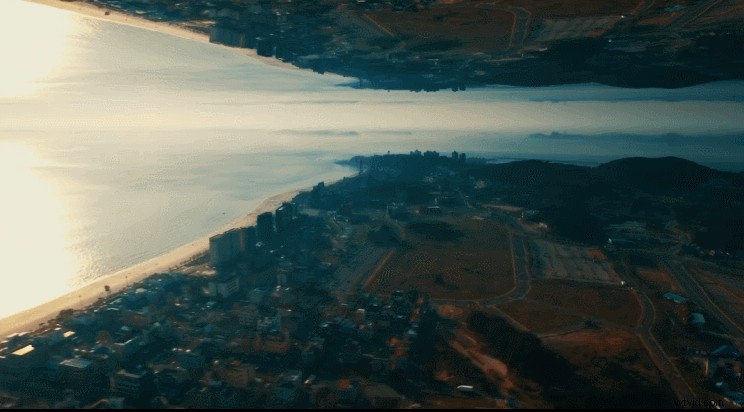
In the next examples, you can see how the drone flight direction influences the mirror effect.
Fly toward a scene: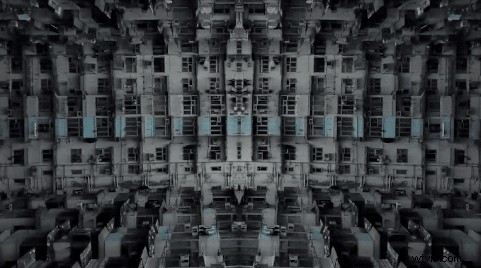
Fly away from a scene: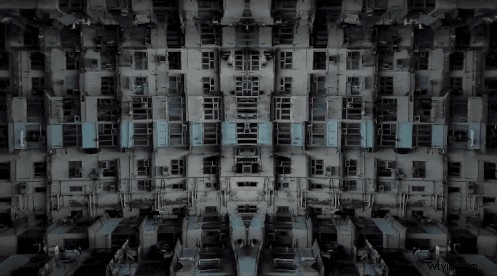
Impressed? With a few more editing tweaks on Adobe Premiere Pro, you can even rotate your footage and showcase creative angles in your work. By rotating the original and duplicated footage simultaneously along a line of symmetry, you can achieve impressive results.
Tip: Use a clip where you zoom out from the frame. This will emphasize the cinematic effect. This type of effect is incredibly easy to create with the 4x Lossless Zoom that is featured on the Mavic 2 Zoom.
Post-Editing Tips
The post-editing process is easier than you think. Follow these simple steps to implement the mirror effect into your work.
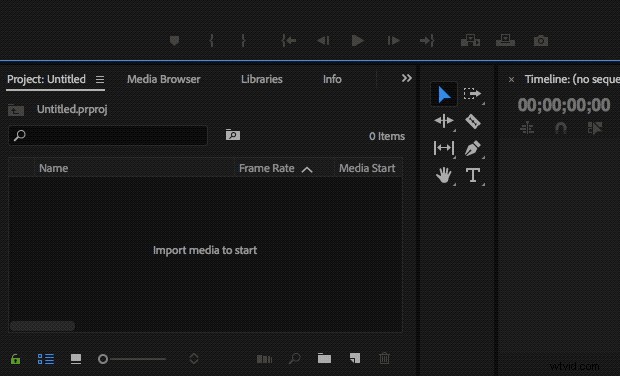
- Launch Adobe Premiere Pro on your computer and import your video to your project.
2. Drag the clip that you want to edit to the timeline and duplicate it by holding the Alt key and dragging the copied section to another track.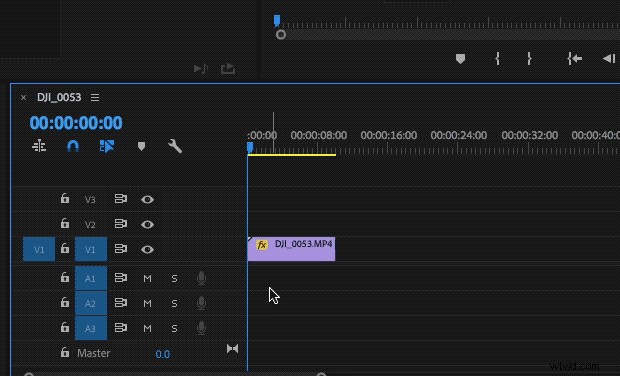
3. Adjust the footage in the frame according to the position of the mirror axis.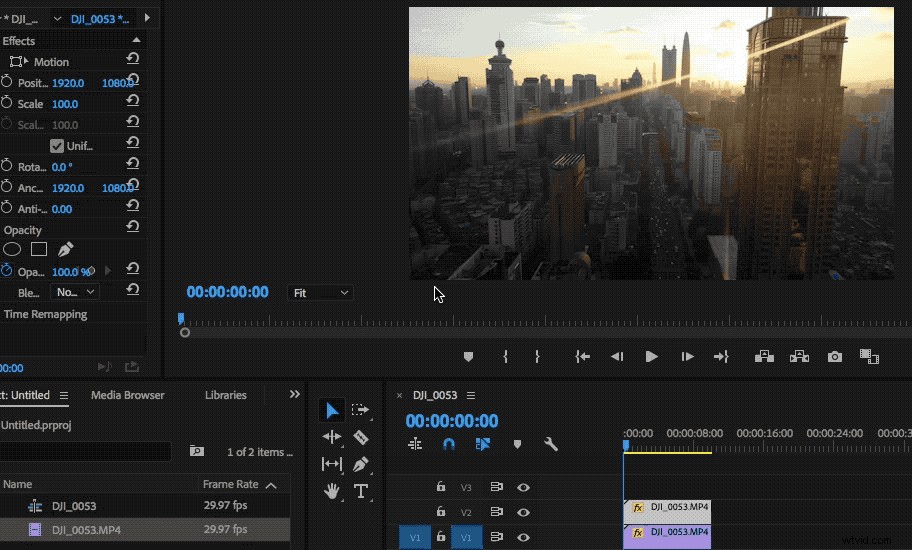
4. Zoom in to complete fine adjustments.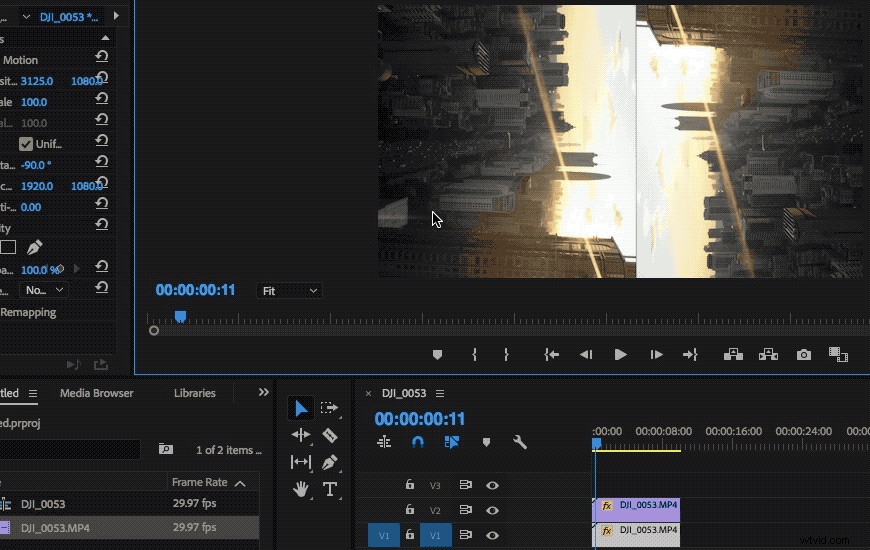
5. For the last step, use the Transform effect to change the Scale Width and achieve a symmetrical composition.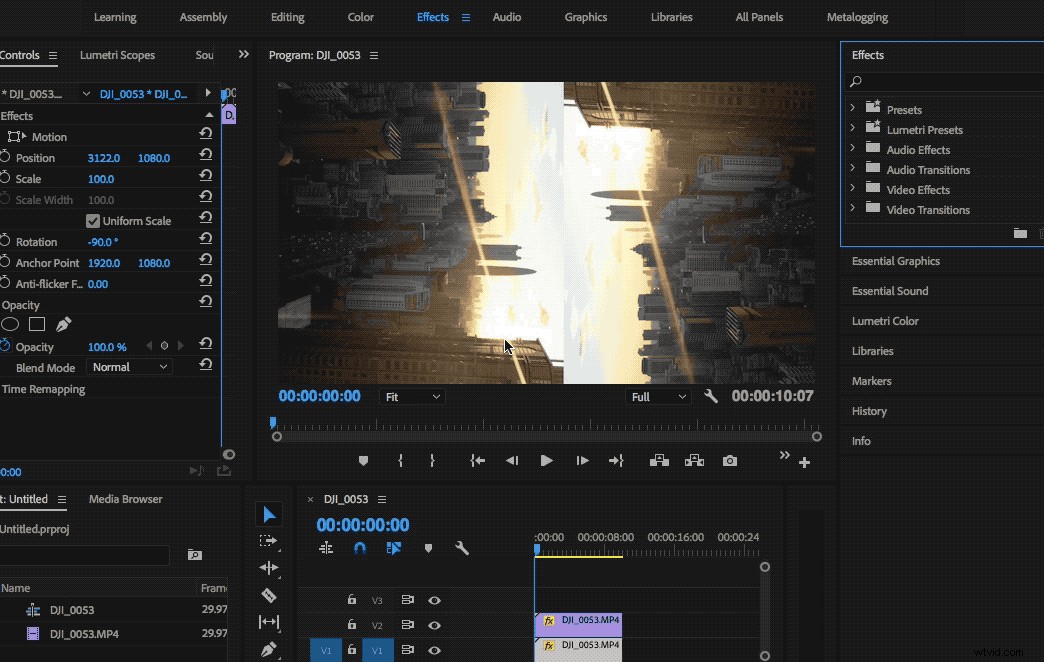
6. Export your work and watch the brilliant effect in motion!
With these simple steps, you can add an extra creative dimension to your work, showcasing your favorite scenes like never before. It’s your turn to try it out!
You May Also Like
How to Fly a Drone: Beginner’s Guide
DJI GO 4 Manual: The Pilot’s Handbook
7 Camera Setting Mistakes Most Beginners Make
Best DJI Drones for Beginners ( With Video )
Top 5 Ways to Prevent Flyaways – Must-Have Knowledge for Drone Pilots
For more DJI Support join us on
DJI Support Facebook
DJI Support Twitter
DJI Support YouTube