
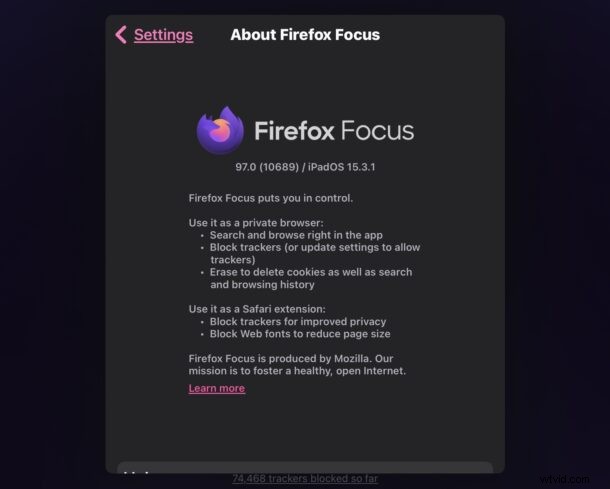

Firefox Focus is a great web browser for iPhone and iPad that basically defaults to being in private browsing mode, meaning there are no cookies, browsing history, or other browser data kept or maintained.
But despite being a privacy centric browser, Firefox Focus defaults to sending browser usage data to Mozilla, along with a studies feature that may share browser data as well. If you’re expecting to use Firefox Focus with privacy in mind, you’d probably want to disable those two settings on iOS or iPadOS.
How to Disable Sending Usage Data & Studies in Firefox Focus for iPhone & iPad
Here’s where you can toggle these settings off to further improve the privacy of Firefox Focus:
- Tap the menu lines button in the upper right corner, then choose “Settings”
- Disable “Send Usage Data” by toggling it to the OFF position
- Disable “Studies” by toggling that to the OFF position
- Check the other privacy focused settings to make sure they’re set as you’d like them to be, then exit Settings
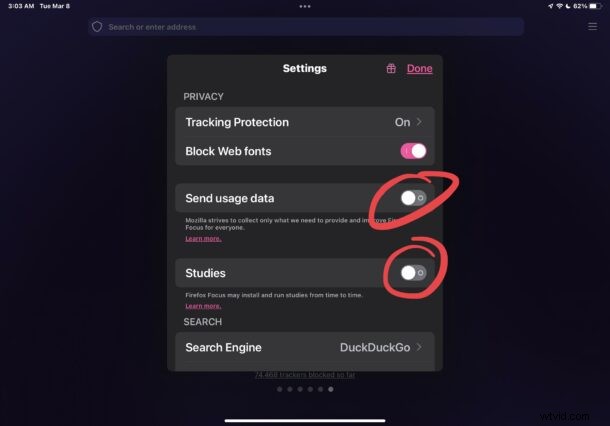
Now FireFox Focus will no longer transmit usage data or studies data to and from your web browsing and Mozilla.
Whether you use FireFox Focus occasionally, or as the default web browser on iPhone or iPad, you’re probably using it with privacy in mind, so take a moment to review the apps settings to make sure it corresponds with what your needs and expectations are when browsing the web with the app. For privacy-focused users, blocking web fonts and enabling tracking protection are reasonable steps as well, as are disabling autocomplete and search suggestions.
Remember, FireFox Focus offers just client side privacy features, and it does not encrypt or obfuscate traffic from the browser to destination servers like a VPN or TOR might. If you’re looking for another level of privacy beyond simply not maintaining browsing data and blocking trackers, those options are likely a better choice.
If you use Firefox Focus, share your thoughts on the browser, these features, or in general.