
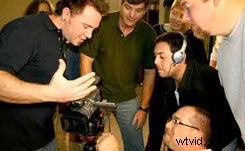
Videomaker workshops offer a great ways to get good video info fast. While Videomaker has lots of ways to learn about video — webinars, training DVDs, a monthly magazine, or can getting tips sent daily to your email — nothing quite compares to getting some face-time with a real live person. Luckily, there's an easy way to get the personal attention that you crave Videomaker's in-house workshops are the perfect opportunity to get all your toughest video and videography questions answered by a live Videomaker expert. Our experts love to help you make better video, so these popular and informative workshops thrive on student questions. Bring your biggest questions and trickiest problems and get some answers.
The Basics of Video Production is a great way to get a hands-on introduction to making videos. Various lectures by video experts will cover the fundamental techniques of shooting, miking, editing and lighting. Our best video experts are always on hand during these educational sessions. Each workshop contains lectures, demonstrations and Q&A sessions with experts. But by far the most popular section of the day is when attendees get to take their cameras out into the field to put all the new techniques they've just learned into practice. Previous workshop groups have used their skills to craft professional-looking video movies in just three days. End your weekend with a complete video project to how the class. It's no wonder that previous attendees rave about Videomaker workshops; 100% of attendees rated this workshop as good or excellent and that's a record we're proud of.
Sign up for The Basics of Video Production today and you're sure to agree.
[image:blog_post:13117] Intensive Editing is a three-day, hands on course is for students who understand the basics of video editing and want to advance their skills. Each student will work on a supplied HP laptop, using Adobe professional editing software that will take you from the basic skills to some advanced techniques including time remapping, advanced trimming features, multi-camera editing and more. Seating is limited so register for Intensive Editing today!
Sign up for our Intensive Editing Workshop and get ready to learn.