
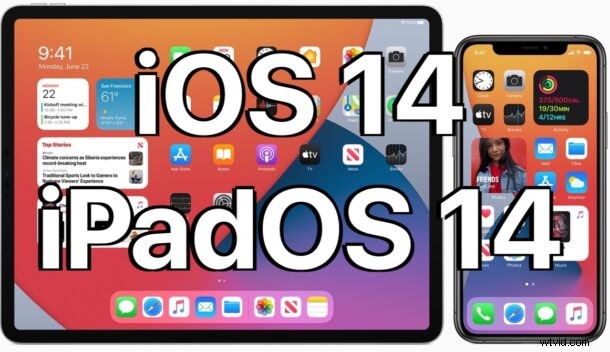
iOS 14 and iPadOS 14 are now available for all users to download onto eligible devices. The final builds of iOS 14 and iPadOS 14 arrive as a free update after months of beta testing.
Many new features are included with iOS 14 and iPadOS 14, including the ability to add widgets to the iPhone home screen, an App Library feature for simpler app management, instant foreign language translation functionality, new capabilities for Messages, improvements to Safari, new sorting and view modes for Photos, amidst many other smaller features and improvements to the mobile operating systems.
Separately, watchOS 7 and tvOS 14 are also available to download for Apple Watch and Apple TV users.
Interested users can get the updates now on any iPhone compatible with iOS 14 and iPad compatible with iPadOS 14.
How to Download & Update to iOS 14 & iPadOS 14
It’s important to backup the device to iCloud, iTunes, or Finder before beginning any system software update. Failure to backup the device could result in data loss.
- Open “Settings” app on iPhone or iPad
- Go to “General”
- Select “Software Update”
- Choose to “Download and Install” as “iOS 14” or “iPadOS 14” shows as an available update
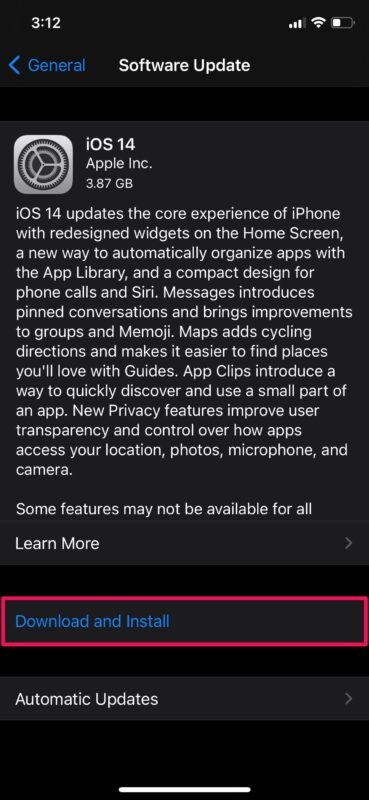
Installing iOS 14 and iPadOS 14 requires the iPhone, iPad, or iPod touch to reboot. Once completed, the device will start back up into a splash screen and review a few settings before being able to use the device as usual.
Optionally, users can choose to install iOS 14 and iPadOS 14 through iTunes or Finder with a computer.
More advanced users can also update to the latest versions by using IPSW firmware files, which are available to download directly from Apple by using the links further below.
How to update from beta of iOS 14 / iPadOS 14 to final?
For users who are running a beta version of iOS 14 or iPadOS 14, following the same update instructions as above will upgrade the device from a beta build to the final version that is available.
After installing the final version of iOS 14 or iPadOS 14, beta testers may want to remove the beta profile from their devices so that they no longer receive future beta software updates.
iOS 14 IPSW Firmware File Download Links
- iPhone 11 Pro Max
- iPhone 11 Pro
- iPhone 11
- iPhone XS Max
- iPhone XS
- iPhone XR
- iPhone X
- iPhone 8
- iPhone 8 Plus
- iPhone 7
- iPhone 7 Plus
- iPhone SE – 2020 model – 2nd generation
- iPhone SE – 1st generation
- iPhone 6s
- iPhone 6s Plus
- iPod touch – 7th generation
iPadOS 14 IPSW Firmware Files
- iPad Pro 12.9 inch – 4th generation
- iPad Pro 12.9 inch – 3rd generation
- iPad Pro 12.9 inch – 2nd generation
- iPad Pro 12.9 inch – 1st generation
- iPad Pro 11 inch – 2nd generation
- iPad Pro 11 inch – 1st generation
- iPad Pro 10.5 inch
- iPad Pro 9.7 inch
- iPad 10.2 inch – 8th gen
- iPad 10.2 inch – 7th gen
- iPad – 6th generation
- iPad – 5th generation
- iPad Air – 4th generation (2020 model)
- iPad Air – 3rd generation
- iPad Air – 2nd generation
- iPad mini – 5th generation
- iPad mini – 4th generation
iOS 14 / iPadOS 14 Release Notes
Release notes accompanying the iOS 14 download are as follows:
Apple also released watchOS 7 for Apple Watch, and tvOS 14 for Apple TV. MacOS Big Sur is yet to be released.