
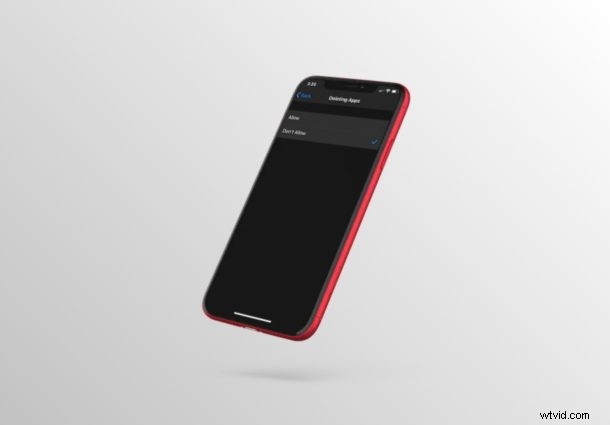
Do you want to stop yourself, your kids, or other family members from deleting apps that are installed on iPhones and iPads? Thanks to the Screen Time feature, you can easily disable the deletion of apps and it’s fairly simple to set up.
Screen Time allows iOS and iPadOS users to keep a check on their smartphone usage as well as offers a lot of parental control tools to restrict the features that children and other family members are able to access. Blocking the ability to delete apps is one such parental control tool that might come in handy, especially if you don’t want your kids to delete parental control apps and other apps of importance from their devices.
Here we’ll be discussing exactly how you can use Screen Time to prevent deletion of apps on both the iPhone & iPad. This obviously has use cases beyond just parental controls, so use it however it’s most appropriate for you.
How to Block Deletion of Apps on iPhone & iPad with Screen Time
Screen Time requires a modern version of iOS or iPadOS, so make sure your iPhone or iPad is running the latest available version before you go ahead with this procedure. Now, let’s take a look at the steps.
- Open the “Settings” app from the home screen of your iPhone or iPad.

- In the Settings menu, scroll down and tap on “Screen Time”.
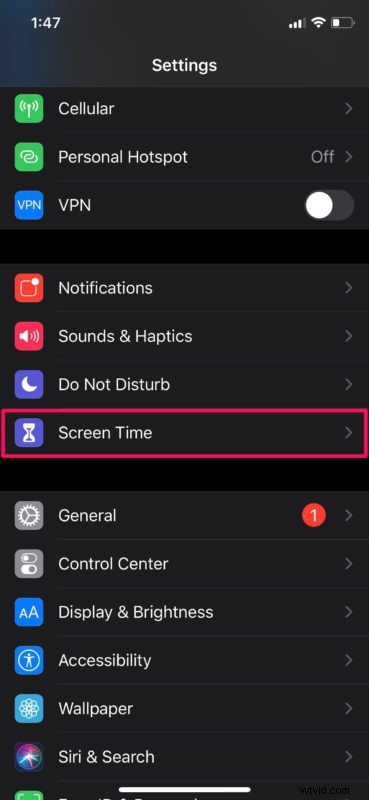
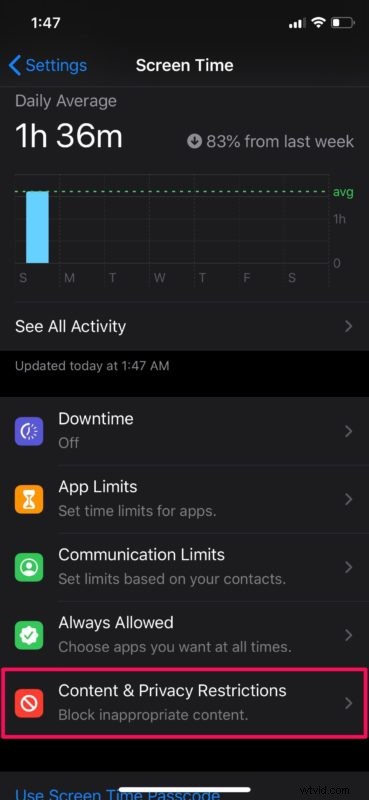
- This will take you to the Screen Time menu in iOS. Here, scroll down and select “Content & Privacy Restrictions”.
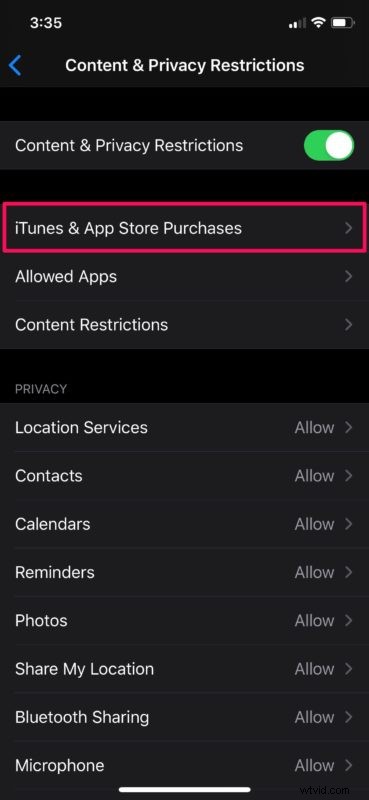
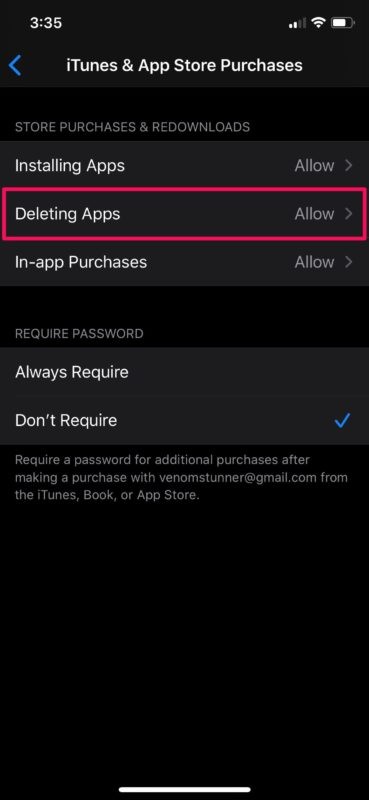
- Here, tap on iTunes & App Store Purchases, as shown in the screenshot below.
- Now, tap on “Deleting Apps” located right under store purchases & re-downloads.
- As for the last step, simply select the option “Don’t Allow” to block deletion of apps.
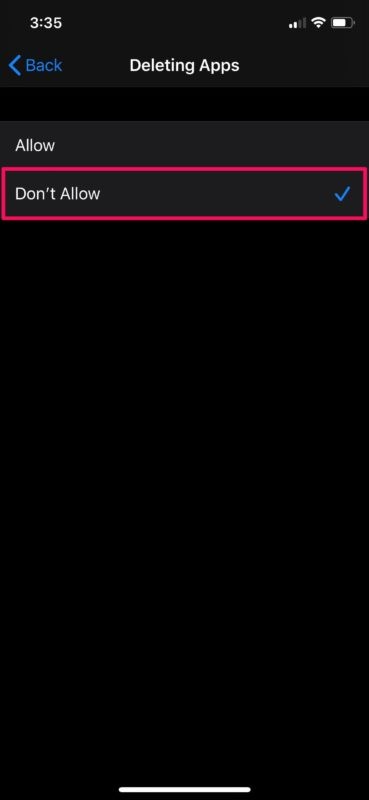
And that’s how you prevent yourself, your children, or anyone else from deleting apps from their iPhones and iPads.
By blocking the ability to delete apps, you don’t have to worry about yourself or your children deleting apps you don’t want them to, whether by accident or intentional.
Apart from preventing deletion of apps, Screen Time has tons of features and can also be used to stop in-app purchases, block websites, playback of explicit music and a lot more. This functionality has made it a lot easier for parents to keep a check on their children’s device usage.
Similarly, you can also restrict your children from installing apps from the App Store using Screen Time. If you’ve giving your iPhone or iPad to your children for temporary use, make sure you use a Screen Time passcode, so that they don’t end up changing your settings.
If your iPhone or iPad is running an older version of iOS, you will still be able to block deletion of apps by heading over to the Restrictions section within settings. So, regardless of what iOS device you use, you shouldn’t have an issue restricting app deletion for your family members.
Did you manage to successfully stop your kids from deleting apps on the iPhone or iPad they use using Screen Time? What other parental control features do you use to restrict your kids’ smartphone usage? Do let us know your thoughts and opinions on Apple’s Screen Time in the comments section down below.