
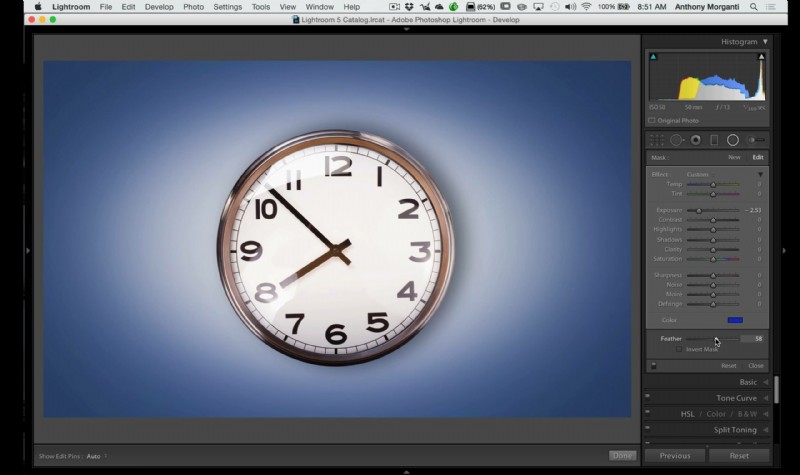
This quick video by photographer Anthony Morganti demonstrates how to create a colored vignette in Lightroom quickly and easily.
Adding color Vignette in Lightroom
Everybody knows how to add a black or white vignette in Lightroom – it is located in the effects module. But let’s say that you would like to create a colored vignette – this tool is not the one that can help you here. Instead, Morganti suggests that you will use the radial filter.
Use the cmd/ctrl to create a radial filter on the entire image – this gives you a round circle-like shape in the center of the image and using the color option you can pick a color and play with the image until it will look just like you want.
One thing to keep in mind about this neat trick – this will work best with an image that has a subject in the center and less going on in the sides (like this image) it will probably have less effect on a more spread out image with lots of subjects – but play around and see what you get.
If you are more into Photoshop – we also have a simple video showing you how to create a vignette in Photoshop by Bryan O’Neil Hughes from Adobe.
Vignette in Lightroom
You can check out more useful Lightroom guides and tips on our LensVid Lightroom section. You can more videos of Anthony Morganti here on Lensvid.