
Earlier today Adobe announced the release of Lightroom mobile for Android phones. Previously, Adobe had released Lightroom mobile only for iPad and iPhone users.
You will need a relatively recent device to run Lightroom mobile and a pretty strong one if you want to use it effectively (the bigger the screen the better – although sadly – tablets are not officially supported yet).
Sync between your computer and mobile Lightroom with ease
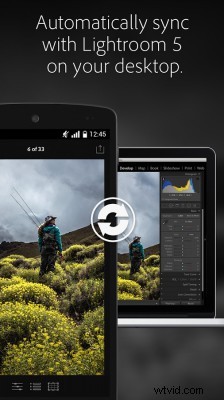
Here are some of the Key features of Lightroom mobile:
- like, flag and reject images quickly.
- Works with your Lightroom on the computer (changes made on the app sync to the computer and the other way around).
- Edit images using familiar Lightroom tools and presets as well as many filters for easy retouch on the go.
- RAW file support (we are not convinced that you really want to edit D810 raw files on your smartphone – so think twice before you import your RAW folders).
- Lightroom mobile app is free (yeah!) to all creative cloud users.
You can download Lightroom mobile for Android here on the Google Play Store. If you are an iOS user you can download a version from the Apple app store.
This is a good time for a reminder of some of the features of the iOS version of the software announced last year:
[youtube]https://www.youtube.com/watch?v=oBe-DdDi8FQ[/youtube]
Don’t miss all photography software news and daily video tutorials of Photoshop and Lightroom here on LensVid image editing section.