
Whether you like it or not, most of us are constantly looking for ‘another Photoshop’, no matter whether we already have it installed or would like to have it.
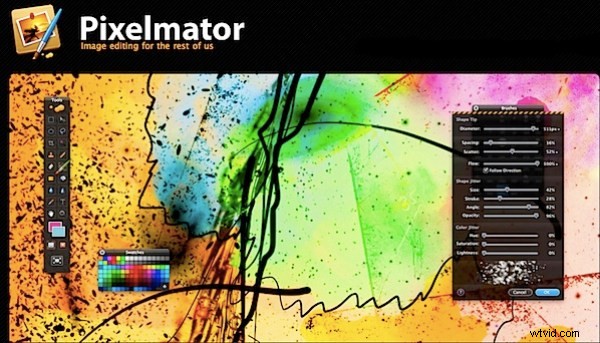
Many have no need for the extraordinary talents of this profound application but still have the need to fool around with our digital pictures and find the print-biased GUI a bit of a pain. Pixelmator as a pixel-based image editor may well be the one that will satisfy this craving.
On the gloomy side it demands Mac OSX version 10.5.7 and upwards in both Power PC and Intel Macs. Lesser OS’s need not apply!
On the shiny side it can handle an amazing array of file formats (100+), some of which you may not have seen for some years. Like … PICT, BMP and others even more obscure — and of course it can deal with JPEG, TIFF, PNG, PSD etc.
So I opened my first test image and have to admit I was a little jarred when I found its interface, whilst very attractive, had a GUI and series of menus that looked alarmingly like Photoshop’s! But, when I started pushing pixels around, I realised it was decidedly RAM-hungry, so I had to shut down other apps in play at the time and then restart Pixelmator to run it.
Pixelmator is based on Core Image technology, so if you have a high-performance card with increased video memory (VRAM), you’ll find real-time Pixelmator will kick up some dust in the speed department on the latest PowerPC and all Intel Macs.?
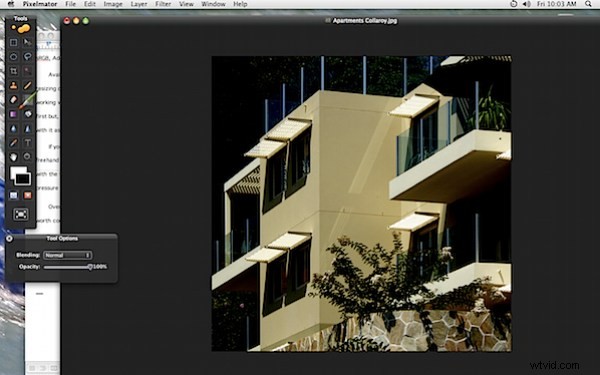
The toolbars are similar, although the tools are arrayed in two columns against a black background — not one. Some may be a little wary of the black desktop and I did find it a little bit of an eye-strain.
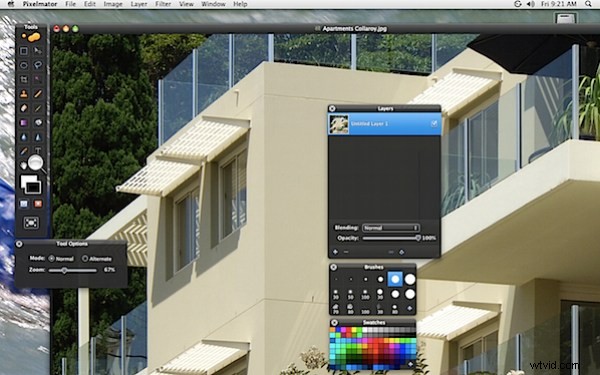
The test shot of a glitzy apartment block needed squaring up for a start: no probs, with the menus in place — just like Adobe’s favourite son — and I managed to correct perspective quite easily.
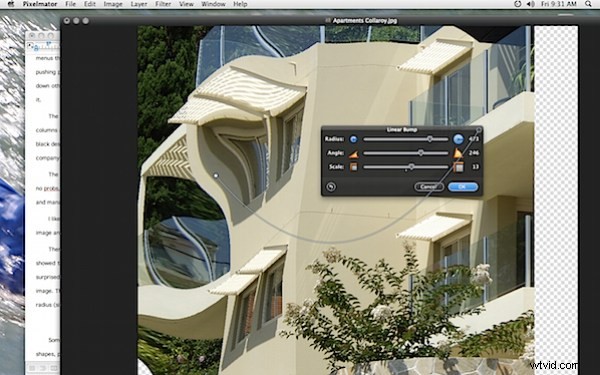
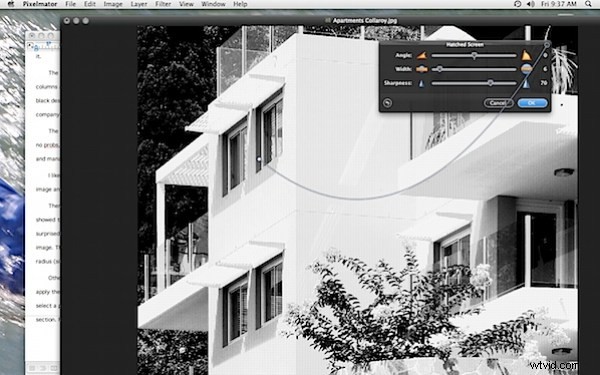
I headed first into the filters (there’s more than 130 of ‘em) and here is where the differences showed their pretty heads. I opened the Bump Linear filter and was surprised to find a rope attached itself from the options box to the image. This meant I could squeeze potions of the image in terms of radius (size of effect), angle and scale. Instant love!
Other Filters had an identical approach: you attach the rope and apply the filter to portions of the picture. With the Tile Filter I could select a portion of the picture and create a tiled screen using just that section. Fascinating!
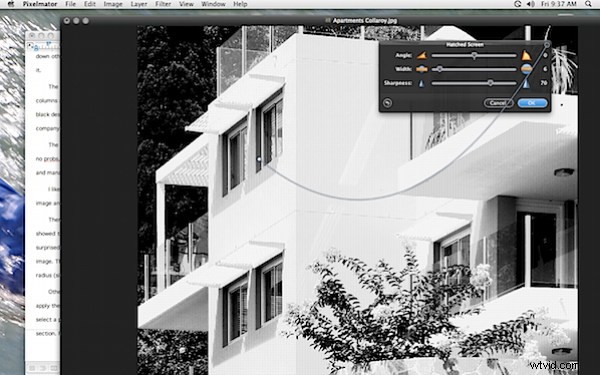
The Hatched Screen effect also impressed, transforming the original picture into a deeply etched effect that had instant appeal and managed to give an attractive half tone B&W effect.
Of course there are the usual painting and selection tools: as you select each tool a small option box pops on with the available choices of type of tool, brush sizes, font choice and size etc. I particularly liked the handy on screen resizing tool which helped resize an image anywhere from 0 to 3200 per cent. Terrific!
Colour management is at hand and you can select your profile: sRGB, Adobe RGB (1998), CIE RGB etc.
Available of course are Layers, Masks and the usual access to resizing options, all laid out in fine Photoshop style. Overall, I found working with the application an enjoyable experience: a little strange at first but, once accustomed to it, I could easily see me happy to work with Pixelmator as a faux Photoshop.
If you use a graphics tablet, Pixelmator offers support so you draw freehand with the app’s Pencil, Brush, and Clone Stamp tools or erase with the tablet’s eraser. Additionally, you can access the tablet’s pressure sensitivity to play with the Blur and Sharpen tools.?
Overall, this is a very highly developed piece of software and one worth considering if you have an adventurous bone in your body. IMHO, the best Photoshop clone I have yet encountered.