
Previously we’ve talked about the Best green screen editors in which there’re 2 green screen software especially for Mac users: iMovie and Final Cut Pro.
If you’re an iMovie '09 or later user or you bought your Mac on or after October 20, 2010, iMovie is the first solution for you, if you’re looking for a free green screen software for Mac. Be sure to enable green screen function in iMovie! Check this tutorial about How to Use iMovie Green Screen Effect.
- Powerful yet easy-to-use green screen software for Mac
- Powerful yet advanced green screen software for Mac
Powerful and Easy green screen software for Mac - Wondershare Filmora
Find more details about how to composite a green screen video in Filmora
Wondershare Filmora for Mac (Latest version 9) is not only a green screen software, but also an all-in-one powerful, fun and easy video editing software. It is a better solution for prosumers (amateurs that want to look professional). With hundreds of effects and filters built-in, you could finish any advanced video editing with limitless possibilities within minutes. Download it to get started with your project now, here’s the free trial version!
Powerful green screen software for Mac- FilmoraPro
As an entry-level green screen software for Mac, iMovie is ok. But considering that you may have to deal with different kinds of video clips, which also needs more advanced editing, we suggest FilmoraPro, the advanced powerful green screen software for Mac. Of course you need some practices to make a great green screen if you are new to the editing world.
The Color Difference Key effect offers a simple and effective way to remove green screen backgrounds from video clips in FilmoraPro. It gives you more controls for chroma keying.
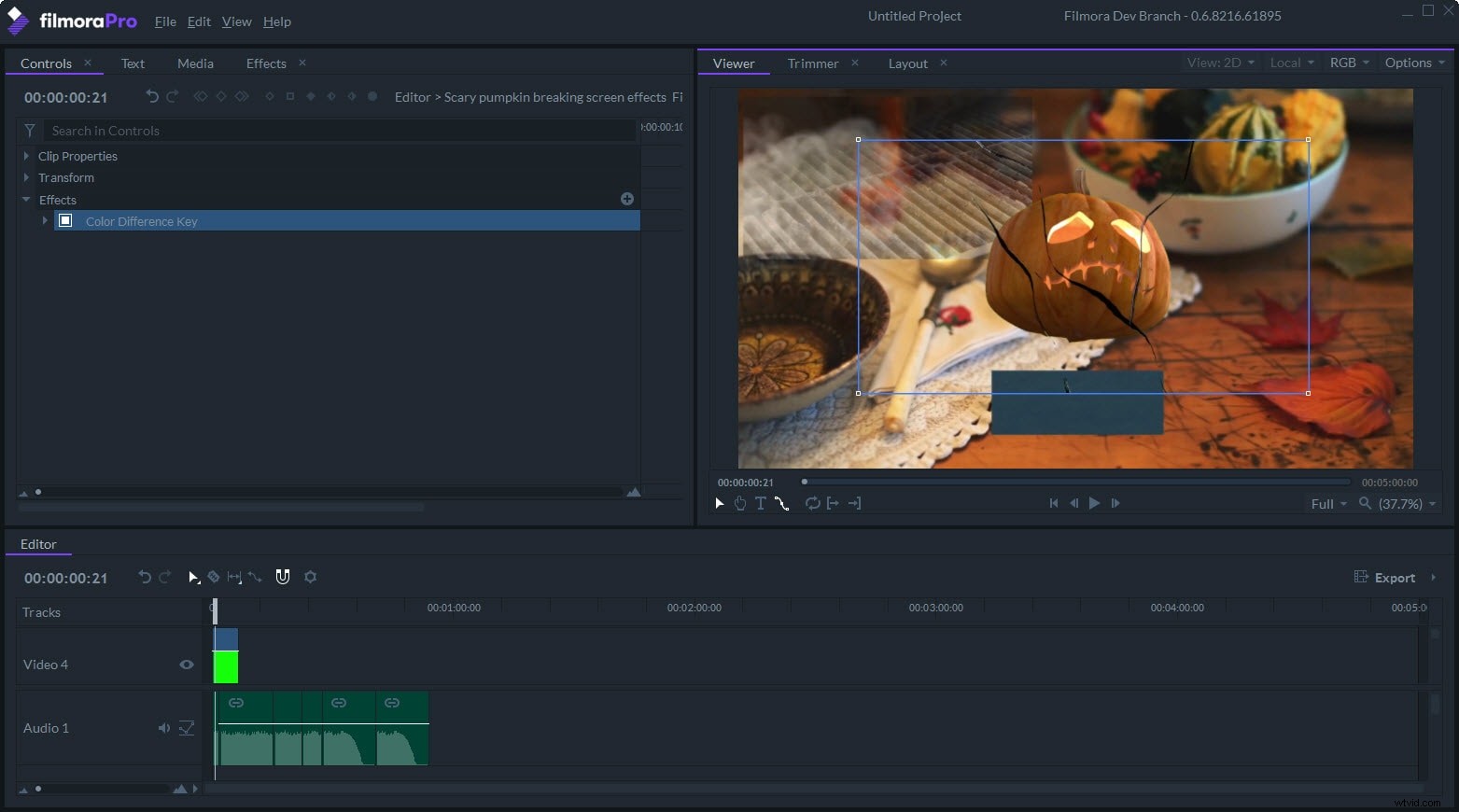
Compared with Final Cut Pro($299), FilmoraPro as an advanced video editing software for Mac is pretty affordable ($149.99/lifetime license). But trust me, it’s worth every penny as a professional video editor and high-end movie production. What you need is just more practices.