
The Mac offers the perfect computer platform for innumerable editing software when it comes to editing audio files. You can find plenty of audio editor for Mac choices that range from the free to very expensive, and each has its unique advantages.
However, before you start searching for the right music editing software for your Mac, you’ll need to know what you want, what to look for and what current audio editing software is the best for your needs.
- Part1. Common Demands on Audio Editing Software
- Part2. What to Look for in Audio Editing Software
- Part3. Three Audio Editor Software Mac Selections
Part 1. Common Demands on Audio Editing Software
Those who regularly use this audio edit software can be divided into two categories: commercial and consumer.
For most commercial-based needs, you’ll want the best in professional audio editor Mac software that meets the needs of your studio system. The software needed will generally be expensive and geared to handling large, professional projects that require many different tracks.
However, it is fair to say that plenty of sound engineers use cheap or even free audio editing software to accomplish certain tasks quickly.
For the consumer, most audio editing needs are based on loading and doing basic editing on tracks. Whether you run your band, private studio, or one-person podcast, most of the demands that consumers put on their editing software is pretty straightforward;
- Record Tracks
- Basic Editing: Cutting, Deleting, and Inserting
- Adding Sound Effects
Given that most consumer projects demand the limited amount of time available, it is not surprising that most people want an audio editor Mac system to be simple, straightforward, and easy to use. This means that most of the work is simply recording or adding new tracks, making basic edits, and putting in certain sound effects, which often augments or changes the vocal track.
Part2. What to Look for in Audio Editing Software
For consumers looking to obtain the right audio editor for their Mac, several considerations need to be taken into account, starting with their particular demands.
- Simple or Full Featured: In essence, do you need a full-featured editing software similar to what professionals use, or do you just need something that can record, edit, and then share clean audio? For example, if you are running a podcast, then the software itself can be quite simple in its features. formats.
- Compatibility: You’ll want the software to be compatible with the format you are recording or obtaining the tracks. For the most part, audio editing software is quite adaptable, but certain types of tracks may not be compatible. So, check it out before you make your choice.
- Sharing Capacity: The editing software must output in a format that can be shared easily. So, you will want to look for systems compatible with what you are using.
Part3. Three Audio Editor Software Mac Selections
What follows are three audio editing software solutions for the Mac which are relatively inexpensive but meet the needs of most consumer and small business operations.
Wondershare Filmora Audio Editor for Mac:
Filmora supports a vast range of audio formats, covering AAC, AC3, AIF, AIFF, APE, AU, FLAC, M4A, MKA, MP2, MP3, OGG, WAV, WMA, etc.
With a built-in recorder, you can directly record voice over from your microphone. Basic editing features such as splitting, merging, changing speed, editing pitch, changing voice, etc are available. The multi-audio track allows you to add up to 3 audio tracks at a time so that you can easily add sound effects, voice-over, or background music to your audio file.
Though a full-featured audio editor, Filmora is more like a multimedia toolbox that allows you to edit videos, audios, and photos. The modern and intuitive interface will involve the least learning curve you could ever imagine and thus, it is renowned as the best video and audio editor Mac software for beginner users. Download a free copy to try it out below:
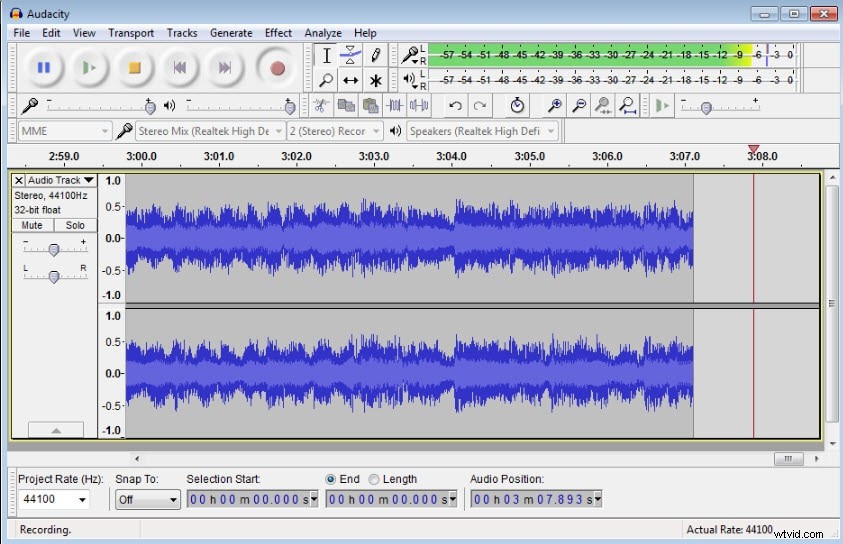
Audio Editor: Audacity (Free)
This editor handles uncompressed audio and supports many files, including AIFF, .WAV, MP2/3.FLAC and .OGG. You can record from different inputs, employ the JACK Audio feature, monitor the volume, and add several different effects.
The good news is that this editing software is simple, straightforward, and will work for many consumers who create their own broadcasts. However, it is rather limited when recording audio from your computer itself, and you’ll need to add SoundFlower to accomplish that.
Audio Editor: WavePad ($50)
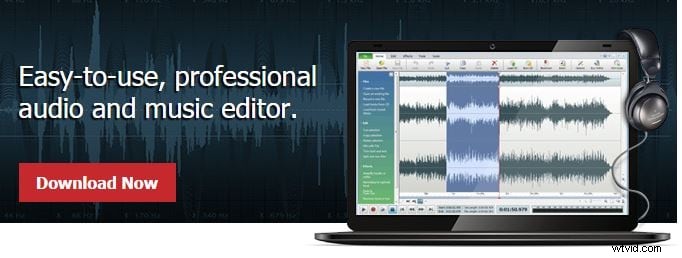
This is one of the more celebrated audio editing software systems for Mac computers. It contains many tools and sound effects and supports a considerable number of file types. The main attribute may be how user-friendly the wavepad sound editor is and the number of different features.
The only substantial negative is that the floating toolbars used will get in the way when you are working on larger projects. However, a big positive is that this editing system can clean up old, hissy audio quite well, substantially improving your recordings.
Audio Editor: Sound Forge Pro Mac 2 ($99):
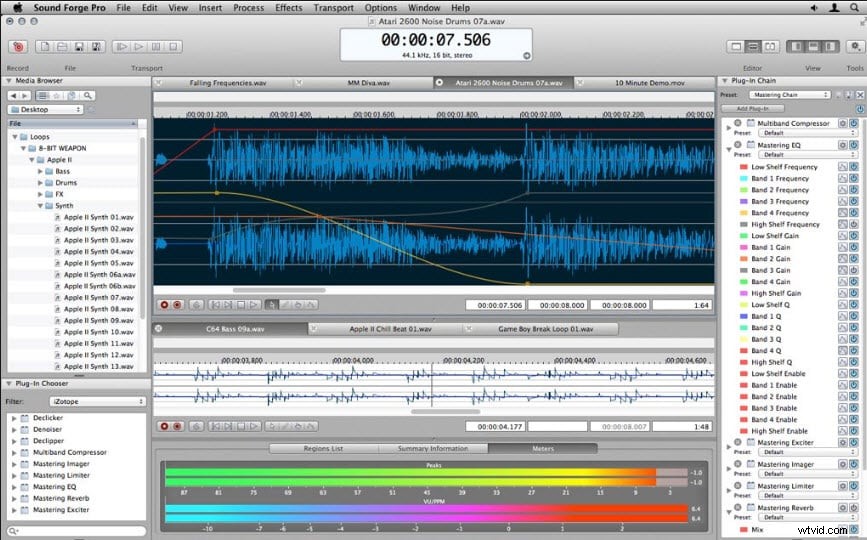
Sound Forge is an almost legendary audio editing system used by professionals and now priced for consumers. Sound for those who want the ultimate file compatibility, features, and overall quality, Sound Forge sets the standards. The 2.0 version is perfect for sound design projects as many different audio files can be used.
The only real negative is the price itself which will push it beyond the needs of many consumers looking for a simple, straightforward audio editor Mac system. However, if you plan on growing your current projects into something more professional and expansive, then the relatively low price of the Sound Forge Pro Mac 2 should be considered.
Finding the best audio editor Mac software should start with their own particular needs and then find the product that allows them to accomplish their goals.