
Digital Audio Workspace (DAW) is a multi-feature audio editing package that enables recording, composing, producing, and editing in a single software. It ranges from simple laptop formats to high configuration components for professional use. In this article, you are going to learn:
- Why DAW Software?
- Best DAW Software to Edit Audio Easily - FilmoraPro
- 6 Free DAW Software to Use
Why DAW Software?
DAW software offers the feature to record virtual or live instrumentals and sing directly into the software to be edited and mixed into excellent quality. A few other vital features every DAW offers are.
- Audio looping- copy-paste your recorded instrument to prolong it or use the 'loop library' to add drums, horns, or any other instrumental loop of your liking.
- Mono track DAWs and Multitrack DAWs-Support one track and multiple track editing, respectively.
- Audio editing- Slice, move, or crossfade the audio.
Audio mixing- EQ and compression plug-ins to refine audio quality to a professional level.
Best DAW Software to Edit Audio Easily - FilmoraPro
If you want to edit audio easily, here we recommend using FilmoraPro. It is a professional video editor with easy to use features. You can use it to sync audio automatically. Besides, you can remove background noise if you want to have a perfect audio file. There are various audio effects and transitions you can use.
Just free download it to have a try if you want to control audio precisely.
6 Free DAW Software to Use
Are you headstrong that you wish to become a music producer? If you have the 5 things the computer, the beatmaker (DAW), the keyboard, audio interface, and finally the studio headphone, you can definitely give a boost to your passion. The most vital amongst all 5 is the DAW, the digital audio workstation.
It is your studio hub where your vocals, virtual compositions, and the live instrument all combine together to form a great piece.
If you are a beginner with a limited budget in the audio editing industry, luckily you can opt for free DAW software.
Here are 6 best DAW for beginners.
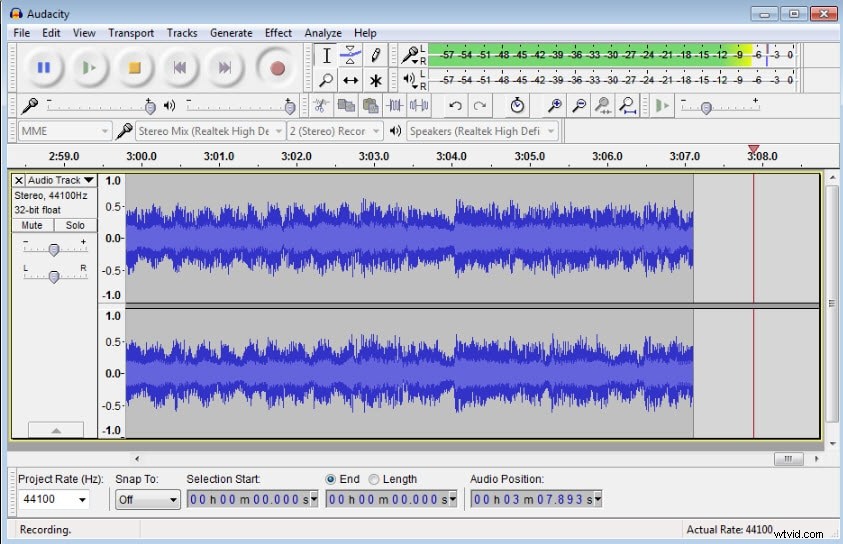
1. Audacity
For editing and recording, Audacity is one of the best DAW for beginners. It is not only popular but also the most widely used free DAW software across the globe. The simple recording and editing process does not require any sort of training which makes it ideal for the beginners.
The features of Audacity are-
- Open source offering cross-platform compatibility
- Make the beat slow or fast with the beat analyzer
- Create and edit the podcasts or rough song demo
- Export audio files to MP3 and WAV
- Needs LAMEC encoder for exporting files
- Free, easy-to-use, multi-track audio editing, and recording tool
2. Pro Tools First
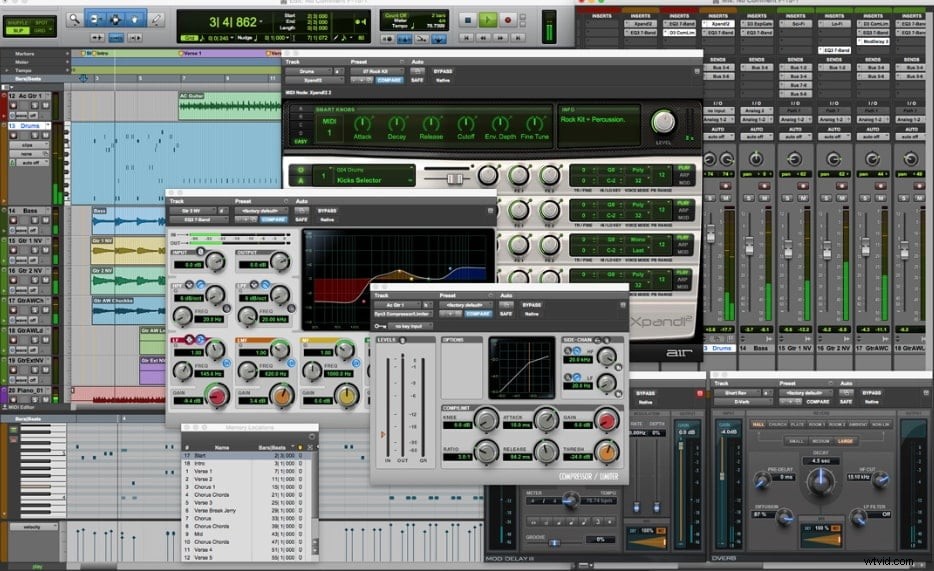
Pro Tools First is for any amateur music producers, singer-songwriters, instrumentalists, and anyone who loves to create music. It is a complete music-making package that allows you to record and edit in no time at all.
The features of Pro Tools First are-
- Start creating right away from scratch
- Range of sounds including beats and loops to power chords and more cowbell, drums, keys, bass, and guitar
- Create up to 16 virtual instrument tracks
- Two high-quality loop and sample libraries
- Capture individual performances or record up to four inputs at a time
- Allows loop recording to nail the perfect guitar solo or vocal run
- 23 effects and utility plugins
3. PreSonus (30 free trials)
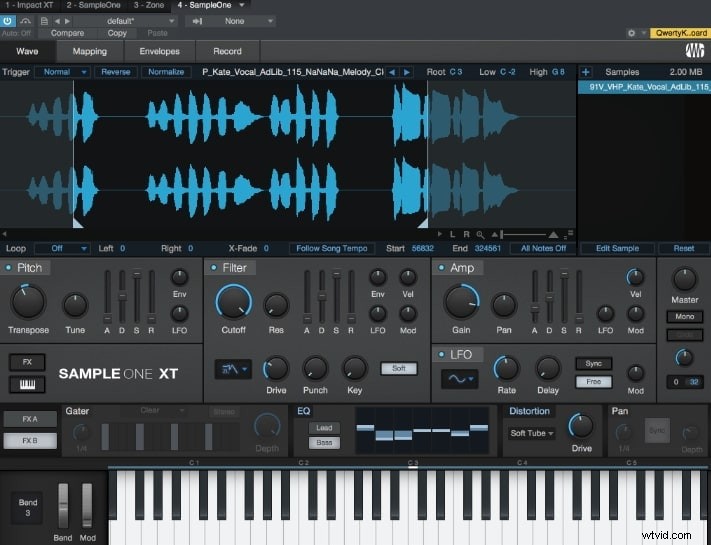
PreSonus (30 free trials) is a free DAW software that is a must-have for the beginners. It comes in 3 versions ranging from the novice level to the Professionals. You can learn to mix sounds and music in a 30-days free trial offered by PreSonus for the aspiring audio engineers and recording musicians in the Learning to Mix premium training.
The other features of PreSonus (30 free trials) are-
- Create without any restriction
- Studio One Prime is the entry-level and non-expiring version
- Save and export work without any worries
- Intuitive and customizable interface
- Always updated at regular intervals
- Comprehensive mastering solution
- Supports all plugin formats
- Any style of music is supported
- Effects, instruments, and Melodyne
4. Rosegarden
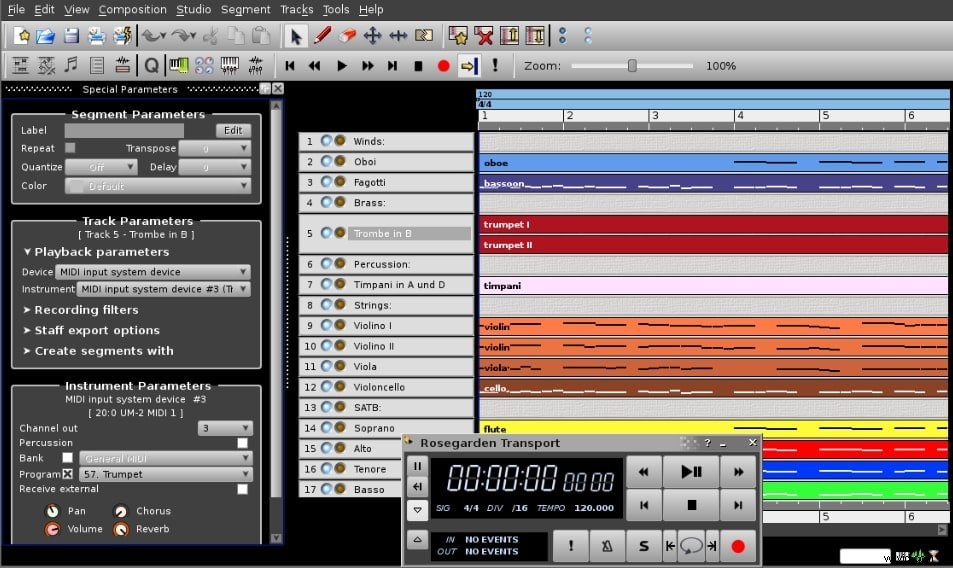
A well-versed MIDI sequencer and score editor, Rosegarden is an attractive and easy-to-learn application that runs on Linux. It is one of the best DAW for beginners like musicians, composers, music students, or home and small studio recording spaces.
The features of Rosegarden include-
- MIDI and audio sequencer with unlimited tracks
- 100+ MIDI playback devices are supported by Rosegarden
- Supports DSSI synth plugins
- Large built-in database of aid composers and real-world instruments
- Capacity to edit rich music notations
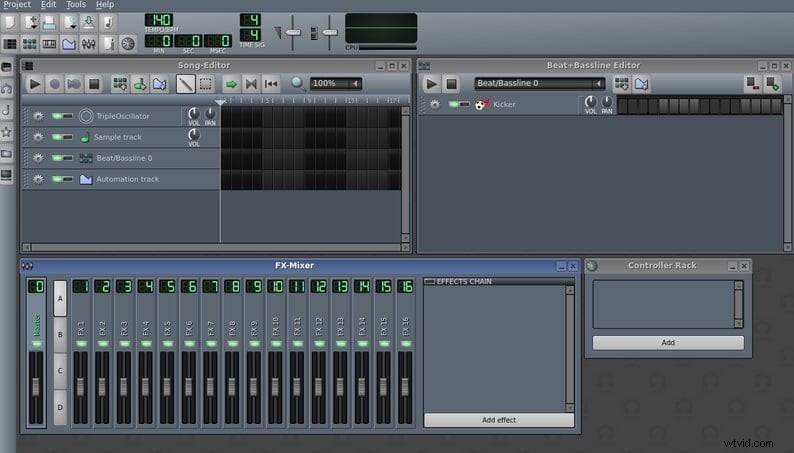
5. LMMS
Formerly known as Linux Multimedia Studio or LMMS is free DAW software that allows music production by sample arrangement, sound synthesizing, MIDI keyboard playing, and combining sequencer and tracker features.
The features of LMMS are-
- Modern and user-friendly interface
- Compose songs with song editor, easy to use Piano roll for melodies and pattern edits
- Several powerful instruments and out of the box effect-plugins
- Import and export MIDI files
- Unlimited FX channels, an FX mixer, and a random number of effects
- Sequence, compose, mix and automate songs in one simple interface
- Complete user-defined track automation and computer-controlled automation sources
6. Stagelight
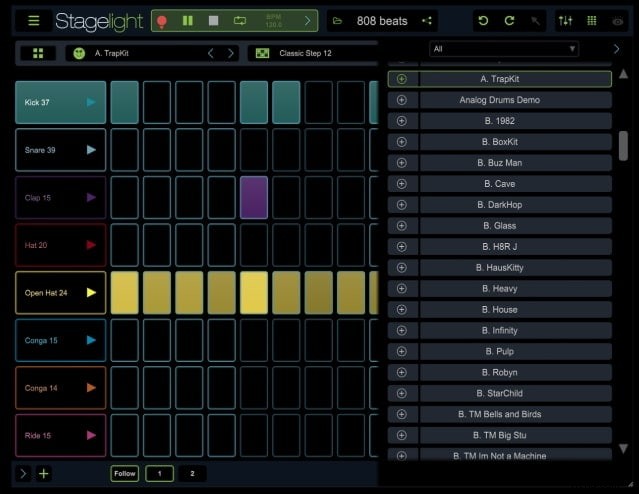
Cross-platform free DAW software, Stagelight is very easy to use. It is a great tool for music education. From teaching, learning, creating, to sharing music, Stagelight offers it all. This is one of the best DAW for beginners for making beats, mixing loops, and creating complete multi-track songs with various instruments.
The features of Stagelight are-
- Customize and create in-app lessons
- Cloud saving to Google Drive and Microsoft OneDrive
- Unlimited audio, MIDI, drum, and instrument tracks
- One-touch saving, stereo exporting and online sharing via SoundCloud
- Unlimited channel mixer view w/ fx sends and automation
- 3 voice pulse width modulation analog-style synth
- Drum machine with the step sequencer, touchpads, and editor
- Crush bits from 1-24, adjust noise and rate
How to Choose a DAW Software
Often, choosing the DAW software best suited to your needs can be confusing. However, a few simple questions will help you narrow down your list. Are recording instrumentals or live singing? Do you wish to use samples, in-built sounds, and loops? Are you low on budget?
Although DAW software can cost a fortune, many of these software's are accessible free with a few limitations. For instance, Studio One Prime V4, despite being free, does not support VST plug-ins. Similarly, Roland Zenbeats also requires money to be able to access additional features and VST plug-ins. One of the most favorite DAW software, namely Cakewalk by Bandlab, offers exceptional features complete with VST plug-in support but is limited to use on Windows only.
Hence, it seems like you can't have everything in one software. Even the best, free DAW software lack a feature or two. But despite lacking a few high-end features, the free DAW software's are productive enough, owing to the rapid technological advancements, to render your audios flawless and professional sounding.
Conclusion
Irrespective of the fact that the above set of free DAW software is pretty easy than the others, each one of them requires some time to get accustomed. If you ever get stuck while handling the above best DAW for beginners, always remember to refer to the online learning videos that come handy to serve you better.
Once you get the hang of the software, you can easily manage it with ease.