
In today’s fast‑moving digital landscape, content creators no longer rely on the old “fake it till you make it” mantra. Instead, the focus is on producing polished video content quickly and efficiently. One tool that promises to deliver on that promise is the Clipfly AI video generator.
As of 2026, the Clipfly app enjoys a solid 4.6‑star rating on the App Store, a clear indicator of its popularity among users. The rating reflects strong demand for features such as Clipfly AI Ghibli and the AI Talking Avatar, which allow creators to add unique visual styles and interactive characters without extensive manual effort.
In this comprehensive Clipfly AI review, we examine its core features, pricing structure, strengths, and limitations to determine whether its speed can meet your creative ambitions.
Part 1: Quick Overview of Clipfly AI
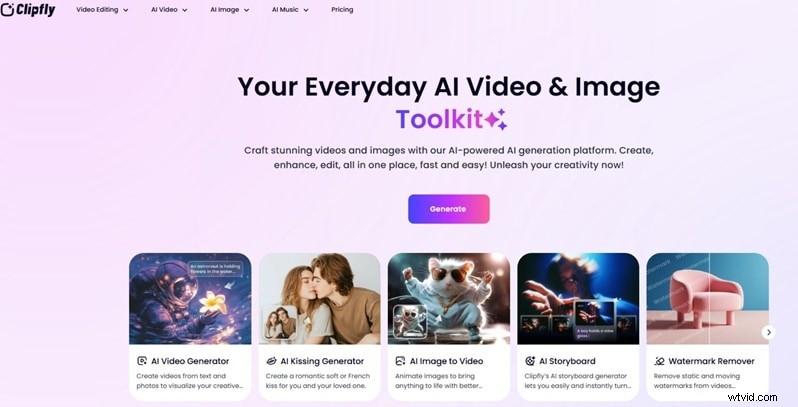
Clipfly AI is a unified creative studio that streamlines video and image production. Designed for content creators, influencers, and brands, the platform lets you generate, edit, and enhance content—all in one place.
Key Features at a Glance
| Editing Tools | AI‑powered generation with preset templates and basic editing tools; lacks a multi‑track timeline editor |
| AI Capabilities | Text‑to‑video, image‑to‑video, AI avatars, and stylized animation (including anime‑style outputs) |
| Performance | Cloud‑based processing; short videos are generated quickly without demanding local hardware |
| Value | Excellent ROI, especially when compared to hiring freelancers |
| Accessibility | Web‑based with iOS and Android mobile apps |
Free Plan Limits & Subscription Pricing
Clipfly offers a free tier and two paid plans—Pro and Business. While the free version grants basic access, export limits and feature restrictions apply. Paid plans unlock higher credit balances, expanded storage, and full AI model access.
Plan Comparison
| Category | Free | Pro (US$49.99/yr) | Business (US$389.99/yr) | Notes |
| Cost | 0 | 49.99 | 389.99 | Annual billing only |
| AI Credits | None | 200/month | 4,000/month | Heavy use is credit‑dependent |
| Watermark | Watermark‑free (when listed) | No watermark | No watermark | Free tier has limited AI access |
| AI Models | Limited | Full | Full | Model hierarchy not disclosed publicly |
| Export Quality | Up to 1080p | Up to 1080p | Up to 1080p | No 2K/4K export listed |
| Cloud Storage | 1 GB | 4 GB | 100 GB | Heavy media users may need external storage |
| Asset Library | Limited stock | Full library | Full library | No custom upload expansion noted |
| User Licenses | 1 user | 1 user | 5 users | No unlimited team plan listed |
| Credit Discounts | None | 10% | 20% | Credit‑based pricing remains |
Part 2: Core Features That Drive Clipfly’s Popularity
Video Editing & Enhancement
Clipfly consolidates editing and AI tools into a single workspace. Scene detection, automatic color correction, and frame‑interpolation for motion smoothing are handled by AI, cutting down manual post‑production effort.
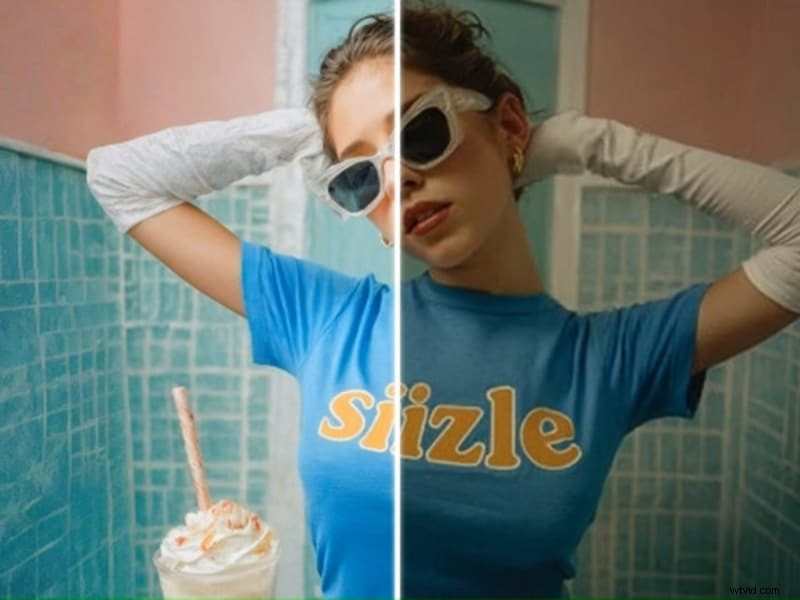
Image upscaling and auto‑enhancement are also available, sharpening details without manual adjustments.
AI Video Generation
The platform allows quick creation of videos from text or images:
- Text‑to‑Video
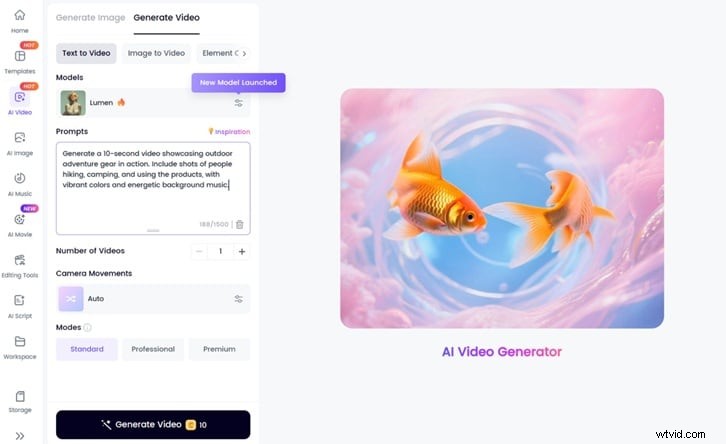
Enter a short script; the AI generates matching scenes.Prompt example: “Create an 8‑second video showing outdoor adventure gear in use. Include hiking and camping scenes with bright colors and upbeat music.”
Result:

- Image‑to‑Video
Upload one or more images; the AI animates them into short clips, ideal for product photos or infographics.
Additional AI video effects include:
- AI Ghibli Generator – Soft lighting and hand‑drawn style for a dreamy cinematic look.
- AI Kiss – Animates still photos into realistic kissing clips.
- AI Anime Video Generator – Produces cinematic anime‑style scenes from text or images.
AI Voiceover & Auto‑Captions
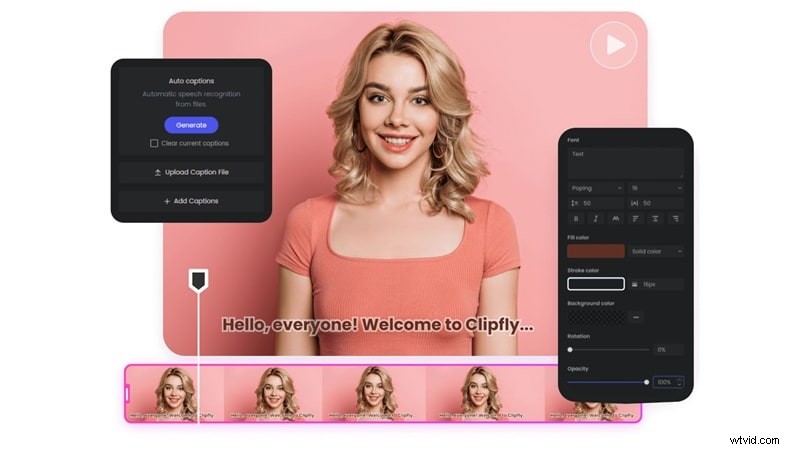
Clipfly’s built‑in voice library lets users paste a script and select a voice; the AI generates clear narration and matching captions. Voice clarity is strong in neutral tones, but emotional variation is limited, especially in “excited” styles where pitch and speed are adjusted rather than genuine expression.
Background & Watermark Removal
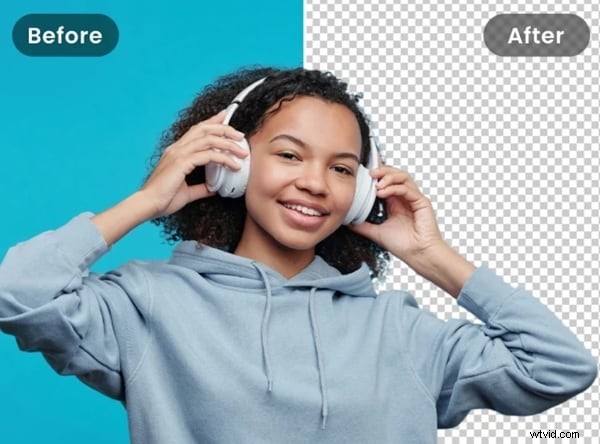
AI‑powered background removal automatically isolates the subject, enabling easy backdrop replacement. The watermark remover deletes logos, text, and other unwanted elements without blurring the frame.
AI Avatar Generation
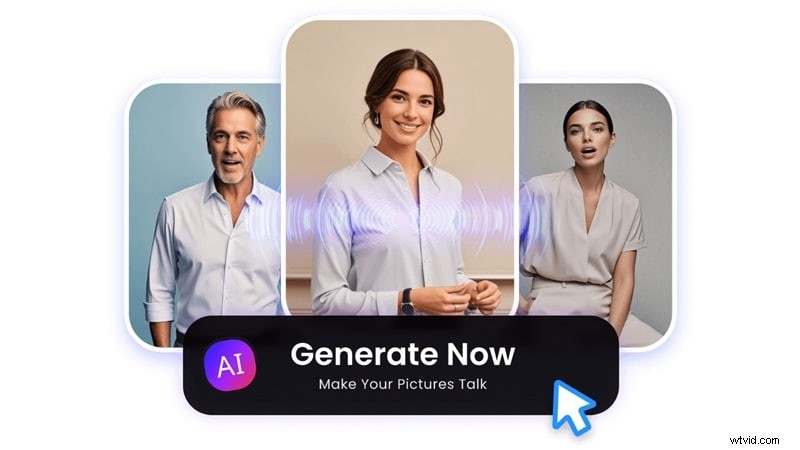
Upload a portrait, type a script, and the AI creates a talking avatar. While the avatar works well for formal presentations and tutorials, its emotional range is limited, making it less suitable for casual or influencer‑style videos. Customization options (outfit, background, branding) are basic.
Basic Editing & Customization
Clipfly supports trimming, music addition, caption insertion, and simple transitions. Brightness and contrast adjustments are available. These tools are sufficient for short, social‑media‑ready clips, but the platform lacks advanced masking, multi‑track audio control, and keyframe precision.
Part 3: How to Use Clipfly AI
Using Clipfly is straightforward:
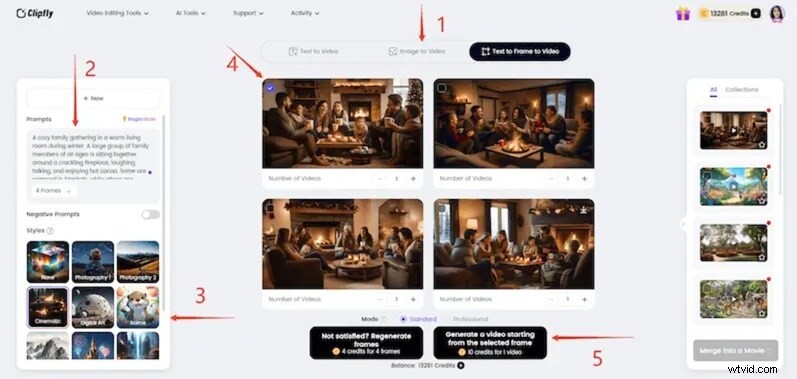
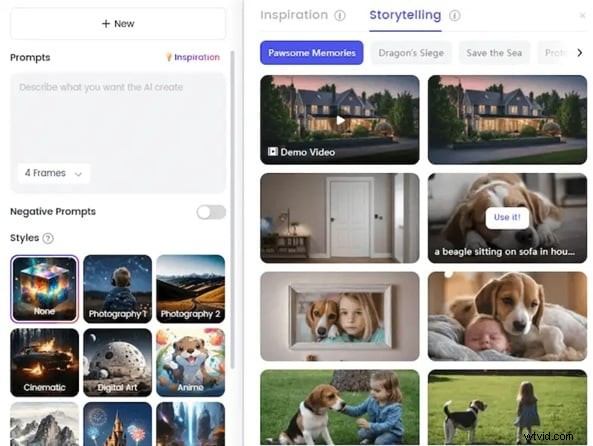
- Choose a Generation Mode – Text, images, or text‑to‑frame.
- Enter Your Idea – Type a concept; if unsure, use the “Inspiration” library for sample prompts.
- Select a Style – Visual styles can dramatically change the look of the same prompt.
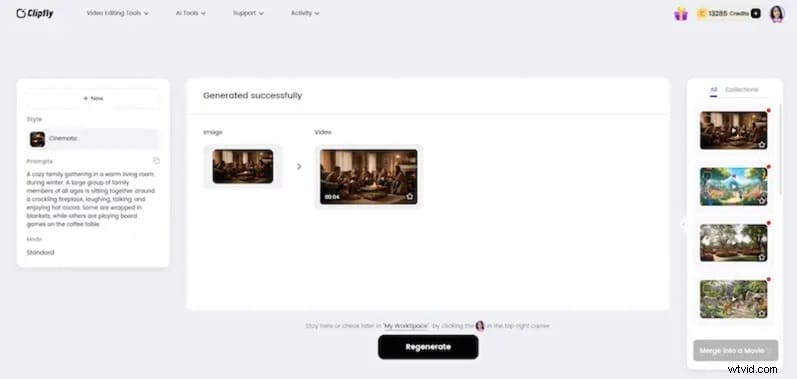
- Review & Generate – Preview keyframes, select preferred ones, then click “Generate.” Each clip typically consumes ten credits.
Part 4: Output Quality & User Experience
Output Quality
Clipfly delivers sharp visuals for simple scenes. Quality hinges on clear prompts, limited scene complexity, and willingness to iterate. Complex narratives may require multiple runs to achieve alignment.

Ease of Use
Beginners will appreciate the minimal learning curve. Professionals, however, may find the lack of deep camera controls and consistent character management limiting.
Workflow & Stability
The browser‑based interface guides users from prompt to final clip in a matter of seconds. Cloud processing keeps local resource demands low, and generation times remain stable for short clips.
Styles & Consistency
Clipfly offers anime, digital art, cinematic, and illustrated styles. While short scenes stay consistent, longer narratives can exhibit frame‑to‑frame variation.

Pros & Cons
- Pros
- Instant, user‑friendly workflow
- All‑in‑one: generation, voiceover, captions, basic editing
- Fast production ideal for trend‑based content
- No installation required; browser‑based access
- Cons
- Limited fine‑tuning; changes require full regeneration
- AI voices and avatars lack deep emotional nuance
- No advanced timeline editor
- Potential for repetitive template‑style output
- Credit‑based model may limit heavy usage
Ideal Users
- Marketers – Quick promo videos, product demos, multilingual social ads.
- Educators – Turn lesson scripts into narrated explainer videos with captions.
- Content Creators – Influencers, small businesses, vloggers needing fast reels or branded clips.
Part 5: Looking for More Control? Consider Wondershare Filmora
Clipfly excels at speed but falls short on precision. If you need deeper editing control, Filmora offers a full timeline editor combined with advanced AI tools.
Filmora’s Advanced AI Features
- AI Video Enhancer – Uses Topaz integration to upscale to 4K, restore old footage, and improve low‑light scenes.
- Background Remover – Includes chroma key, AI portrait, and smart cutout for flexible subject isolation.
- AI Audio Editing – Noise control, music editing, podcast workflow, and format conversion.
- AI Motion Tracking & Smart Masking – Tracks moving subjects and attaches graphics automatically.
Next‑Gen Creation Models
- Text‑to‑Video – Veo 3.1 & Sora 2 convert scripts into structured scenes.
- Image‑to‑Video – Animate images with AI Hug, AI Kiss, and more.
- AI Image Generator – Nano Banana Pro offers refined visual styles.
- AI Sound Effect & Copywriting – Generate sound effects, scripts, titles, and stickers directly within the editor.
Part 6: Clipfly AI vs Wondershare Filmora – Which Fits Your Needs?
| Platform | Browser‑based AI generator | Desktop editor with AI + full timeline |
| Editing System | Template‑based, limited control | Multi‑track timeline editor |
| Text‑to‑Video | Yes | Yes (Veo 3.1 & Sora 2) |
| Image‑to‑Video | Yes | Yes (integrated models) |
| AI Image Generator | Basic stylized outputs | Nano Banana Pro for advanced synthesis |
| Background Removal | AI subject detection | Chroma key + AI portrait + smart cutout |
| Motion Tracking | Not advanced | AI motion tracking with object follow |
| Video Enhancement | Basic adjustments | AI enhancer with Topaz, 4K upscale |
Verdict
- If speed and “good enough” output are priorities, Clipfly remains a solid choice.
- If you require deeper control and model selection for long‑term projects, Filmora offers more flexibility.
Conclusion
Clipfly AI is a tool built for rapid, short‑form content. It excels when prompts are clear and scenes are simple, delivering impressive results with minimal effort. However, its credit system, 1080p export limit, and limited editing depth mean it’s best suited for quick drafts or social‑media snippets. For creators who need advanced control, richer emotional depth, or higher resolution output, Wondershare Filmora provides a more robust solution.