
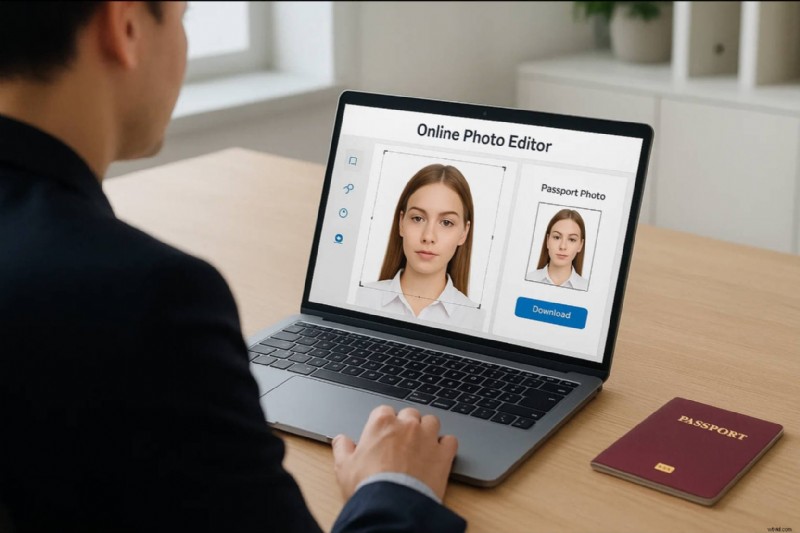
The use of photos as identification is considered a necessity throughout the world. From official needs to professional requirements, you are required to submit a photo of yourselves for identification and record use. However, every other platform or system has its own set of requirements to work with. Amongst them, some platforms look for passport-sized photos as their general picture requirement.
To cater to this, you may need a passport-size photo maker that would save you the hustle of going across the market to find someone to make it for you. Look into these multiple passport photo editors to find out the best amongst them for your work.
Quick Selection Table: 10 Free Passport Photo Makers in 2025
Before diving into the detailed reviews of each software, here's a quick comparison table. It highlights the platform availability, core features, free plan options, and best use cases of the most popular passport photo editors in 2025. Use this table to instantly spot which tool fits your needs, whether you want a fast online passport photo maker or a desktop solution for professional editing.
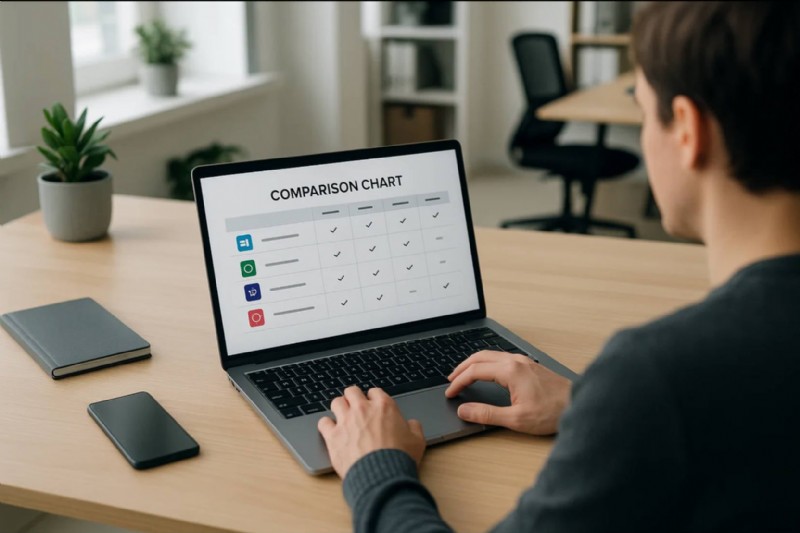
| Tool | Platform | Key Features | Free Option | Best For |
| Passport Photo Online | Online | Instant photo booth, automatic background validation | Quick online passport photo | |
| Persofoto | Online | Simple editor, country-specific photo guidelines | Beginners | |
| MakePassportPhoto.com | Online | Automatic resizing, passport & visa templates | Travelers needing visa photos | |
| 123PassportPhoto | Online | 50+ countries supported, 600 dpi high-quality prints | High-quality photo printing | |
| IDPhotoDIY.com | Online | Step-by-step guide, 70+ country formats | Frequent travelers | |
| Photomatic | Desktop | Automatic cropping, beginner-friendly interface | Free Trial | Windows & Mac users |
| ID Photo by Codenia | Desktop | 100+ templates, quick editing tools | Fast and simple ID photos | |
| Passport Photo Maker 9.15 | Desktop | Advanced editing, change background & clothes | Professional photo studios | |
| PhotoScape | Desktop | All-in-one photo editor, versatile modes | Casual editing & ID photos | |
| ID Photo Creator | Desktop | Ready-made templates, easy tutorials | DIY users and beginners | |
|
Show more Show less |
Summary & What's Next
This quick table highlights the top free passport photo makers and ID photo editors in 2025:
- Online tools like Passport Photo Online or 123PassportPhoto are best for quick passport-size photos.
- Desktop software such as Passport Photo Maker offers advanced editing for professional use.
Next, we'll review each of these 10 tools in detail.
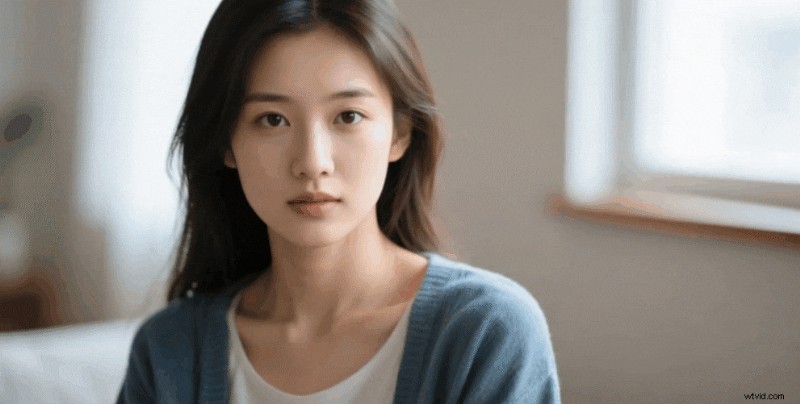
You'll also learn how to boost your ID photo workflow with Wondershare Filmora:
- AI background remover - Instantly change photo backgrounds to meet passport or visa standards.
- Image-to-video templates - Transform static ID photos into dynamic videos for creative use.
Example 1:
Example 2:

Both are Generated by Filmora
 Secure Download
Before coming to the part where you find professional tools to take a passport-sized photo, you can look for an online passport photo editor that can help you get out of it in no time.
1. Passport Photo Online
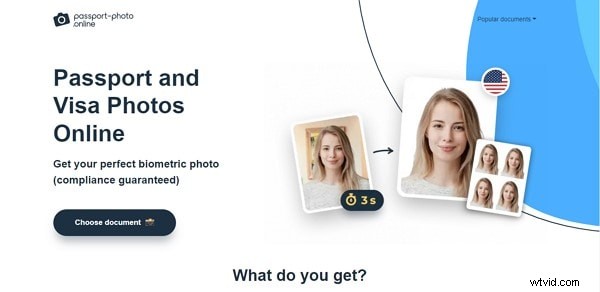
How good would it be to have a passport photo booth in your pocket? Passport Photo Online is a convenient example of a free passport photo maker that gives users the autonomy to take their photos in the desired way.
Who is it for: Perfect for users who want a fast, reliable online passport photo without visiting a photo booth.
Pros
- Capture passport-size photos instantly online from any device
- Automatic background validation to meet official standards
- Fast download for printing or digital submission
- Quick and convenient - photos ready in seconds
- Ensures compliance with official passport photo requirements
- Free to use
Cons
- Limited advanced editing features
- Only suitable for standard passport photo sizes
2. Persofoto
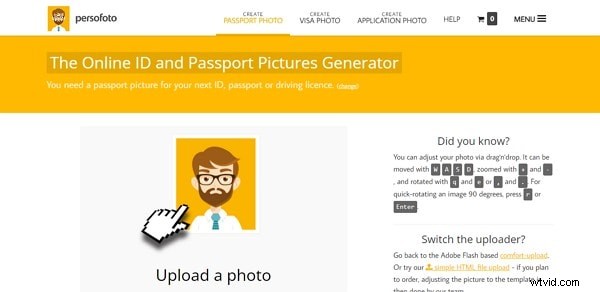
Persofoto offers a straightforward online environment for creating passport-size photos, guiding users with clear instructions and templates to ensure professional results. You can either take a photo on the spot or upload a pre-captured image, and the editor will automatically format it according to official requirements.
Who is it for: Ideal for beginners or travelers who need a quick, compliant passport photo without complicated steps.
Pros
- Simple, easy-to-follow interface for beginners
- Supports taking photos on the spot or uploading existing images
- Country-specific templates to meet official passport standards
- Quick processing and download
- Free to use
Cons
- Limited advanced editing options
- Mainly suitable for standard passport photo sizes
3. Make Passport Photo.com
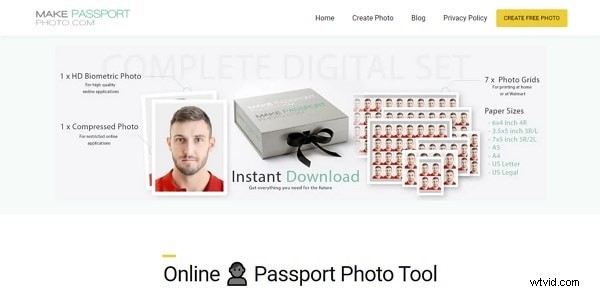
Make Passport Photo.com offers a unique online system that allows users to select their country and automatically format the passport photo according to local regulations. This ensures compliance with official standards without extra effort.
Who is it for: Perfect for international travelers or users who need a passport photo tailored to specific country requirements.
Pros
- Country-specific templates for accurate passport formatting
- Automatically adjusts photo to meet official requirements
- Supports uploading pre-captured photos or taking new ones online
- Quick and convenient process
- Free to use
Cons
- Limited advanced photo editing options
- Only suitable for standard passport sizes
4. 123PassportPhoto
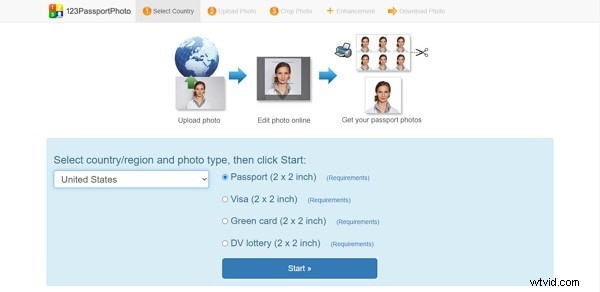
123PassportPhoto is a versatile online passport photo maker compatible with over 50 countries. It automatically adjusts the photo according to the selected country's requirements and provides high-quality outputs suitable for printing.
Who is it for: Ideal for users seeking high-quality, internationally compliant passport photos quickly and affordably.
Pros
- Supports 50+ countries with automatic formatting
- High-quality 600 dpi printing results
- Offers multiple photo styles
- Free to use
- Saves time compared to traditional photo services
Cons
- Limited advanced editing tools
- Mainly designed for standard passport photo sizes
5. IDPhotoDIY.com
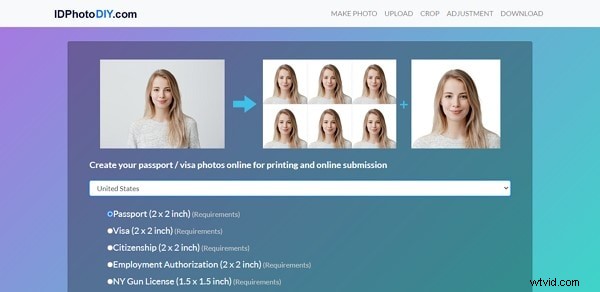
IDPhotoDIY.com is a comprehensive online passport photo maker that provides clear guidance and supports over 70 countries. It ensures users can create compliant and properly formatted passport photos easily.
Who is it for: Perfect for frequent travelers or users who need passport photos for multiple countries.
Pros
- Supports 70+ countries with country-specific templates
- Clear instructions and guidelines for users
- Allows uploading existing photos or taking new ones online
- Free to use
- High standard of compliance for official documents
Cons
- Limited advanced editing options
- Mainly suitable for standard passport photo sizes
Part 3: 5 Free Passport Photo Maker for Desktop Users
This part shall assert its focus across the desktop tools that can be used to take and make perfect passport photos. If you are not satisfied with the results of the online passport photo editor, you can consider going for desktop options for better quality.
1. Photomatic
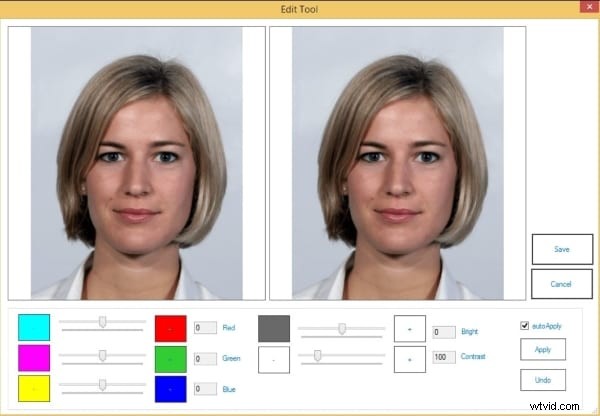
Photomatic is a desktop passport photo editor that offers more extensive editing options than typical online tools. It provides automatic photo cropping and a user-friendly interface, allowing precise adjustments to meet country-specific requirements.
Who is it for: Ideal for users seeking advanced desktop editing and precise control over passport photo quality.
Pros
- Automatic photo cropping for perfect sizing
- Supports country-specific passport photo standards
- Extensive editing features for desktop users
- User-friendly interface
- Reduces chances of rejection
Cons
- Requires desktop installation
- Free version may have limited features compared to paid version
2. ID Photo by Codenia
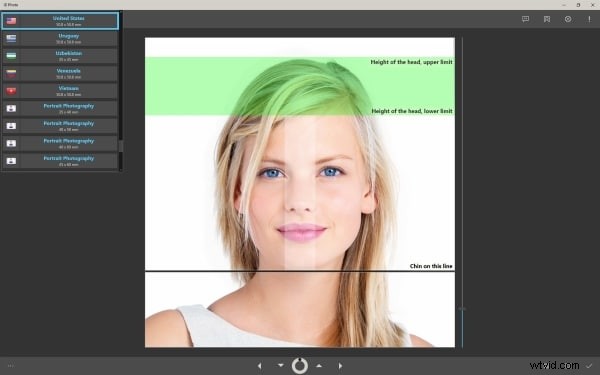
ID Photo by Codenia is a desktop passport photo editor designed for speed and ease of use. It supports over 100 countries with pre-configured templates and allows users to quickly format, edit, and save passport-sized photos.
Who is it for: Perfect for users who need a fast, efficient desktop solution for creating compliant passport photos across multiple countries.
Pros
- Supports 100+ countries with ready-made templates
- Quick and efficient workflow
- Multi-touch gestures for easy editing
- User-friendly interface
- Reduces errors in formatting and sizing
Cons
- Requires desktop installation
- Limited advanced editing options compared to professional software
3. Passport Photo Maker 9.15
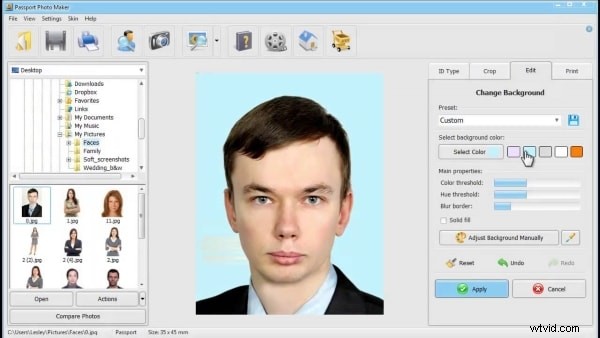
Passport Photo Maker 9.15 is a professional desktop passport photo editor offering advanced tools for managing photo size, background, and clothing. It provides more control than standard editors, allowing users to create fully compliant passport photos with precision.
Who is it for: Ideal for professional users or those who need detailed control over passport photo appearance and compliance.
Pros
- Advanced editing tools for background and clothing adjustments
- Precise control over photo size and formatting
- Professional-level compliance with passport standards
- User-friendly interface for detailed edits
- Desktop-based for offline use
Cons
- Requires installation on desktop
- Paid version needed for full feature set
4. PhotoScape
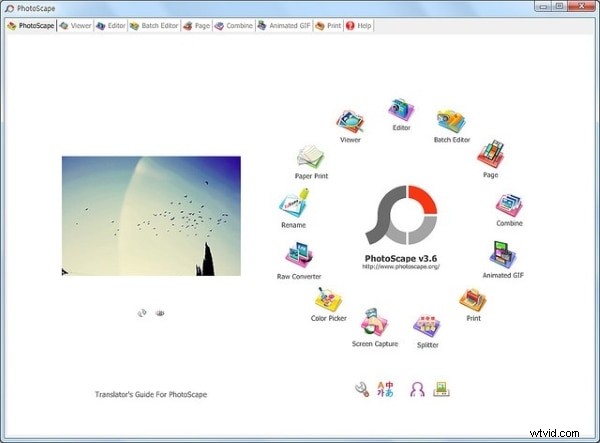
PhotoScape is a desktop photo editor that offers a wider set of features than most online passport photo tools. It allows multiple edits without compromising image quality, making it a versatile choice for creating passport-sized photos.
Who is it for: Suitable for users who want a versatile desktop photo editor capable of handling passport-sized photos with flexible editing options.
Pros
- Wide range of editing features for desktop users
- Maintain high image quality during edits
- Simple and fun to use
- Supports multiple photo adjustments for compliance
- Free to use
Cons
- Requires desktop installation
- Not specifically designed for passport photos (some manual adjustments may be needed)
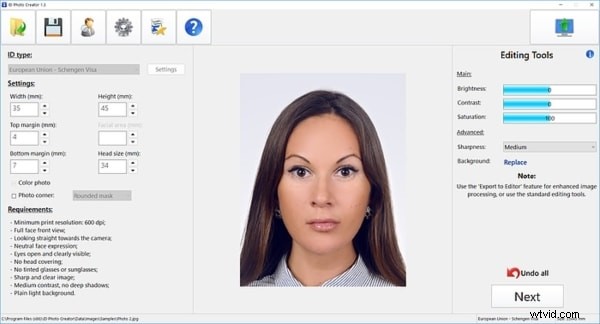
5. ID Photo Creator
ID Photo Creator is a desktop passport photo editor that provides a structured workflow for creating passport-sized photos from scratch. It includes templates, samples, and a user manual to guide beginners through the process.
Who is it for: Perfect for beginners or users who want structured guidance to create compliant passport photos from scratch.
Pros
- Step-by-step guidance with templates and samples
- Beginner-friendly interface with tips and tutorials
- Allows full control over photo setup and formatting
- Supports compliant passport photo creation
- Free to try
Cons
- Requires desktop installation
- Limited advanced editing options compared to professional software
Part 3: Enhance Your ID Photo Creation with Wondershare Filmora
While the 10 free passport photo makers listed above help you generate standard ID photos, you may also need extra editing flexibility or even want to create something more engaging. This is where Wondershare Filmora becomes a powerful alternative.
Filmora is not only a professional video editor but also comes with AI-powered tools and creative templates that make ID photo editing easier and more versatile.
1. Background Color Editor for Passport Photos
With Filmora's background editing tools, you can:
- Easily change photo backgrounds to plain white, blue, or other official colors required for passport and visa applications.
- Quickly fix photos at home without the need for a professional studio or manual retouching.
- Avoid reshooting when your original background doesn't meet official guidelines.
This makes Filmora a practical option for preparing compliant passport photos in just a few clicks.
2. Transform Static Photos into Dynamic Videos
Filmora also offers image-to-video templates, including ID photo video templates, which allow you to:
Step 1
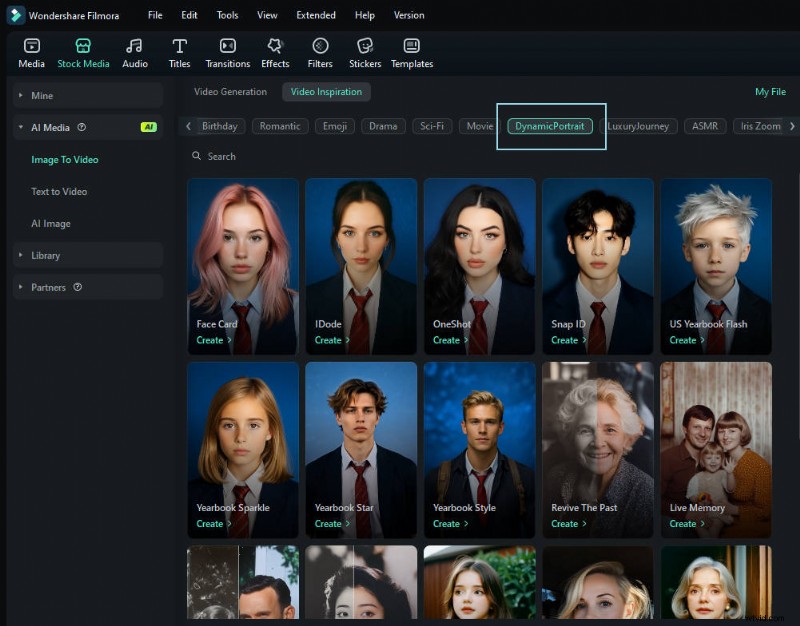
Select a formal template
Start by choosing an ID or formal attire template inside Filmora's Image-to-Video tool. These templates automatically apply the right clothing and background style for official use.
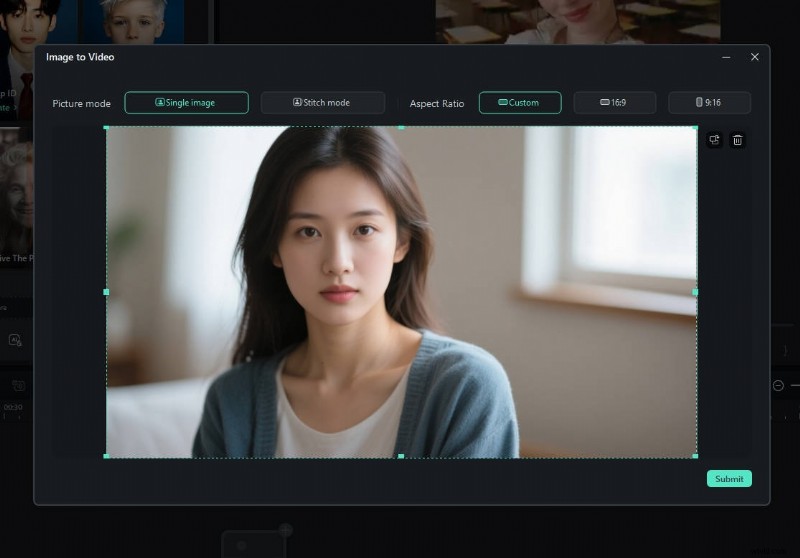
Import a regular, everyday picture into the tool. Filmora will adapt it to fit the selected template.
Step 3
Generate, Preview, and Save
Filmora instantly converts your static photo into a polished, passport-ready video. You can preview the result, make quick refinements with text, filters, or sound, and then export it directly for official or creative use.

Filmora
AI Video Editing App & Software
Best tool for making videos anywhere for all creators!
Your Perfect First Video Edit Starts Here - No Experience Needed
Conclusion
The discussion has revolved around the best passport size photo maker tools in the market. After going through all available options, we hope that you will be able to select the best tool for your needs. You won't be disappointed with the results of these options. Get rid of all thoughts of getting rejected because of the passport-sized images.