
Jun 27, 2025 • Proven solutions
GoPro has released a wide range of high‑tech cameras, making it hard for consumers to decide which model offers the best value for action recording. The Black and Silver lines compete closely in specifications, so choosing the right camera often comes down to budget and intended use. While the Hero5 Session replaced the Silver series in the market, professionals now view the Session as an entry‑level device, whereas the Black line remains top‑end. Though the Hero Session and Hero5 Session share a similar appearance, their feature sets differ significantly. Below is a detailed comparison to help you decide.
Comparison for Hero5 Session and Hero Session
Specs Comparison Table:
| GoPro Hero5 Session | GoPro Hero Session | |
|---|---|---|
| Price | $299 only | $199 only |
| Date available | October 2, 2016 | July 6, 2015 |
| Battery | 1000mAh | 1000mAh |
| Weight | 73g | 74g |
| Image resolution | Up to 10mp | Up to 8mp |
| Dimensions | 38x38x36mm | 38x38x36mm |
| Video resolution | Up to 4k/30fps | Up to 1440p/30fps |
| Waterproof | (60m with housing) 10 meters without housing | (60m with housing) 10 meters without housing |
| Display | No built‑in display | No built‑in display |
| Shooting mode | Time lapse video, Auto‑Low Light mode, Burst mode, Night Lapse mode and Night Photo | Time‑lapse photo, Auto‑Low Light mode, Burst mode, |
| Field of view | Wide, SuperView, Linear, Medium, Narrow | Wide, Medium |
| Digital image stabilization | Yes | No |
| Voice Control | Yes | No |
| GPS | No | No |
| Advanced wind noise reduction | Yes | No |
| Wi‑Fi and Bluetooth | Yes | Yes |
Design:
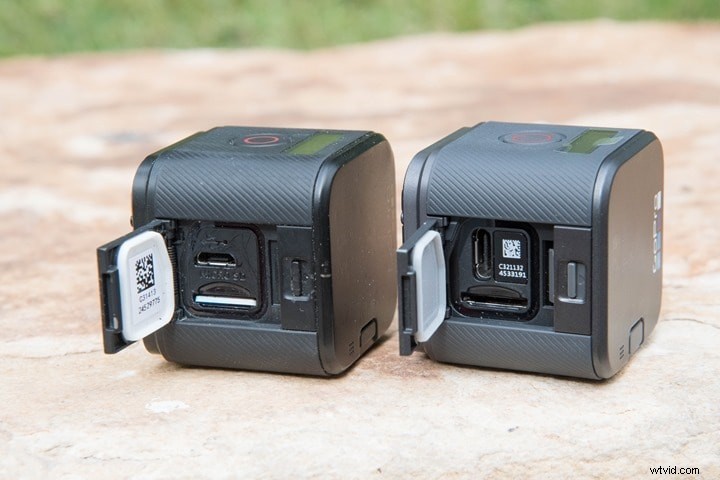
Image resource: DC Rainmaker
Both models share identical dimensions and rugged construction. Each camera’s waterproof body allows for 10 meters of immersion without a housing, extending to 60 meters when paired with a protective case. They fit the same mounting frame, which is essential for attaching the camera to helmets, surfboards, or other gear.
Image Quality:
The Hero5 Session delivers 10‑megapixel photos (3648×2736), offering superior clarity. In contrast, the Hero Session tops out at 8 MP (3264×2448) and can crop to 5 MP for lower‑resolution needs.
Video Quality:
Key differences that favor the Hero5 Session include:
- 4 K video at 30 fps versus the Hero Session’s maximum 1080p at 60 fps.
- Higher frame‑rate options for smoother motion capture.
- In‑camera stabilization that reduces jitter during dynamic shooting.
- Multiple field‑of‑view modes—Wide, Linear, Medium, Narrow, and SuperView—versus only Wide and Medium on the Hero Session.
Other Features:
- GPS: Neither camera includes GPS; this feature appears only in the Hero5 Black.
- Voice Control: Exclusive to the Hero5 series, enabling hands‑free operation—a critical advantage when driving, diving, or otherwise occupied.
- Image Stabilization: Available on the Hero5 Session, it mitigates shake‑induced distortion during on‑the‑go filming.
- Wind Noise Reduction: The Hero5 Session’s advanced algorithm cleans audio from wind interference, a benefit the Hero Session lacks.
Conclusion:
Both cameras excel in their respective niches. The Hero5 Session is ideal for adventurers who demand high‑resolution video, robust stabilization, and advanced audio processing. The Hero Session offers a more budget‑friendly option with solid core features. Evaluate your shooting environment, budget, and feature priorities before making a purchase. Professional guidance can also help clarify which model aligns best with your goals.
Max Wales
Max Wales is a writer and a lover of all things video.
Follow @Max Wales