
Looking for a heartfelt way to say "I love you" this Valentine’s Day? While handwritten cards still hold sentimental value, digital eCards offer instant delivery, endless customization, and often, a higher budget‑to‑impact ratio.
With our curated list of the most reliable and user‑friendly tools, you can design a stunning eCard in minutes—no design background required.
In this article
- Canva
- FlexClip
- LightX
- Valentine's Day Card Maker
- Valentine Day Card Maker
- How to Create a Valentine’s Day eCard in Wondershare Filmora (Desktop)
- How to Create a Valentine’s Day eCard in Wondershare Filmora (Mobile App)
- Bonus: AI Kiss & AI Hug in Filmora
- Conclusion
Part 1. Valentine eCard Makers: Online & Mobile Apps
When selecting a tool, consider three pillars: ease of use, feature depth, and data privacy. Below, we evaluate each platform against these criteria, ensuring you can craft a high‑quality card without compromising personal information.
1. Canva
Canva remains the industry standard for quick, professional design. Its library of Valentine‑specific templates lets you drop in photos, stickers, and custom text with a single click. Adding multiple pages is as simple as selecting the "Add Page" button.
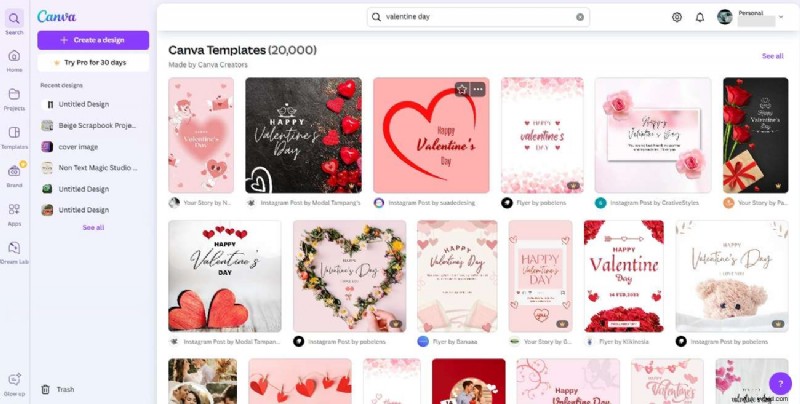
Key Features
- Upload unlimited media—photos, GIFs, PDFs—to build multi‑page cards.
- Drag‑and‑drop shapes, graphics, and stickers for a playful, engaging look.
- Freehand drawing tool lets you sketch personal messages directly onto the canvas.
2. FlexClip
FlexClip’s strength lies in its video capabilities. Whether you want a still image or a short montage, FlexClip’s video merger and AI upscaler produce crisp, polished results.
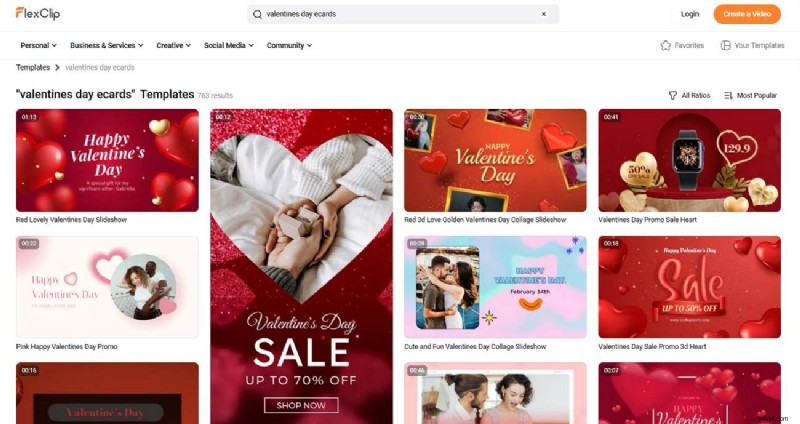
Key Features
- Create dynamic slideshows by combining images and video clips.
- AI image upscaler boosts resolution, ensuring clear visuals even on high‑definition displays.
- AI text‑to‑speech adds a personal audio greeting to your card.
3. LightX
LightX blends design versatility with AI‑powered tools. Ideal for users who want to create more than just eCards, its background remover and AI image generator streamline the design process.
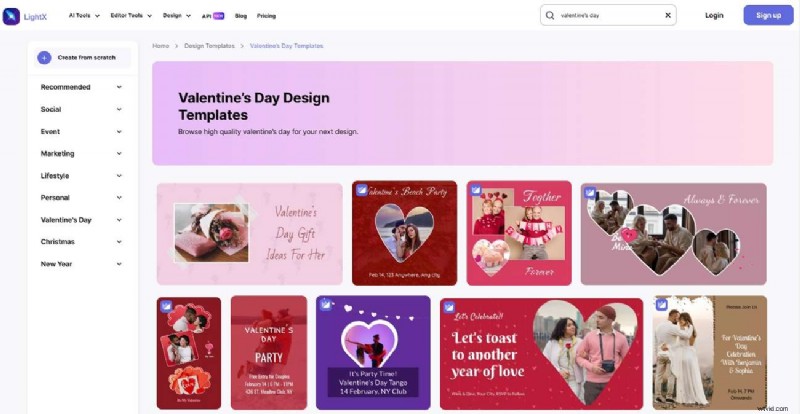
Key Features
- Sticker maker allows rapid creation of custom, themed stickers.
- Text‑to‑image overlay lets you embed heartfelt messages directly onto photos.
- AI image generator turns prompts into polished illustrations in seconds.
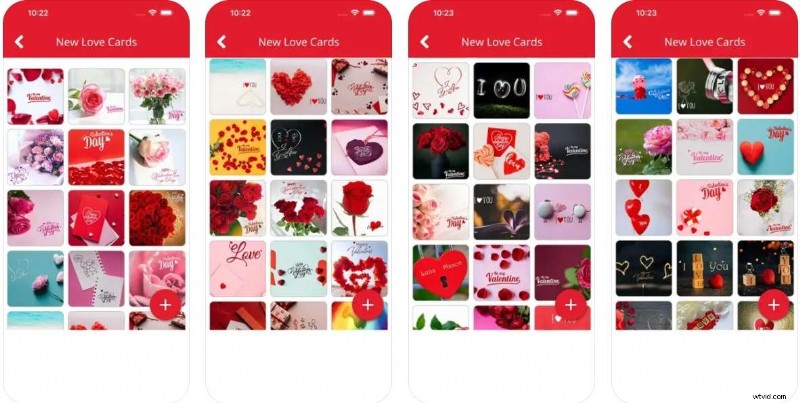
4. Valentine’s Day Card Maker
Dedicated exclusively to Valentine’s Day, this app offers a curated collection of templates and a straightforward toolkit for personalization. Best of all, it’s free to use.
Key Features
- Private collection lets you save completed cards for later sharing.
- Zoom, rotate, and blend tools ensure a polished, professional finish.
- Seamless image blending creates a cohesive visual narrative.
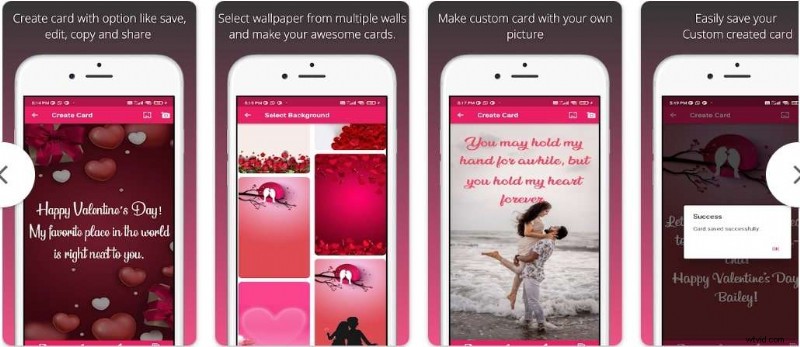
5. Valentine Day Card Maker
With an intuitive interface that works both online and offline, this tool allows instant card creation without an internet connection—ideal for spontaneous gift-giving.
Key Features
- Rich text options: size, color, font, and alignment for maximum visual impact.
- Customizable backgrounds that match your chosen theme.
- Pre‑filled greetings, quotes, and wishes to simplify the creative process.
Part 2. The Best Desktop Tool for Privacy‑Focused eCard Creation: Wondershare Filmora
While the free apps above are great, they often expose user data to third‑party services. For users prioritizing privacy and advanced export options, Wondershare Filmora offers a comprehensive, locally‑hosted solution that safeguards your personal media.
Filmora’s AI image generation and text‑to‑video features enable you to craft engaging, high‑quality eCards that feel uniquely yours.
How to Create a Valentine’s Day eCard in Wondershare Filmora (Desktop)
Follow these step‑by‑step instructions to produce a polished card on your computer.
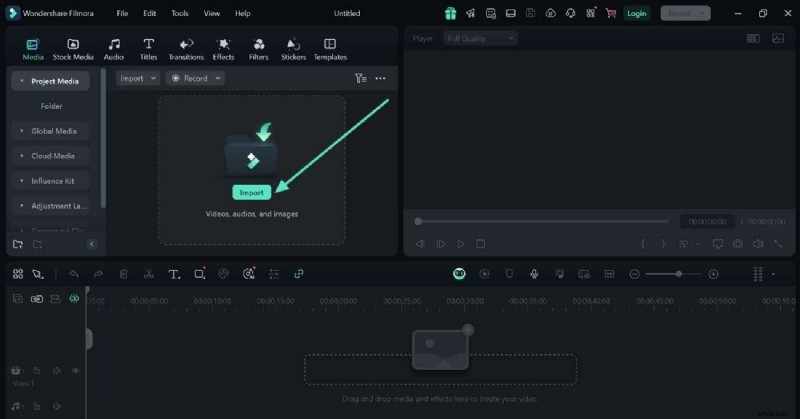
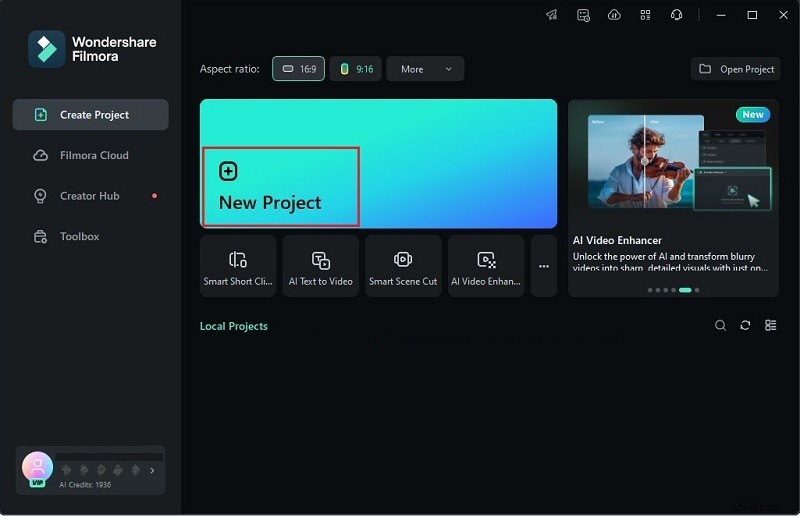
- Download and install Filmora. Click "New Project," then "Import" to bring your chosen media into the timeline.
- Insert text by selecting the "Text" icon on the toolbar. Choose a style and type your message.
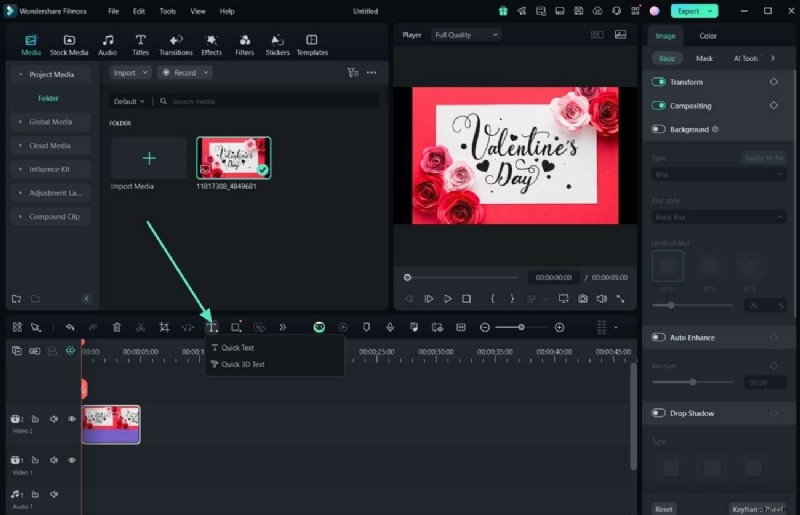
- Customize your text: adjust orientation, boldness, or use the "Advanced" button for finer control.
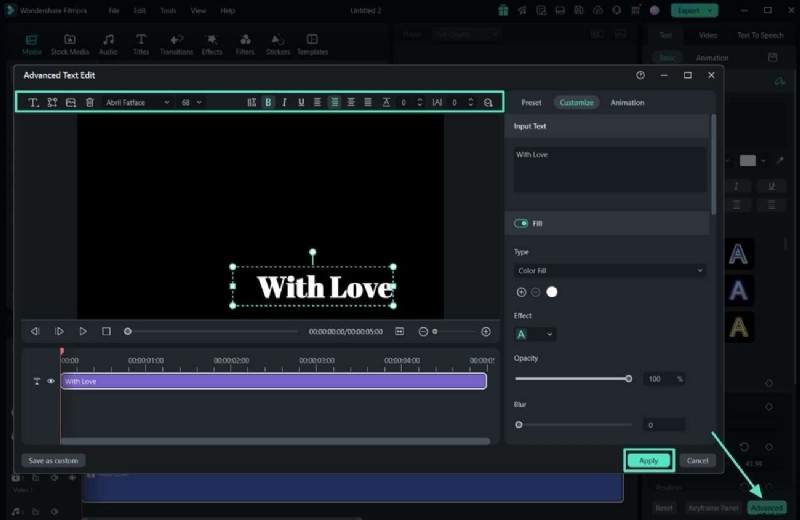
- Add shapes for decorative accents by selecting the "Shapes" icon and placing them as desired.
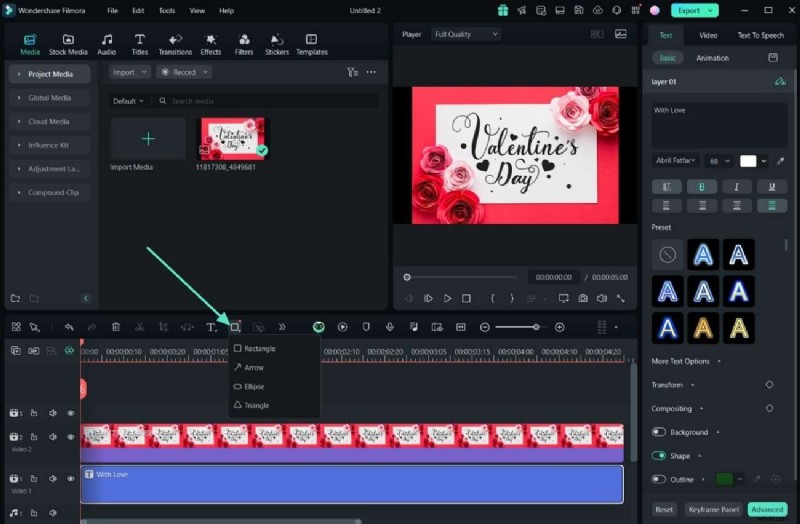
- Record a voice‑over using the "Microphone" icon. After recording, click "OK" to embed the audio.
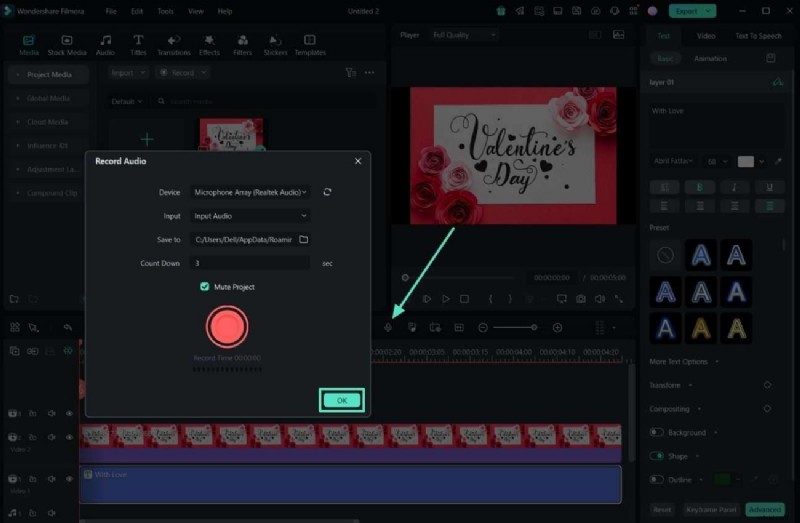
- When satisfied, click "Export" in the top‑right corner. Choose the resolution and format that best suits your sharing method.
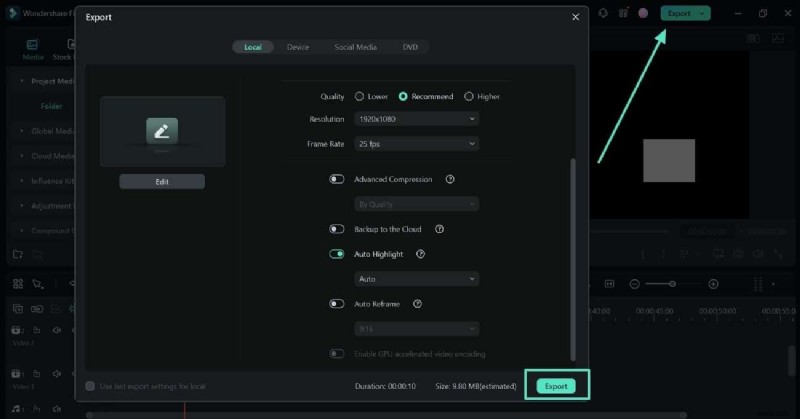
How to Create a Valentine’s Day eCard in Wondershare Filmora (Mobile App)
On the go? The Filmora mobile app keeps your creative process smooth and fast.
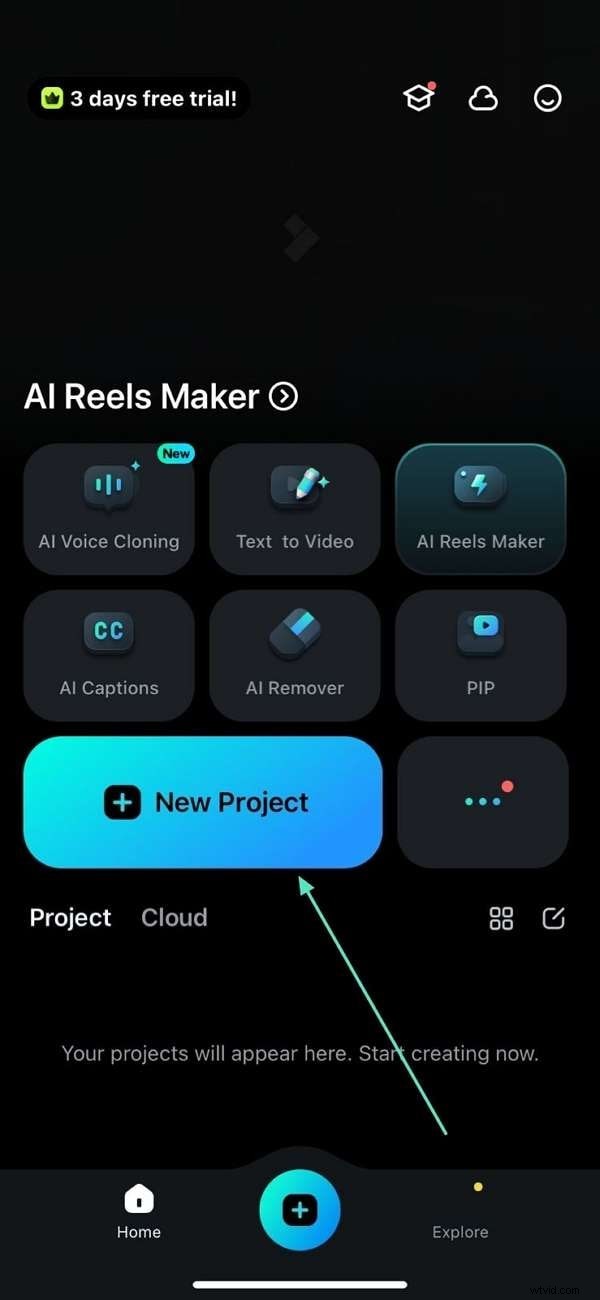
- Open the app, tap "New Project," and import your media.
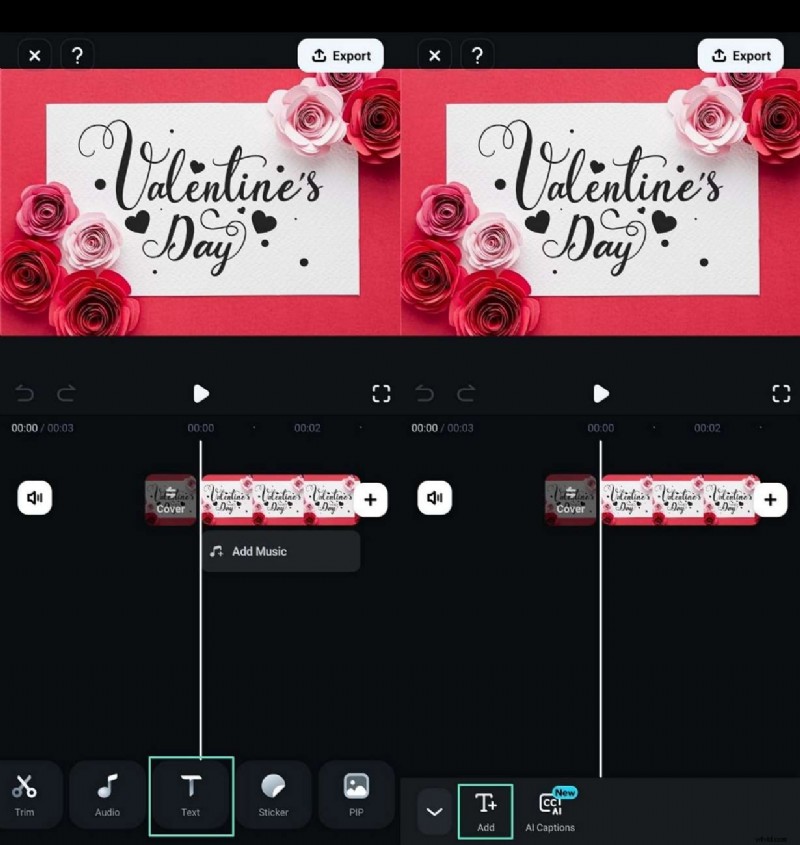
- Add text via the "Text" button, then tap "+Text" to type your message.
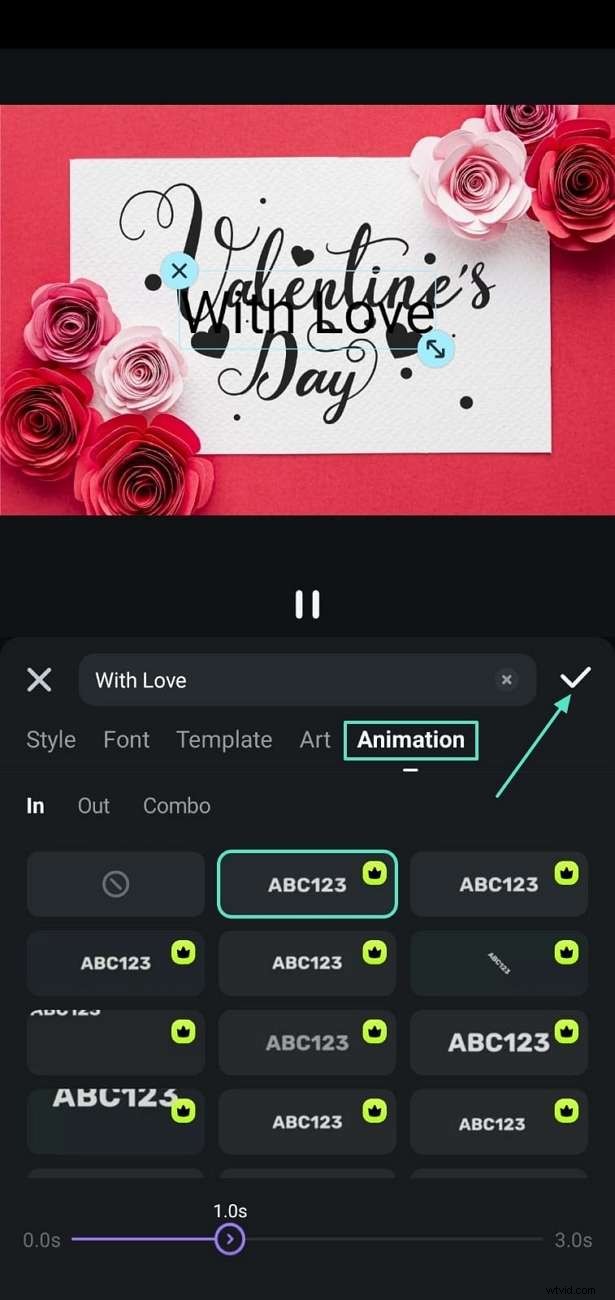
- Apply an animated effect with the "Animation" tool, confirm with the tick icon.
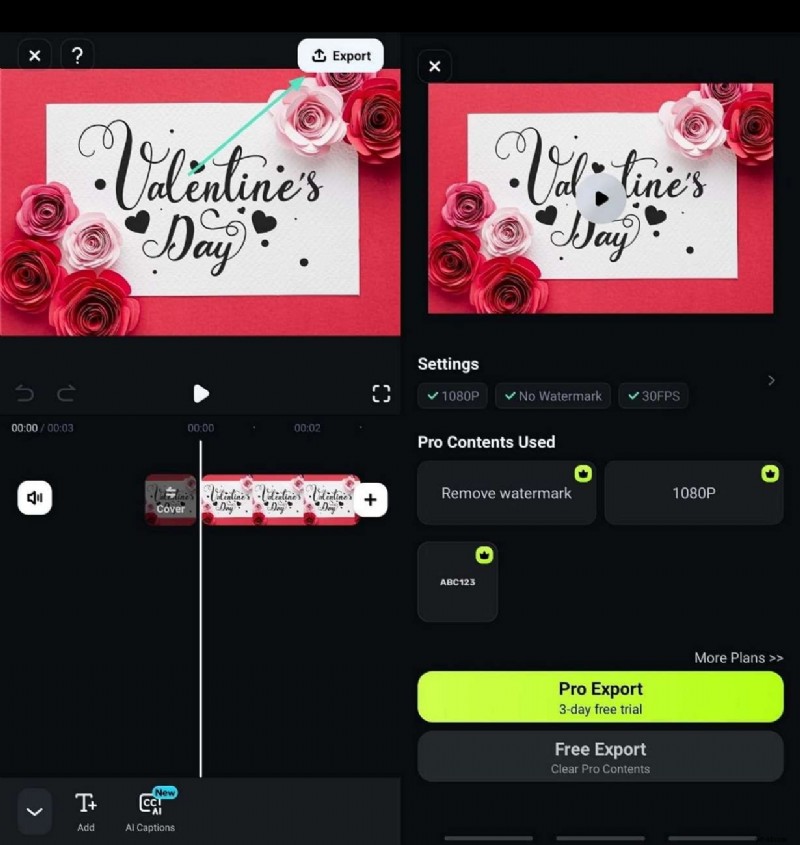
- Export by tapping "Export" in the upper‑right corner, selecting resolution and format.
Bonus: Create Unique Valentine Videos with Filmora’s AI Kiss and AI Hug
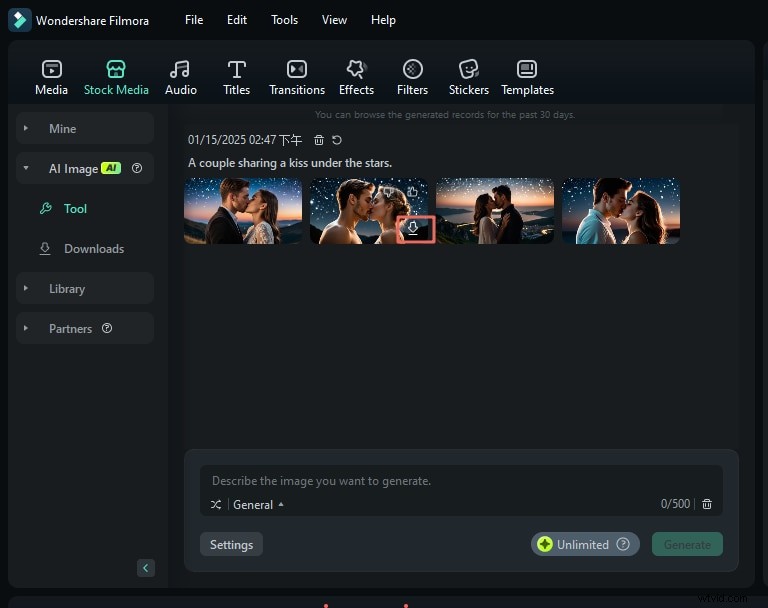
Looking to add a touch of cinematic romance? Filmora’s AI Image generator lets you create customized scenes—such as a couple sharing a kiss under starlight—directly within your project.
Here’s how:
- Start a new project in Filmora.
- Navigate to "Stock Media" and select "AI Image."
- Enter a detailed prompt: e.g., "A couple sharing a kiss under the stars." Choose a realistic "Portrait" style.
- Click "Generate" to create the image. Once generated, click the icon to download and import it into your media library.
- Use the snapshot feature (camera icon) to export the image to your device in the desired format.
Filmora’s AI tools let you design a memorable eCard that feels personal and authentic—perfect for a heartfelt Valentine’s Day surprise.
Conclusion
From free, intuitive apps to privacy‑centric desktop solutions, the tools listed above cover every need. For those who want a blend of advanced features, ease of use, and data protection, Wondershare Filmora stands out as the premier choice for creating the perfect Valentine’s Day eCard.