
In 2026, vertical videos are everywhere. From TikTok and Instagram Reels to YouTube Shorts, this format has become the main way people watch and share content on their phones.
For creators, this means one thing: having the right vertical video editor is no longer optional; it’s essential. A good editor helps you do more than just crop footage. Depending on your style, you might want a powerful PC program, a simple mobile app you can use on the go, or an online tool that works right in your browser.
To save you time searching, we’ve compiled a list of the best vertical video editors in 2026. These are the tools that creators use most to turn simple clips into polished and shareable content.

How We Test It
Before recommending any tool, we consider what really matters to creators. Here's what we focus on:
- Ease of use – how simple it is to edit and share vertical videos
- Features – support for trimming, effects, text, music, and social media formats
- Platform availability – whether it works on PC, mobile, or online
- Export quality – smooth playback and the right aspect ratios for social platforms
- Value for money – fair pricing compared to the features offered
Our Top 3 Vertical Video Editor Picks

Wondershare Filmora is a powerful vertical video editor that works seamlessly on both PC and mobile. It comes with AI tools like auto-captions, AI music generation, and instant resize for vertical formats, making it easy to create professional videos ready for TikTok, Instagram, or YouTube Shorts.
Download Download Download
Splice – Best Vertical Video Editor for Mobile
Splice is a vertical video editor designed specifically for creators who edit videos on the go. With quick cutting features, stylish filters, and smooth transitions, this app helps you produce eye-catching vertical content and share it directly to social media platforms.
View detail

Media.io – Best Online Vertical Video Creator
Media.io is a web-based vertical video editor that requires no downloads. It offers essential tools like aspect ratio adjustment, text overlays, and background music, making it perfect for quick edits directly from your browser.
View detail
Part 1. Vertical Video Editor Comparison Chart
To give you a quick overview, here's a comparison of the most popular vertical video editors. This chart highlights key features like quick sharing, auto-captioning, and watermark policies, so you can instantly see which tool best fits your workflow.
| Platform | Quick Sharing | Social Media Scheduler | Auto Caption | Watermark | |
| Filmora | Windows, Mac, Android, iOS | ✅ | ✅ | ✅ | Yes (Free Version) |
| Splice | Mobile (iOS, Android) | ✅ | ❌ | ❌ | No |
| iMovie | Mac, iOS | Limited | ❌ | ❌ | No |
| Inshot | Mobile (iOS, Android) | ✅ | ❌ | ❌ | Yes (Free Version) |
| CapCut | Windows, Mac, Android, iOS | ✅ | ✅ | ✅ | No |
| Media.io | Online (Web) | ✅ | ✅ | ❌ | Yes (Free Version) |
| Captions | Mobile (iOS, Android) | ✅ | ❌ | ✅ | No |
| Kapwing | Online (Web) | ✅ | ✅ | ✅ | Yes (Free Version) |
| VEED.IO | Online (Web) | ✅ | ✅ | ✅ | Yes (Free Version) |
|
Show more Show less |
Part 2. Filmora: The Best Vertical Video Editor for PC/Mac/Mobile
Editing vertical videos on PC or Mac gives you more control, while mobile apps make it easy to create and upload content on the go. The best choice is a tool that works seamlessly across both, so you never feel limited by your device.
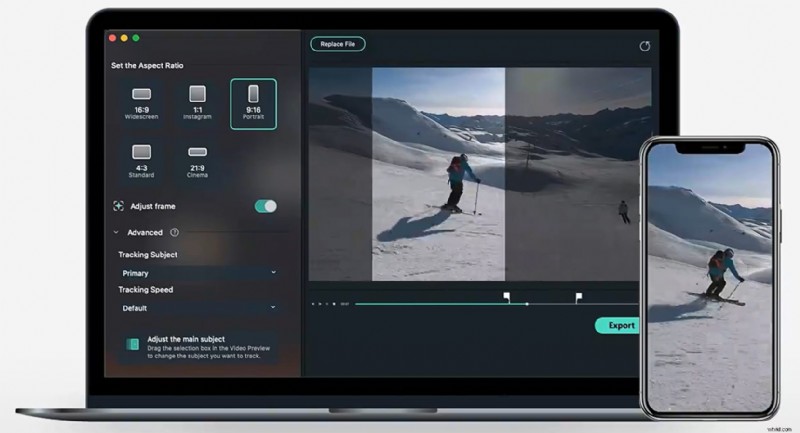
That’s why Wondershare Filmora stands out as one of the most reliable vertical video editors. With its cross-platform flexibility, user-friendly design, and advanced AI tools, it helps creators turn raw clips into polished videos ready for TikTok, Instagram Reels, or YouTube Shorts.
 Secure Download
Pros & Cons
- Cross-platform support (edit on desktop or mobile)
- Intuitive interface suitable for beginners
- Advanced AI tools save time in editing
- High-quality exports without watermarks in the premium version
- The free version has limitations
- Requires a subscription for full features
Highlights
- AI-powered tools like auto-caption, AI music, and text-to-video
- Instant aspect ratio switch for vertical formats (9:16)
- Large library of effects, transitions, and titles
- Cloud syncing between desktop and mobile for flexible editing
- Social media export presets for TikTok, Instagram, and YouTube
Why We Recommend It
Filmora is the best vertical video editor for creators who want flexibility and power without a steep learning curve. From editing at your desk or on your phone, it ensures your videos look polished and optimized for mobile viewing. The mix of AI tools, social media-ready features, and smooth workflow makes it a top choice for vertical content.
Platforms
Windows, Mac, iOS, Android
A free plan is available; Paid plans start from around $34.99/year.
Best For
Creators who want a balance between professional editing features and beginner-friendly controls, available on both desktop and mobile.
Filmora
AI Video Editing App & Software
Best tool for making videos anywhere for all creators!
Part 3. Best Vertical Video Editor for Android/iPhone
Mobile editing apps are essential for creators who want to shoot, edit, and post videos directly from their phones. These vertical video editors are designed with a focus on speed and ease of use, while still offering features that can make your content stand out.
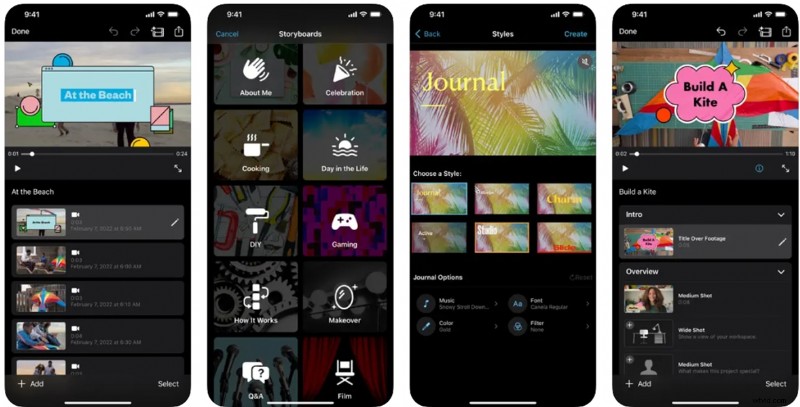
1. Splice
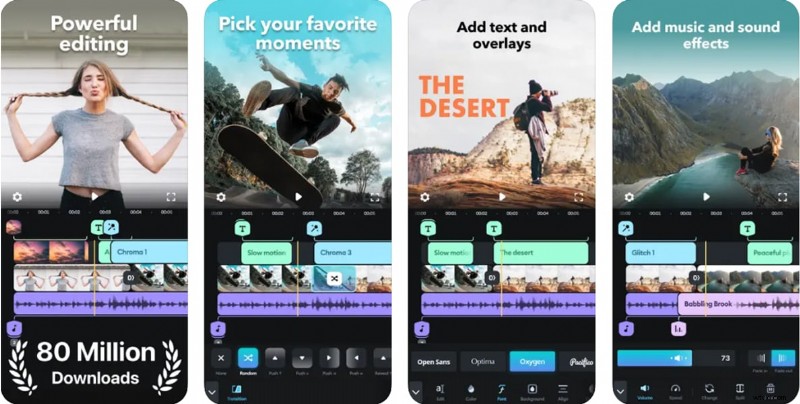
Splice is a vertical video editor designed specifically for mobile devices, which simplifies the editing process for creators who frequently upload content to TikTok and Instagram.
Pros & Cons
- Simple and intuitive interface that reduces editing time
- Fast rendering and smooth performance on phones
- Convenient for quick edits without a laptop
- Limited advanced tools
- Most features require a subscription
Highlights
- Aspect ratio templates for TikTok, Instagram, and Shorts.
- Built-in music library and sound effects
- Filters, transitions, and text overlays optimized for mobile content.
- Direct export to social platforms
Why We Recommend It
Splice is perfect for creators who frequently upload content and need a simple tool that can keep up with the fast content cycle on TikTok and Instagram.
Platforms
iOS, Android
Price
Free with in-app purchases; subscription around $9.99/month
Best For
Quick and stylish edits on mobile devices
2. iMovie
Apple’s free editor is a reliable choice for beginners who want a clean and straightforward vertical video editor on iOS.
Pros & Cons
- Completely free with no watermarks
- Seamless experience for Apple ecosystem users
- Stable performance with a very low learning curve
- Limited customization,
- No advanced AI features
- No Android version
Highlights
- Drag-and-drop editing with built-in themes
- Preloaded titles, filters, and soundtracks
- Basic trimming and aspect ratio adjustment
- Integration with iCloud and Apple devices
Why We Recommend It
iMovie is best suited for casual creators or beginners who want to edit vertical videos without spending money or using complicated tools.
Platforms
iOS, macOS
Price
Free
Best For
Beginners and Apple device users
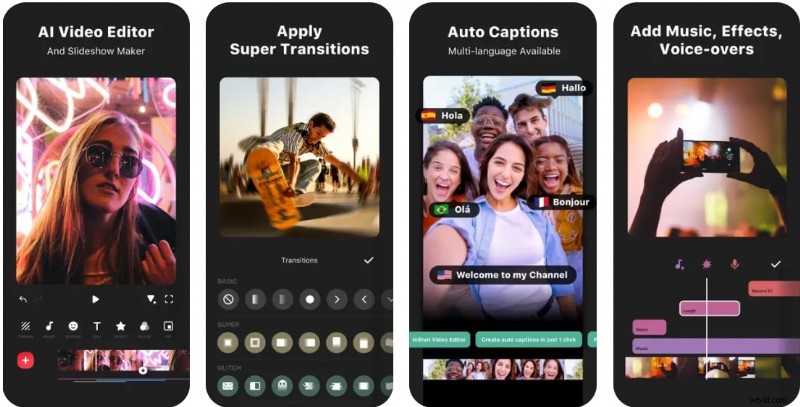
3. Inshot
InShot is one of the most popular vertical video editors for social media, known for its simple interface and trendy editing features.
Pros & Cons
- Quick editing with fun and creative options
- Affordable premium plan
- Optimized for TikTok, Instagram, and other social platforms
- Watermark on the free version
- It lacks advanced desktop editing tools.
Highlights
- Aspect ratio control, background blur, and cropping
- Stickers, filters, and trendy text overlays
- Music and voiceover support
- Collage and photo-to-video functions
Why We Recommend It
InShot is perfect for creators who want to make trendy and eye-catching videos with stickers and filters that social media audiences love.
Platforms
iOS, Android
Price
Free with watermark; Premium version starts at around $4.99/month
Best For
Social media creators who want trendy edits with stickers, filters, and music
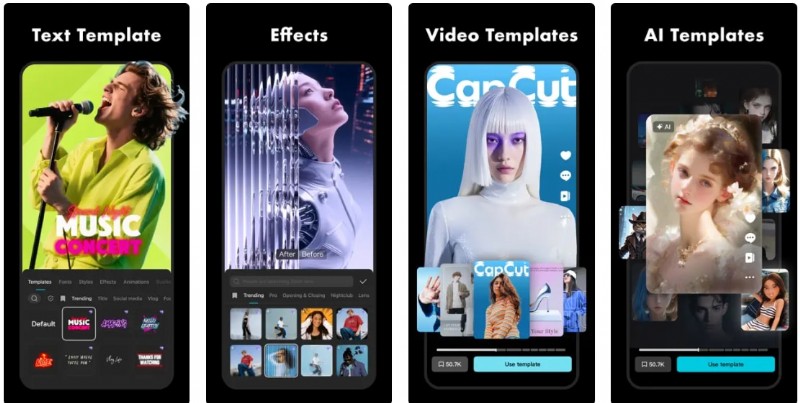
4. Capcut
CapCut, developed by ByteDance (the company behind TikTok), is a powerful vertical video editor designed specifically for mobile content creators.
Pros & Cons
- Most features are free to use
- Extensive library of effects and templates
- Powerful integration with TikTok for instant publishing
- Some premium effects require a subscription
- Heavy on storage space
Highlights
- AI auto-caption and subtitle generation
- Trending video templates and filters
- Advanced transitions and effects
- Direct TikTok export and sharing
Why We Recommend It
CapCut is the best choice for TikTok creators who want access to the latest templates and effects directly aligned with trending content on the platform.
Platforms
iOS, Android, Windows and Mac
Price
Free with premium upgrades starting at $9.99/month
Best For
TikTok creators and influencers who need advanced effects
Part 4. Best Vertical Video Editor Online
If you prefer editing videos without downloading apps, online vertical video editors are a practical option. They let you trim, resize, and add captions directly from your browser, making them ideal for quick edits on any device.
1. Media.io
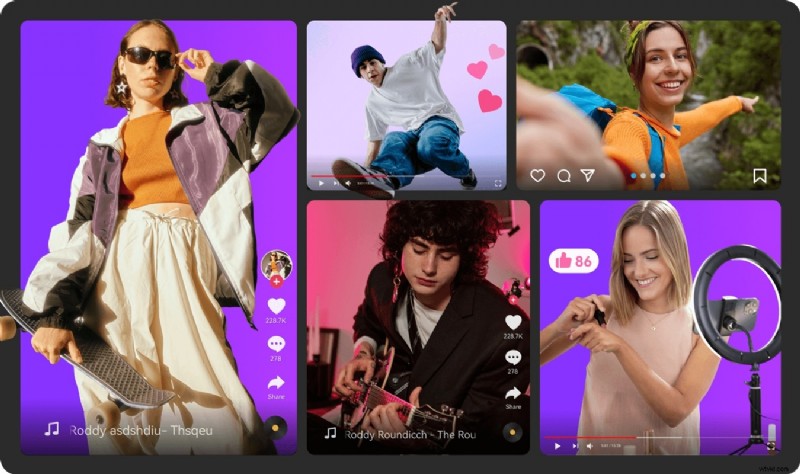
Media.io is a beginner-friendly online vertical video editor that works directly from your browser.
Pros & Cons
- Simple workflow without installation
- Fast rendering directly in the browser
- Accessible from any device with internet access
- Limited advanced features
- The free plan includes a watermark
Highlights
- Aspect ratio adjustment for vertical formats
- Background music and text overlay tools
- Export presets for TikTok and Instagram
- Supports multiple video file types
Why We Recommend It
Media.io is perfect for occasional editors who want a quick and easy way to prepare vertical videos for social media without downloading heavy apps.
Platforms
Web
Price
Free with watermark; Premium from $6.99/month
Best For
Quick edits without software installation
2. Captions.AI
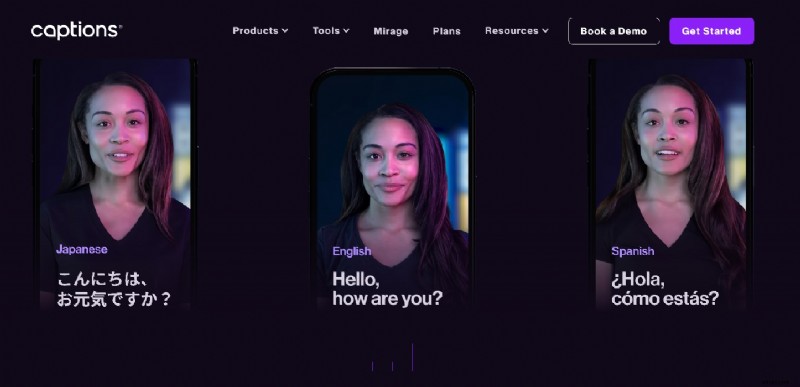
Captions.AI focuses on adding high-quality captions and subtitles to vertical videos, which boosts engagement on social media.
Pros & Cons
- High caption accuracy improves viewer retention
- Smooth workflow for adding text to videos
- Lightweight and easy to use
- Editing tools are basic compared to full editors
Highlights
- Auto-caption and subtitle generation
- Subtitle styling and customization
- Background noise remover
- Mobile and web support
Why We Recommend It
Captions.AI is the best option for creators who want to maximize engagement by making videos more accessible and attention-grabbing with polished captions.
Platforms
Web, iOS, Android
Price
Free with premium plans around $9.99/month
Best For
Creators who want fast, accurate captions and accessibility features
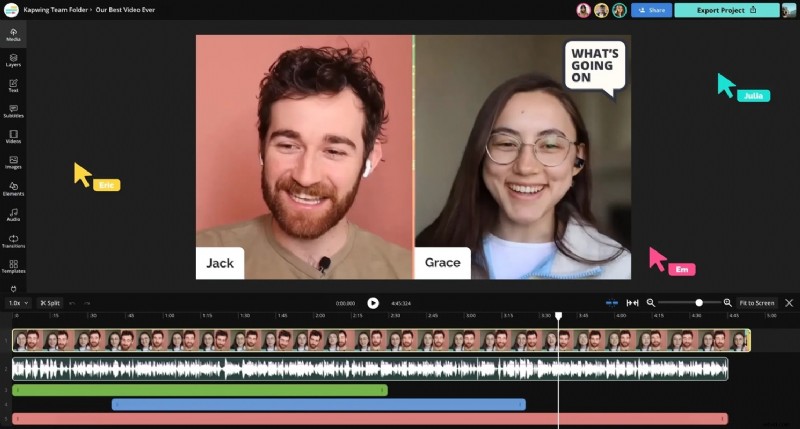
3. Kapwing
Kapwing is a collaborative vertical video editor built for teams and creators who want quick online editing.
Pros & Cons
- Excellent for teamwork and remote collaboration
- Easy to use with template-based editing
- Strong community-driven features
- Watermark in the free version
- The premium plan can be pricey
Highlights
- Team collaboration with cloud-based projects
- Templates for TikTok, Instagram, and Shorts
- Auto-caption and meme templates
- Cloud storage for projects
Why We Recommend It
Kapwing is a great choice for small teams or creators who collaborate online and need quick access to vertical video editing without installing software.
Platforms
Web
Price
Free with watermark; Pro starts at $16/month
Best For
Teams and creators who edit together online
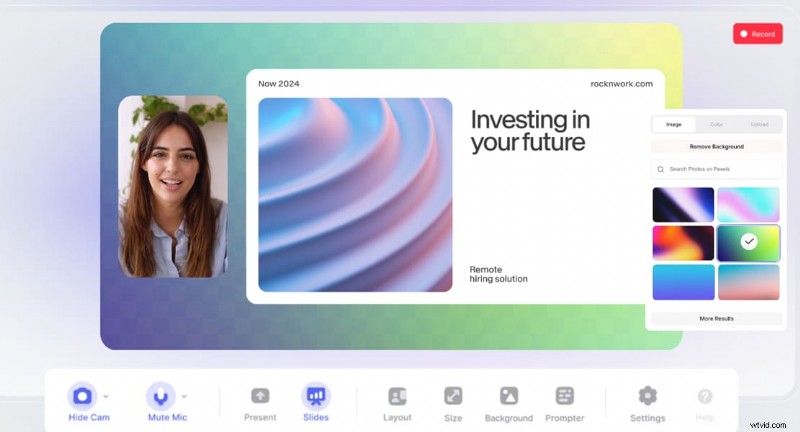
4. Veed.io
VEED.IO is an advanced online vertical video editor that combines ease of use with powerful AI features.
Pros & Cons
- Powerful branding tools for businesses
- Professional-quality online editing features
- Good balance between ease of use and feature depth
- Free version adds a watermark
- Requires a stable internet
Highlights
- Auto-caption and subtitle translation
- Brand kit for logos, fonts, and color palettes
- Stock assets and templates for vertical videos
- Team collaboration and project management tools
Why We Recommend It
VEED.IO is best for businesses, agencies, or creators who want to create consistent, branded vertical videos with a professional touch directly from the browser.
Platforms
Web
Price
Free with watermark; Premium starts at $24/month
Best For
Professionals and businesses creating branded vertical content
🎭 Best Vertical Video Editors in 2026 for PC/Mobile/Online Use Contest: Join the Fun! 🎪
The ultimate showdown is here!
Cast your vote and watch the battle unfold live! ⚡
Filmora CURRENT LEADER
Splice
iMovie
InShot
CapCut
Media.io
Captions.AI
Kapwing
VEED.IO
💎 Vote counts! Discover community favorites below! 🎯
Part 5. What to Look for in a Vertical Video Editor

Choosing the right vertical video editor depends on who you are and how you plan to use it. Different creators have different needs, so instead of looking for a one-size-fits-all solution, think about your goals, workflow, and budget. Below, we’ve outlined the considerations based on user type to help you choose the best one for you.
Beginner Creators
If you’re just starting, simplicity is key. You don’t need overwhelming features, but rather tools that make the process enjoyable and boost your confidence.
What to Look For:
- Clean and intuitive UI with minimal learning curve
- Ready-to-use templates in vertical formats (9:16)
- One-click exports optimized for TikTok, Reels, or Shorts
Why It Matters: Tools with too many pro-level options can slow you down. A beginner-friendly editors let you focus on creating rather than figuring out complex settings.
Social Media Marketers
For marketers, speed and branding consistency are everything. You want to produce vertical content that looks professional, aligns with your brand identity, and can be uploaded to platforms quickly.
What to Look For:
- Built-in social sharing or scheduler for multiple platforms
- Branded template libraries with logo, font, and color presets
- Quick captioning tools and AI-driven text generation
Why It Matters: The right editor helps you deliver consistent content on TikTok, Instagram, and YouTube Shorts without having to start from scratch every time.
Pro Editors
Professional creators need more than just quick exports. They need control, flexibility, and advanced effects to make vertical videos stand out.
What to Look For:
- Multi-track timelines for layering video, audio, and effects
- Advanced color grading, keyframing, and motion graphics
- AI tools for automation (like auto-captions, object removal, or smart reframing)
Why It Matters: Pros can’t compromise on quality. A feature-rich vertical video editor ensures professional-quality production while accommodating the vertical format.
Budget Users
If you’re on a tight budget, the goal is to maximize value without sacrificing essential features. Fortunately, many tools offer free or affordable plans with enough features to keep you creating.
What to Look For:
- Free plan with minimal watermarks or few export limitations
- Affordable subscriptions under $10–$15/month
- Access to stock media without extra costs
Why It Matters: You don’t have to overspend to make eye-catching vertical content. The right budget-friendly editor can provide 80% of what premium tools offer.
Conclusion
Vertical video has become the core of social media, and having the right vertical video editor can truly shape how your content is received. The best choice depends on you: beginners will appreciate simplicity, marketers thrive on tools that save time, and pros need more creative freedom.
Even if you’re on a budget, there are solid options without compromising on quality. At the end of the day, it’s about making videos that feel authentic, engaging, and easy to watch on a phone screen. With the right editor, your ideas can stand out and connect with people instantly.
Secure Download