
Training videos have become the standard for onboarding new team members, teaching users how to navigate your software, or rolling out compliance updates.
They save time, reduce confusion, and boost user retention.
In 2025, training videos take many forms—screen recordings with narrations,AI-generated training videos, explainers, and interactive modules, etc. You’ll find them in customer support portals, LMS platforms, internal wikis, and even social media.
This article will break down 10 essential steps to create effective training videos, the tools you’ll need to produce them, and how to use these tools. So whether you're a startup founder, a trainer, or a creator building a course, this article will simplify training video creation for you.
In this article
- 10 Ways to Create Effective Training Videos
- Top 3 Best Software to Create Training Videos in 2025 (Ranked & Compared)
- How to Create Training Videos Easily with Filmora [Steps]
Part 1: 10 Ways to Create Effective Training Videos
Editing training videos is more than just trimming the clip and color grading. To get it right, start from the top—from the thought process behind the video to the tool you use. Follow these tips to create a software training video.
- Define the Purpose of Your Training Video
Know exactly what you’re teaching and who it’s for—onboarding, support, or software features. This keeps your video focused and relevant.
- Script It Like a Story
Don’t wing it. Use a simple structure: intro, step-by-step, recap. It keeps your message clear and your pacing tight.
- Pick the Right Video Style
Choose based on your topic:
- Screencast for software
- Talking head for personal delivery
- Voiceover slides for theory and policies
- AI avatars for quick, scalable content
- Choose the Right Software
Look for tools with the right features, such as screen recording, voiceover editing, etc. Training video creation software like Filmora is beginner-friendly and perfect for solo creators or teams.
- Record Your Screen Like a Pro
Tidy your desktop, silence notifications, and use Zoom or cursor highlights. Clear visuals ensure better learning. Tools like Filmora and Loom offer smooth screen capture.
- Use a ReliableTraining Video Editor
Edit out mistakes, add texts and subtitles, etc. Filmora makes this easy with built-in features and tools.
- Edit for Clarity, Not Flash
Cut out the fluff in your video. Emphasize key actions or points. Use transitions sparingly. Make the video easy to follow, not flashy. Make every second count.
- Don’t Skip Voiceover
Voiceovers guide and engage. If you're not comfortable recording? Use tools like Filmora to record in-app while editing.
- Make It Interactive (If Needed)
Use platforms like iSpring or Camtasia to add quizzes or buttons to internal training. For simpler videos, break content into modules. Filmora works well for modular content.
- Export in the Right Format
Use MP4 for universal playback. Filmora has presets for YouTube, LMS, and mobile—no guesswork needed.
Part 2: Top 3 Best Software to Create Training Videos in 2025 (Ranked & Compared)
After mastering how to create software training videos the right way, the next step is choosing the right training video maker. The software you use can make or break the process; it can affect everything from editing time to video quality and learner engagement.
Here are three of the best software to make training videos in 2025, compared based on their strengths, features, and ideal use cases.
Filmora – All-in-One Editor for Every Skill Level
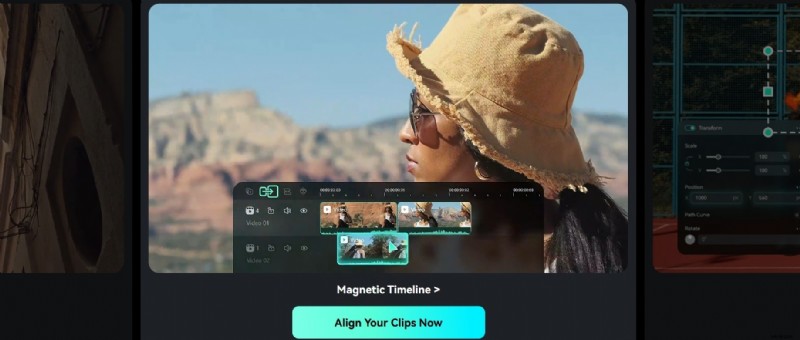
Wondershare Filmora combines recording, editing, voiceover, effects, and format conversion features in one place. No need to jump between multiple apps. As the best software for creating training videos, it is ideal for those seeking an intuitive platform without compromising features and quality.
Features:
- Screen recording
- AI-powered video and audio generation
- Training video templates and presets
- Multilingual subtitling and audio editing
- Export variations
- Stock media library
Make Videos with Wondershare Filmora
- Vast video/audio effects and creative assets.
- Powerful AI for effortless content creation.
- Intuitive, professional yet beginner-friendly.
- Works on Mac, Windows, iOS, and Android.


Synthesia – AI-Powered Video Creation
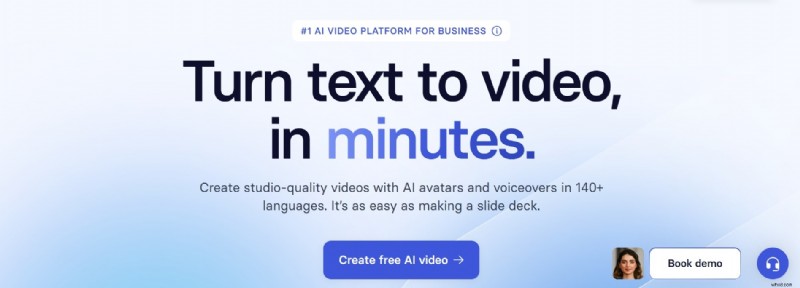
Synthesia has improved training video creation by allowing you to create AI-generated training videos from text using avatars. It has extensive customization options and is built on speed and scalability. It comes in handy for corporate training, onboarding, and customer education.
Features:
- Realistic AU avatars
- Supports 140+ languages
- Allows custom branding
- Integrates seamlessly with LMS platforms
Camtasia
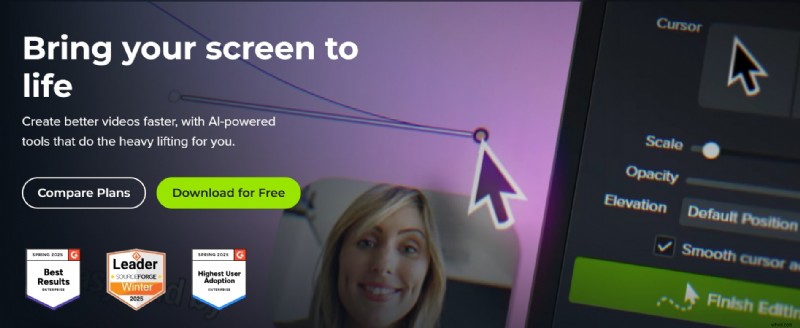
Camtasia is a training-video-making software that combines screen recording with AI-powered workflows. It is ideal for hands-on software tutorials and internal documentation.
Features:
- Screen Recording
- Cursor effects and kinetic text
- Closed captioning
- AI-powered translation
- Stock assets
- Interactive video elements
Which One Should You Choose?
Comparison Table
| Feature | Filmora | Synthesia | Camtasia |
| Best For | People and teams seeking simplicity & AI-assisted editing with professional results | Fast creation of AI-generated training videos with avatars and multilingual support | Professionals needing advanced screen recording and editing |
| Features | - Screen recording - AI Text-to-Video - AI STT and TTS - Smart Scene Cut - Auto Reframe - AI Music Generation - AI Idea to Video - Media Library |
- AI Avatars - Text-to-Audio - Multilingual Voiceovers - SCORM Export - Brand Kit Integration |
- Screen Recording - Caption Editing - Background Noise Removal - Cloud-based Sharing - Kinetic Cursor - Stock Assets |
| Ease of Use | High | High | Moderate |
| AI Capabilities | High | High | High |
| Customization | High | Very High | High |
| Pricing | Free credits for new users Subscription-based with various tiers |
Subscription-based with enterprise options | Free with basic features Subscription-based with different plans |
| Platform Support | Android, iOS, Windows, and macOS | Web-based platform | Windows and macOS |
Each of these training video makers has distinct features. Choose based on your editing goals, team size, training video requirements, technical expertise, and budget constraints.
Part 3: How to Create Training Videos Easily with Filmora [Steps]
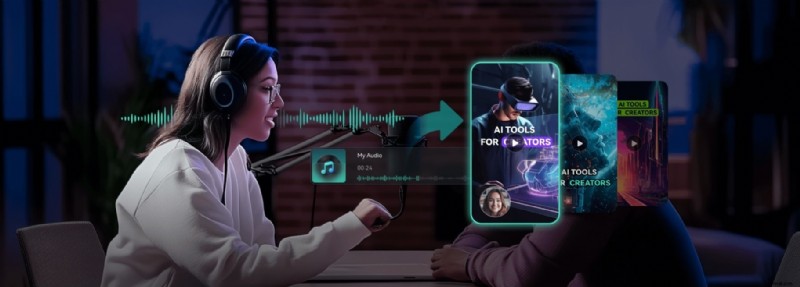
Despite the number of training video-making software on the internet, Filmora stands out because it simplifies the process. When it comes to editing training videos, this tool is your go-to. You can screen capture your content, generate background music or voiceovers, optimize your editing process using AI tools, etc., and export in high resolution.
Follow these practical steps to create an effective training video using Filmora.
If you’re screen recording your training video, follow from Step 1. If you’re editing an already-recorded video, skip to Step 2.
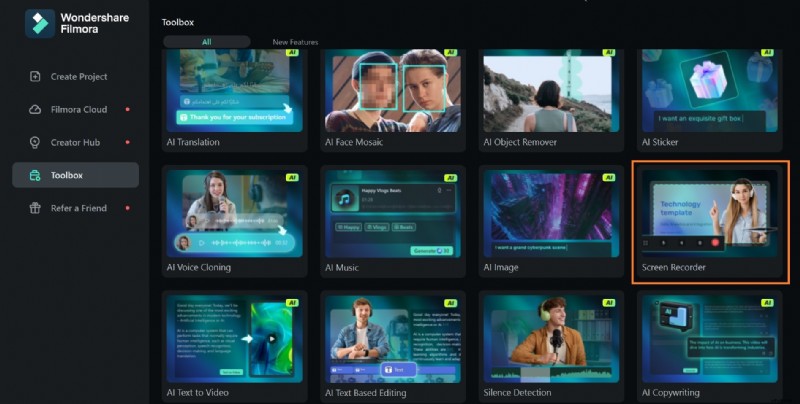
- Step 1: Screen record your video using Filmora.
- Go to Toolbox on the home screen and select Screen Recorder.
- Choose your recording settings and record your screen.
- Step 2: After recording, clean up your videos.
- Drag them to the timeline and arrange the clip(s) accordingly.
- Trim out unnecessary parts to clean up the footage.
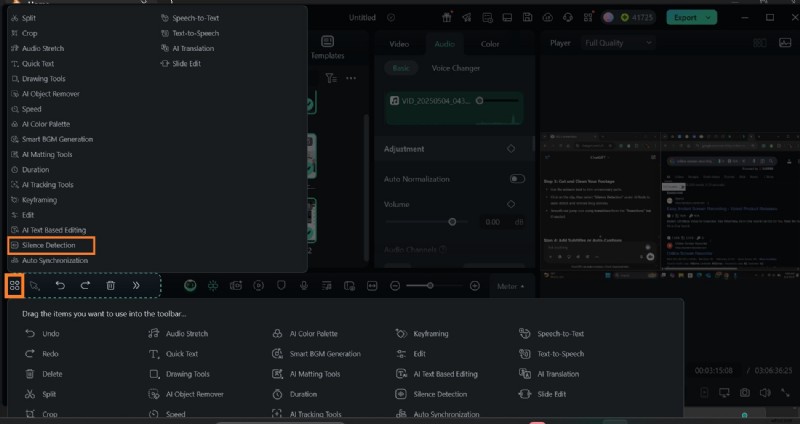
- Click on the highlighted icon in the timeline toolbar and select Silence Detection to auto-detect and remove long pauses.
- Step 3: Add sound or record a voice-over.
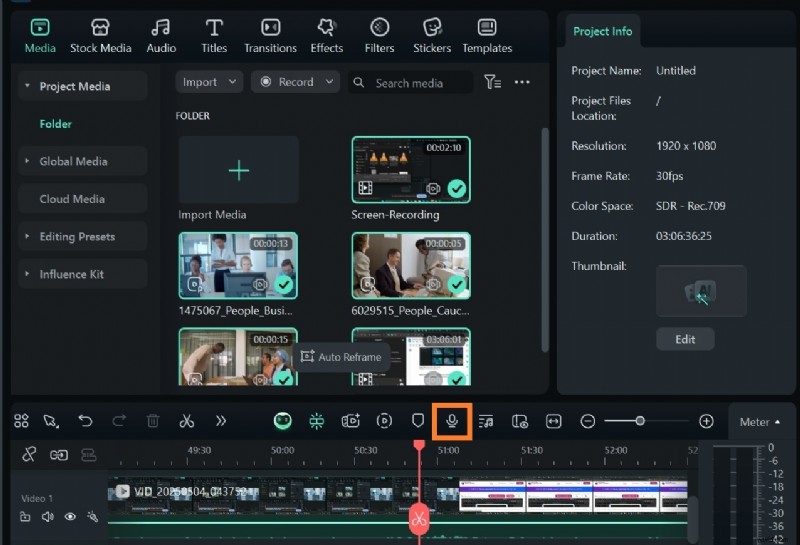
- If your training video has no audio, import a pre-recorded audio clip to Filmora via Media on the toolbar.
- Alternatively, use the Voiceover icon on the timeline toolbar to record a suitable voiceover for your training video.
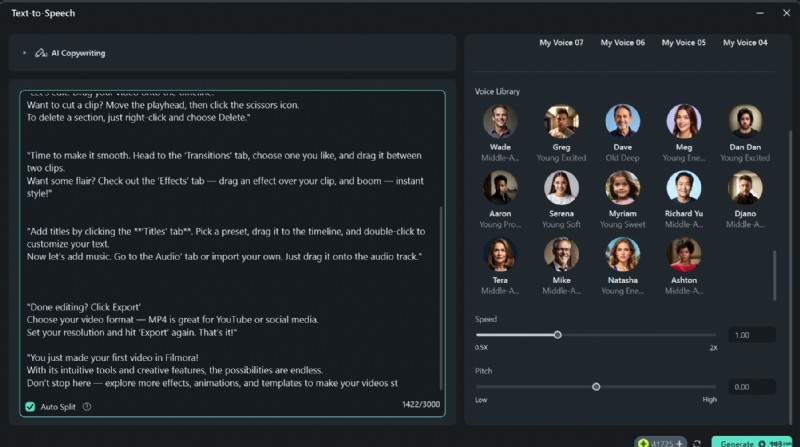
If neither of these options is convenient, use Filmora’s Text-to-Speech tool.
- Go to Audio > Text-to-Speech on the Filmora toolbar.
- Click on Start and input your text. You can use your voice, or select from Filmora’s voice library.
- Adjust speed and pitch, and click Generate. Your voiceover will automatically be added to your video on the timeline.
- Step 4: Add subtitles to your training video to make it more engaging.
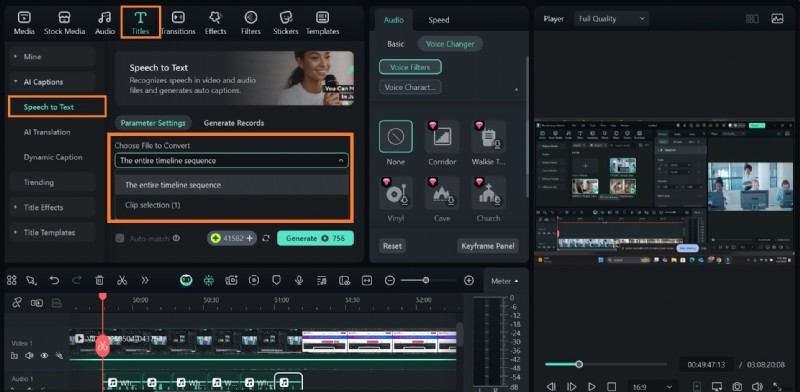
- Go to Titles > Speech-to-Text to generate captions from your voiceover.
- Make sure to choose whether to generate captions using your entire video’s audio or just a selected segment.
- Select Generate.
Once you’re done, export your video in high resolution.
Conclusion
Whether you're building onboarding tutorials, walk-through videos for your software, or AI training content, its success depends largely on the tools you use. Tools like Filmora, Synthesia, and Camtasia are some of the best software to create training videos in 2025.
However, Filmora stands out as an all-in-one editor, with access to AI tools to ease the process, and editing features for seamless training video production.
Choose the tool that fits your workflow, start simple, and focus on simplicity over complexity. Ready to create your next training video? Install Filmora now!

Filmora
⭐⭐⭐⭐⭐
The Best AI-powered Video Editing Software and App