
In 2026, Lovart AI stands out as a next‑generation AI design agent that blends prompt‑based generation with a fully interactive, layer‑centric workflow. Unlike conventional AI image generators that produce a single set of images, Lovart AI acts as a collaborative partner, allowing designers to refine concepts in real time, adjust individual elements, and maintain visual consistency across all assets.
Part 1. What Is Lovart AI? Understanding the "AI Design Agent" Workflow
Traditional AI tools follow a straightforward pattern: you enter a prompt, the system returns a batch of images, and if the result isn’t perfect, you rewrite the prompt. Lovart AI flips this model by offering a conversational interface and instant, editable layers. You can describe a style, mood, or specific detail, and the AI will generate a visual draft that you can tweak on the fly.
How the Lovart AI Workflow Works
Lovart AI functions as a creative partner. Its core workflow includes:
- Natural‑Language Interaction – Provide a plain‑English description of your vision, and the AI interprets and renders it.
- Real‑Time Editing – Click any component of the draft and issue a concise command (e.g., "adjust the hue to a warmer tone"). The AI updates that element instantly.
- Layer‑Based Tuning – The platform separates the image into editable layers, enabling granular control over typography, color, and composition.
Features That Make Lovart AI Stand Out
Infinite Canvas Workspace
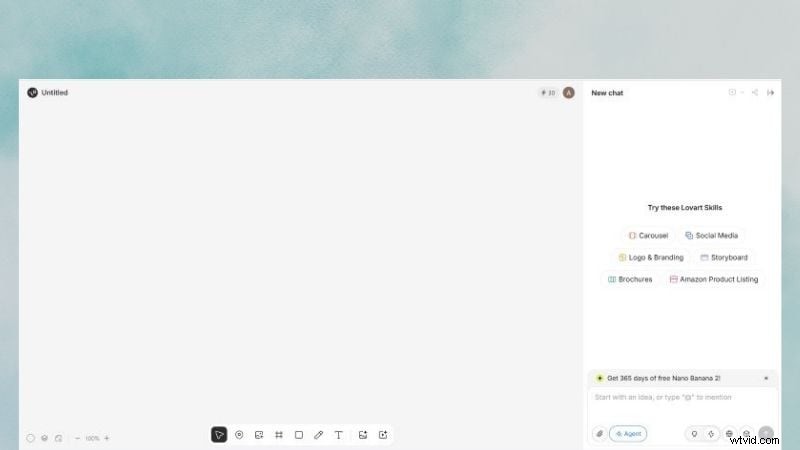
Lovart AI offers a spacious canvas where you can upload references, sketch ideas, and review multiple iterations side by side. This unified workspace streamlines the brainstorming process and keeps all creative assets in one place.
Powerful Editing Suite
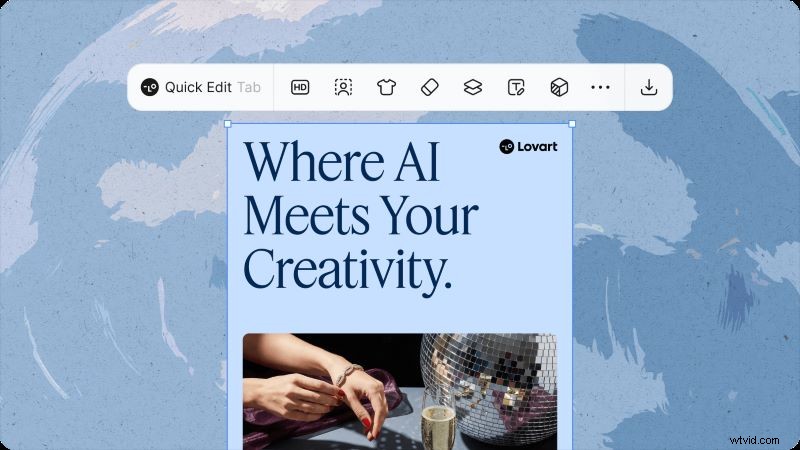
The editor supports layer‑specific adjustments, text replacement, and fine‑tuning of visual elements. By maintaining discrete layers, you can iterate on design details without disrupting the overall composition.
High‑Quality AI Design Output
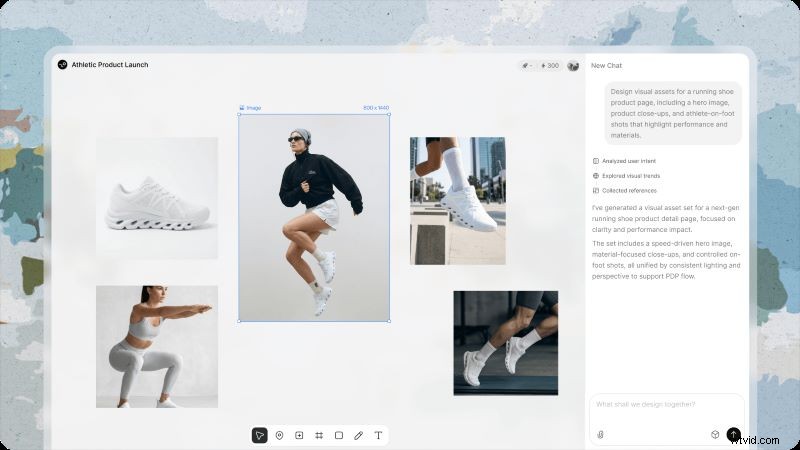
From a single prompt, Lovart AI can generate a full suite of assets: logos, social media templates, packaging mockups, and more. All outputs are high‑resolution and ready for commercial use.
Part 2. Hands‑on Test: Putting Lovart AI to Work
We evaluated Lovart AI across three real‑world scenarios to gauge its effectiveness for brand identity, marketing visuals, and video production.
Test 1: Designing a Brand Identity (Logo, Packaging, and Mockups)
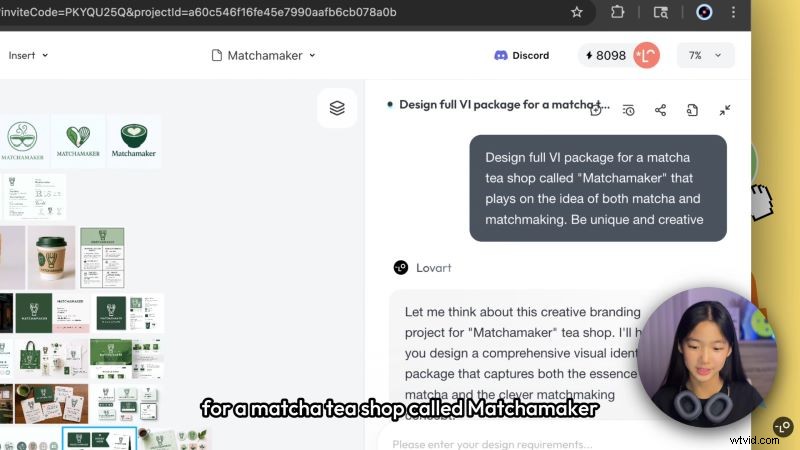
Following Lovart AI’s official tutorial, we built a brand called Matchamaker for a matcha tea shop. The process involved:
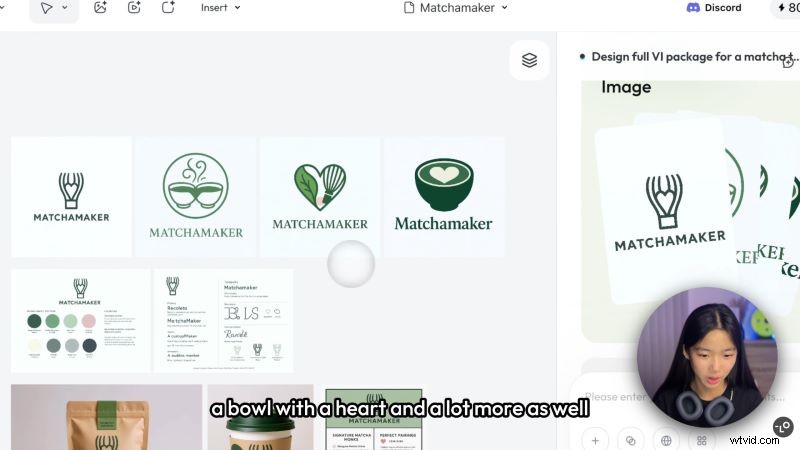
- Prompt Generation – Describe the brand’s personality and desired style. Lovart AI returned four logo concepts within seconds.
- Brand Guide Creation – The AI produced a complementary color palette and font pairings, which were automatically incorporated into the design files.
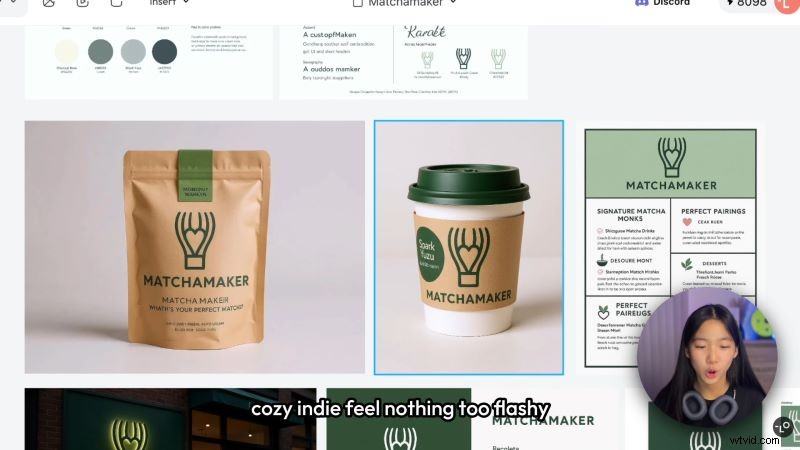
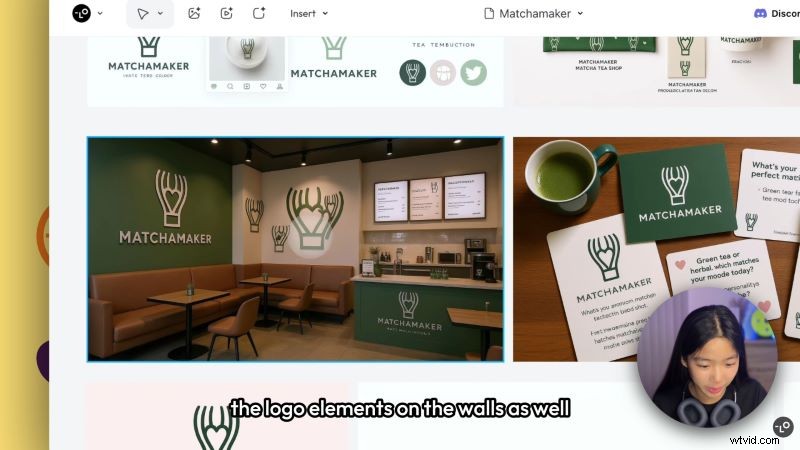
- Packaging & Store Concept – Using the chosen logo, Lovart AI generated packaging for powdered tea in brown containers and store‑front visuals, ensuring consistency across all touchpoints.
Test 2: Creating Marketing Visuals vs. Traditional AI Design Tools
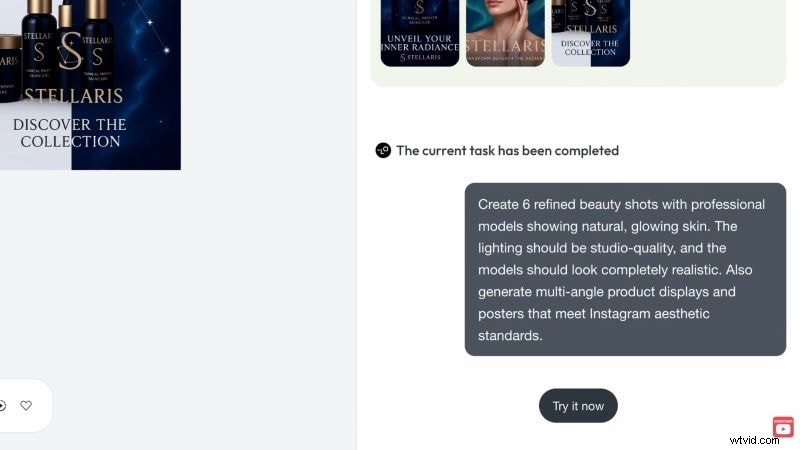
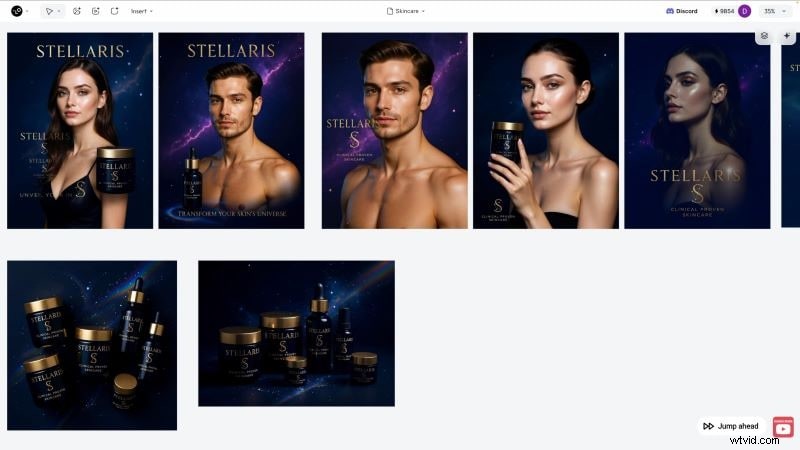
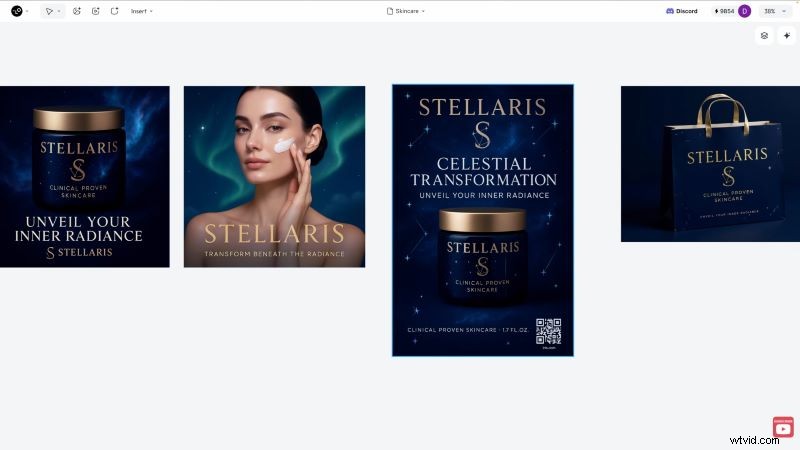
We replicated a marketing campaign for a luxury skincare brand, Stellaris, using Lovart AI’s prompt‑based system. The steps were:
- Define Visual Goals – Specify the desired mood, target audience, and key product features.
- Generate Assets – Lovart AI produced high‑quality product images, a flyer, and a social‑media-ready banner in a single session.
- Ready‑to‑Publish Flyer – The platform automatically embedded a scannable barcode linking to the purchase page.
Test 3: Exploring Lovart AI's Video Creation Features
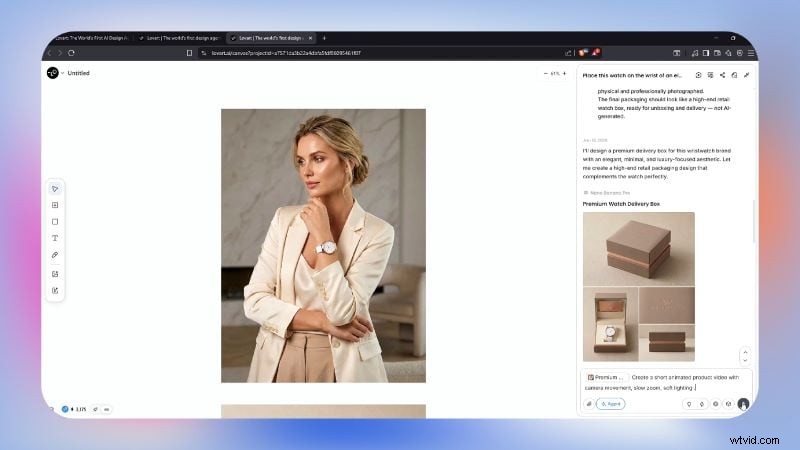
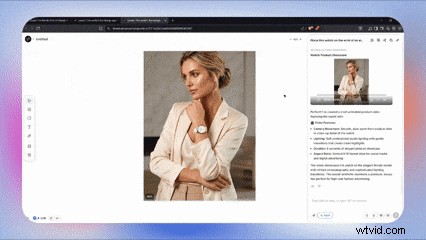
Using a demo from AI Geeked, we created a promotional video for a watch brand. The workflow included:
- Select Image to Animate – Choose a high‑resolution photo of the watch.
- Describe Cinematic Details – Input camera angles, lighting style, and transitions (e.g., slow dolly, soft lighting).
- Generate Video – The AI produced a 15‑second clip featuring smooth zoom‑in and subtle motion that is ideal for social media.
Part 3. Comparative Analysis: Lovart AI vs. Industry Leaders
How does Lovart AI stack up against the major players in the AI design space? We compared it to Midjourney and Canva, highlighting strengths and ideal use cases.
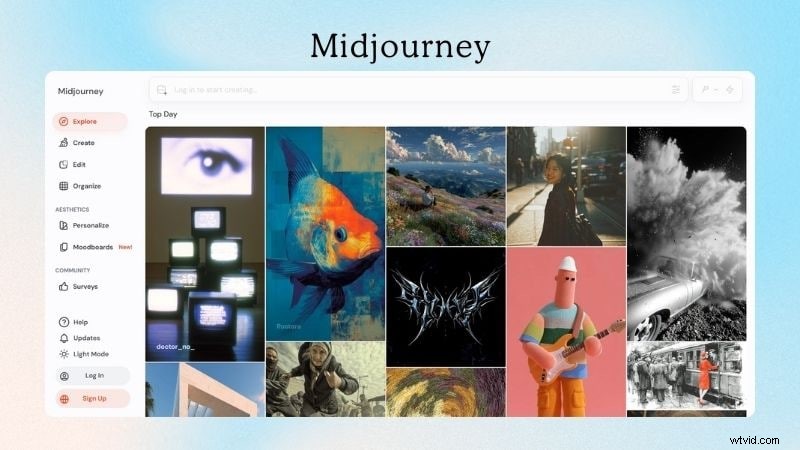
Lovart AI vs. Midjourney: Aesthetics vs. Workflow Integration
Midjourney excels at producing artistic, surreal imagery through prompt‑centric iteration. In contrast, Lovart AI prioritizes design consistency and immediate, layer‑based edits.
| Aspect | Lovart AI | Midjourney |
| Image Style | Design‑focused visuals | Aesthetic & surreal art |
| Editing Precision | Layer‑specific adjustments | Prompt‑driven refinement |
| Learning Curve | Minimal – conversational UI | Requires prompt mastery |
| Best For | Posters, ads, branding assets | Concept art, creative experiments |
| Target Audience | Marketers, creative teams | Artists, designers |
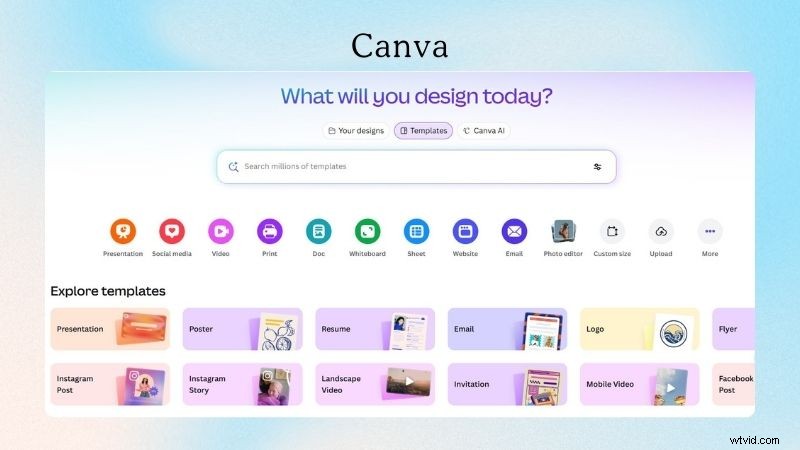
Lovart AI vs. Canva: AI‑Agent vs. Template‑Based Design
Canva’s drag‑and‑drop system offers thousands of templates but demands manual layout tweaks. Lovart AI, conversely, generates assets from scratch and refines them through natural‑language commands.
| Aspect | Lovart AI | Canva |
| Core Approach | Prompt‑driven AI design agent | Template library |
| Design Process | Generate & refine via prompts | Select & customize template |
| Primary Use | Branding, marketing assets, ads | Social media, presentations |
| Best For | Businesses, freelancers, teams | Students, educators, solo creators |
When to Choose Lovart AI in Your Creative Pipeline
| What You Want To Create | Recommended Tool |
| Logos & Brand Guidelines | Lovart AI |
| Artistic Backgrounds | Midjourney |
| Product Images | Lovart AI |
| Packaging Mockups | Lovart AI, Canva |
| Billboards & Shop Fronts | Lovart AI |
| Digital Banners & Ads | Lovart AI, Canva |
| Character Art | Midjourney |
| Presentation Slides | Canva |
| Social Media Posts | Lovart AI, Canva, Midjourney |
| Animated Product Shots | Lovart AI |
Part 4. Pricing & Value Assessment
Lovart AI offers a free trial that grants 30 daily credits, enough for a single prompt output. For frequent users, paid tiers unlock more credits, concurrent tasks, and access to premium AI models such as Flux, Stable Diffusion, GPT‑4o, and Kling AI.
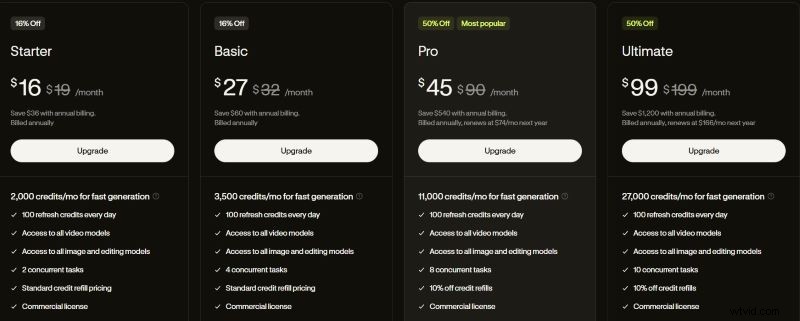
If you generate designs regularly, a paid plan is worth the investment because each tier includes a commercial license. Occasional users can rely on the free plan, keeping in mind the daily credit reset.
Part 5. User Trust & Credibility
Community sentiment on Trustpilot and Reddit suggests Lovart AI is legitimate but occasionally faces billing or stability hiccups. Common feedback includes:
| Area | What Users Say |
| Account Security | Login issues reported during post‑payment sync. |
| Billing & Credits | "Wasted credits" due to unsatisfactory results or errors. |
| Software Stability | Performance dips and occasional export bugs; support response times vary. |
Helpful Tips for New Users
- Use a permanent email address to avoid account lock‑outs.
- Provide detailed prompts (style, context, goals) for higher‑quality outputs.
- Monitor credit balance before initiating multiple renders.
- Avoid uploading confidential data to protect privacy.
Part 6. Who Should Use Lovart AI? (Use Cases)
Marketers Creating Campaign Assets Quickly

Teams that need a steady stream of visuals for ads, social media, and campaigns can benefit from Lovart AI’s rapid generation and editing capabilities.
Freelancers Speeding Up Their Design Workflow
Freelancers juggling multiple projects can use Lovart AI to produce initial concepts and refine them without a full design sprint.
Video Creators Combining Lovart AI with Filmora
The Lovart AI → Filmora pipeline turns static graphics into cinematic videos. Filmora’s AI Image‑to‑Video tools let you add transitions, AI‑generated music, and auto‑reframe features, producing polished content for social platforms.

Build a Video from Generated Images
Filmora’s Image Sequence to Video feature stitches together Lovart AI outputs, while its Video Extender smooths longer scenes.
Enhance with Transitions and Effects
Choose from a wide library of overlays and motion effects to give your video a dynamic feel.
Match Visuals with the Right Sound
Upload custom audio, browse Filmora’s library, or generate AI music and sound effects. The AI Text‑to‑Speech tool also offers instant voice‑overs.
Export for Any Social Platform
Auto‑Reframe automatically adjusts aspect ratios, ensuring a single video can be reused across multiple channels.
Part 7. Strengths and Weak Points
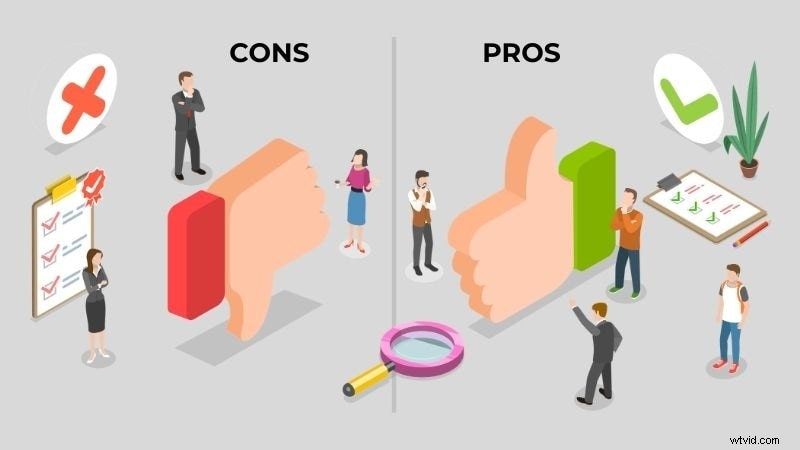
Lovart AI excels in accessibility, model diversity, and cross‑asset consistency, but it still shows signs of a beta product in performance and fine‑tuning precision.
- No Learning Curve – Prompt‑based system is intuitive.
- Advanced AI Models – Flux, Stable Diffusion, GPT‑4o, Kling AI integrated.
- Consistent Design Language – Generates multiple assets that share a unified look.
- Performance Variability – Occasional slowdowns and size mismatches.
- Limited Micro‑Adjustments – Fine edits still rely on prompts; exact specifications may be challenging.
- Video Quality – Generated clips can feel more like a slideshow than smooth animation.
Conclusion
For new businesses or creators who need a full visual suite without deep design expertise, Lovart AI delivers high‑quality, commercially licensed assets with minimal effort. Pairing it with Filmora’s video tools can elevate static designs into engaging motion content, offering a complete end‑to‑end creative solution.

FAQs
Can beginners with little editing experience use Lovart AI?
Absolutely. The conversational interface and built‑in editing tools let novices generate and refine images with minimal steps.
Is Lovart AI suitable for commercial projects?
Yes, all paid plans grant commercial usage rights for the generated content.
Does Lovart AI maintain visual consistency?
Yes, you can save style references, ensuring all outputs share the same aesthetic.
Is collaboration supported?
Lovart AI offers team plans (≈$99 per user/month) that enable shared projects.
What’s the free plan limit?
30 daily credits are available for the free trial; additional features and higher credits require a paid subscription.