
Did you ever consider how awesome it would be if you could listen to your favorite live broadcast, online radio show, or podcast offline? Perhaps you are too busy and cannot make it to the live show, but when it's over, does this mean that you can never listen to it again? Of course, the answer is no. You can use a streaming audio recorder to record and save these shows so that you can enjoy them later when you actually have the time.
We have prepared a long list of the top 10 streaming audio recorders so that you can pick the one you like best. But before we get into it, let's first consider our top three picks.
The most important thing to consider when picking a streaming voice recorder is the quality of sound. When you record radio shows or podcasts, you can only enjoy them if you can hear every word clearly. The sound recording needs to be clear and crisp. Luckily, all the tools in this section are excellent for this, but each has a unique twist. Check them out.

Wondershare Filmora: Best for Audio Recording and Video Editing
View detail

Apowersoft Streaming Audio Recorder: Best Free Streaming Audio Recorder
Apowersoft offers a free, expert-level audio recorder that captures streaming sound and exports in all major formats.
View detail
Audio Capture Pro: Best Streaming Audio Recorder for Mac
Audio Capture Pro delivers high-quality recording with seamless integration across Apple devices.
View detail
 Secure Download
Part 1: Check Out Our EZ Streaming Voice Recorder Tool Comparison Chart
Before we dive into the top ten list, check out this easy comparison chart that puts our top three picks side by side so that you can compare them more easily.
| Feature | Wondershare Filmora | Apowersoft Streaming Audio Recorder | Audio Capture Pro |
| Primary Purpose | Video editing with advanced audio recording tools | Dedicated streaming audio recorder | Dedicated high-quality audio capture tool |
| Audio Recording Capability | Easy voiceover or mic input during editing | Records system audio, microphone, or both simultaneously | Records from any source: streaming platforms, apps |
| Output Formats | MP3, WAV | MP3, WAV, AAC, FLAC, WMA, OGG | MP3, WAV, AAC, FLAC, M4A, WMA |
| Audio Editing Tools | Basic and advanced audio editing features | Basic editing (cut, merge, tag editor) | Advanced editing with ID3 tag editor, trim, and merge options |
| Best For | Improving sound design and incorporating it into a video | Users who need a straightforward streaming audio recorder | Audiophiles and pros who need high-quality captures |
|
Show more Show less |
Part 2: Top 10 Tools to Record Streaming Audio
Let's talk a little more about these top three tools. We'll also add seven more to create a top 10 list of the best tools that you can use to record a stream on your mobile or PC.
Wondershare Filmora
Wondershare Filmora is primarily a powerful and intuitive video editing powerhouse, but it includes an awesome streaming audio recorder module. You can set it up to capture system audio and microphone input with one click, and use other audio recording features. You can use Filmora to record video and audio simultaneously from YouTube clips, webinars, or social media posts, which makes it perfect for creating tutorials, music clips, and other fun content.
Once you record your audio clip, you can trim it, cut it, and edit it to your liking. Some new features include AI audio processing and background noise reduction, all geared towards enhancing the overall quality of your audio file.
All in all, although Filmora is designed to be the best video editing tool, the built-in audio recorder is an excellent solution for casual stream captures.
Secure Download
Key Features
- One-click recording for system and mic audio
- Simultaneous video + audio capture
- Basic and advanced editing: trim, fade, convert formats
- Easy export to MP3/WAV or video formats
- Clean and intuitive desktop and mobile interface
Pros & Cons
- Intuitive and easy to use (great for beginners)
- Captures both audio and video streams in one go
- Built-in export conversion tools
- The focus is on video editing
- The free trial has export limitations
- It could use some more advanced audio editing, like adding audio effects
Pricing Information
For more details, please visit the purchase page where various pricing plans are available.
Operating system
- For the desktop version: Windows 10/11 (64-bit), macOS (10.12 or later)
- For the mobile version: Android and iOS
Why Do We Recommend It?
Filmora is designed for creatives. It does offer excellent streaming audio recording features, but with a wealth of creative assets and awesome and fun AI-powered tools, Filmora can serve as much more than a simple audio recorder. You can use it to make stunning works of art!
Best For
Users who want a one-stop shop to record streaming audio in addition to recording video with basic and advanced editing features included.
Apowersoft Streaming Audio Recorder
Apowersoft's Streaming Audio Recorder is an all-in-one tool that lets you record system sound, mic input, online radio, video platforms, and even audio calls. It's especially useful for users who want to build and manage personal music collections, thanks to its built-in editing and conversion features.
Key Features
- Record streaming audio, mic input, online radio, audio calls, and more
- Auto-detect and tag music with ID3 metadata (title, artist, album)
- Built-in audio converter (supports multiple formats, like MP3, AAC, FLAC, WMA, OGG, and more)
- Trim, merge, burn to CD, or transfer tracks to iTunes
- Discover songs and batch-convert audio files
Pros & Cons
- Versatile recording from various sources
- It supports a broad range of formats and sources
- Powerful UI and audio workflow tools
- The Mac version lacks editing functionality
- Customer support issues and login/activation complaints
- It requires a purchase to unlock all features after trial credits expire
Pricing Information
The free trial has limited functionality. Premium plans start at approximately $29.95/month per individual or $79.95/year for businesses.
Operating system
Windows and macOS
Why Do We Recommend It?
This tool has dedicated features specifically designed for audio stream recording and audio recording in general. Its ability to easily edit audio metadata makes it perfect for building and organizing your digital audio library with high-quality audio in different formats.
Best For
Users who want to record high-quality streaming audio with advanced features like ID3 tagging and easy format conversions.
Audio Capture Pro
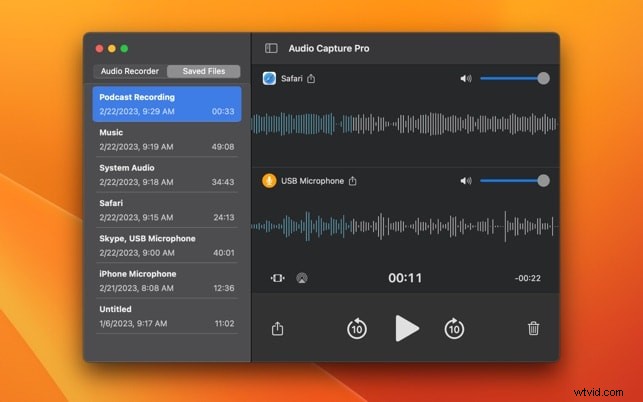
Audio Capture Pro is a lightweight Mac-exclusive app for high-quality audio recording from any source, including individual apps or system audio. It's especially useful for isolating sound from music players or web browsers with minimal interference. The interface is clean and intuitive, making it easy to choose source apps, formats, and bitrates.
Key Features
- Capture audio from specific apps or the entire system
- Export with lossless output in formats like MP3, WAV, and FLAC
- Schedule recordings, trim clips, and batch process files
- Clean interface optimized for Mac performance
Pros & Cons
- Precise app-level audio capture with no extra noise
- This is a somewhat affordable app
- Easy setup and operation
- Limited to Apple users; there is no Windows version
- A lack of advanced editing features
- Not ideal for complex editing that requires tagging features
Pricing Information
Subscription-based: approximately $3/month or $15/year for full version access. A free trial may be available via the Mac App Store.
Operating system
- macOS only (Mac App Store)
Why Do We Recommend It?
If you are a Mac user and you want a tool that can offer reliable, app-specific audio capture features that you can use with minimal configuration, Audio Capture Pro delivers excellent results at a fair price. The best part is that you can do this without unnecessary extras.
Best For
Users who need precise app-specific audio recording on Mac with minimal effort and reliable output formats.
Audacity
Audacity is a free, open-source audio editor and recorder available for Windows, macOS, and Linux. It supports both system audio and microphone input recording, along with powerful editing tools and plugin integration—making it ideal for users who want full control over their audio workflow.
Key Features
- Record system or microphone audio using loopback devices
- Edit multitrack audio with effects, plugins, and trimming tools
- Apply noise reduction, normalization, and volume adjustments
- Export in multiple audio formats (MP3, WAV, OGG)
Pros & Cons
- Completely free and cross-platform
- Powerful editing tools and plugin support
- No time or export restrictions
- Requires configuration/setup for capturing streaming audio
- The interface can be too complicated for beginners
- No direct streaming metadata tagging or scheduling
Pricing Information
Free, open-source (GPL licensed). No trials or paid tiers required.
Operating system
Why Do We Recommend It?
Audacity is incredibly flexible and powerful, but it doesn't cost a dime. It is ideal for users who are comfortable with the interface and want full control over recording and editing.
Best For
Users who want a free, open-source solution with maximum flexibility for streaming audio captures and basic editing.
Free Sound Recorder
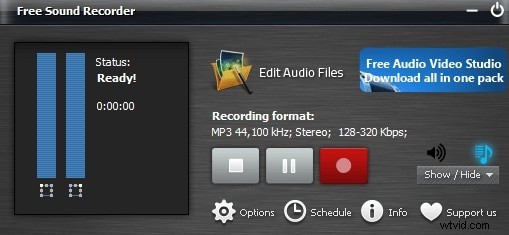
Free Sound Recorder is a lightweight, free audio recording tool for Windows users, with limited support on macOS. It can capture audio from any source playing through your sound card—like YouTube streams, internet radio, or VoIP calls. Its simple interface and no-frills functionality make it ideal for users who just want quick, scheduled recordings without editing.
Key Features
- Record audio from system sound, VoIP calls, and online streams
- Schedule recordings using the built-in timer
- Includes Automatic Gain Control (AGC) and Voice Activation System (VAS)
- Export to MP3, WAV, WMA, OGG formats
Pros & Cons
- Free and straightforward to use
- Offers support for scheduled recordings
- No watermark or trial limitations
- A basic interface with limited editing
- Occasional issues in the installer bundle
- No tagging, trimming, or metadata tools
Pricing Information
Free to use with no paid version.
Operating system
- Windows (limited Mac support)
Why Do We Recommend It?
This free tool is designed for users who need hassle-free, scheduled recordings of streaming content or VoIP calls without the need for editing or tagging.
Best For
Basic users who need simple scheduled recordings from streaming sources or VoIP and don't need advanced editing tools.
EaseUS RecExperts

EaseUS RecExperts is a cross-platform tool for recording audio, video, and screen activity on Windows and macOS. It supports system sound capture with optional mic input and built-in noise suppression. While audio editing features are limited, it's well-suited for recording webinars, lectures, and music streams with visuals.
Key Features
- Record audio and screen simultaneously
- System sound + mic input support with noise suppression
- Export in MP3, WAV, and other video formats
- Schedule recordings and use smart capture tools
Pros & Cons
- Captures both screen and streaming audio easily
- Built-in noise cleaning for clearer recordings
- Intuitive for tutorial-style use
- The free version imposes watermarks and time limits
- Fewer dedicated audio tools compared to specialized recorders
- Primarily designed as a screen recorder
Pricing Information
The free trial comes with limited export, but the paid version starts at around $29.95/year.
Operating system
Why Do We Recommend It?
This tool is great for people who want to capture a combination of screen and streaming audio in one go, especially lectures or live webinar content.
Best For
Windows or Mac users who want a combined screen and audio capture experience with automatic noise cleanup.
Movavi Screen Recorder
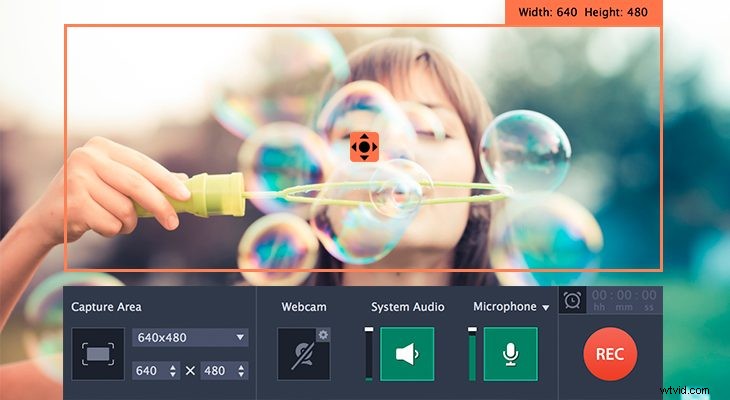
Movavi Screen Recorder is a polished and easy-to-use tool for Windows and macOS, capable of recording system audio, mic input, screen activity, and webcams. It's especially handy for capturing webinars, music streams, or live broadcasts, with basic trimming tools and MP3 export. The free trial includes a 7-day limit and watermark, but the paid version unlocks its full potential.
Key Features
- Record system sound, microphones, screens, and webcams
- Trim recordings, add annotations, and schedule sessions
- Export audio-only in MP3 or create quick GIFs
- Fast rendering and direct sharing options
Pros & Cons
- Dual capture of screen and audio
- Clean interface and scheduling support
- Supports webcam overlay and annotations
- Free trial limited to one week, watermark included
- Audio editing features are minimal
- The paid version is required for the best features
Pricing Information
It has a 7‑day free trial, and the standard license starts at ~$39.95/year.
Operating system
Why Do We Recommend It?
This app is very suitable for users who want a fast streaming audio recording solution that does not compromise audio and video quality.
Best For
Simple streaming audio and video capture tasks for beginners who want the option to add screen annotations.
AudiCable Audio Recorder
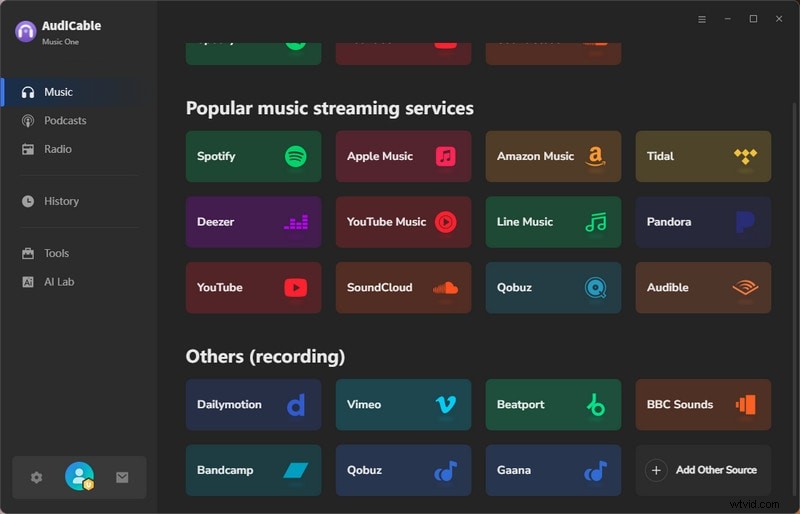
AudiCable Audio Recorder is designed to capture music from popular streaming services like Spotify, Apple Music, YouTube Music, Amazon Music, and Tidal. It preserves original audio quality and metadata, making it ideal for users building offline music libraries.
If you want to record music from streaming platforms, AudiCable should be a solid choice. You can save recordings in formats like MP3, AAC, WAV, FLAC, AIFF, and ALAC. The best part is its ability to preserve both the audio quality and metadata. However, conversion speed is limited to real-time.
Key Features
- Record audio from major streaming platforms
- Maintain original sound quality and metadata tags
- Support multiple formats, including MP3, AAC, WAV, FLAC, AIFF, and ALAC
- Built-in tag editor and playlist conversion tools
Pros & Cons
- High-quality audio recording with accurate metadata
- Support for many streaming platforms and file formats
- Easy interface for music capture
- Real-time conversion speed only
- Free trial limits
- Requires subscription for full access
Pricing Information
There is a free trial available, and paid plans start at ~$14.95/month, $59.95/year, or $129.90 for a lifetime license.
Operating system
Why Do We Recommend It?
This tool is a sound choice for anyone who wants to build an offline music library with correct metadata and lossless audio quality.
Best For
Users who are looking to capture lossless audio from music platforms with automatic metadata retention.
SoundTap Streaming Audio Recorder
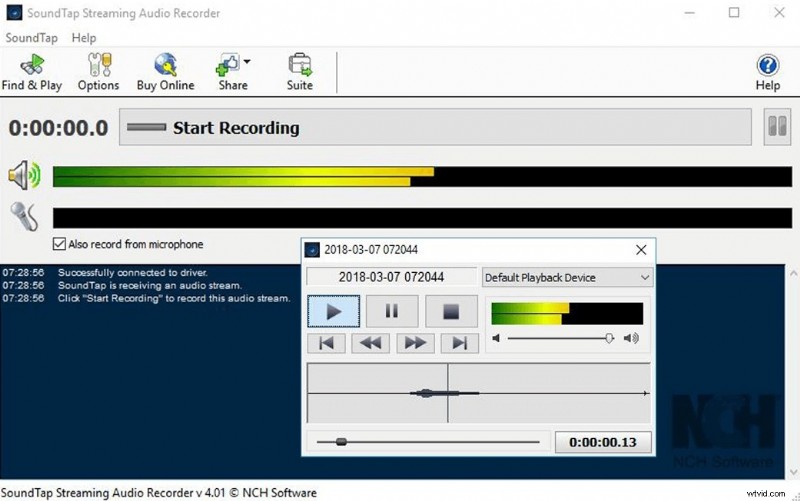
SoundTap Streaming Audio Recorder works on Windows and macOS, capturing live music, podcasts, VoIP calls, and system audio in real time with lossless quality via driver-level recording. Though its interface is outdated, it remains a reliable and simple choice for everyday use.
Key Features
- Capture lossless audio directly from system playback
- Export to WAV and MP3 formats
- Low system resource usage
- Simple interface, easy setup
Pros & Cons
- Maintains perfect audio fidelity through driver-level capture
- Compatible with nearly all streaming apps and sources
- Simple and stable for long recordings
- Dated interface design
- No metadata tagging, editing, or scheduling tools
- The free version is limited
Pricing Information
The free version is limited, while the full version is available for purchase from $39.99 for the basic version to $139.99 for the full package.
Operating system
Why Do We Recommend It?
If you are not an audiophile and you don't mind certain capture losses, this is a very straightforward recorder that is good enough at capturing system audio.
Best For
Someone who is looking for a capture tool to record high-quality audio from nearly any source with an easy setup.
Joyoshare VidiKit (Audio Recorder Module)
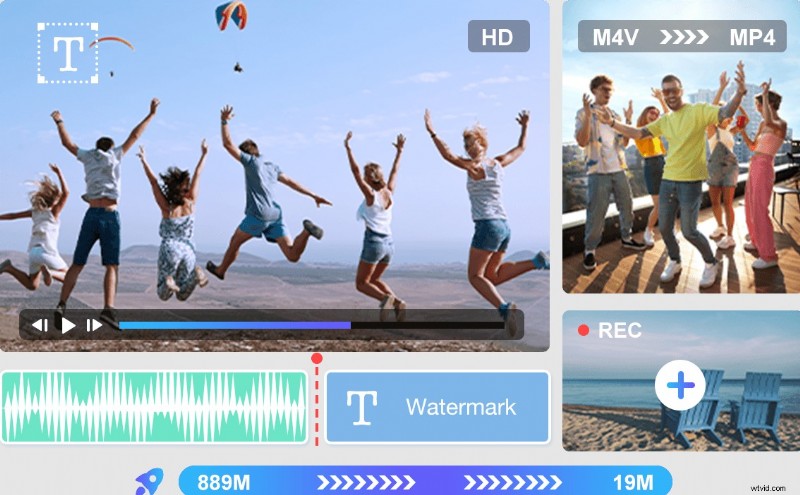
Joyoshare VidiKit is a streamlined audio recorder that captures streaming and system audio with detailed tagging and editing capabilities. It supports multiple formats including MP3, AAC, WAV, FLAC, M4A, and M4B, and offers customizable codec, bitrate, and channel settings. Features like batch processing, scheduling, and history-based trimming and conversion make it a professional tool for managing streaming media.
Key Features
- Capture audio from streaming platforms and system sound
- Multiple format support and customizable settings
- Tag editor and history-based trimming and conversion
- Batch processing and scheduling
Pros & Cons
- A professional tool with high-quality output
- Detailed format and metadata control
- The history list simplifies conversion and editing
- The free trial only allows 1-minute recordings
- Subscription required for full access
- Slight learning curve for advanced options
Pricing Information
After the free trial, you need to pay ~$15.95 each month, or you can choose lifetime licensing.
Operating system
Why Do We Recommend It?
VidiKit is a solid option for professionals who perform streaming audio capture tasks and need batch processing features, metadata control, and format versatility.
Best For
Anyone who wants to have only one utility for scheduled streaming audio recording with different output formats and tag editing.
Part 3: How to Select the Best Streaming Audio Recorder for Your Needs
We have prepared this short checklist to help you pick the right tool for your needs. Here are the most important features to look for in a streaming audio recording tool for everyone.
- Versatility: You want audio recording to be only one feature, and the tool should offer countless other creative features that you can use to get creative.
- Easy AI Enhancements: We are already in the age of AI, and it is only logical that the tool in question has easy AI audio enhancement options to help with certain tasks.
- Straightforward Timeline Management: After you record audio files, you need an easy editing timeline to remove unwanted parts and organize everything.
- Royalty-Free Audio Library: If you are recording a podcast, you might want to add cool music underneath without fear of a copyright claim.
- Easy Basic and Advanced Editing Features: Finally, you want to be able to manipulate audio files easily by cutting, trimming, adding cross-fades, removing silences, etc.
The Wondershare streaming audio recorder and video editor Filmora is the first tool on this list for a reason. If you download and install either the desktop or the mobile version, you will quickly realize that Filmora ticks all the boxes above, offering a fun and creative editing experience that will lead you to create jaw-dropping works of art.

Filmora
AI Video Editing App & Software
Best tool for making videos anywhere for all creators!
Best for Audio Recording and Video Editing
Conclusion
All the tools on our list are very easy to use, and each will help you record audio streaming on your device. Most are specifically designed for this one task, but if you want to get really creative, you should consider a tool where this feature is only one of many. That way, after you record something, you will have the power to mold it to your liking and create an even better listening experience than when you simply stream it live.