
Many creators and musicians may recognize GarageBand, an application that simplifies music production, especially for beginners. The challenge is that GarageBand is only available on Apple devices, which is why many people are seeking GarageBand alternatives for Windows, so they can enjoy the same creative experience on their PCs.
Fortunately, there are excellent alternatives available that are designed to meet different needs. In this guide, you'll find free and paid options that offer AI-powered audio tools and professional-quality sound. Some tools even offer more than just standard audio software by combining music creation and visual editing in one place.
So, if you're looking for a GarageBand alternative for Windows, this article is definitely for you.
Part 1. What to Look for in a GarageBand Alternative
When searching for GarageBand alternatives for Windows, it's not just about finding software that can record sound; it's also essential to know which features are most crucial. The right tool should let you record, edit, and create music with the same level of ease and flexibility.
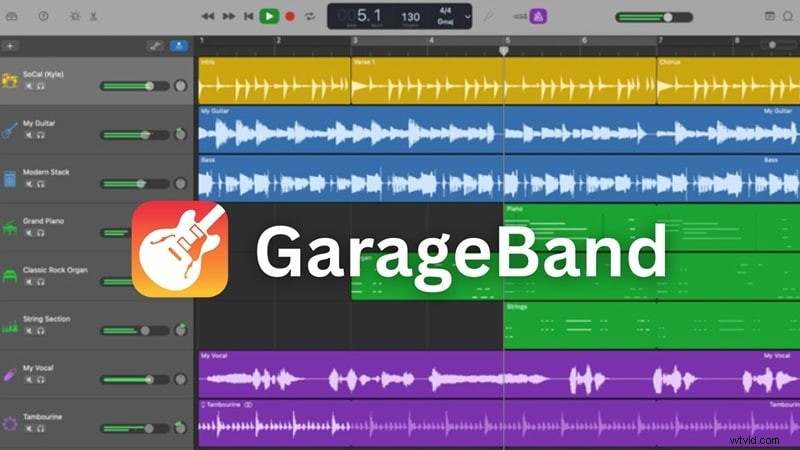
If you're a beginner or someone who's already experienced in music production, these key features can make a big difference in your workflow and are worth paying attention to:
- Easy learning curve: The first and most important factor is that the software must be beginner-friendly with an intuitive interface. You can start creating music quickly without having to spend hours learning complicated steps.
- Recording and Editing Capabilities: Find tools that enable clean recording, multi-track editing, and easy fine-tuning for vocals or instruments so you can shape your sound the way you want.
- Built-in Instruments and Loops: A comprehensive library of virtual instruments and loops allows you to create full tracks without the need for extra plugins. This factor can make the music creation experience faster and more enjoyable.
- Plugin Compatibility and Effects: A good alternative tool should support third-party plugins and provide various effects such as reverb, delay, and compression to produce professional music.
- Platform Compatibility: Ensure that the software works well on your Windows system and integrates seamlessly into your existing workflow.
- AI and Automation Features: Consider alternative tools equipped with AI-powered features, such as automatic mixing or rhythm detection. These features can save time and help you focus more on creativity than technical details.
Part 2. GarageBand Alternative for Windows to Produce Multimedia Projects
Many creators face similar challenges when searching for GarageBand alternatives for Windows, such as being unable to access the original software directly on Windows.
Even worse, most alternatives only focus on audio, which requires users to switch between different tools to handle music, sound effects, and visuals. This obviously can slow down the creative flow when users need a faster, more integrated alternative tool to gather everything in one place.
 Secure Download
Since creators need more than just audio production and refinement, Wondershare Filmoracomes as a tool that helps you build complete multimedia projects seamlessly. With Filmora, you not only produce music but also create atmospheres and combine everything into your content, all within a single integrated workspace.
1. AI-Powered Audio Tools That Speed Up Creation
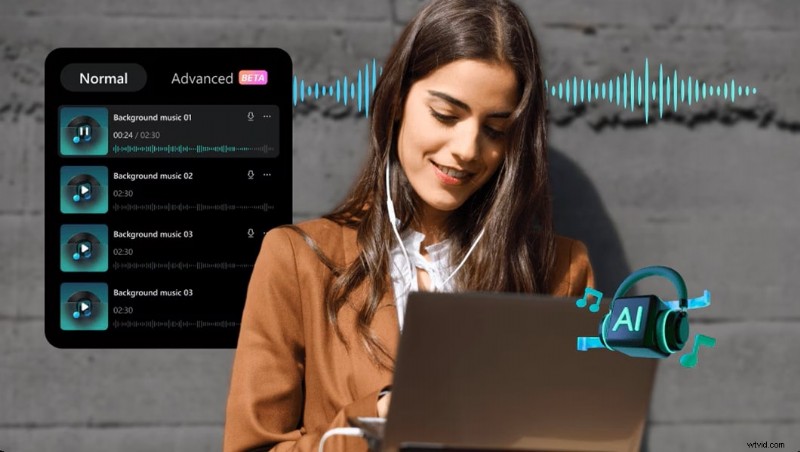
Filmora's audio tools are designed for speed and ease of use. Instead of burdening users with complicated audio settings, Filmora uses AI to streamline your workflow.
- AI Music Generator - Instantly add original background soundtracks that match your project's mood.
- AI Audio Denoise & Voice Enhancement - Clean up recordings and enhance vocals with minimal effort.
- AI Audio Stretch & Auto Beat Sync - Keep rhythm and flow perfectly aligned with your visuals.
2. Professional Audio Fidelity that Maintains Quality
Besides its convenience and practicality, Filmora also produces high-quality sound. If you're a vlogger, podcaster, field recordist, or content creator who wants clean, professional audio, Filmora is the right fit for you.
- 32-bit Float audio pipeline for lossless editing and anti-clipping headroom.
- Support for VST plug-ins for extended audio control.
- It delivers industry-standard quality without needing a full DAW setup.
3. Fine-tuned Editing to Integrate Audio and Visual Workflows
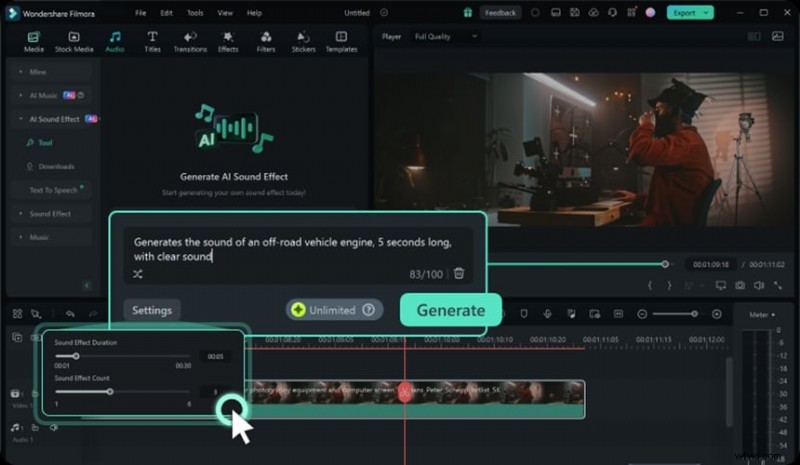
Moreover, what makes Filmora a suitable GarageBand alternative for multimedia projects is its flexibility to edit audio and video in one efficient timeline.
- Timeline precision and multi-track audio editing for full control.
- Volume automation, fade in/out, noise & background reduction for smooth transitions.
- Built-in voice balance, room reverb, and echo effects.
- Unified audio and video layers that remove the friction of switching between multiple tools.
Secure Download
Part 3. Top Professional DAWs to Substitute GarageBand on Windows
If your focus is entirely on music production and audio mastery, several professional DAWs serve as a powerful GarageBand alternative for Windows. These tools offer deep control, modular editing environments, and production-level sound quality.
Below are some of the best GarageBand alternatives designed for musicians, producers, podcasters, and audio professionals who want to get more advanced.
1. Cakewalk by BandLab (Best Free Professional DAW)
Why it's different
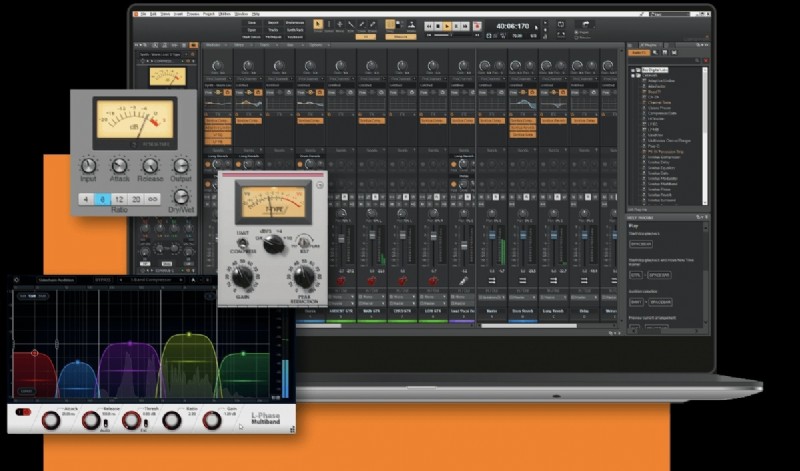
Cakewalk is popular as a GarageBand alternative for Windows due to its ability to offer a professional-grade DAW experience without the high cost. Its interface is clean yet powerful, and it provides advanced mixing and mastering tools that are comparable to premium DAWs.
Editing Tools
- Flexible automation lanes for volume, pan, and effects
- Precision clip editing and real-time rendering
- Cakewalk has an advanced bus routing system
Pros & Cons
- Completely free and equipped with full features
- Excellent sound engine and mixing workflow
- Slightly steeper learning curve for beginners
Target Users and Use Cases
Cakewalk is suitable for dedicated music enthusiasts, studio musicians, and producers who want to use professional tools without incurring licensing costs.
2. Reaper (Best Lightweight Pro Option)
Why it's different
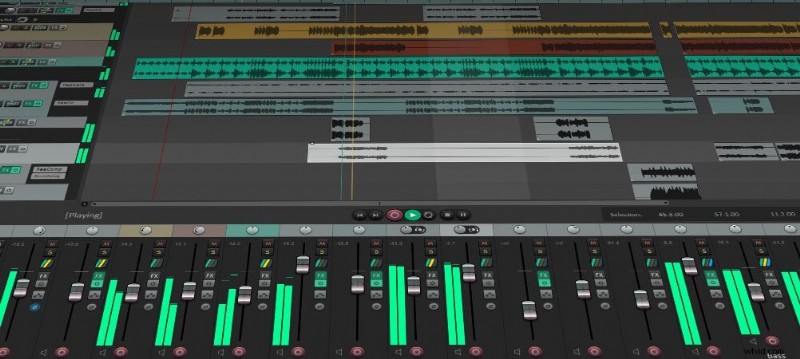
REAPER is known for its super-fast performance and high level of customization. Different from many other DAWs, REAPER is lightweight, runs on most systems, and can be adjusted to fit your workflow perfectly.
Editing Tools
- Advanced automation envelopes and routing
- Non-destructive editing
- Customizable extensions for personalized tools
Pros & Cons
- Lightweight yet incredibly powerful
- Affordable one-time license
- Less visually intuitive for beginners
Target Users and Use Cases
REAPER is a perfect fit for musicians and audio engineers seeking a GarageBand alternative for Windows, and prioritizes speed, control, and flexibility over built-in instruments.
3. FL Studio (Best for Beatmakers and EDM Creators)
Why it's different
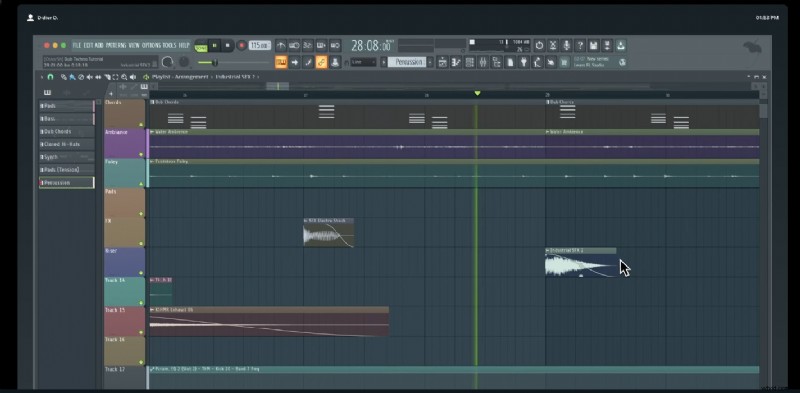
As one of the GarageBand alternatives for Windows, FL Studio stands out with its pattern-based workflow and intuitive piano roll. The tool is popular among beatmakers and electronic music producers thanks to its seamless loop integration and quick execution of ideas.
Editing Tools
- Real-time MIDI recording and quantization
- Automation clips for smooth transitions
- Plugin delay compensation and audio warping
Pros & Cons
- FL Studio is easy to use for loop-based production
- Strong community support and tutorials
- The interface can feel too cluttered for linear recording projects
Target Users and Use Cases
Works best for EDM creators, beatmakers, and producers who want a fast creative workflow with professional polish.
4. Mixcraft (Best for Home Studios)
Why it's different
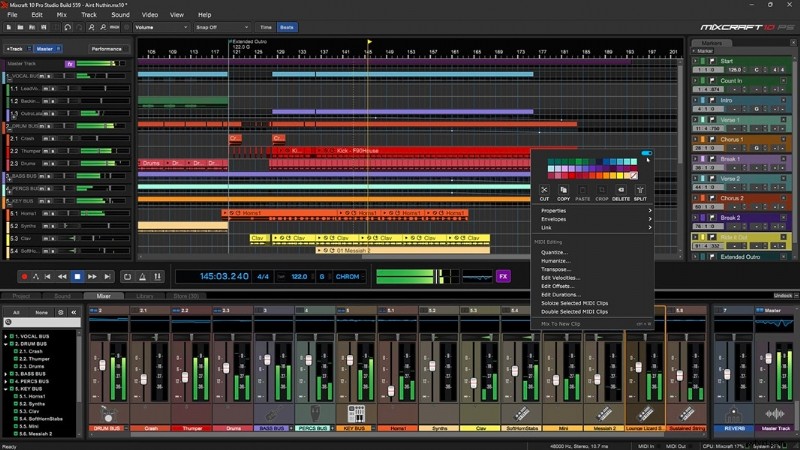
If you're not sure what DAW to use as an alternative to GarageBand for Windows, Mixcraft is the best fit for you. Mixcraft focuses on providing a balanced environment for recording, editing, and mixing music at home. It's a simple app to use, but it still has enough depth for professional production.
Editing Tools
- Automation curves and envelope control
- Audio warping and clip-based effects
- MIDI editing with piano roll and notation display
Pros & Cons
- Mixcraft has a beginner-friendly interface
- Runs well on mid-range PCs
- Not as flexible as professional DAWs
Target Users and Use Cases
It's a perfect fit for home studio owners, singers & songwriters, and multimedia content creators who need a balanced tool with a minimal learning curve.
5. LMMS (Best Open-Source Option)
Why it's different
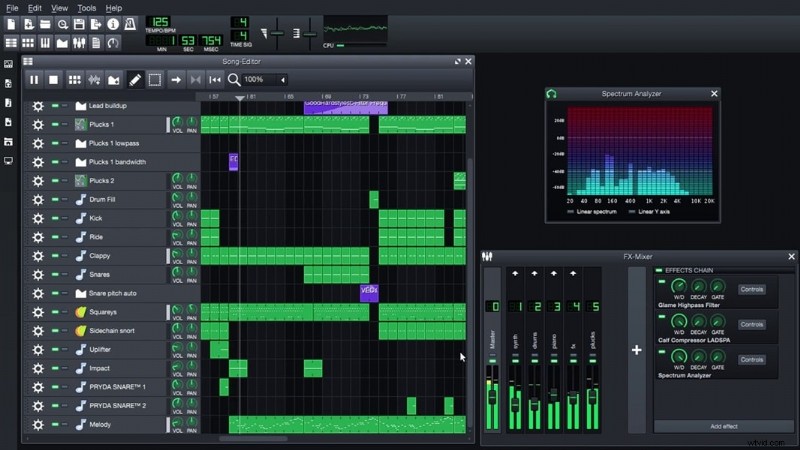
LMMS is a free and open-source DAW that's ideal for those looking for a GarageBand alternative for Windows and wanting to make music without spending anything. LMMS excels at electronic music production and making beats.
Editing Tools
- Automation and piano roll editor
- Rhythm and bassline editor
- Effects rack with basic audio processing tools
Pros & Cons
- 100% free and supported by the community
- Light on system resources
- Lacks advanced mixing tools compared to paid DAWs
Target Users and Use Cases
LMMS is ideal for beginners, hobbyists, or producers who want to start making music without any costs or complicated settings.
Feature Comparison Table (Quick Look)
Here is a quick summary to help you compare the best GarageBand alternatives for Windows side by side. This summary highlights the strengths of each tool so you can easily find the one that best suits your creative needs.
| Tool | Cakewalk | Reaper | FL Studio | Mixcraft | LMMS |
| Core Strength | A professional DAW with comprehensive features and high-quality studio capabilities. | Lightweight and highly customizable for professional workflows | Best for beat making and electronic music production | An easy-to-use DAW for home studios | Open-source and beginner-friendly |
| Pricing | Free | Paid (Free trial) | Paid | Paid | Free |
| MIDI & Plugin Support | Extensive VST2/VST3 and MIDI support | Full VST and MIDI support | Excellent VST/MIDI support | VST and MIDI support | MIDI and VST plugin support |
| Editing Tools | Multi-track editing, automation, and advanced mixing | Precise automation, flexible routing, scripting options | Powerful piano roll, step sequencer, mixer | Multi-track editing, automation, live performance tools | Step sequencer and basic editing |
| Built-In Instruments | Moderate | Limited | Rich | Moderate | Moderate |
| Best For | Musicians, podcasters, producers with limited budgets | Advanced users who value speed and control | Beatmakers, EDM producers, composers | Home studio owners, singer-songwriters | Beginners, hobbyists, creators on a budget |
|
Show more Show less |
Part 4. How to Choose the Right Alternative for You
After we've covered the available GarageBand alternatives for Windows, it's time for you to decide which tool best aligns with your needs. The option you choose depends on how you plan to create your content.
Each tool stands out in different areas, so considering your workflow first will help narrow down your choices.
- For a hybrid workflow that combines music and media production, using Filmora with VST plugins can give you the best of both: an efficient editing experience and professional-quality audio control.
- If you're a music producer in need of a powerful beat-making tool with advanced controls, FL Studio or REAPER will give you the flexibility to shape your sound exactly how you want it.
- If you're a beginner or prefer something free yet still capable, Cakewalk and LMMS are great options to get started. They offer core DAW functionality without excessive complexity.
- If your focus is on podcasting, YouTube content, or video editing, Filmora combines audio and visual creation in one platform.

Filmora
AI Video Editing App & Software
Best tool for making videos anywhere for all creators!
Your Perfect First Video Edit Starts Here - No Experience Needed
Conclusion
With all the GarageBand alternatives for Windows options out there, it's super important to choose a tool that fits your creative style and workflow. From crafting songs, producing podcasts, or building full multimedia projects, it's key to find an alternative that matches your goals.
Other than the DAWs that focus on audio work, like FL Studio, REAPER, or Cakewalk by BandLab. If your goal is more than just sound or audio, but also includes video, Wondershare Filmora offers a more complete creative space.
Once you find the best alternative tool that helps you speed up your work without unnecessary complexity, you can create music with smooth storytelling that flows naturally.