
Search...
inquiries@voiceovertip.com

- Tips
- Software
- Gear
- Exercises
- Career
- Recommended Gear
Search...
Leave a Comment / Software / By Julius
To change both the recording device (input) and playback device (output) in Reaper, you’ll have to follow these steps:
- Go to Options->Preferences->Device (Ctrl+P)
- Choose your recording device in the Input device menu
- Choose your playback device in the Output device menu
- Click OK.
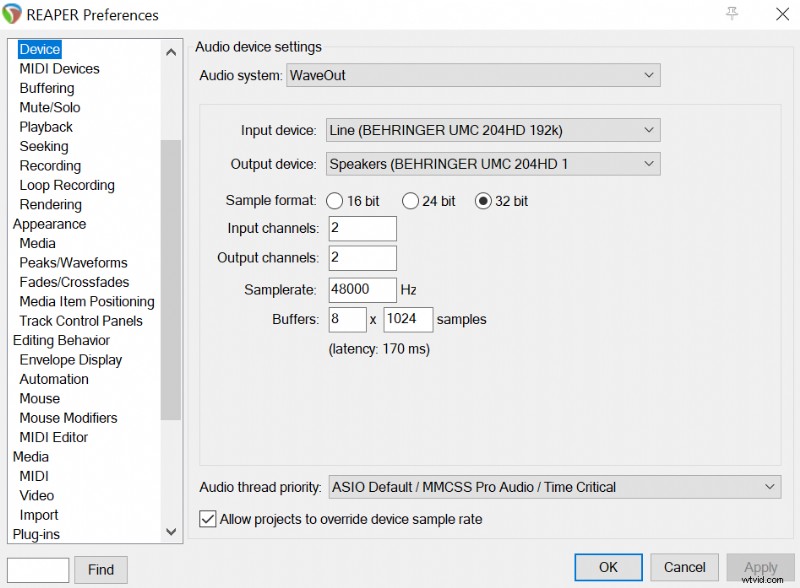 Changing microphone (input) and headphones/speakers (output) in Reaper.
Previous Post
Next Post
Leave a Comment
Your email address will not be published. Required fields are marked *
Type here..
Name
Website
Save my name, email, and website in this browser for the next time I comment.