
Screencast-O-Matic has made it easier for you to transform recordings and customize your video projects with the Overlay Video tool.
With the tool, you can overlay any mp4 video file on an existing timeline to enhance your video.
You will need to be a Deluxe user to access the video editor and overlay tools.
Here are a few creative ways to use the tool:
Enhance Your Video With Personalized Narration
 Overlay Video is one of eight overlay features in the video editor.
This overlay tool offers video versatility. Users can create split-screen or picture-in-picture projects. You can easily add in a video on the timeline and resize the file so that both the overlay and main video are playing within the same frame.
It’s a perfect tool for educators. Teachers can use it to showcase a video of a student’s work while creating a split-screen to show their video feedback.
Engaging Green Screen backgrounds
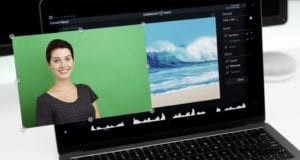 You can take it a step further with Green Screen. You can remove your background and replace it with video. Green screen, also known as a chroma key, is a creative way to engage your audience.
Teachers can transform any lesson into a visual masterpiece by importing video backgrounds about class topics. Marketers have the creative ability to add video backgrounds for interview segments or general marketing videos.
The combination of tools is also ideal for professionals on the go. Use a green screen to block out unwanted backgrounds and replace it later with a video of a more appropriate office setting.
High-Quality Video From The Stock Library
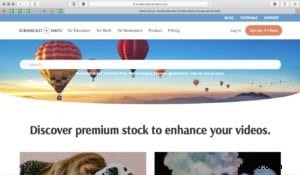 Overlay Video makes importing stock video effortless. Screencast-O-Matic Premier users can access the Stock Library while using the tool. The Stock Library offers high-quality video clips from a range of topics, including business and technology.
You can select the ‘Stock Library’ option when prompted by the Overlay Video tool. You can then choose from thousands of videos from the library to enhance your video.
The Stock Library is ideal for business professionals. Browse the library of videos to enhance your next marketing presentation. The entire stock library is royalty-free.
So whether you’re experimenting with screencasts or an experienced video editor, Overlay Video is primed to become your next Video Editor staple.