
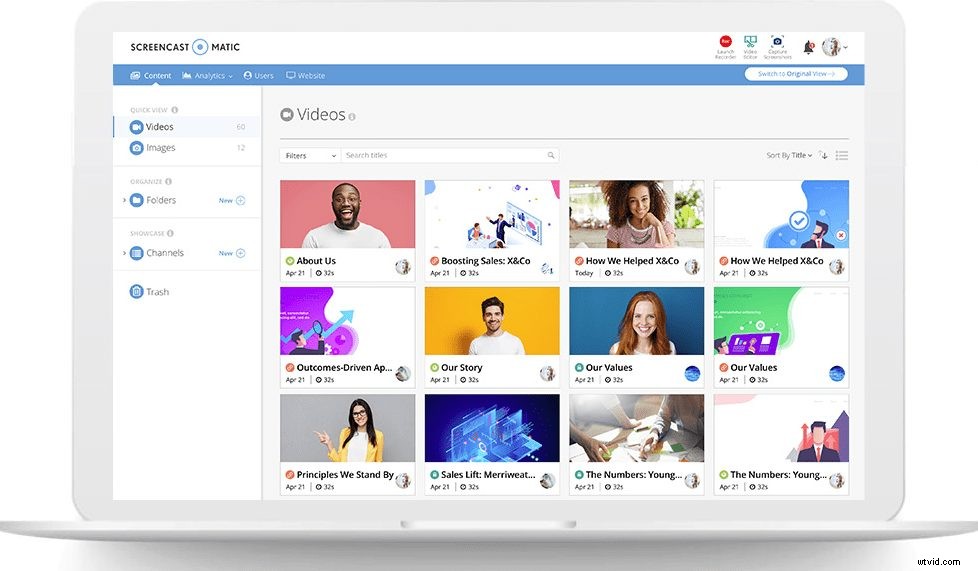
Welcome to Screencast-O-Matic’s all new hosting, collaboration and sharing experience. Screencast-O-Matic’s mission is to enable “Video Creation for Everyone,” and over the last few years, we’ve worked hard to fulfill that mission.
That promise now includes “Video Sharing for Everyone.” We have completely redesigned the hosting experience to make it easier to manage video content, collaborate across teams, and share to any audience.
New Video Hosting Platform
 The new hosting platform includes a fresh, modern design, an intuitive user experience, and seamless integration across our services. In addition, we have also added a highly requested feature – the ability to share and collaborate with video content.
Users will now see an option on their account page to switch to the BETA view and try the new hosting platform.
This is just the start. Over the coming months, we’ll introduce new hosting features that will make it easier for you to work independently and/or collaborate with your team. Managing and sharing videos has never been easier.
Following are some of the key updates:
All-New Look and Design
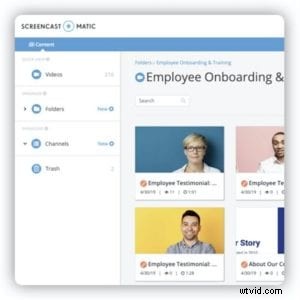 Last year, we redesigned the Screencast-O-Matic website with a friendly new look and feel. The new design makes it easy to find what you need quickly. We have adopted a similar design in the new hosting experience. We’ve created a warm, friendly design with user-friendly navigation. The goal is for you to work efficiently to get the job done.
We’ve streamlined the experience with improvements in the search and filtering of video content. Rich information is at your fingertips whether you’re viewing your content in a grid or table. With this new look and design, you can spend less time searching for what you need and more time creating and sharing great videos.
Easier Way to Organize and Manage Your Videos
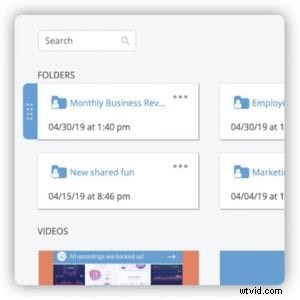 It’s easier than ever to organize and manage your video content. You can now create folders (and even subfolders) to arrange your videos by topic, project, etc. Team Plan users can share these folders, making collaboration easy.
A trash can is included as well, so you can see what you have deleted and recover your files if needed.
Managing your folders and channels is enabled through a new ‘drag and drop’ interface.
Custom Thumbnails
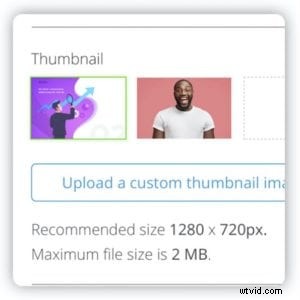 Catch viewers’ attention by uploading a custom thumbnail image for your video. Easily select and change thumbnails, or use a default thumbnail.
Refresh your video by swapping thumbnails whenever you want. Updated thumbnails will show on videos hosted on Screencast-O-Matic or embedded on your website.
Replace Video
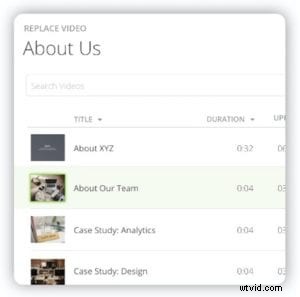 Now you can easily replace a video and keep all associated metadata such as title, links, and notes. Keep your video statistics or start over— it’s up to you.
You never have to remap or replace broken links again with this useful feature.
Video Playback Speed
Your audience can now playback and slow down video at more granular speeds. This is especially useful for watching tutorials or taking notes on the content.
Tools for Teams
Easily invite, add, or remove users including managing automatically through SSO. Create specific groups such as team, project, department, function, etc.
You can also add groups and/or individuals to folders for your projects. We’ve also provided the ability to co-manage video channels with your team so your audience is never left unattended.
Stay Tuned
We’re committed to making our new hosting platform a great experience for you. Stay tuned and look for exciting new hosting features in the coming months!