
Last updated on 24th November 2023
In this guide, we cover every facet of YouTube analytics and present 23 essential metrics that will elevate your channel’s performance.
Success on YouTube requires more than uploading videos. It demands data‑driven decisions.
Below, discover why analytics matter and which metrics you must monitor.
Why YouTube Analytics Matters
Analytics reveal what resonates with viewers and what falls flat, enabling you to allocate resources effectively. By dissecting thumbnail performance, content themes, and viewer demographics, you can set measurable goals and track progress instead of guessing.
Accessing Your Analytics Dashboard
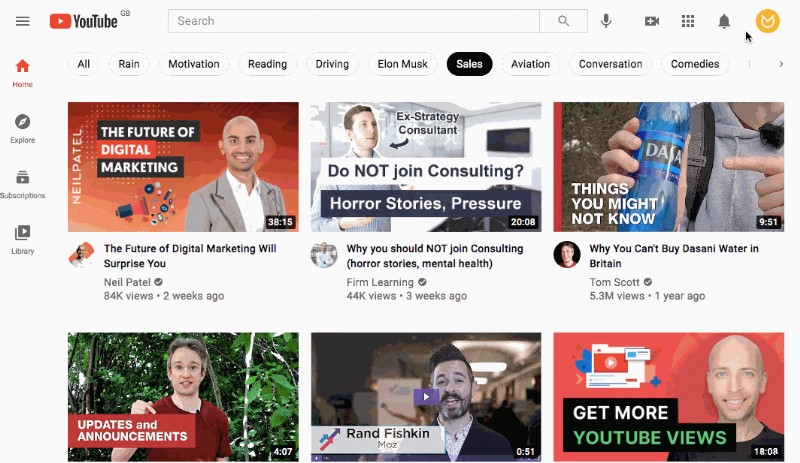
Log in to YouTube, click your avatar in the top‑right corner, and select YouTube Studio:
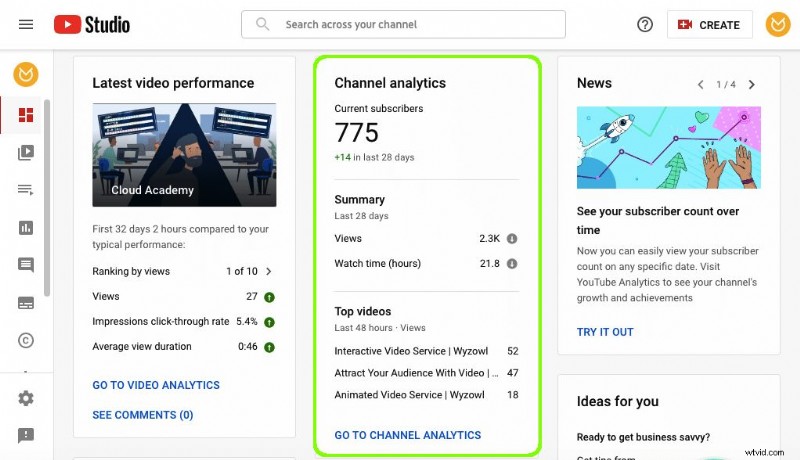
The dashboard offers a snapshot of key metrics:
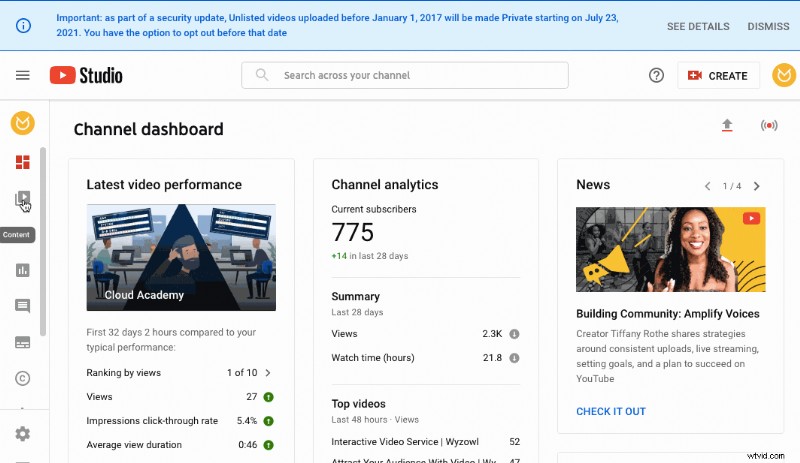
For deeper insights, navigate to the Analytics tab or click “go to channel analytics”:
23 Essential Metrics to Drive Growth
The overview screen displays views, watch time, and subscriber changes over the past 28 days:
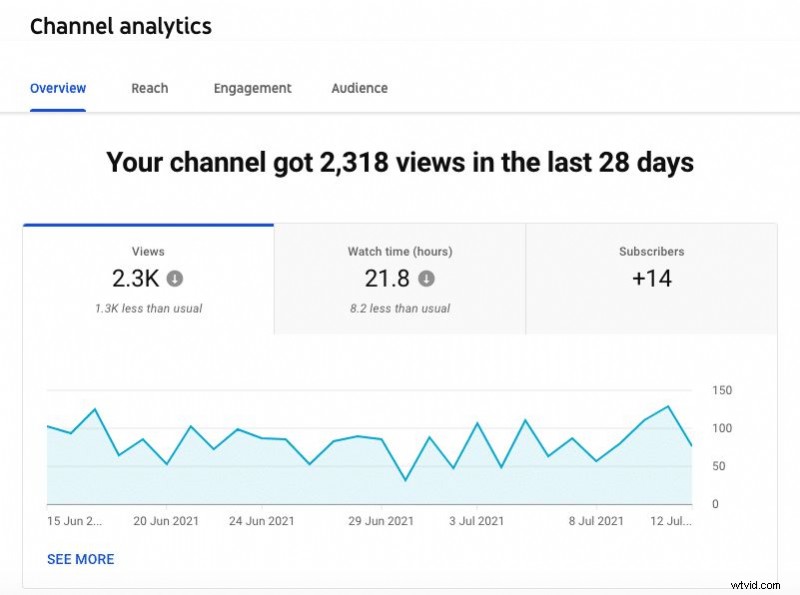
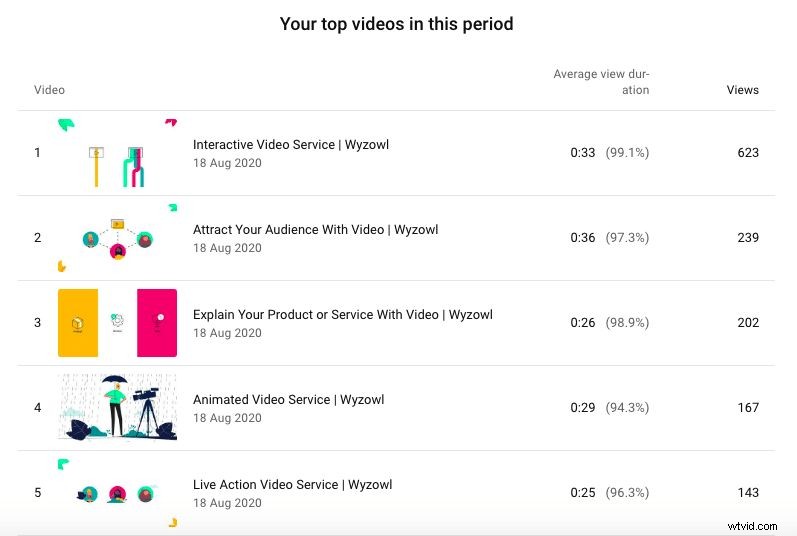
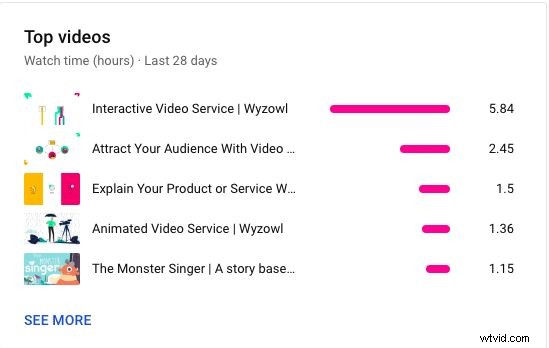
It also highlights your top videos, giving you a quick sense of what content drives engagement:
Reach Metrics
These seven metrics help you understand how your videos are discovered.
1. Traffic Source Types
Identify whether viewers come from YouTube search, recommended videos, external sites, or paid ads. This informs where to focus promotion:
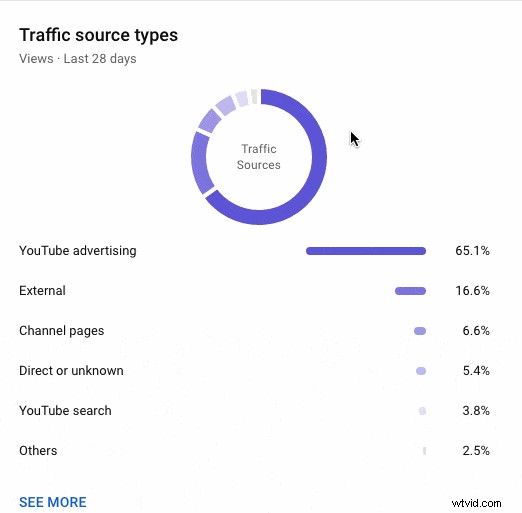
For example, if YouTube Advertising drives the most traffic, consider increasing your ad spend; if search is low, invest in SEO.
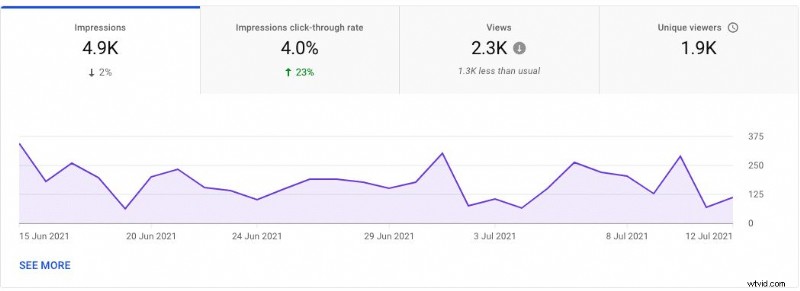
2. Impressions
Track how many times your thumbnails appear. Compare trends to gauge interest:
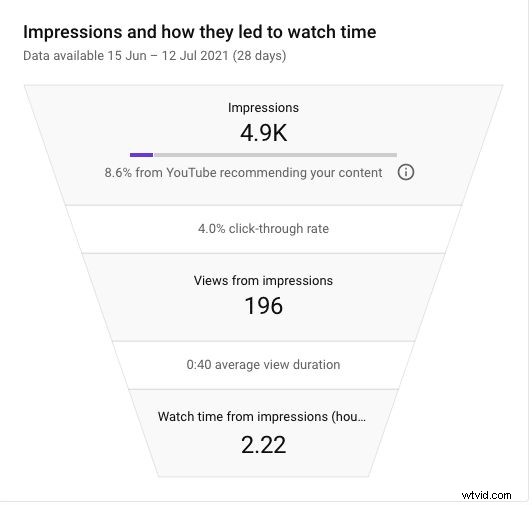
View the funnel that links impressions to clicks and watch time:
3. Views
Views remain the most common success indicator; 58% of marketers cite them as the primary metric.[1]
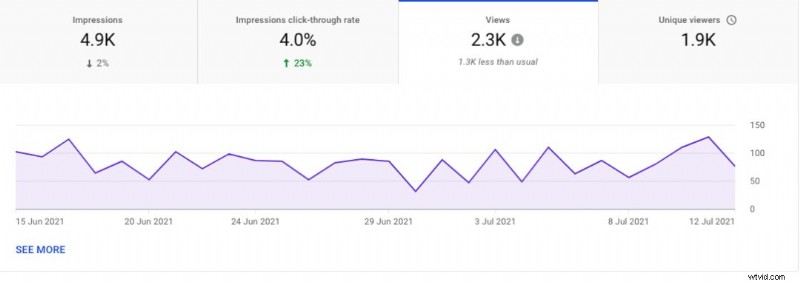
Use spikes to spot high‑performing videos and optimize posting schedules.
4. Click‑Through Rate (CTR)
CTR shows the percentage of impressions that turned into views. 55% of marketers value CTR.[2]
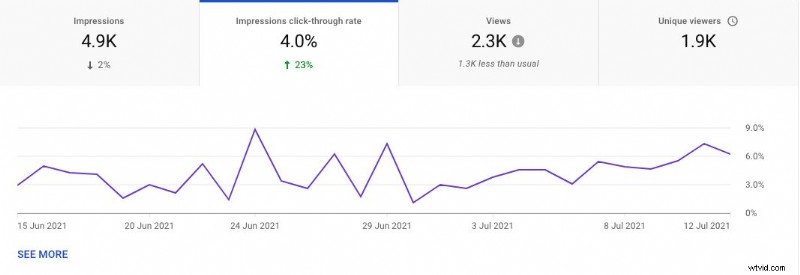
Check the funnel to see CTR alongside impression numbers:
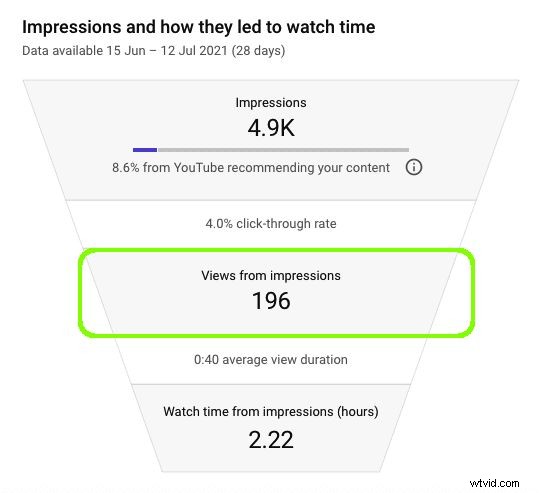
5. Average View Duration (from impressions)
Gauge how long viewers stay after clicking your thumbnail:
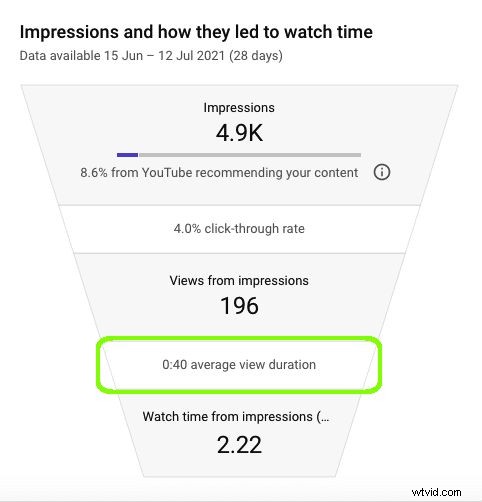
6. Watch Time (from impressions)
Measure total minutes watched originating from impressions:
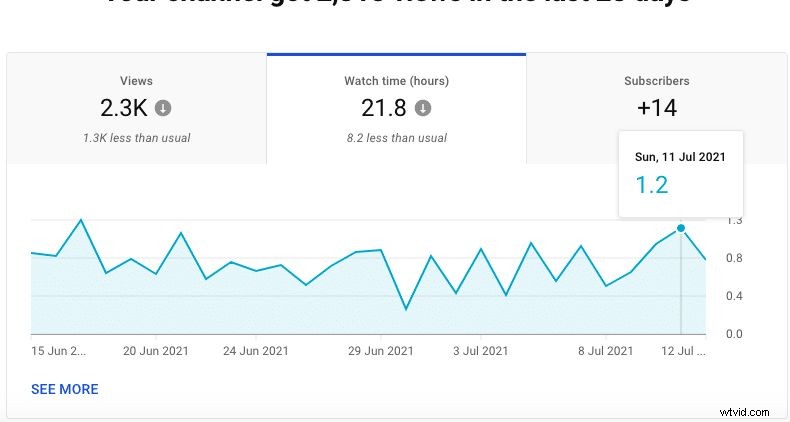
Explore detailed patterns on the Overview page:
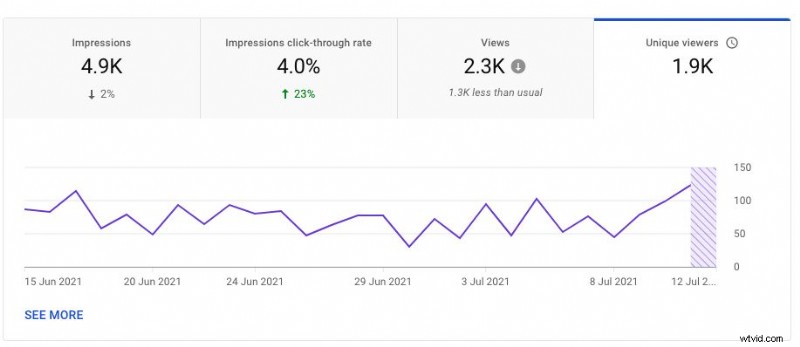
7. Uniques
Count distinct viewers within a period to gauge audience reach:
Engagement Metrics
Understand how viewers interact with your content.
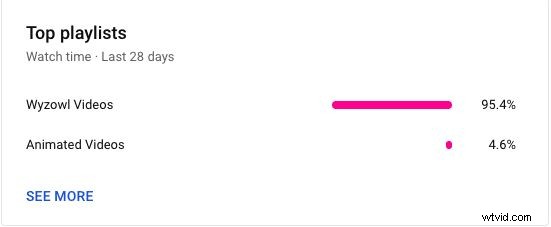
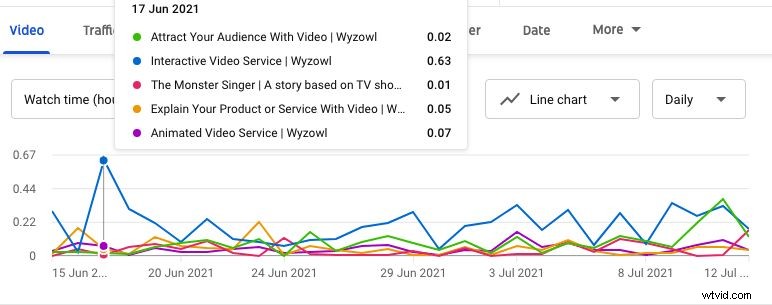
8. Watch Time (All Sources)
View total hours watched across all traffic sources:
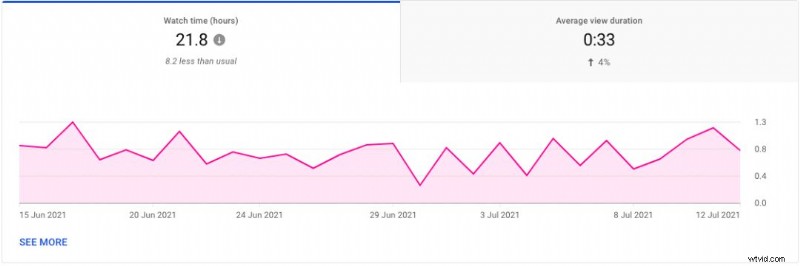
Break it down by video and playlist:
9. Average View Duration
See how long viewers watch on average and whether the trend is rising or falling:
Drill into daily data with “See More”: 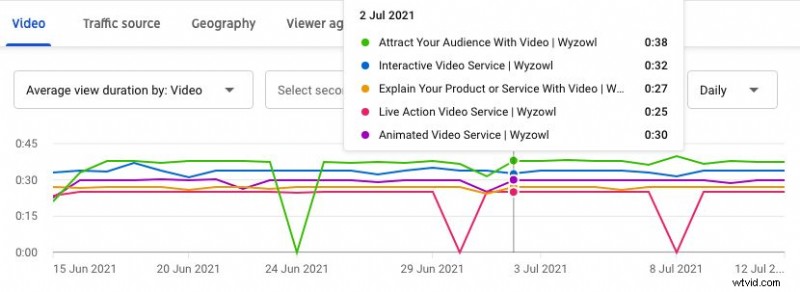
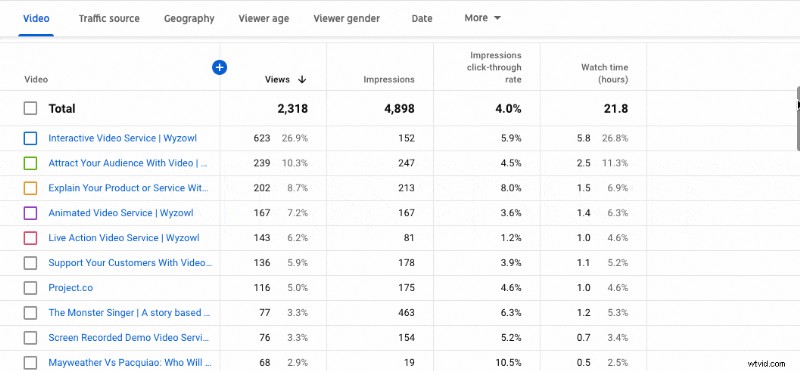
10. Top Videos
Analyze watch time by video and spot patterns:
List view lets you compare metrics across all uploads:
11. Top Videos by End Screen
End screens are key call‑to‑action points. Identify which videos drive the most actions.
Audience Metrics
Know who watches your content to tailor videos and grow loyalty.
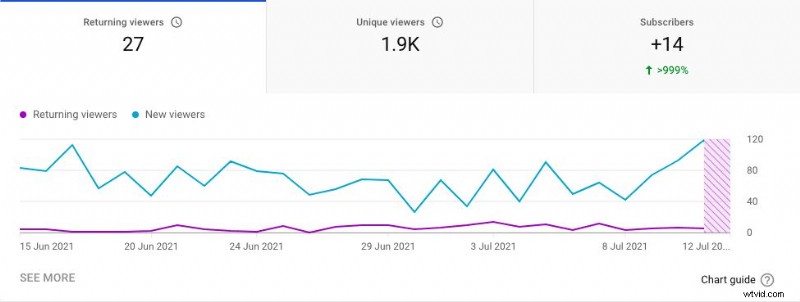
12. Returning vs. New Viewers
Retaining viewers builds a dedicated fanbase. Track returning viewer share:
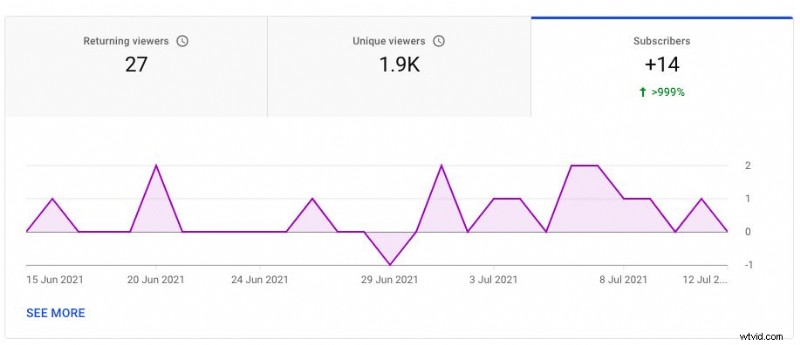
13. Subscribers
Monitor subscriber growth and churn to gauge channel health:
14. When Your Viewers Are On YouTube
Use this data to schedule uploads and live streams for maximum exposure.
15. Other Channels Watched
Discover content that appeals to your audience and potential collaboration partners.
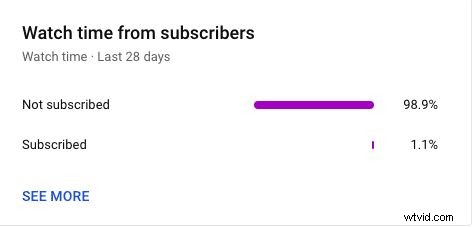
16. Watch Time from Subscribers vs. Non‑Subscribers
Identify which segments consume more content to refine messaging:
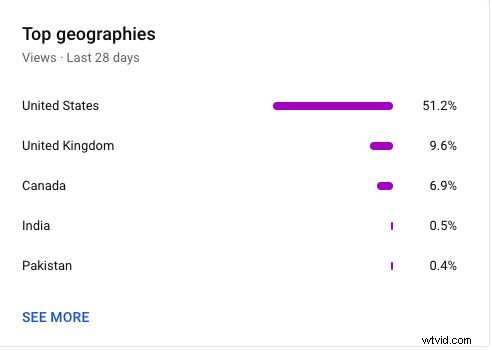
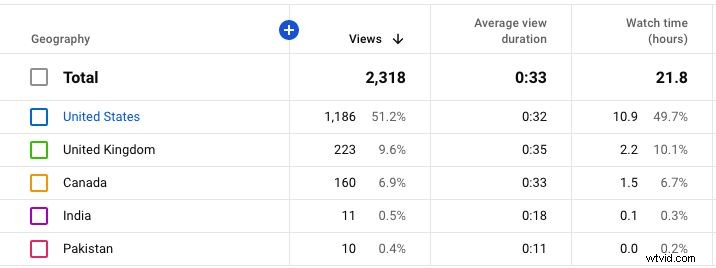
17. Top Geographies
Know where your viewers live to localize content and timing:
See deeper insights with “See More”:
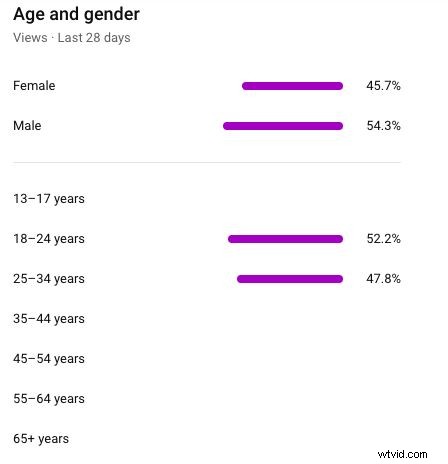
18. Age & Gender
Target your core demographic effectively:
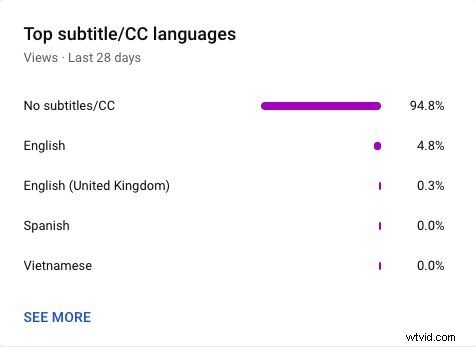
19. Top Subtitle Language
Useful for creators who cater to multilingual audiences:
Advanced Mode
Additional metrics offer granular control.
20. Realtime Report
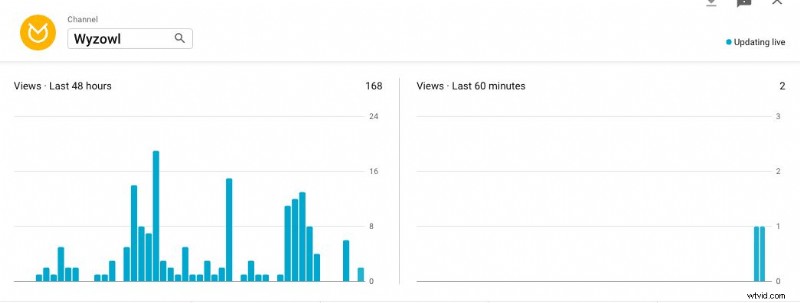
Access live data on subscriber changes, views, and top videos:
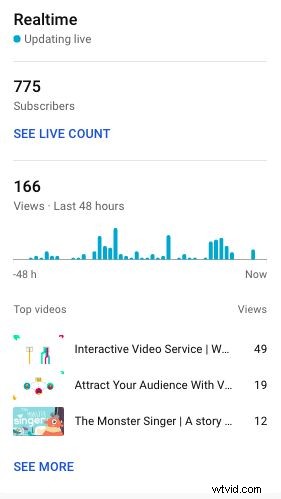
View the past 48 hours of hourly views:
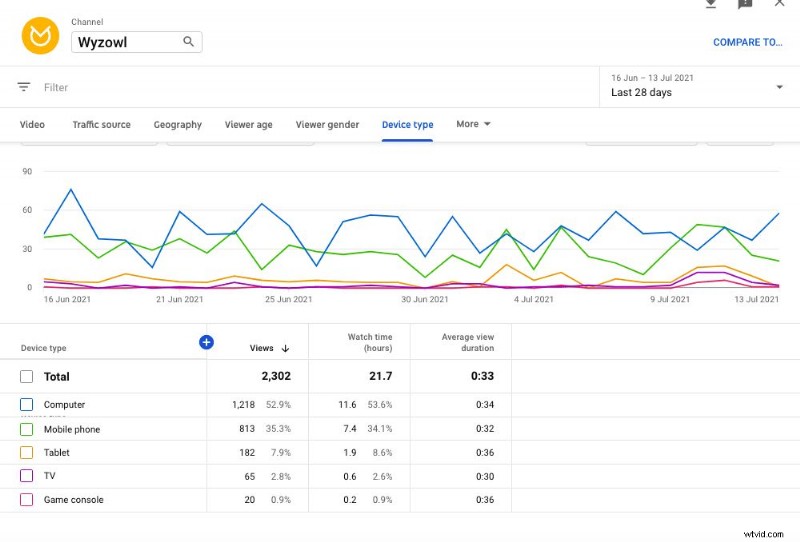
21. Views by Device Type
Understand where viewers consume your content (mobile, desktop, TV):
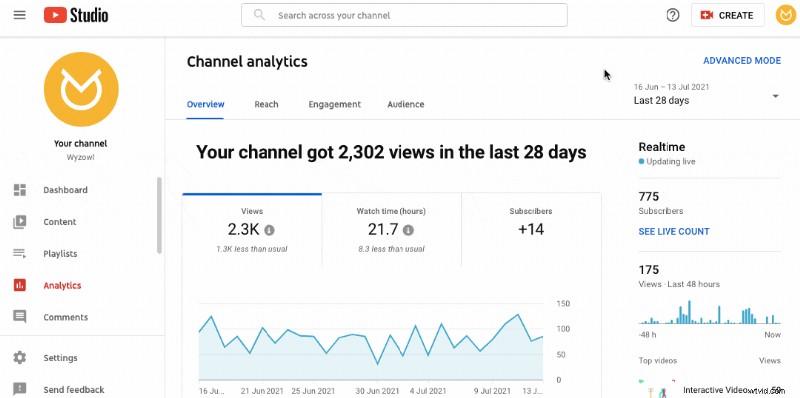
Select the metric in the “More” tab:
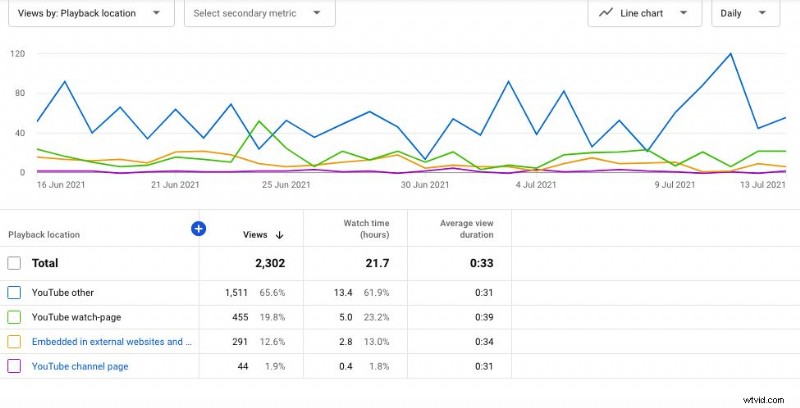
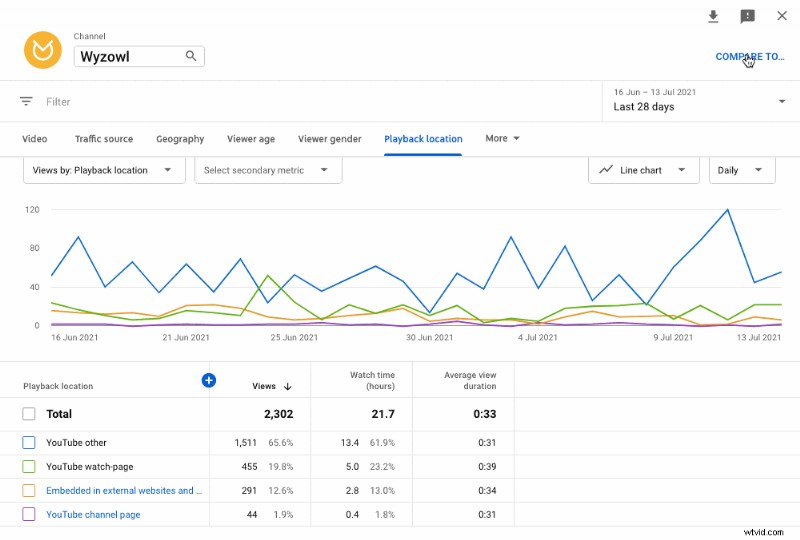
22. Playback Location
Track whether viewers watch on YouTube or external sites:
23. Compare to…
Leverage the comparison tool to benchmark performance over time, compare videos, or evaluate the first 24 hours:
Final Thoughts
Consistently monitoring these 23 metrics unlocks insights that prop up smarter content strategies and sustainable growth.
For deeper dives, explore our other guides:
- The 11 Best YouTube Keyword Tools
- YouTube SEO: 10 Ways to Rank Higher in 2024
- YouTube Banner Size For All Devices – 2024 Guide