
In this comprehensive review we evaluate Livestorm’s webinar platform for 2026, covering pricing, key features, pros and cons, and real‑world use cases to help you decide if it’s the right tool for your business.
Webinars remain one of the most effective video marketing channels—ranking fourth after YouTube, Facebook and Instagram—because they offer a personalised, interactive experience that drives engagement, loyalty and trust.
Choosing the right webinar platform is crucial. Let’s dive into Livestorm and see whether it delivers on its promises.
TL;DR
Livestorm is a robust webinar, online meeting and event platform equipped with built‑in tools that help you grow and better understand your audience.
Pros
- Pro 1 – Proven Reliability: 80% of users report time savings and 53% see higher attendance after switching to Livestorm.
- Pro 2 – User‑Friendly Interface: Intuitive design makes it easy to launch events and engage audiences.
- Pro 3 – In‑Depth Analytics: Comprehensive metrics on attendance, engagement and conversions help refine future campaigns.
Cons
- Con 1 – Screen‑Sharing Limitations: Some users report issues when sharing screens among multiple hosts.
- Con 2 – Cost Can Scale Quickly: Pricing is attendee‑based; larger audiences can drive up the bill.
Our Rating

What Is Livestorm?
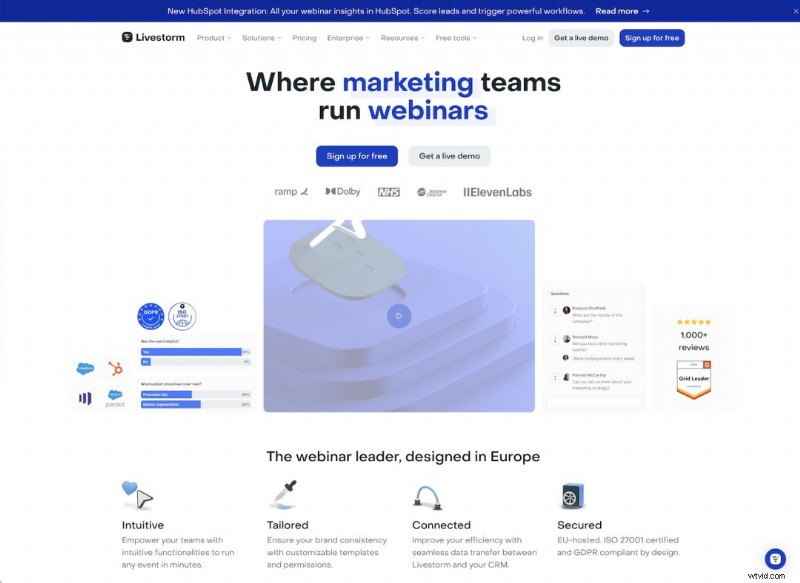
Livestorm is a cloud‑based platform that supports automated and on‑demand webinars, live events and meetings. Built‑in polls, Q&A, chat and file sharing foster interaction, while detailed audience insights help optimise future sessions.
Who Is Livestorm For?
With over 5,000 customers worldwide—including Airtable, Sony and Verizon—Livestorm serves a diverse range of businesses. Use cases span product demos, internal communication, customer and employee training, and large‑scale conferences.
It scales from small teams (≈30 attendees) to enterprises (up to 3,000 attendees per event), making it versatile for virtually any organization.
Key Features
Livestorm offers a suite of features designed to elevate your webinar experience:
1. Customisation
Tailor registration pages, event rooms, branding assets, reminders and follow‑up emails to match your brand and enhance attendee experience.
2. Automation
Schedule recurring and on‑demand events effortlessly. All recordings are stored in the cloud at no extra cost, with unlimited storage.
3. Engagement Tools
Boost interaction with live Q&A, polls, chat, file sharing and virtual whiteboards—facilitating real‑time collaboration.
4. Analytics
Access granular data on attendance, engagement rates, conversion metrics and more to refine future webinars.
5. Support
Benefit from AI chat, email support, dial‑in options for connectivity issues, and multi‑language assistance for global audiences.
Pricing Plans
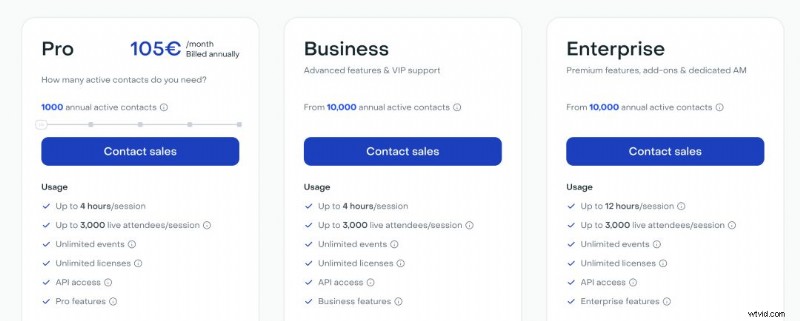
Livestorm offers four tiers: Free, Pro, Business and Enterprise. Below are the key details and cost structure.
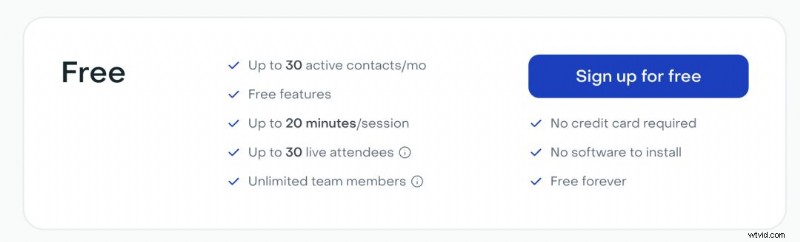
Free – No credit card required. Ideal for up to 20‑minute sessions with 30 participants. Unlimited team members can join.
Pro – €105/month for up to 3,000 live attendees and 1,000 active contacts (expandable to 9,000 contacts for €825/month). Sessions can run up to 4 hours with standard support.
Business – Designed for audiences exceeding 10,000 active contacts. Includes VIP support, Livestorm Learning resources, and flexible usage limits.
Enterprise – Same contact limit as Business, but allows 12‑hour sessions, dedicated onboarding, training and a dedicated Customer Success Manager.
Customer Support
Livestorm’s support ecosystem starts with an intuitive Help Center. Search or browse articles, then engage with an AI assistant or email a human rep during business hours.
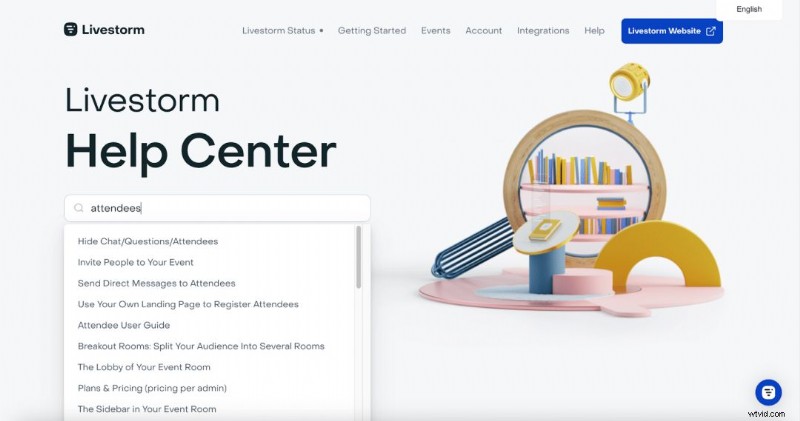
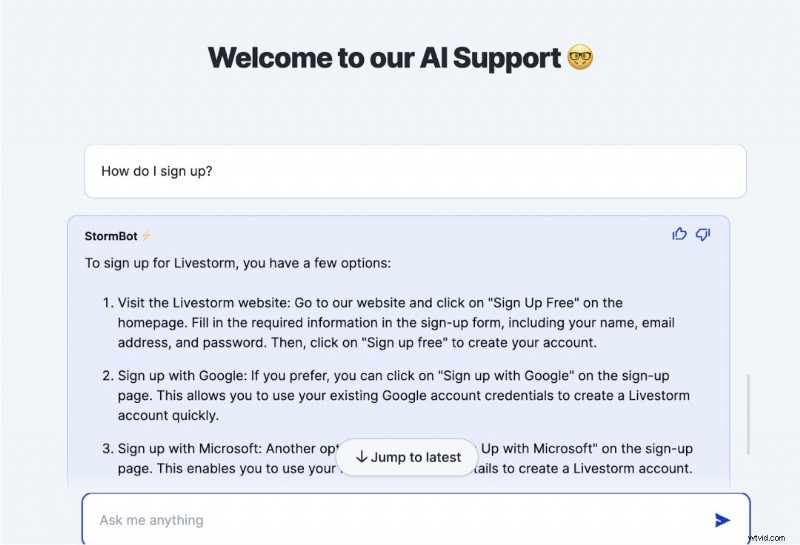
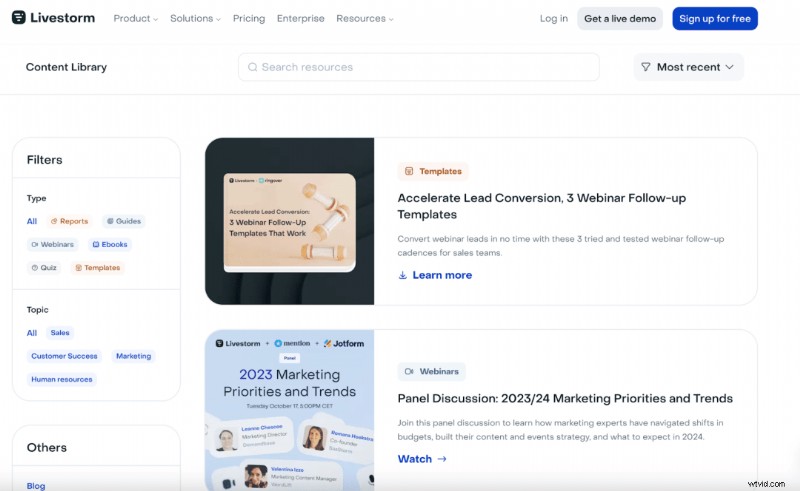
Additional learning materials are available in a curated content library, making it easy to master the platform before you encounter any issues.
Final Verdict
Livestorm delivers a polished, feature‑rich webinar solution that scales from startups to large enterprises. Its ease of use, robust analytics and flexible pricing make it a solid choice for businesses seeking to host impactful, data‑driven webinars in 2026.

For additional options, compare Demio Review: Pricing, Features & More.

Samantha, Copy Team Manager at Wyzowl, has authored over 1,000 scripts and hundreds of video‑marketing articles. Her expertise guarantees you’re getting reliable, industry‑validated insights.