
There’s no set benchmark for what constitutes a “successful” YouTube view count, but the consensus is clear: the higher, the better. If you’re looking to boost your channel’s reach, vidIQ is a tool you’ll want to explore.
vidIQ is an all‑in‑one video optimisation platform designed to help YouTube creators elevate their content. In this review, we’ll cover its features, pricing tiers, pros and cons, and whether it’s the right fit for your channel.
TL;DR
vidIQ is a YouTube optimisation tool that helps creators improve video performance and grow their subscriber base.
Pros:
- All‑in‑one dashboard
- User‑friendly interface
- Recommended by industry professionals
Cons:
- Paid tier can be pricey
- Feature depth may overwhelm beginners
- Support limited to business hours
Our rating

What is vidIQ?
vidIQ is a comprehensive tool that streamlines YouTube video optimisation, giving creators an edge over competitors. User feedback is largely positive, with many praising its deep analytics for keyword selection and revenue monitoring.
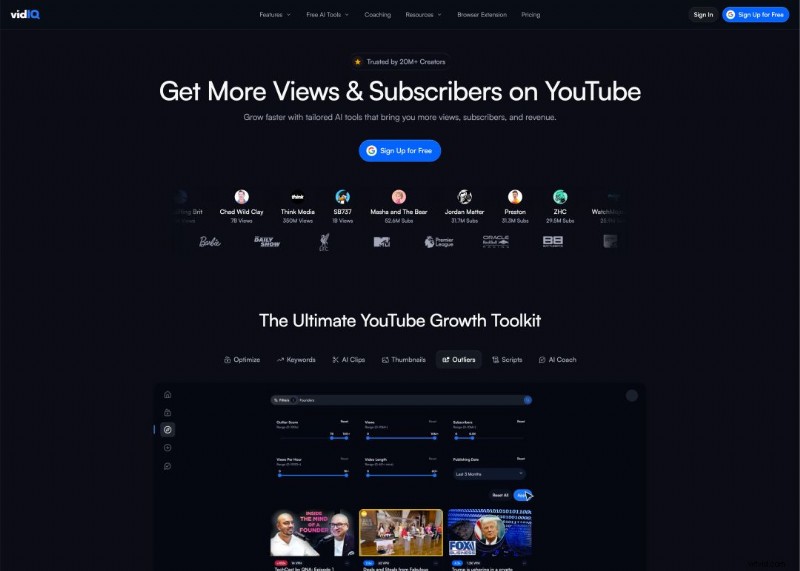
vidIQ’s background
Founded as an analytics and marketing platform, vidIQ helps creators track and refine their YouTube performance. Its mission is to empower creators with data‑driven insights that maximize visibility and engagement.
As a cloud‑based service, it reveals what resonates with audiences, enabling creators to increase viewership and monetisation.
Who is vidIQ for?
Whether you’re a seasoned professional or a hobbyist taking your first steps into video, vidIQ offers tools that scale with your ambitions. In a competitive landscape, staying ahead of view metrics is essential for creators at all stages.
vidIQ’s user experience
The platform features a clean, intuitive dashboard that consolidates analytics, keyword research, and optimisation recommendations. Real‑time updates on your videos help you refine strategy on the fly.
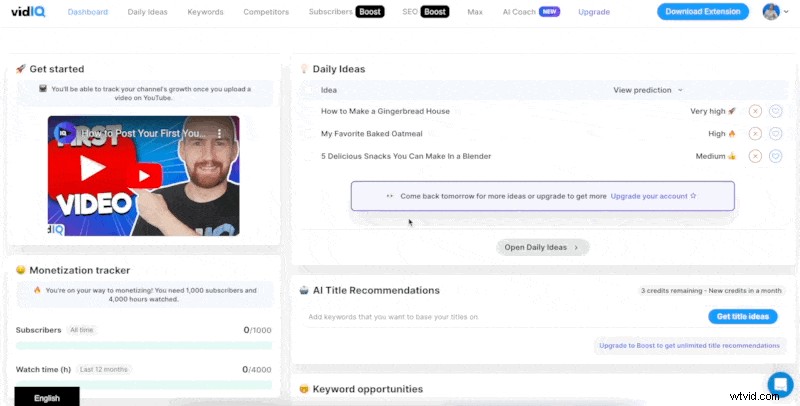
All features are accessible from a single interface, with previews that eliminate the need for multiple clicks. The Chrome, Firefox, and other browser extensions make vidIQ a seamless addition to your workflow.
Overall, the user experience is designed to be straightforward, empowering creators to focus on content rather than navigation.
vidIQ’s features
1. Keyword research – Discover high‑impact keywords for titles, descriptions, and tags to climb search rankings.
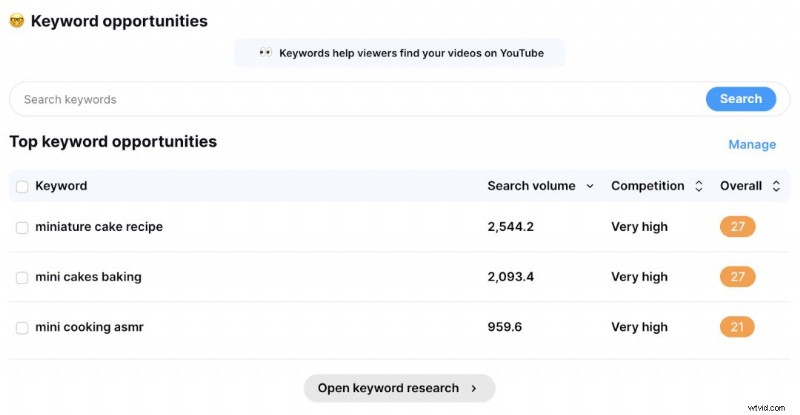
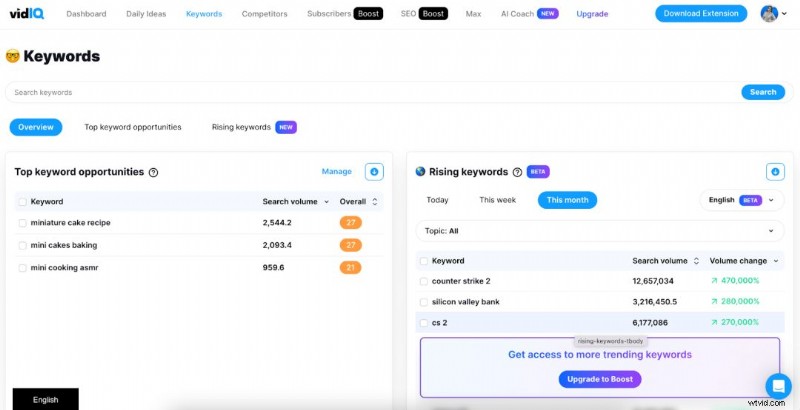
2. Video optimisation – Receive actionable advice on video length, titles, thumbnails, and more to boost engagement.
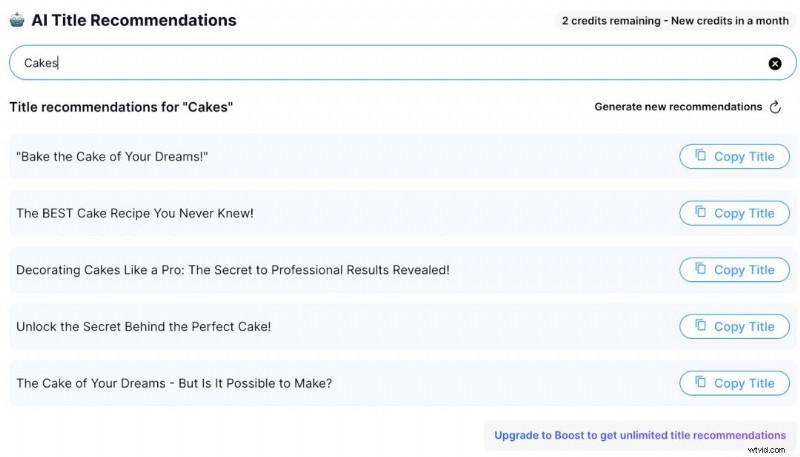
3. Competitor analysis – Examine rival channels and videos to uncover winning tactics (available to Pro users).
4. Analytics – Detailed insights into views, engagement, revenue, and audience demographics.
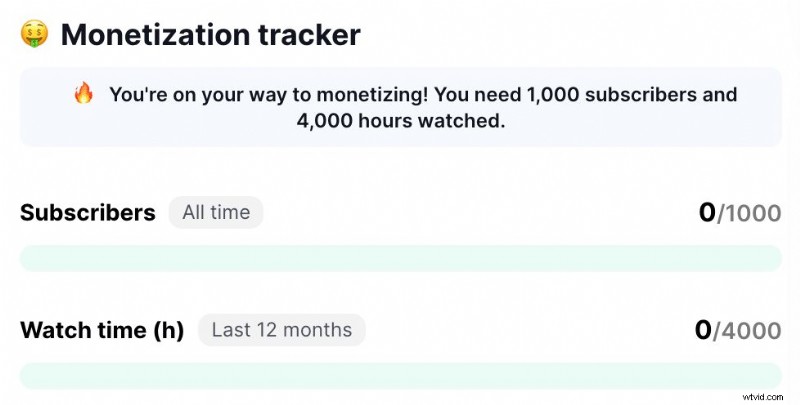
5. Collaboration tools – Share notes, comments, and project files with team members or clients.
6. YouTube Live tools – Optimise live streams with real‑time analytics and chat moderation features.
7. Contextual recommendations – Receive video‑specific tips that adapt to your current content.
vidIQ’s pricing
Two straightforward plans:
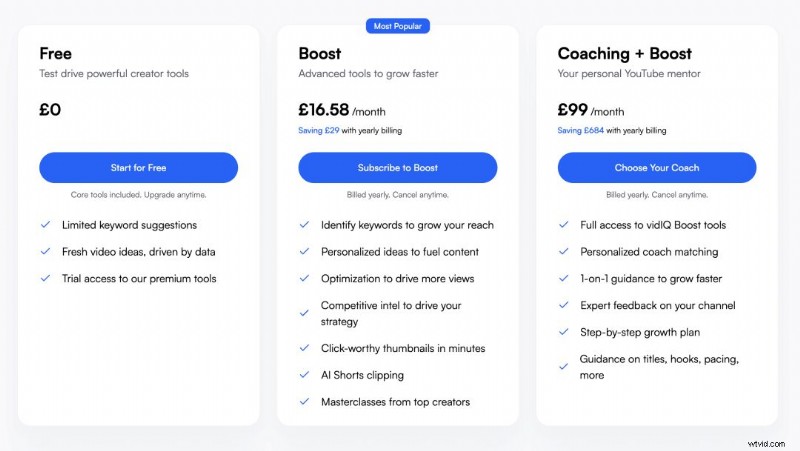
Basic – Free tier that unlocks core features, offering valuable insights into monetisation, title ideas, and keyword opportunities.
Boost – Premium tier at roughly £16/month, providing full access to SEO tools, AI‑powered recommendations, and advanced analytics.
Pros & Cons of vidIQ
Pros:
- All‑in‑one platform – Combines keyword research, optimisation, competitor analysis, and analytics, eliminating the need for multiple tools.
- Intuitive interface – Preview‑rich dashboard reduces navigation friction.
- Industry endorsement – Trusted by creators with substantial audiences, lending social proof of effectiveness.
Cons:
- Cost – Advanced features require a paid subscription that may be steep for newcomers.
- Learning curve – Feature richness can overwhelm beginners; time is needed to master the suite.
- Limited support hours – Live chat and email assistance are confined to business hours, which can be inconvenient for global users.
vidIQ’s main competitors
vidIQ competes with platforms offering similar optimisation tools. Key rivals include:
1. TubeBuddy
As a browser extension, TubeBuddy offers keyword research, video optimisation, analytics, and more.
Explore TubeBuddy: https://www.tubebuddy.com/
2. Social Blade
Social Blade provides channel and video analytics, tracking views, engagement, and audience metrics.
Visit Social Blade: https://socialblade.com/
vidIQ’s customer support
Support is accessible via multiple channels:
- Help Center – Extensive FAQ, tutorials, and guides.
- AI Coach – An AI‑powered assistant for troubleshooting and ideation.
- Email Support – Replies within 24–48 hours.
- Live Chat – Real‑time help during business hours.
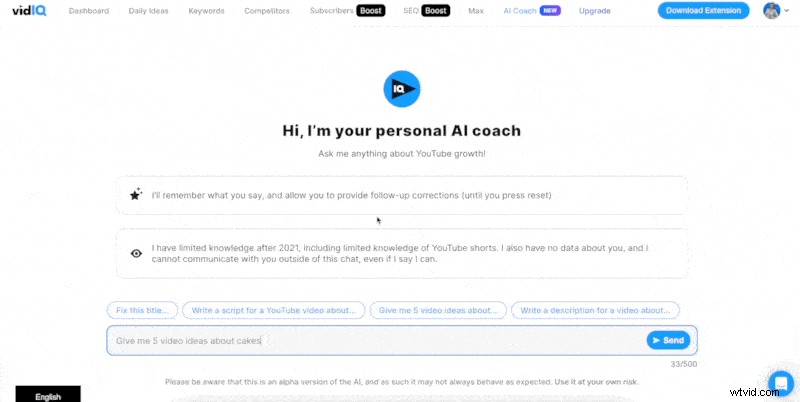
While responsive, live chat is only available during standard business hours, which may not suit all time zones.
vidIQ: Final Score
vidIQ offers a robust suite of tools that can significantly elevate a channel’s performance. However, its suitability depends on budget, experience, and content goals.
With powerful keyword research, optimisation, competitor insights, and analytics, vidIQ is ideal for creators committed to scaling their audience. The learning curve and price point are considerations, but responsive support and a user‑friendly design mitigate these challenges.
In short, vidIQ is a strong investment for serious creators willing to dedicate time and resources to data‑driven growth.

Jemma, Senior Copywriter at Wyzowl, specialises in video marketing content and brings deep expertise to every piece.