
This article evaluates six of the most effective quote‑video creation tools—MiniTool MovieMaker, Microsoft Clipchamp, CapCut, VEED, Canva, and Placeit—so you can produce high‑quality, engaging videos with minimal effort.
Quick Navigation:
- What Is a Quote Video?
- 3 Best Desktop Quote‑Video Makers
- 3 Best Online Quote‑Video Makers
- Tips to Make a Stunning Quote Video
- Conclusion
On platforms like Instagram Reels and TikTok, quote videos—short clips that pair inspiring text with striking visuals—are a proven way to capture attention. To help you create these quickly and professionally, I tested six popular tools, covering both desktop software and online services.
What Is a Quote Video?
A quote video merges meaningful text with background images, video clips, or animated backdrops. Styled typography, subtle motion, and music transform a simple quote into a memorable visual experience. Because they are easier to consume than static posts, quote videos consistently outperform plain text on social media.
When crafting a quote video, the right editor can accelerate workflow and elevate quality. The following sections detail the tools I evaluated and why they stand out.
3 Best Desktop Quote‑Video Makers
These three applications run locally on your computer, offering robust editing features and no reliance on internet bandwidth.
MiniTool MovieMaker
MiniTool MovieMaker is a Windows‑only editor that combines a clean interface with powerful features. It supports up to nine video tracks, enabling you to layer clips, images, and text precisely. Key benefits include:
- Intuitive drag‑and‑drop timeline
- Extensive library of text animation templates (captions, credits, titles)
- Customizable font, size, color, and opacity for every overlay
- Advanced options such as 4K export, picture‑in‑picture, and motion blur—all without watermarks
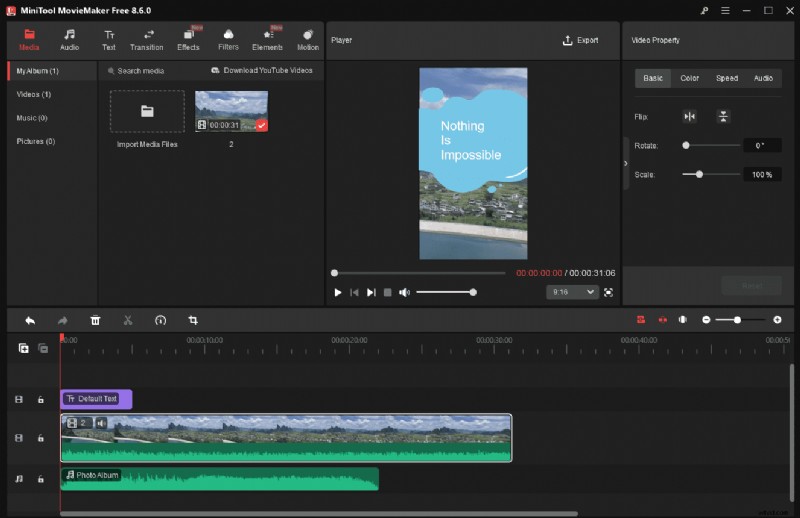
MiniTool MovieMaker is ideal for beginners who want a free, feature‑rich solution that runs offline.
Microsoft Clipchamp
Clipchamp ships with Windows 11 and is also available via the Microsoft Store or web browser. It excels at quick turnaround thanks to its library of ready‑made quote templates and a vast stock media collection (backgrounds, images, stickers, music). Features:
- Zero installation on Windows 11
- Pre‑built quote layouts for instant results
- Rich stock library for custom builds
- Professional quote text styles with easy adjustments
Limitations include occasional lag on slower machines and the need to upgrade for 4K export. Overall, Clipchamp is a solid choice for users who prefer a blend of automation and customization.
CapCut
CapCut—developed by ByteDance—is a cross‑platform editor that thrives in the short‑form video space. It offers:
- Desktop, mobile, and web access for flexible editing on the go
- Trendy quote templates tailored to TikTok, Reels, and Shorts
- Customizable text presets that can be saved for brand consistency
While many features are free, premium assets and advanced effects require a subscription. CapCut remains a powerful, cost‑effective option for creators who demand high polish and brand continuity.
3 Best Online Quote‑Video Makers
For users who want to avoid downloads or need cloud‑based collaboration, these three web editors deliver speed and versatility.
VEED
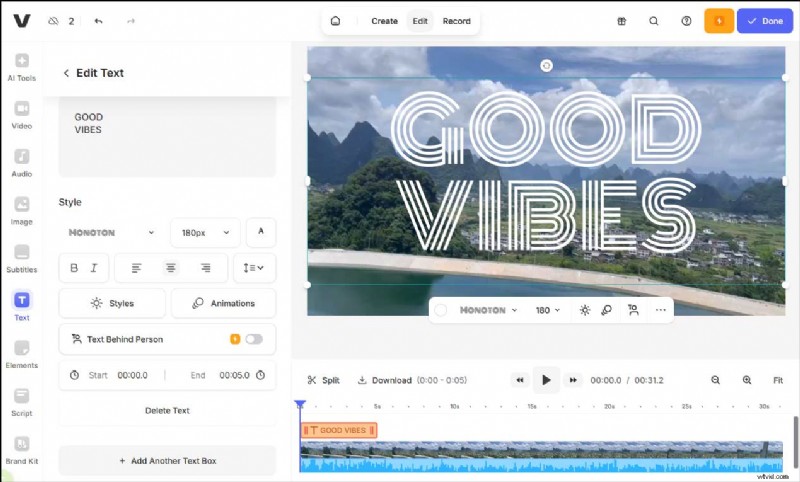
VEED offers a comprehensive suite of editing tools—from basic trimming to AI‑powered enhancements like Magic Cut, subtitle auto‑generation, and text‑to‑speech. It’s particularly useful for creating dialogue‑heavy quote videos. Pros include:
- AI‑driven features that streamline editing
- Full control over cuts, transitions, and captions
Cons: free exports include a watermark, and HD/4K output requires a paid plan.
Canva
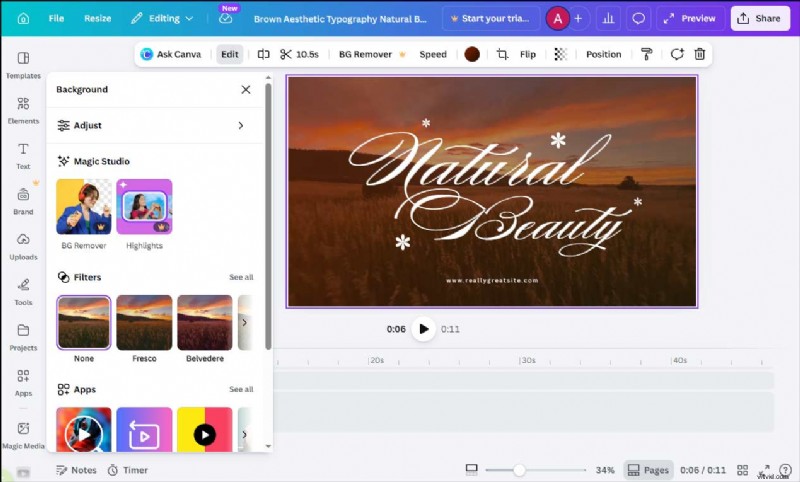
Canva’s drag‑and‑drop editor extends beyond graphic design into video creation. It provides:
- Ready‑made quote video templates with extensive font and animation options
- Integrated stock media library (images, footage, music)
- Flexible layout adjustments for cohesive visual themes
While Canva shines in design, some premium assets require a subscription, and advanced video editing capabilities are limited.
Placeit
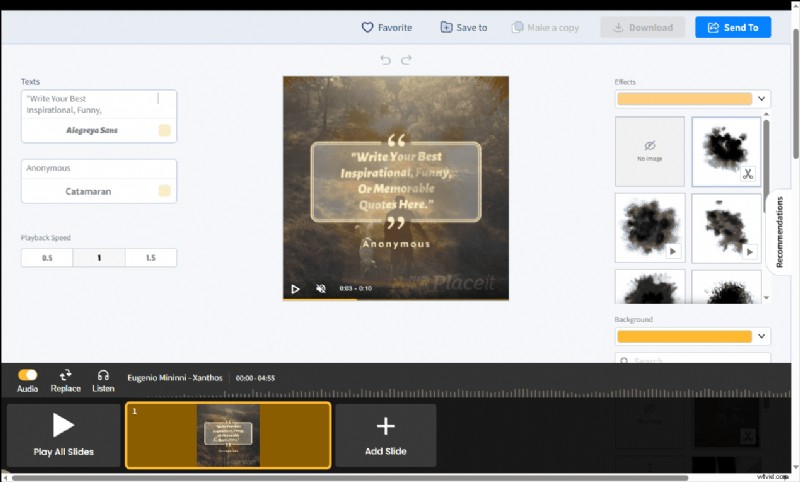
Placeit specializes in quick mockups and video templates. Its quote‑video workflow is as simple as: select a template, replace the text, tweak colors, adjust speed, and preview. This minimal‑effort approach makes it perfect for users who need a polished result in minutes.
Pros:
- Massive library of pre‑designed templates
- Zero advanced editing required
Cons:
- Limited customization beyond basic text and color changes
- No advanced editing features such as multi‑track layering
Tips to Make a Stunning Quote Video
- Choose a concise, impactful quote: Short, memorable lines are easier to read and leave a lasting impression.
- Use readable fonts and high contrast: Ensure text stands out against the background for maximum legibility.
- Match music to the quote’s mood: Background tracks should reinforce the emotional tone—uplifting, contemplative, or energetic.
Conclusion
Each of the six tools reviewed offers unique strengths. MiniTool MovieMaker is ideal for Windows beginners, Clipchamp delivers quick template‑based solutions, and CapCut excels on social platforms. Online options—VEED, Canva, Placeit—provide flexible, cloud‑based workflows, each catering to different priorities: AI‑enhanced editing, design focus, or rapid output.
Pick the tool that aligns with your workflow and start creating compelling quote videos today.
For assistance with MiniTool MovieMaker, contact [email protected] or reach out on X. I’ll help you troubleshoot as quickly as possible.