
Choosing the right multitrack recorder is pivotal for any professional audio workflow.
A multitrack recorder captures distinct audio sources—whether instruments, vocals, or sound effects—into separate tracks. This separation simplifies editing, allows precise volume adjustments, and enables independent manipulation of each element without disturbing the others.
From music production to film sound design and podcasting, multitrack recorders accelerate and elevate the recording process by delivering simultaneous, high‑fidelity capture across multiple inputs.
In the sections below we review the top performers on the market today, evaluate their strengths and weaknesses, and outline the key criteria to guide your purchase decision.
What Is a Multitrack Recorder?
A multitrack recorder is a device or software that records, processes, and stores multiple audio tracks from a variety of sources—guitars, microphones, synthesizers, and more—at the same time.
Podcast hosts often use these systems to isolate each guest’s voice, granting granular control during post‑production. Beyond podcasting, they’re indispensable for music studios, film sound departments, and Foley artists.
There are two primary categories: hardware recorders and software solutions (Digital Audio Workstations, or DAWs). Below is a concise comparison.
Hardware vs. Software (DAW)
Hardware recorders are standalone units that typically include built‑in preamps, analog‑to‑digital converters, a small mixing console, and a suite of input/output options. All recording, mixing, and editing functions are contained within the device, making them ideal for mobile or “live‑in‑studio” setups.
DAWs, such as Pro Tools, Logic Pro X, and Cubase, run on a computer and require an external audio interface to connect microphones or instruments. They offer virtual mixing consoles, a vast library of plugins, and extensive editing capabilities.
While hardware offers portability and a closed‑system reliability, software provides unparalleled flexibility, a richer effect palette, and easier integration with a digital workflow.
Pros and Cons of Digital Multitrack Recorders
Advantages
- Portability: Compact form factors allow on‑the‑go recording.
- Reliability: Closed systems reduce crashes and compatibility issues.
- Low Latency: Direct hardware processing yields near‑real‑time performance.
- All‑in‑One: Built‑in preamps, converters, and mixers streamline the workflow.
Disadvantages
- Limited Editing: Fewer plug‑in options compared to DAWs.
- Small Displays: Visual real‑time feedback is often constrained.
- Track Limits: Most units cap at 8–16 simultaneous recording tracks.
9 Best Multitrack Recorders for All Use Cases (2026)
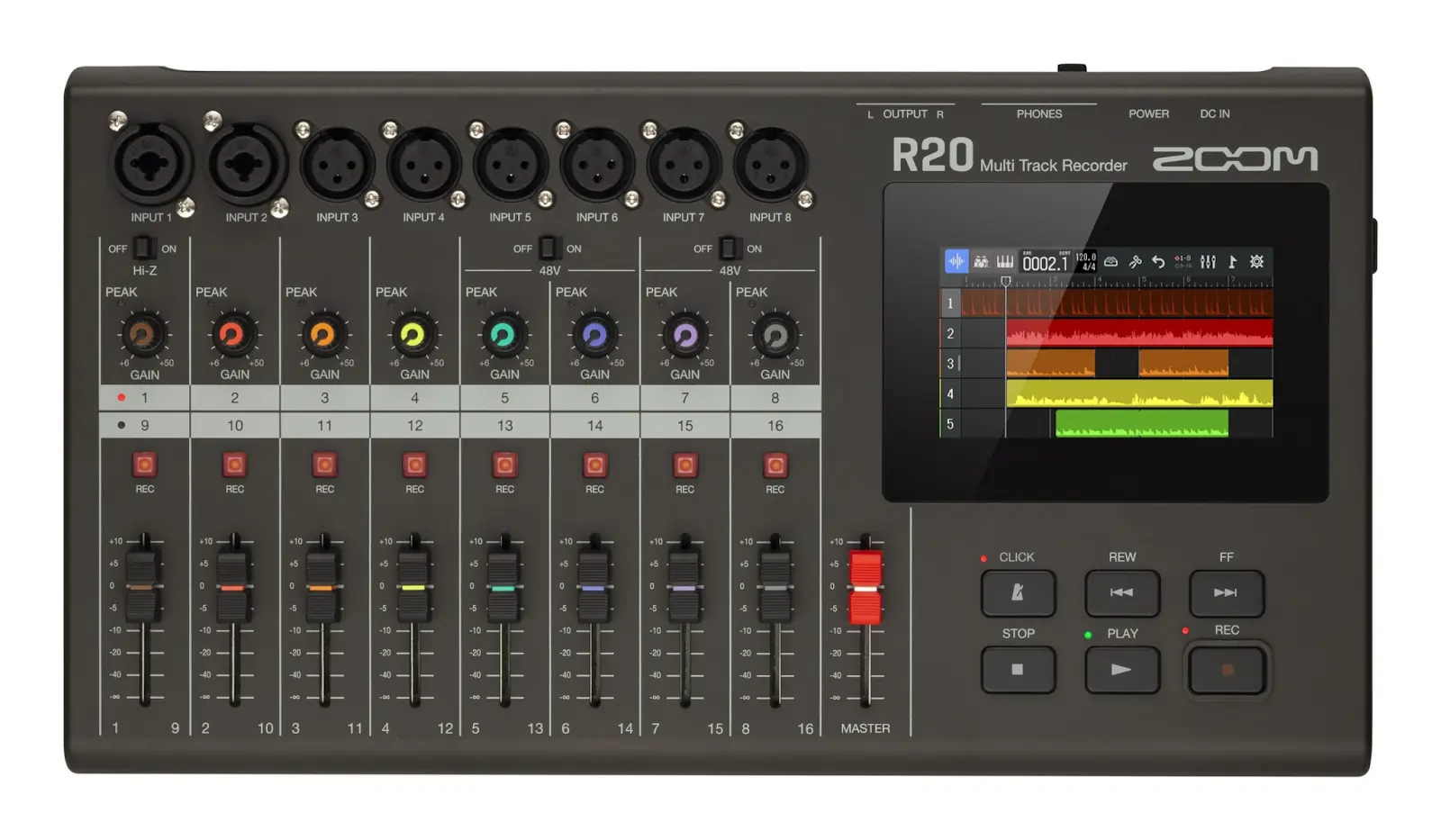
Zoom R20 – Best Portable Recorder
Zoom
Price: $450
The R20 delivers 16‑track playback and 8‑track simultaneous recording. Weighing only 1.3 kg, it’s exceptionally lightweight—ideal for mobile studios or live field work. Audio quality tops at 24‑bit/44.1 kHz, and the included iOS app offers remote control and accessibility features for users with visual impairments.
Specifications:
- Inputs: 8 (6 XLR + 2 combo)
- Outputs: 2 (L/R main + headphones)
- Recording tracks: 16 (max 8 simultaneous)
Best for: Content creators seeking a lightweight, portable multitrack recorder that supports remote control.
Pros:
- 16‑track playback
- Up to 8 simultaneous recordings
- Compact and easy to transport
- Remote control via iOS app
Cons:
- Default synth library is limited
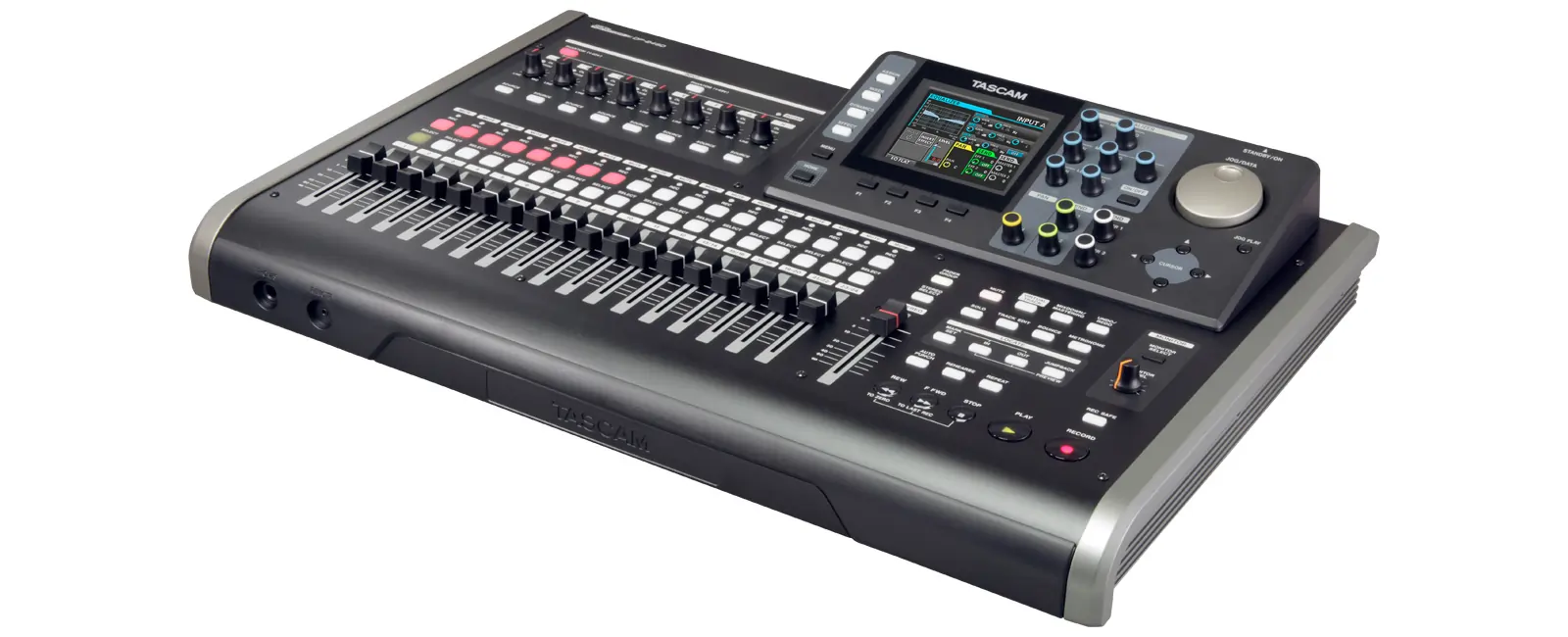
Tascam DP‑24SD – Best Choice
Tascam
Price: $600
The DP‑24SD is a fan‑favorite, boasting 12 rotary knobs for hands‑on control and 24‑track playback. It supports 44.1 kHz/48 kHz sampling with 16/24‑bit depth, and includes built‑in EQ, reverb, compression, de‑esser, noise suppression, and mastering tools—features that reduce reliance on a separate DAW.
Specifications:
- Inputs: 8 XLR‑TRS combo
- Outputs: 3 (RCA stereo + two 1/4″ TS)
- Recording tracks: 24 (max 8 simultaneous)
Best for: Podcasters who want a robust, all‑in‑one recorder for high‑quality capture and minimal post‑production.
Pros:
- 24‑track playback
- 8‑track simultaneous recording
- 24‑bit/48 kHz quality
- Comprehensive audio effects suite
- Phantom power support
Cons:
- LCD is small; detail can be hard to read
- Premium price point
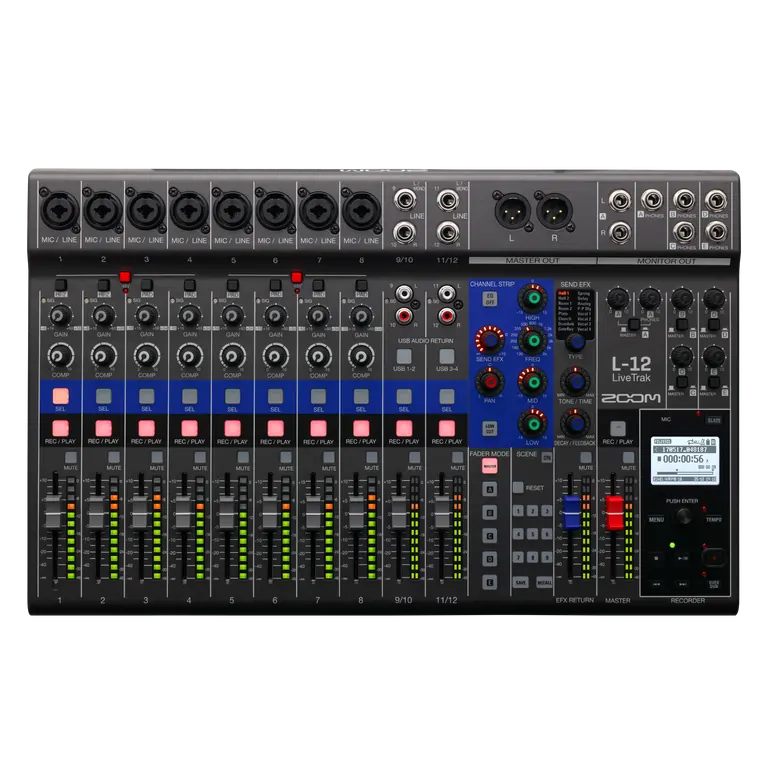
Zoom LiveTrak L‑12 – Best for Live Performance
Zoom
Price: $550
The L‑12 merges a 12‑track recorder with a live mixer, featuring an integrated audio interface, onboard effects, and five custom headphone mixes—perfect for live gigs and studio sessions alike.
Audio output is 24‑bit/96 kHz (or adjustable to 44.1/48 kHz). The device’s 16 onboard effects—including reverbs, delays, and modulation—eliminate the need for external processors.
Specifications:
- Inputs: 8 XLR + 2 stereo 1/4″ TRS
- Outputs: 2 XLR Master + 5 headphone + 2 monitor + USB
- Recording tracks: 14 simultaneous; 12 playback
Best for: Live performers seeking an all‑in‑one solution.
Pros:
- Built‑in audio interface
- High‑resolution capture
- 16 onboard effects
- 5 custom headphone mixes
Cons:
- Effects apply globally; no per‑channel effect routing
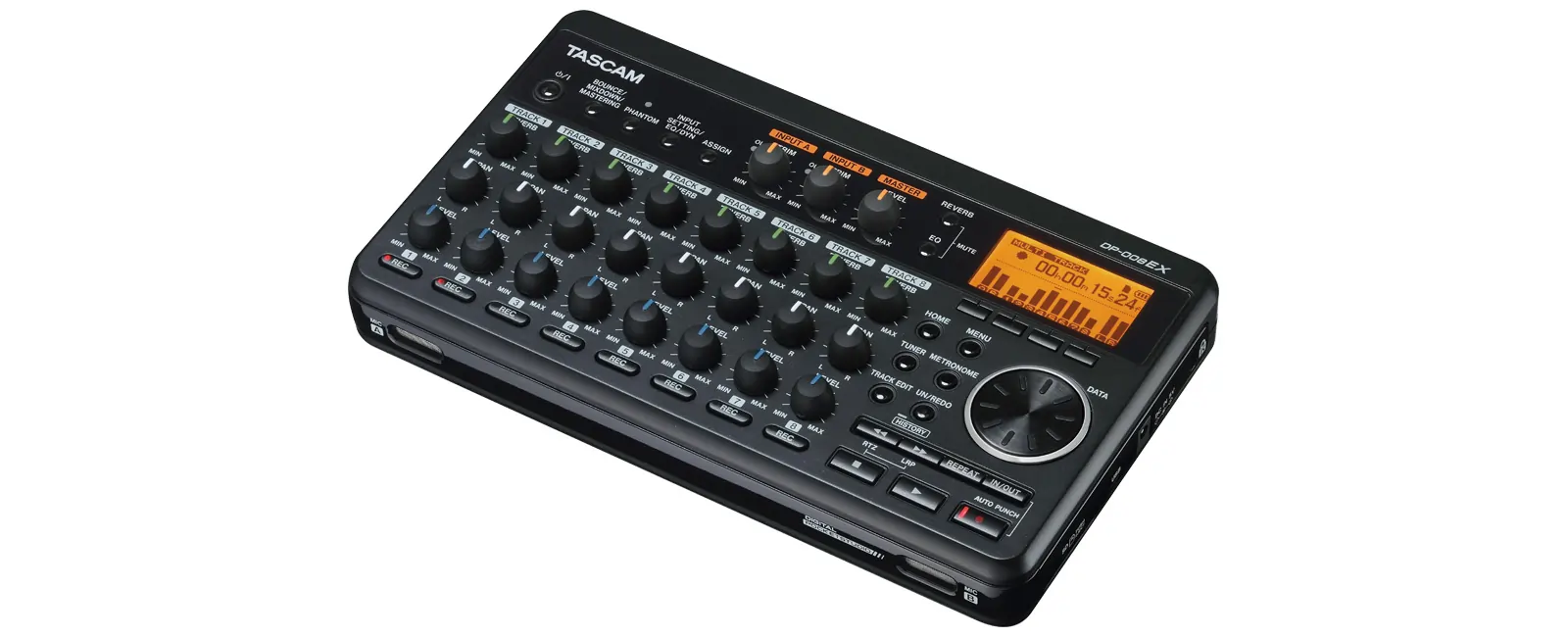
Tascam DP‑008EX – Best Value
Tascam
Price: $230
Ideal for solo musicians or podcasters who demand a straightforward multitrack recorder with solid audio quality. The DP‑008EX records up to two tracks simultaneously while playing back eight.
It records at 16‑bit/44.1 kHz and includes six reverb units, a two‑band shelving EQ, compressor, and more. Storage is via SD/SDHC up to 32 GB; files can be transferred via USB.
It also offers six virtual tracks with undo/redo history—a handy safety net during editing.
Specifications:
- Inputs: 2 XLR + 2 unbalanced mic/line/guitar
- Outputs: 2 RCA + 1 ⅛″ headphone + USB
- Recording tracks: 2; playback 8
Best for: Solo artists and podcasters looking for a cost‑effective, high‑quality solution.
Pros:
- Affordable
- CD‑grade audio
- Multiple built‑in effects
- Undo/redo functionality
Cons:
- USB interface only for file transfer; no direct audio interface mode
Tascam DP‑006 – Best Budget
Tascam
Price: $170
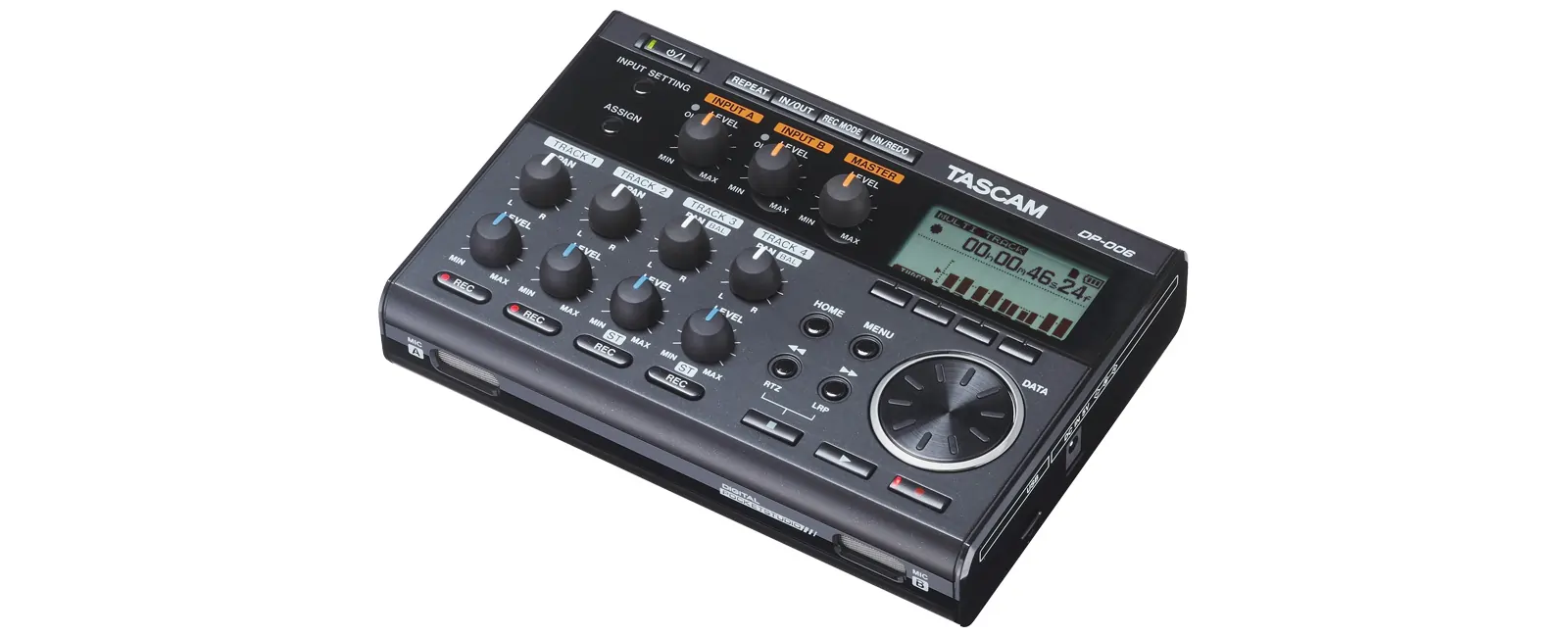
The DP‑006 offers six‑track playback and 16‑bit/44.1 kHz recording. Two high‑quality omnidirectional condenser mics—mounted at the front—capture vocals or instruments with clarity.
Its lightweight design (360 g) and tripod mount make it ideal for on‑site recordings. An optional external battery pack extends recording time.
Specifications:
- Inputs: 2 TS ¼″ mic/line
- Outputs: 1 headphone
- Recording tracks: 2; playback 6
Best for: Budget‑conscious podcasters and musicians needing portability.
Pros:
- Excellent value
- High‑quality condenser mics
- 6‑track playback; 2‑track recording
Cons:
- Not suited for complex arrangements
Zoom PodTrak P4 – Best for Podcasting
Zoom
Price: $150
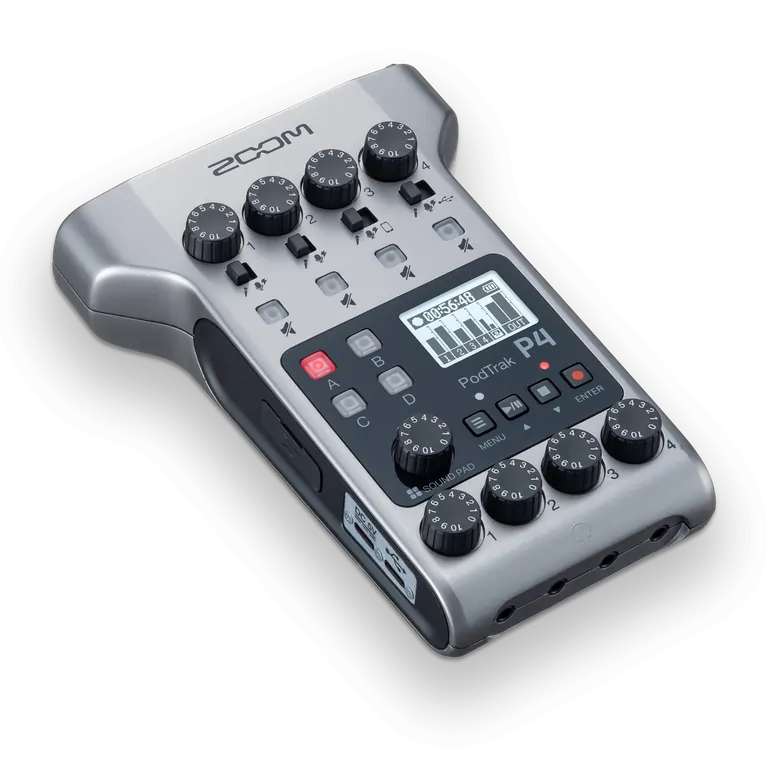
The P4 is a dedicated podcast recorder, supporting four XLR mics simultaneously with up to 70 dB gain. Each mic has its own headphone output and volume knob, enabling independent monitoring.
It can record remote calls via phone connection, and its built‑in Sound Pad (11 preset sounds) allows instant audio inserts. No built‑in mics, but the unit is plug‑and‑play.
Specifications:
- Inputs: 4 XLR
- Outputs: 4 headphone (independent)
- Recording tracks: 4 simultaneous
Best for: Podcast hosts seeking a compact, turnkey multitrack solution.
Pros:
- 4 XLR mics + phantom power
- 70 dB gain
- Independent headphone control
- Sound Pad for quick audio inserts
Cons:
- Limited size for larger setups
- No built‑in microphones
Allen & Heath Ice‑16 – Best for Professional Use
Price: $1,263
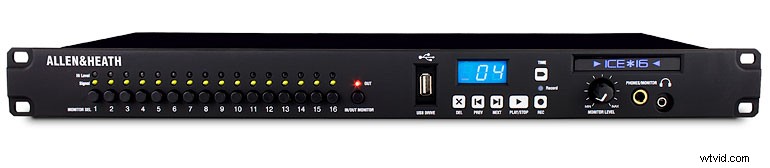
The Ice‑16 is a flagship studio recorder, capable of capturing 16 simultaneous tracks at 24‑bit/96 kHz. With a robust FireWire interface, it integrates seamlessly into professional DAW workflows.
Features include a peak LED meter, a mono headphone bus, intuitive controls, and the ability to daisy‑chain multiple units—ideal for large‑scale productions.
Specifications:
- Inputs: 16 analog
- Outputs: 16 analog
- Recording tracks: 16
Best for: Audio engineers and studios requiring extensive track count and studio‑grade quality.
Pros:
- 16 simultaneous tracks
- 24‑bit/48 kHz capture
- FireWire for DAW integration
- Unit chaining capability
Cons:
- High price point
Boss BR‑800 – Best for Home Studios
Price: $268
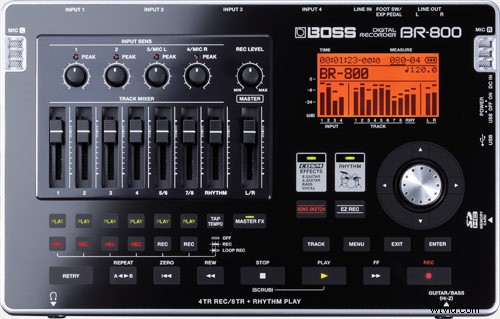
The BR‑800 blends 8‑track playback with 4‑track simultaneous recording in a compact form factor, making it a versatile choice for home studios and practice spaces.
As a built‑in audio interface, it plugs into a PC via USB and offers a “Song Sketch” button for instant recording. Customizable effects and a user‑friendly layout streamline the production process.
Specifications:
- Inputs: 4 XLR + ¼″ guitar/bass + 3.5 mm line + footswitch + power
- Outputs: 1 stereo RCA + ¼″ headphone + USB‑B
- Recording tracks: 4 simultaneous; 8 playback
Best for: Home studio operators and musicians who need a tidy, all‑in‑one device.
Pros:
- 4‑track simultaneous recording
- Intuitive interface
- Song Sketch button for rapid sessions
- Customizable effects
- USB‑PC connectivity
Cons:
- Limited for complex, multi‑instrument setups
Zoom F8 – Best for Field Recording
Price: $1,099
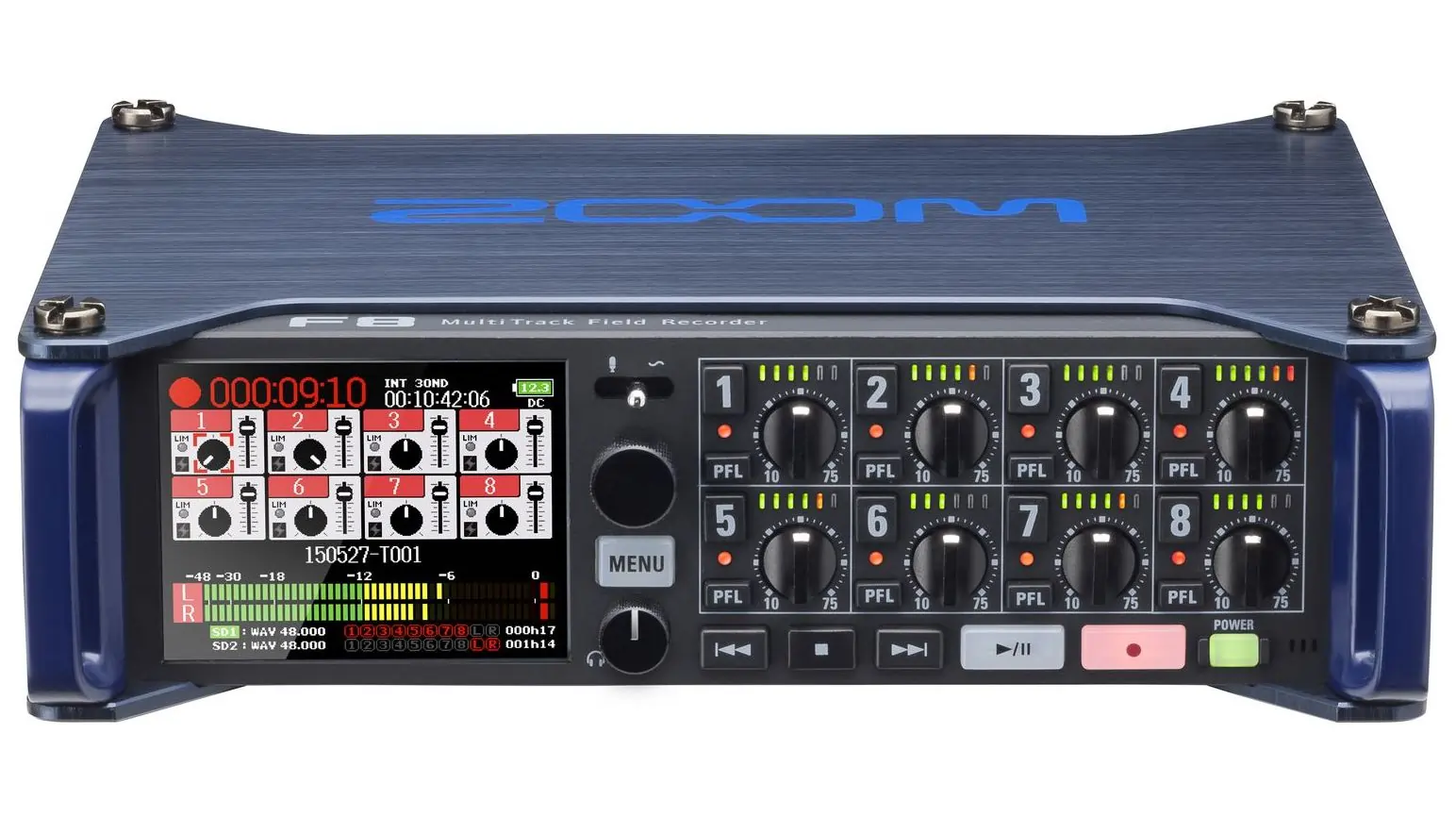
The F8 is an 8‑channel, 10‑track field recorder engineered for on‑location audio capture. It delivers 24‑bit/192 kHz resolution and boasts a rugged aluminum chassis.
Its built‑in tripod mount and low‑noise preamps—complete with phantom power—ensure clean, high‑fidelity recordings. High‑pass filters eliminate low‑frequency rumble.
Supports SD/SDHC/SDXC cards up to 512 GB; files are saved in WAV format at 16/24‑bit with selectable sample rates up to 192 kHz.
Specifications:
- Inputs: 8 XLR/TRS combo
- Outputs: 4 + ¼″ headphone
- Recording tracks: 10
Best for: Field‑audio professionals requiring a lightweight, high‑resolution recorder.
Pros:
- Top‑tier sound quality
- 512 GB SD support
- Low noise floor
- High‑pass filtering
- Built‑in tripod mount
- Portable and easy to carry
Cons:
- Premium cost
How to Choose a Multitrack Recorder
Selecting the right unit involves balancing your specific needs against budget, portability, and technical requirements. Consider the following criteria:
Recording Requirements
Identify the nature of your projects—music, dialogue, sound design—and choose a recorder that offers the appropriate number of inputs. Music studios typically need 4–8 inputs; film and orchestra setups may demand 8–16.
Recording Environment
For mobile or remote setups, a battery‑operated recorder with a robust build is essential. Conversely, a studio‑based system can prioritize connectivity and editing depth.
Audio Quality and Resolution
Higher resolution (24‑bit/96 kHz or above) captures richer dynamics and quieter passages. Check compatibility with your preferred file formats (WAV, MP3).
Budget
Entry‑level models like the Tascam DP‑006 and DP‑008EX provide solid performance without breaking the bank. Mid‑range units such as the DP‑24SD and R20 offer more features at a moderate price. High‑end options like the Ice‑16 or F8 cater to professional studios.
Track Count
Remember that playback track count and recording track count are distinct; choose a recorder that meets both your live mix and post‑production needs.
Input/Output Options
Ensure the device supports the types of mics (XLR, ¼″) and outputs (headphone, monitor, line) you require.
Compatibility
Verify that the recorder’s interface (USB, FireWire, XLR) works seamlessly with your existing DAW or editing software.
Riverside – A Software Alternative to Multitrack Recording
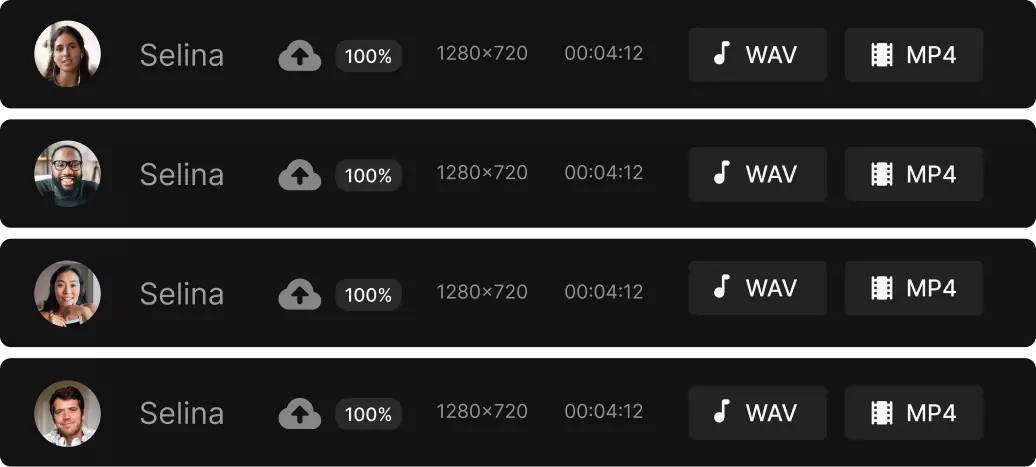
Riverside offers a browser‑based, collaborative multitrack recording solution. It supports up to 10 participants with 48 kHz WAV audio and 4K video. Each contributor’s audio and video are stored as separate, time‑synchronized tracks, and the entire session is backed up to the cloud.
Features include a producer mode for technical oversight, real‑time screen sharing, a media board for live inserts, and an AI‑driven transcription editor that lets you edit audio by editing the transcript.
Key advantages: no hardware required, automatic cloud backup, and robust remote collaboration tools.
Which Multitrack Recording Option Is Best for You?
Best for Beginners
The Zoom R20 offers an intuitive touchscreen interface, pre‑wired inputs, and comprehensive documentation—ideal for newcomers.
Best Budget‑Friendly Option
The Tascam DP‑006 provides essential features at an accessible price, making it perfect for students and hobbyists.
Best Software for Podcasting
Riverside’s web‑based platform delivers seamless multi‑person recording, automatic cloud backup, and an in‑app editor—streamlining the entire podcast production pipeline.
FAQs on the Best Multitrack Recorders
What’s the difference between Zoom and Tascam recorders?
Zoom units prioritize portability, often featuring built‑in microphones and a lightweight design. Tascam focuses on robust build quality and professional audio interfaces, making them ideal for studio environments.
Which recorder is the most popular?
The Tascam DP‑24SD is widely adopted by musicians and podcasters for its balance of features and reliability.
Is Tascam a reputable brand?
Tascam’s legacy in the audio industry is built on durable, high‑performance gear that has earned trust among engineers and producers worldwide.
What equipment is needed for multitrack recording?
- Multitrack recorder or software (e.g., Riverside)
- Microphones (XLR or TRS)
- Cables (XLR/TRS)
- Headphones or studio monitors
- Audio interface (if using a DAW)
- Accessories (mic stands, pop filters, etc.)