
Ever wrapped up a wonderful, late-evening photo shooting session, only to realize all your photos include some red eyes staring disturbingly back at you? Welcome to the dreaded red-eye photography club. The red eye effect has haunted flash photography ever since digital cameras came into existence.
Luckily, there are some workarounds you can count on to keep the terrifying red eyes at bay or – if the deed is already done – remove them in post-processing.
How to remove red-eye after taking a photo
If you just can’t avoid getting red-eye in your photos, or you're stuck editing pictures you didn’t take – don’t worry, not all hope is lost. Technology has evolved to the point where you can easily make red-eye a thing of the past (where it honestly belongs).
Here’s a quick rundown of apps that can help you remove red-eye in post-processing:
Pixlr
When it comes to photo editing, it’s best to keep it simple and intuitive, and Pixlr does it best. This app (available both on web and mobile platforms) combines simplicity with flexible editing options. One of its standout features is, of course, the one-tap Red Eye Removal tool – which is very conveniently placed in the app’s main Tools panel.
Those looking to explore more artistic edits can also explore the Double Exposure, Liquify and Glitch feature, and the dozens of filters and effects available in the app’s library.

Snapseed
If you want a more professional-grade, granular photo editing tool that also helps remove red eyes in photos, you might want to try Snapseed. Developed by Google, Snapseed has a massive variety of editing capabilities – including the option to import and edit RAW files to preserve image data, do selective adjustments and apply preset filters.
While it may not have a dedicated red-eye removal tool, Snapseed makes it easy to mitigate this issue by using the Selective tool to desaturate red tones in the eye area.

Cymera
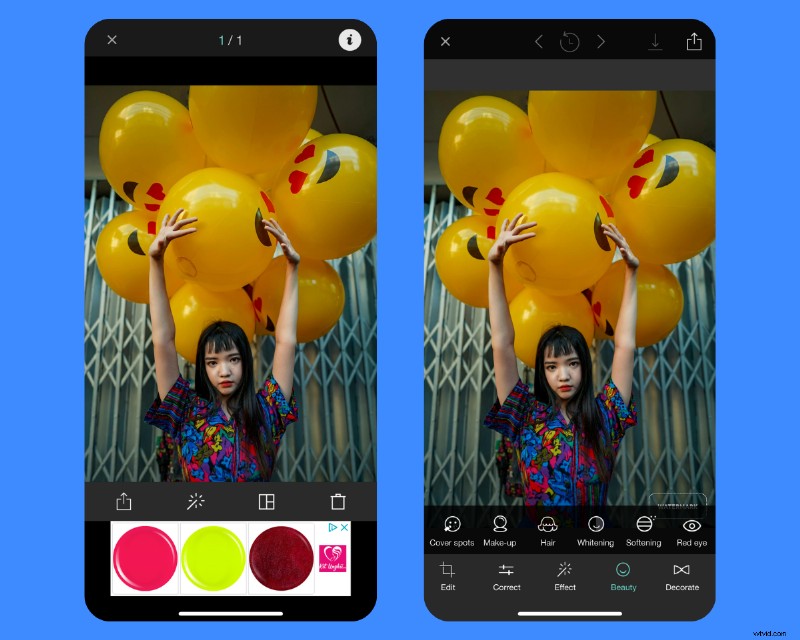
Cymera is a popular photo editing app often used for enhancing selfies and portraits. Since the absence of the red-eye effect is a major improvement in any portrait enhancing process, Cymera also includes a dedicated red-eye removal option – once again, included in the main editing menu for ease of access.
With Cymera, you can also combine multiple photos into creative collage using the many layout available, apply beautification effects in real time and have fun with a massive collection of stickers, filters and AR effects.
Fotor
Fotor is a super easy-to-use photo editing app that helps you turn any picture into something memorable. With this app, you can fix lighting, adjust colors, or touch up portraits with just a few taps.
For even more creative freedom, here’s even AI-powered retouching to make selfies look flawless. Fotor also lets you make collages with tons of fun layouts, adding text and stickers, and playing around with filters that completely change the vibe of your photo.

Alternative DIY fixes
When everything else fails – or you simply don’t want to invest any time or money into a tool that promises to rid you of red eyes in photos – that’s when you have to get really creative. Here are a few extra DIY tricks you can try in this case:
- Turn your photo black & white
If there’s no color, there’s no red-eye, simple as that! Converting your photos to black and white, especially close-up portraits, can also add a more dramatic, artistic or moody touch to them. As the saying goes – two birds, one stone.
- Cover it up with stickers
Especially if you’re posting your pictures on social media, adding stickers or emojis over the eyes can be a quick and playful fix for red eyes. If you’re feeling really quirky, you can even add a sunglasses sticker to make your subject look effortlessly cool.
- Redirect attention
If there’s nothing you can do about red eyes, try to draw attention somewhere else in the photo. Adjust the exposure to highlight certain areas, such as the background, or other subjects that aren’t affected by red-eye in the same way. You can also apply a vignette effect to subtly darken the edges of the photo and "distract" viewers from what's happening in the center.
Quick Facts About Red Eyes in Photos
So the flash hits your eyes, reflects off the retina, and bam — red eyes. Simple enough, right? Still, this eerie effect has sparked plenty of curiosity over the years. Here are a few quick facts that might surprise you:
- Light-colored eyes show it more: Darker eyes absorb more light, which softens the reflection. Lighter eyes (blue, green, gray) let more light pass through, making the red-eye effect stronger.
- One red eye can be a warning: Normally, both eyes reflect equally. If only one appears red (or looks white/yellow), it could point to eye issues like misalignment, cataracts, or even rare conditions like retinoblastoma.
- Red-eye used to be spooky: Before the science was clear, some cultures saw glowing red eyes in photos as signs of possession or proof you were supernatural.
- Old cameras made it worse: Modern cameras use red-eye reduction flashes that prep your pupils before the shot, making the effect far less dramatic.