
Instagram Reels (the social media giant’s answer to TikTok) has been gaining traction with creators ever since its debut. The feature has even been used successfully by companies and brands in their social media marketing strategies.
Just like video content on other social media platforms, it’s a good idea to add subtitles to your Instagram Reels. Why? For one, studies have shown that 80% of people are browsing through social media with their volume turned off. So, without Instagram Reels subtitles, a huge majority of your audience could completely miss out on your content. In addition, subtitles can be a nice add-on element to help you stand out from the competition and keep your audience engaged.
So how can you create Instagram Reels subtitles in seconds? We’re here to show you!
Create Instagram Reels Subtitles (in Seconds!)
The fastest way to add high-quality Instagram Reels subtitles is by using Zubtitle. Zubtitle’s state-of-the-art editing software makes it quick and easy to create Instagram Reels subtitles in a few seconds. Just follow the steps below:
1. Upload Your Video
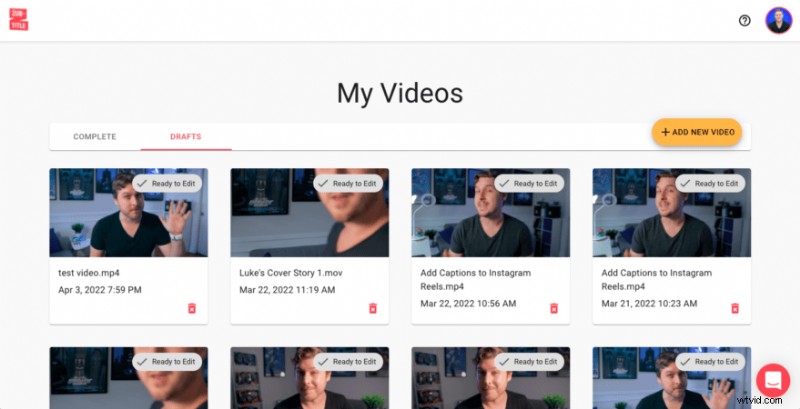
After you’ve recorded your Instagram Reels video, you’ll need to create a Zubtitle account (or log into an existing one) and upload your created video. You can do that simply by clicking the yellow Add a New Video button on the right-hand side of the screen.
2. Edit Your Instagram Reels Subtitles
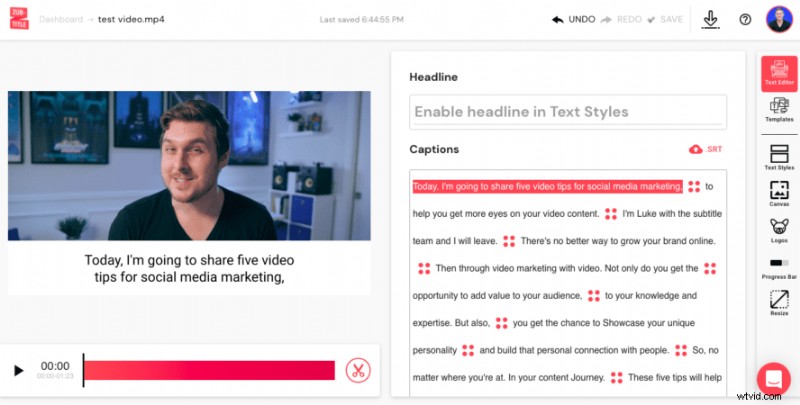
Once you’ve uploaded your video, Zubtitle will work its magic by automatically transcribing and subtitling your video in just a few seconds. After Zubtitle is done handling the heavy lifting, your job is simple 一 you’ll simply review your Instagram Reels subtitles and make sure everything looks 100% perfect. If you see anything that you want to be edited, you can easily make those changes by simply pointing and clicking directly in the editor. You have the ability to edit the spelling/grammar, add emojis, or shift the timing of the subtitles.
3. Style Your Instagram Reels Video
Time for the last step! Now all you have to do is style your captions and video. You’re welcome to customize everything by choosing the font and colors for your captions, adjusting the background color, adding a logo & progress bar, manually resizing, etc. Or you can style your entire video with one click by selecting a pre-made template (you’ll find them in the Templates menu).
When it comes to creating Instagram Reels subtitles, the most important styling feature is the ability to fine-tune the position of your captions. Always remember that your Instagram Reels caption or description will be automatically overlaid towards the bottom of your video. That’s why it’s very important to check the box next to the Fine-tune option (found in the Text Styles menu under the “Captions” section) and then adjust the position of your subtitles about a third of the way up the screen, so they don’t interfere with the description text.
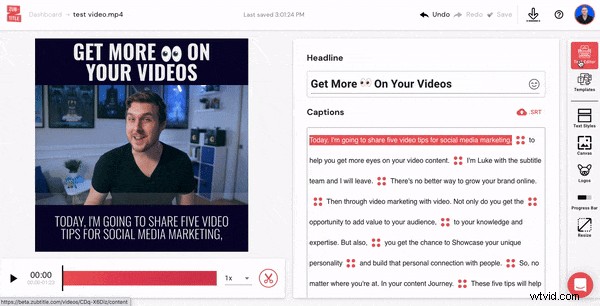
After you’re all done styling, it’s time to render and download your newly optimized Instagram Reels video!
Do you want to create Instagram Reels subtitles (in seconds)?
Sign up for a free Zubtitle account today to get started! With our free plan, you can create two videos per month. To create up to 10 videos per month (and remove the Zubtitle watermark), check out our standard plan.