
This article recommends five MTS video editors, their features, pros, and cons are also listed for your reference.
MTS video editors like FilmForth cater to the demand for dated high-definition video formats. While its successor is a standard amongst specific kinds of Blu Ray videos, MTS has not lost its charm amongst the oldest video recording equipment.
For fulfilling your editing needs, you can try out different MTS video editors that fit the bill. From the thousands of editors out there, we have narrowed down to the five of the best video editors for editing mts videos.
What is MTS Video?
MTS is short for MPEG Transport Stream, is a digital container consisting of H.264 video compression, generally coupled with the Dolby AC-3 codec for audio.
Back in the early 2000s, Sony and Panasonic camcorders recorded videos in this format. Interestingly, there are minute differences in the version of mts of both the companies, as evident from their camcorder outputs. When you go a notch higher, you meet the m2ts, which is a Blu-Ray standard format.
We rely on camcorders which have been our long-time companions in recording precious moments of our lives. They help share them with others and relish, later on, dipped in the fragrance of nostalgia.
Shed light on your memories from a different focal point, and revitalize the moments using your editing skills. Slideshows, montages, and short films can be the way forward.
Top 1: The Best MTS Video Editor – FilmForth
After going through hundreds of .mts editors, we have come down the best one. FilmForth ticks all the right boxes for being the best MTS video editor available right now. FilmForth is a free MTS video editor that emphasizes making it beginner-friendly yet offering magnificent editing tools. Add multiple audio layers, slow motion, narration, and other exclusive tools.
Here are some of the main features of FilmForth:
- Create slow-motion MTS videos using the speed tool.
- Add overlay on videos consisting of pictures, videos. Remove the background of the overlay using Chroma Key.
- FilmForth supports a long list of formats, apart from MTS, such as WebM, gif, m4a, amongst the dozen others.
Steps to Edit MTS Video via FilmForth
Before moving forward, install FilmForth from the Microsoft store. The original and official version is available on the MS store. Stay away from third-party installers of the editor.

Step 1. Launch FilmForth and quickly create a new project through the New Project button.
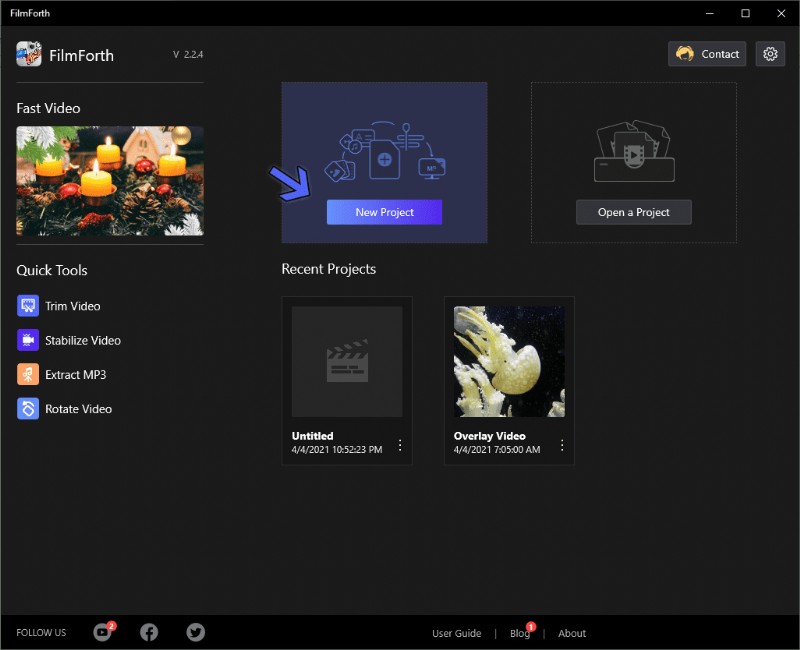
5 Best MTS Video Editors Recommended in 2021
Step 2. Moving forward, you add a video with the help of the Add Video/Photo Clips button. Spoiler alert, you can drag and drop files into the editor. Give it a try; it’s faster and a little bit of fun.
Step 3. Kudos for having successfully added a video. Now it’s time to edit the MTS video using different tools.
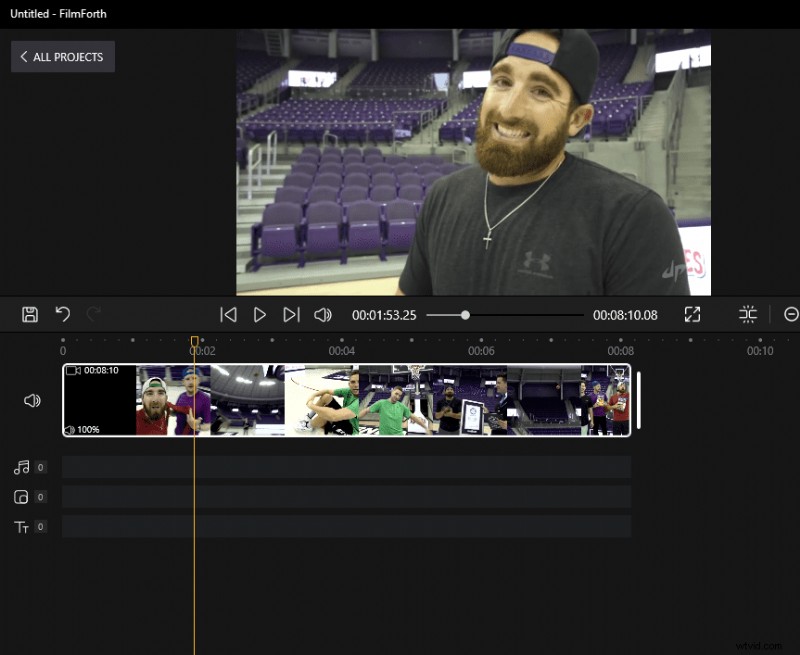
Edit the MTS Video via FilmForth
- Add Overlay Video
Add an overlay over the base video using the Picture in Picture tool.
Step 1. Click on the picture in picture button from the video timeline feed. You can also access it from the project’s home screen.
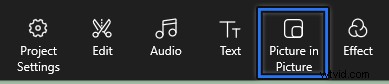
Picture in Picture
Step 2. A new menu will appear in the dashboard. Click on the Add Pic in Pic.
We created a reaction-like video with the picture in picture. Images can be added as well.
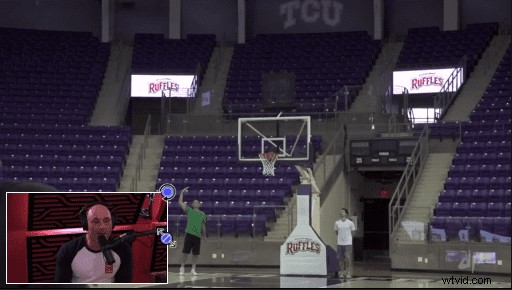
Check Your Effect
The two tiny blue buttons are for resizing and rotating the overlay video.
- Add Audio/Music to the Video
A little bit of background only helps your video become more engaging.
Step 1. Select the audio button from the timeline feed. Just like the overlay, you can access it from the project home screen.
Step 2. We are now in the audio menu. Click on the Add Audio button, accompanied by a plus button.

Add Audio to Video
Step 3. Now, you add your music file by clicking on the Add a local audio file button.
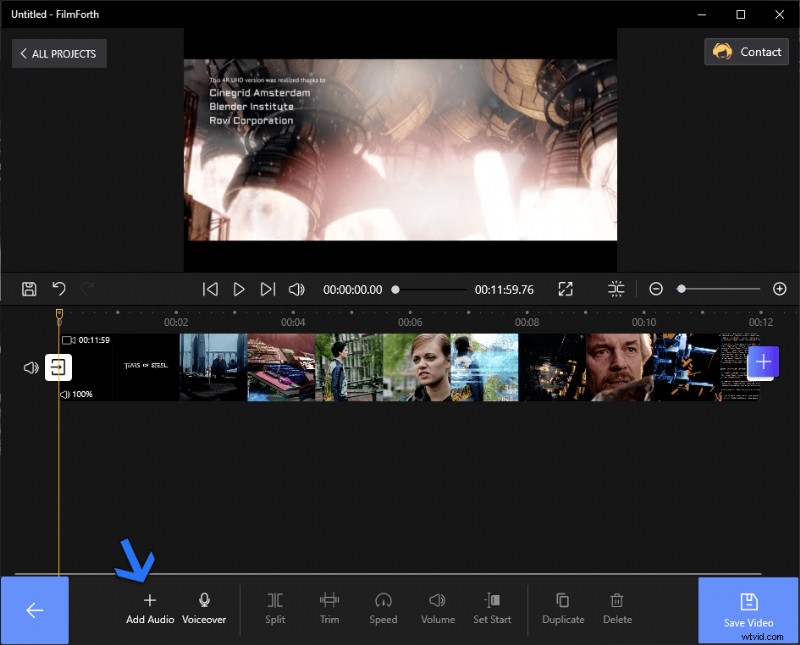
Add a Local Audio via FilmForth
The added music appears as a red bar in the video timeline feed.
- Add Effects
Infuse different color schemes in the MTS video and let it stand out.
Step 1. Select the video from the timeline feed and then click on the Add Effects button. It will take you to the effects dashboard.

Choose Your Effects to MTS Video
Step 2. Click on any of the effects to apply them to the video. Use the compare button for comparing it with the default colors of the video.
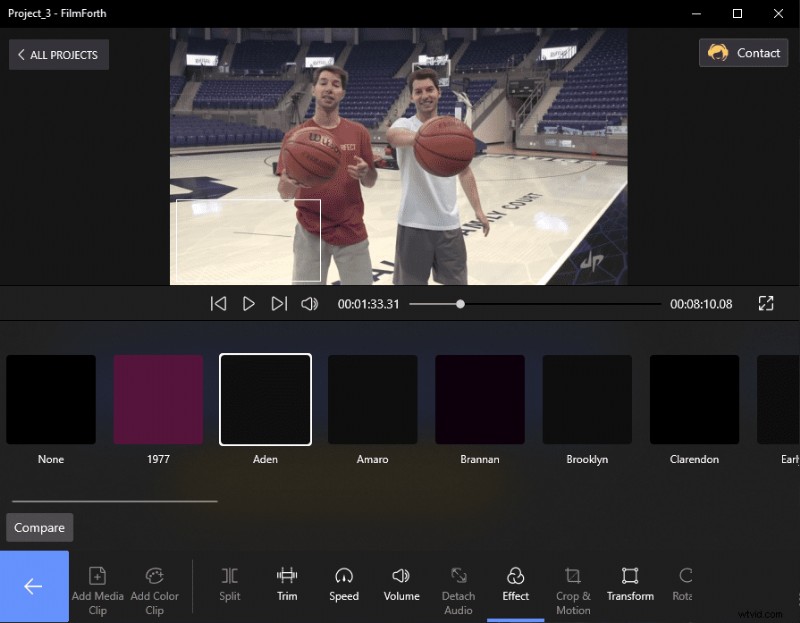
Effects Colors of the Video
When you want to apply different effects to individual scenes of the video, split the video and repeat each part’s process.
Top 2~5 MTS Video Editors
The throne is accompanied already, so let’s look at the other 4 MTS video editors reasonably good.
Top 2: Apple iMovie
- Price: Free
- Major Formats Support: MTS, MP4, AVI, M4V, MOV
iMovie is a video that is shipped with macOS as a part of the software bundle. It has been around for a long time, leveraging the consumers wanting a lighter and free version of the Final Cut Pro.
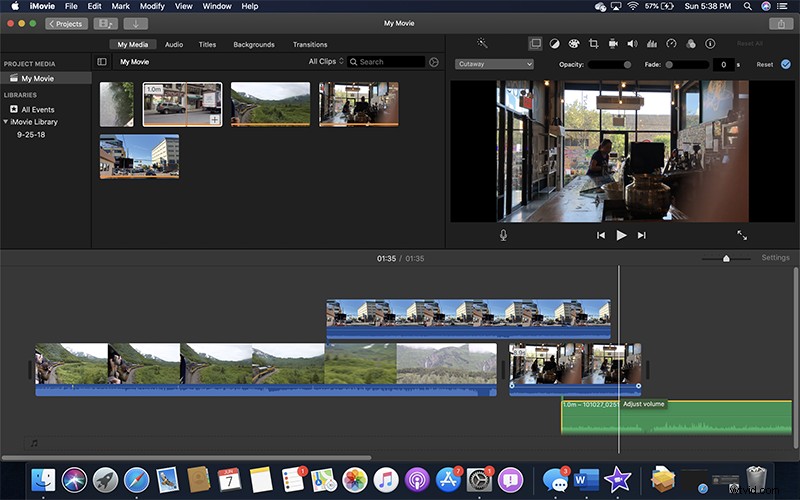
iMovie
- Features
Easily edit MTS videos, with the help of MOV converter
Directly share videos online
Edit subtitles with the advanced context menu
Enhanced support for audio encoding
Top 3: Adobe Premiere Pro
- Price: Paid
- Major Formats Support: MP4, MTS, FLV, AVI, H.265
Now we are talking about the industry standard of video editing. Adobe Premiere Pro is the one-stop for all MTS video editing needs. The capabilities of the Adobe editor cannot be overestimated by a long distance.
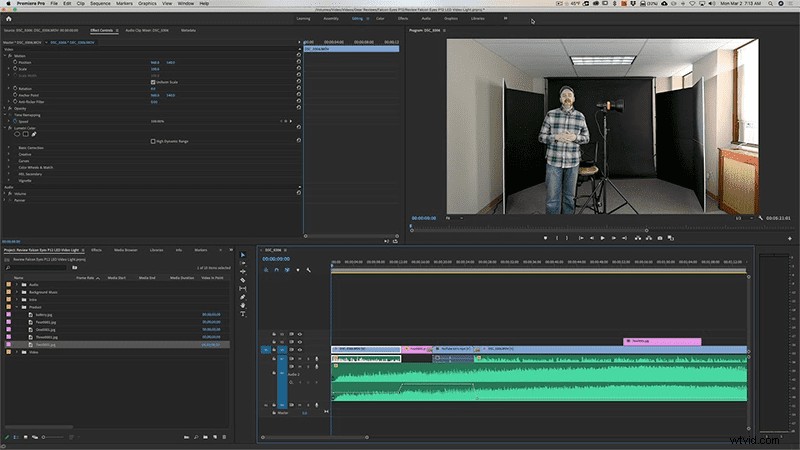
Adobe Premiere Pro
- Features
Context-based tools
Copy-paste audio effects directly
Free stock videos consisting of over 6000 clips
Scene edit detection for sharper cuts
Top 4: Avidemux
- Price: Free
- Major Formats Support: MP4, MTS, 3GP, H.264, .NUV
Avidemux is a free and cross-platform video editor. Take your editing across different devices and save time on the transition. It’s simple for users who have never cut a video before.
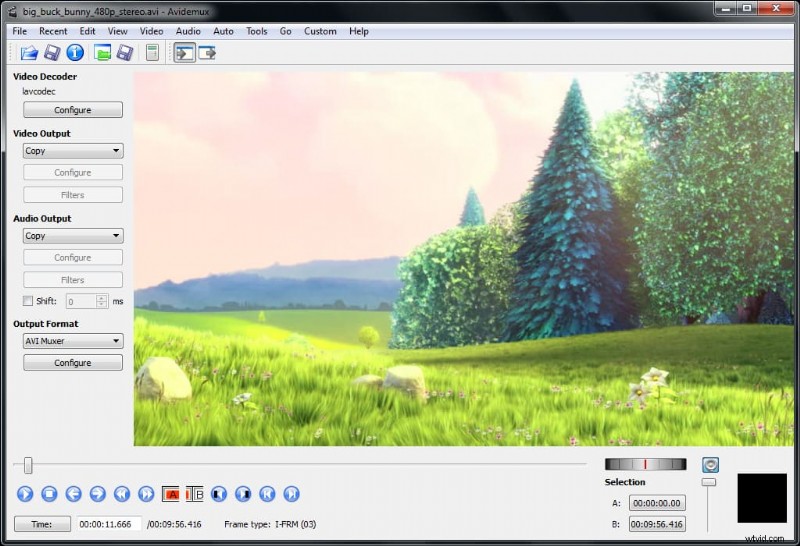
Free Avidemux
- Features
Single-screen interface for all tools
Top-notch encoding options across the board
De-noising filters are accurate
Professional level sound mixing tools
Top 5: OpenShot
- Price: Free: Open-Source
- Major Formats Support: AAC, MTS, AVCHD, H.264, MP4
This tiny video editor is more than what meets the eye. OpenShot has the right blend of features, supported by professional usage level capacity to handle all kinds of projects.
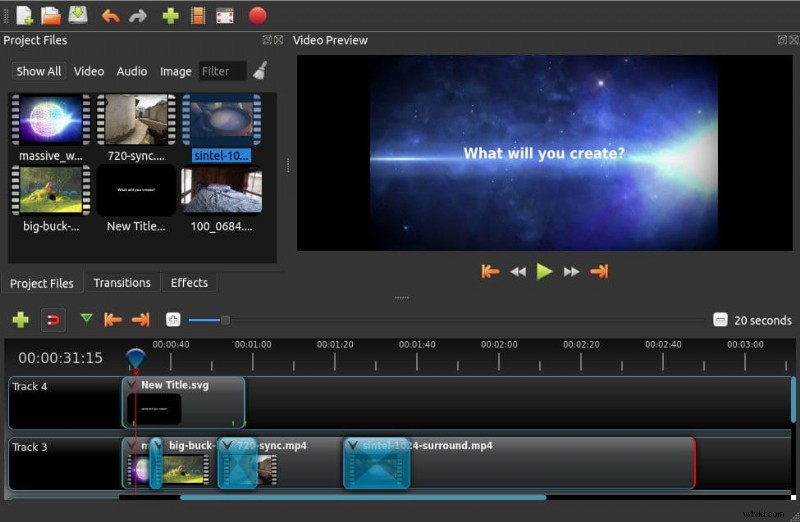
Openshot
- Features
Cross-platform editing
Audio waveform dashboard for visuals
Integrated keyframes
Server Integration API for Online Edits
Conclusion
MTS format has grown into a niche that is slowly cascading its popularity through WebM. The multimedia container has a solid base of H.264 codec with future-ready futures.
Editors like FilmForth make sure that they back strong formats such as MTS, MP4, etc., which can deliver consistent video performance and experience.