
Want to burn audio, image, and video files to DVDs and store them securely for a long time? Then don’t miss this post. Here will detail the top 10 best DVD burning software for your reference. Before burning, you can try MiniTool software to edit your audio/image/video files.
Burning DVDs is always an efficient way to save videos permanently. If you want to burn video to DVD, you may need the help of DVD burning software.
What is the best DVD burning software? Don’t worry. The following list 10 best DVD burning software for you to choose from. Now, let’s check them one by one.
Top 10 Best DVD Burning Software
- CDBurnerXP
- Ashampoo Burning Studio Free
- WinX DVD Author
- DeepBurner Free
- DVDStyler
- AnyBurn
- ImgBurn
- True Burner
- BurnAware Free
- Nero Burning Rom
#1. CDBurnerXP (Free)
CDBurnerXP is not limited to Windows XP. You can use the tool on all versions of Windows for free. The tool is lightweight and provides all the necessary burning tools. You can burn CDs and DVDs, including Blu-ray and HD DVDs. It also includes the feature to burn and create ISOs.
#2. Ashampoo Burning Studio Free (Free)
Ashampoo Burning Studio Free is excellent since it lets you burn and rip data discs, audio discs, video discs, and Blu-ray discs. Besides, you can also burn HD and Full HD movies (720p and 1080p) completely free of charge.
#3. WinX DVD Author (Free)
Next is WinX DVD Author, which enables you to easily burn MP4, MKV, AVI, VOB, FLV, MOV, ISO formats to DVDs, and provide a tool to download videos or full movies on YouTube. It also supports basic video-editing features such as trimming, adding subtitles, and setting aspect ratio.
#4. DeepBurner Free (Free)
DeepBurner Free is the best DVD burning software for Windows 10. It is very lightweight and comes with a portable version. You can use it to burn data CDs and DVDs, audio CDs and bootable discs, but you cannot create video DVDs.
#5. DVDStyler (Free)
DVDStyler is available for Windows, Mac, and Linux, so it can be defined as a cross-platform DVD burner. It comes with many menu templates and is completely focused on the creation of video DVDs. However, its installer includes the bundled Avast Free Antivirus.
#6. AnyBurn (Free)
Compared to other best DVD burning software on the list, AnyBurn is more portable. With it, you can burn video to DVD, CD, or Blu-ray discs. Besides, it also provides you with other options, including clean rewritable discs and back up or add files and folders to DVDs, CDs, or Blu-ray discs.
Related article: Burn MKV to DVD
#7. ImgBurn (Free)
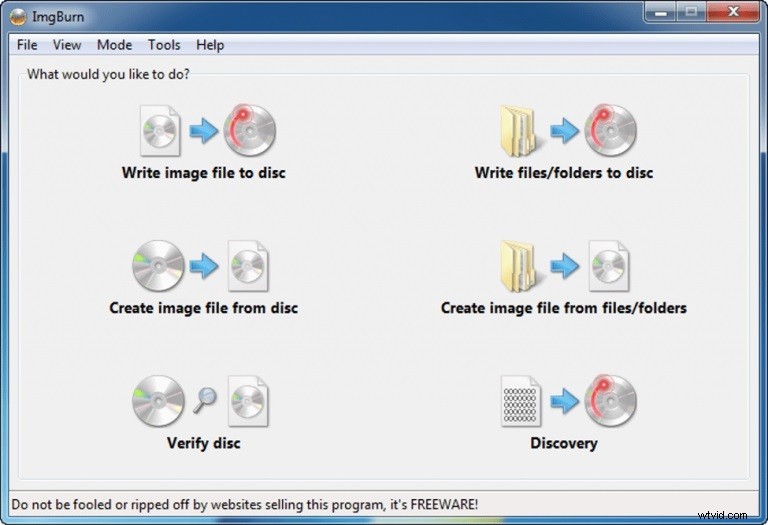
ImgBurn is another powerful best free DVD burning software that supports multiple image, audio, and video file formats. You can use this program to make DVD video discs, HD discs, and Blu-ray discs. It also supports Unicode folder/file names.
#8. True Burner (Free)
True Burner is an easy-to-use free DVD burner, which supports all major types of file formats and types. You can use the software to create CDs, DVDs, and Blu-ray discs. It supports writing multi-session discs and creating bootable discs.
#9. BurnAware Free (Free for Personal Use)
At the top of the 10 best DVD burning software, BurnAware Free is outstanding, because it can help you burn all types of files (such as digital photos, documents, archives, music, and videos) to CD, DVD and Blu-ray discs for free.
#10. Nero Burning Rom (Paid with a Free Trial)
Nero Burning ROM is the most popular burning software in the world and the number one burning software. It has an intuitive interface, provides high-quality burning functions, and supports almost all types of discs and recorders.
Bottom Line
The above has list 10 best DVD burning software. It’s time to burn your image/audio/video files to DVDs for better storage. If you have any better DVD burning software to recommend, please let us know via admin@wtvid.com or share them in the comments section below.