
Looking for a professional image splitter? Here is a list of the top 7 best image splitters. Using any one of them, you can split a large image into multiple smaller parts. If you need to split videos, MiniTool MovieMaker is an ideal choice.
Splitting is required when you want a specific part of an image. The following are the top 7 best image splitters. How to split an image into smaller portions with these tools? Actually, all you need to do is to import your image, define splitting parameters, and then you will get the split images.
Now, let’s take a look at these image splitter tools and see what additional features they offer.
Top 7 Best Image Splitters
- GIMP
- PhotoScape
- Picosmos
- ImageCool Free Image Splitter
- ImageSplitter
- PineTools – SPLIT IMAGE ONLINE
- IMGonline
1. GIMP
Price: Free
Compatibility: Windows & macOS & Linux
GIMP is a free and open-source image editor that has many basic and advanced tools. GIMP can complete many tasks, such as splitting an image into several parts, converting WebP to JPG, etc. To use it as an image splitter, you need to download and install the required plugin at first.
2. PhotoScape
Price: Free
Compatibility: Windows & macOS
PhotoScape is a free photo editor that lets you combine multiple photos into one, create an animated GIF with multiple photos, etc. It works as an image splitter app too. It provides flexibility to save individual tile images and allows you to split multiple images simultaneously.
3. Picosmos
Price: Free
Compatibility: Windows
Picosomos is a set of tools that can be used for image processing. It provides a Crop & Split tool. You can use it to divide the image into multiple parts, and then save them in JPG, PNG, GIF, WebP, and BMP image formats.
4. ImageCool Free Image Splitter
Price: 30-day Free Trial
Compatibility: Windows
ImageCool Free Image Splitter is another image splitter app. With this software, you can choose to split your images automatically or split them by dragging the lines. It is useful to split multi-photos with the same parameters in batch or you can also set respective parameters for each image.
Related article: Image Brightener – How to Brighten an Image
If you want to quickly perform the task of splitting images without installing software, it is recommended to use online image splitter tools.
5. ImageSplitter
Price: Free
Compatibility: Web-based
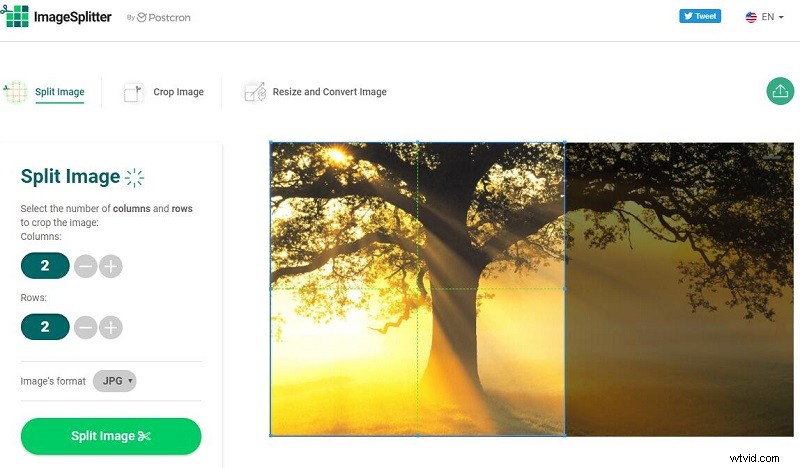
ImageSplitter is a one-stop solution for image processing. When it comes to cropping, resizing, or splitting images online, ImageSplitter should be your first choice. It allows you to split images into equal parts for the defined number of rows and columns, and choose the output image format.
6. PineTools – SPLIT IMAGE ONLINE
Price: Free
Compatibility: Web-based
PineTools is an all-in-one platform that provides a variety of image processing tools, including a Split Image Online option. With this feature, you can split photos horizontally, vertically, or both. It allows you to divide the image into equal parts, or to define the width manually.
7. IMGonline
Price: Free
Compatibility: Web-based
IMGonline is another online image splitter in this list. It allows you to set the number of parts used to split images horizontally and vertically. You can also split it into square photos. Moreover, you can also set the output format to JPEG or PNG.
Bottom Line
The above has discussed 7 excellent image splitters to help you divide an image into several parts. Which one do you prefer? If you have any questions or suggestions about it, please let us know via admin@wtvid.com or share them in the comments section below.