
“What color is this?" You might be asking this question. Or you want to use exact colors when working or match other graphics in your image. Now, an image color picker will answer your question and help you out! This post offers 6 suggestions. (If you also need a video editor, MiniTool MovieMaker is highly recommended.)
Color plays a very crucial role in design, editing, and photography. Choosing the right color can make your design more elegant and enjoyable to the eye. When designing with images, an image color picker is a great tool to make your work easy. Here is the list of brilliant image color pickers.
Image Color
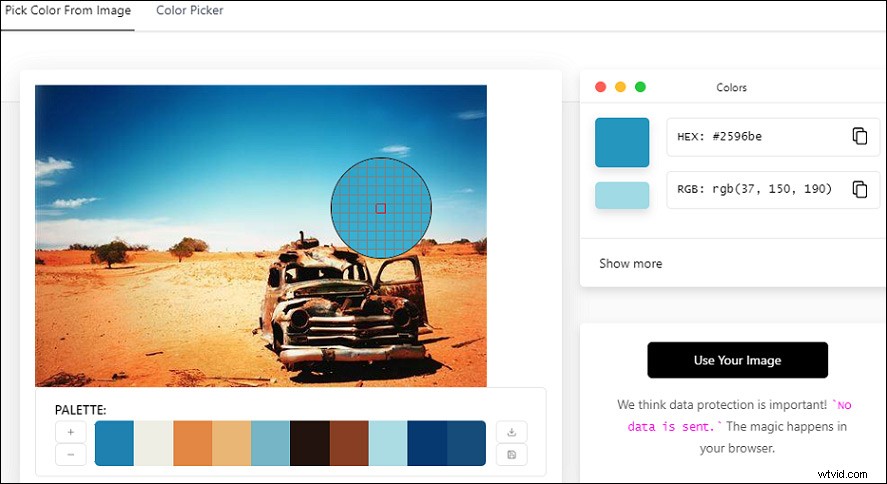
Image Color is my favored one. It is a free online image color picker. You can upload a picture on this website and then click anywhere on it to pick a color. It also can fetch the image from the web via URL, without direct upload.
You can copy the RGB, HSL, or CMYK value of the chosen color there. If you want to make a different shade, you can open the color wheel for the selected color and customize it.
Additionally, you can get a color palette of 5 colors along with the dominant color from the image from this website. It can also make adjustments to the color radius and pixel.
Canva
Canva is a web editor for graphics, images as well as documents. You can see a dedicated section for colors with a color palette generator, color wheel, color meanings, and so on.
If you add a picture to this tool and it will automatically generate a color palette with the 4 most used colors. It will also display the name of the colors and their HEX value. Then you can click and copy the HEX value of that color.
In addition, it also has additional color palettes and you can invent more with its color wheel and palette generator.
Also read: Top 3 Color Inverters to Invert Colors Easily
Pine Tools
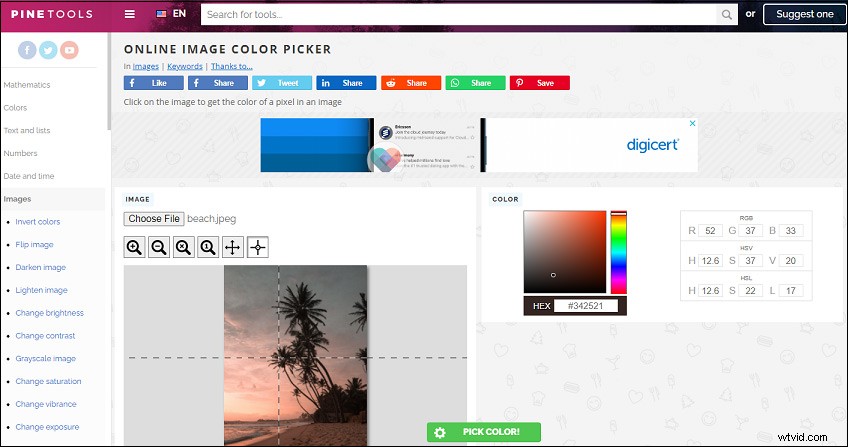
Pine Tools is a chargeless website with series of tools for color, text, files, programming, image, etc.
Its online image color picker tool allows you to pick any color from an image. You can also upload your image to it and then click on the image to select a color. After selecting, you will get the RGB, HSV, and HSL values of the chosen color.
It also allows you to adjust the color and make a different shade.
Just Color Picker
Just Color Picker is a free portable offline application and color editor for graphic designers, digital artists, and webmasters. It offers you a quick and convenient way of capturing colors when you get artistic ideas and inspiration at any moment.
With Just Color Picker, you can identify, save, edit and combine the colors in a super-easy way.
It was created by a designer and a digital artist who uses it on daily basis. Any design functions you need will take into consideration.
As for the supported platform, it is a handy image color picker for Windows and for macOS 10.8.
RedKetchup
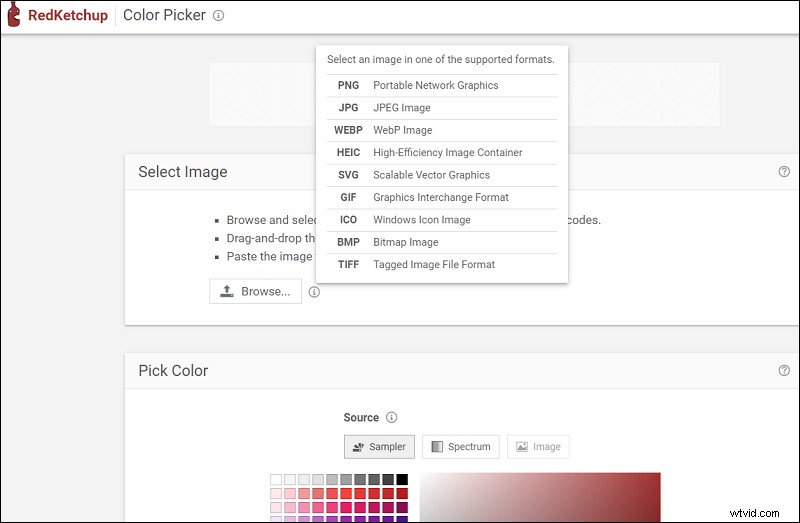
RedKetchup is an online, free and easy-to-use image color picker.
You can upload PNG, JPG, WEBP, HEIC, SVG, GIF, ICO, MBP, and TIFF files to pick a color. If you want to pick the color precisely, you can zoom in and out and use the magnifier tool.
You have no option for creating a color palette. You can only pick one color at a time and copy its value. While editing the color to make different shades is available in this tool.
Ginifab
Ginifab offers a free online logo color finder. It can suggest some spot colors for printing. If you have a logo image, you will know the Pantone color code and PMS color closest to the logo with this tool.
If you don't have Photoshop or Illustrator, you can try this online free color picker. It enables to fetch the image from the web through URL or upload JPG, GIF, PNG, SVG, WebP, etc.
Conclusion
Based on the above sharing, I believe you must have your favored image color picker in your mind. Now, just lay your course!