
What is stop motion? What is the best stop motion software? In this article, we’re going to talk about what stop motion is and list the top 8 best stop motion software that you can use on your device. Now, read this post and pick one that suits your needs.
Do you want to make a stop motion video by yourself? It’s pretty easy as long as you have professional and easy-to-use stop motion software. If you want to make music videos or other types of videos, try MiniTool software.
What Is Stop Motion
Stop motion is an animated technique in which objects are physically manipulated in small increments between individually photographed frames so that they will appear to exhibit independent motion or change when a series of frames are played.
What is the best stop motion software? It is a waste of time to compare all the stop motion software on the market one by one. To make things easier, here list the top 8 best stop motion software for you to choose from.
Top 8 Best Stop Motion Software
1. Stop Motion Pro Eclipse
Supported OS – Windows
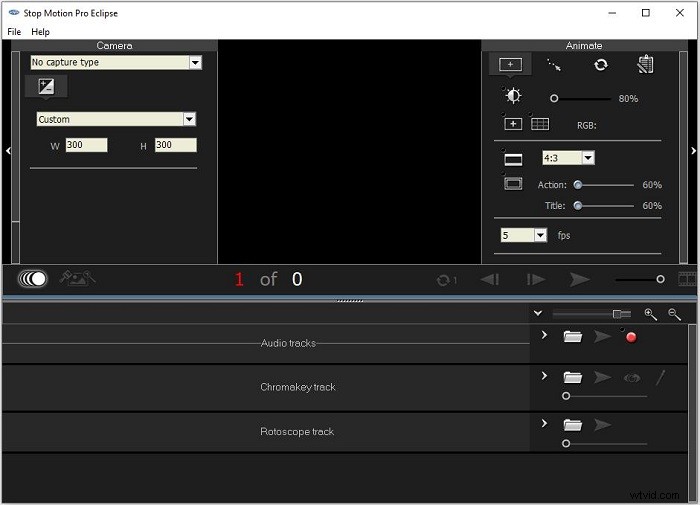
Stop Motion Pro Eclipse is a comprehensive software solution that can be used to create complex stop motion animations. The tool can play up to 30 frames per second and allows you to record audio while playing animations.
Related article: Top 8 Best Explainer Video Software
2. Dragon Frame
Supported OS – Mac/Windows/Linux
As one of the most powerful stop motion animation software, Dragon Frame can help you create truly stunning images. It allows you to use advanced camera scanning tools to capture accurate movements, compose shots, illuminate perfect shots and edit images.
3. iKITMovie
Supported OS – Windows
iKITMovie is a stop motion animation tool compatible with Windows. It has more than 2200 free sound effects and background music tracks to customize your work. The tool also has a green screen that allows users to replace the background with still or moving images.
Related article: About Motion Graphics - Everything You Should Know
4. Stop Motion Studio
Supported OS – Windows/Mac/Android/iPhone/iPad
Stop Motion Studio is a powerful, full-featured movie editor with a whole host of features, which allows you to create stop motion animations. Some users claim that this is the simplest application in stop-motion filmmaking.
5. Boinx iStopMotion
Supported OS – Mac/iPhone/iPad
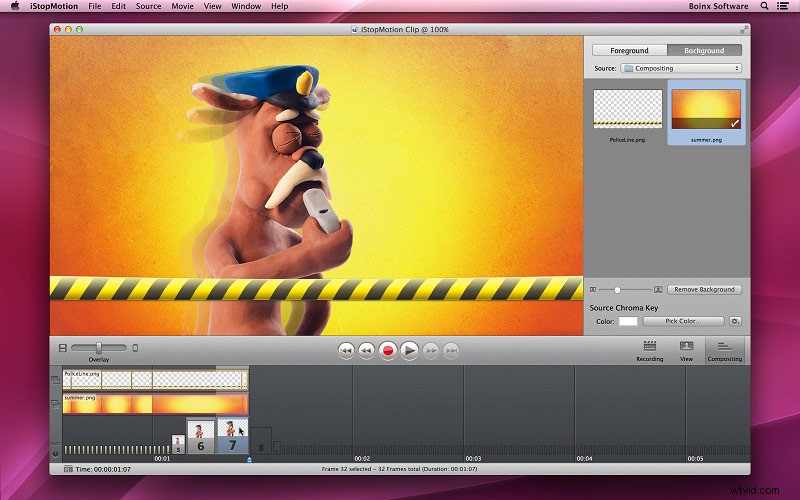
iStopMotion from Boinx is a fully functional and user-friendly application that can be used to make time-lapse movies or stop motion animations on iPhone or Mac. This software can even be set to capture frames automatically at a given time interval.
6. Heron Animation
Supported OS – Windows/Mac/Linux
Heron Animation is one of the best free stop motion software that allows you to shoot a series of images from a connected webcam and gather every shot in actual time moving animation. It has a clean and user-friendly interface, which makes it perfect for beginners.
You might be interested in: How to Make a Green Screen Video
7. Kawping
Supported OS – Web-based
Kapwing is an online collaborative platform for creating images, videos, and GIFs. This program offers a wide range of tools, including Resize Video, Add Audio to Video, Collage Maker and so on. Therefore, making a stop motion video can also be done with it.
8. Clideo
Supported OS – Web-based
Clideo is an easy-to-use online video toolset. Creating a stop motion video with Clideo won’t take much time. You just need to upload the footage and adjust the available settings: clip rate and speed. Moreover, you can add a reverse effect if needed.
Bottom Line
How to make a stop motion video? All of the above stop motion software can help you out. Which one do you prefer? If you have any questions or suggestions about it, please let us know via admin@wtvid.com or share them in the comments section below.