
How to resize GIF? In fact, even using the simplest GIF resizer, you can resize GIF and crop unnecessary parts. To save your time, this post offers you 5 excellent GIF resizers. With any one of them, you are able to resize GIF files quickly and easily.
Currently, the GIF format is very widespread on the Internet. To make it easier for you to resize GIF, the following introduces 5 excellent GIF resizers. If you want to make a GIF, try MiniTool MovieMaker, a professional yet free video editor released by MiniTool.
5 Tools to Resize GIF Without Losing Quality
- Easy GIF Animator
- GIF Resizer
- EZGIF.COM
- GIFGIFS.com
- PICASION.com
Best GIF Resizers
On Desktop
These are the 2 best free GIF resizers for desktop users. Both of them allow you to resize GIF. You can enter a custom size, or enter a set of standard resolutions to resize GIF while maintaining the aspect ratio.
# Easy GIF Animator
Easy GIF Animator is a powerful GIF editor and the top tool for creating animated pictures, banners, buttons and GIFs. Using it, you can crop or resize GIF with a single click. Meanwhile, you will get extensive editing features, GIF effects and unmatched image quality.
Features:
- Built-in GIF editor
- Easily create attention-grabbing animated text
- Quickly add visual effects
- Convert video to GIF
- Save animations in SWF format with background sound
# GIF Resizer
GIF Resizer is a free and user-friendly GIF resizer for Windows. It allows you to maintain the aspect ratio and quality of the output GIF while resizing GIF. The resizing process is pretty easy. All you need to do is to browse and import the source GIF file, enter new GIF dimensions, specify the output path and finally save it on your device.
Features:
- Works with all Windows versions
- Resize GIF images in batches or individual files without loss of quality
- Resize animated GIF banners by processing frames one-by-one
- Export GIF to other image formats
Online
If you simply want to resize GIF once, there is no need to download desktop software. Why not try online GIF resizers?
# EZGIF.COM
EZGIF.COM is a simple online GIF maker and toolset for basic animated GIF editing. It is useful when you need to resize GIF. Besides, this site also permits you to crop, reverse or flip GIF and other image formats without the need to buy and install anything.
Features:
- Used as a GIF maker
- Easily reverse, crop, split and optimize GIF
- Add effects to GIF images
- Convert GIF to MP4
- Change GIF speed
# GIFGIFS.com
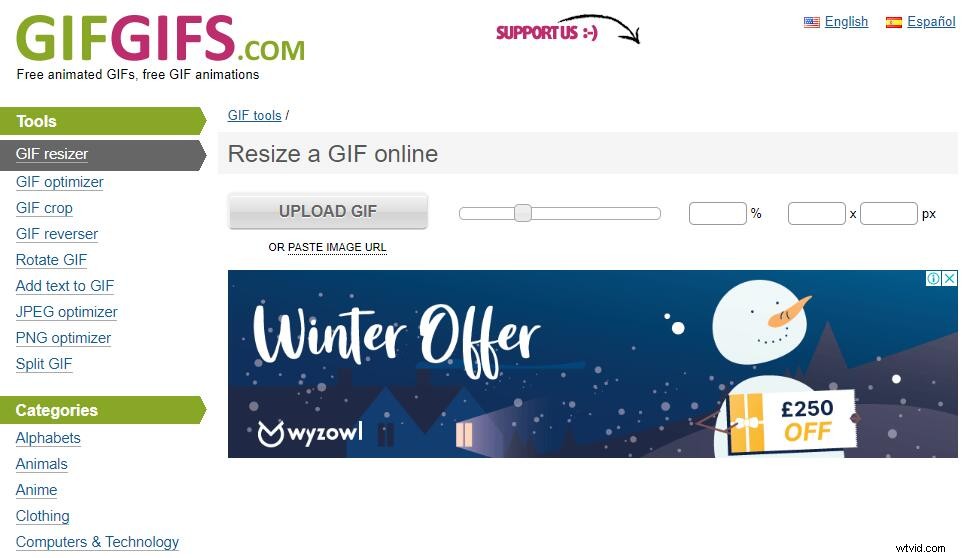
GIFGIFS.com is an online GIF resizer that allows you to change the dimension of an animated GIF. It supports lossy GIF optimization with multiple levels and color reduction for GIF images. It offers numerous tools, such as GIF optimizer, GIF crop, GIF reverser, Rotate GIF, JPEG optimizer, PNG optimizer, Split GIF, etc.
Features:
- Add text to GIF
- Crop & slice GIF
- Rotate & flip GIF
- Extract frames from GIF
- Share GIF on Myspace, eBay, HI5, Facebook and Tumblr
# PICASION.com
PICASION.com is a great site for creating animated GIF files. It allows you to adjust the size, quality and effects of GIF as needed. You can also use it to create GIF or avatar and then post them to Myspace, Hi5, Facebook, eBay, LiveJournal, Bebo, Digg, QQ, Friendster, etc.
Features:
- Easily make avatars
- Create GIF online for free
- Easily extract GIF frames
- Crop GIF and other image formats
Best GIF Maker – MiniTool MovieMaker
If you want to make a GIF and share it with your friends, MiniTool MovieMaker should be your best choice. It is a free and easy-to-use video editor with no ads. With it, you can make a GIF with images or videos and there is no watermark on the output GIF file.
Related article: How to Make GIF Video (for Free)
Bottom Line
Now, it's your time. Pick one GIF resizer and start resizing your GIF files. If you have any questions or suggestions about it, please let us know via admin@wtvid.com or share them in the comments section below.