
Instagram does not allow users to see the profile pictures in full size, and all you see is a small photo on the top left corner. Therefore, a lot of people are seeking a practical way to zoom in Instagram profile pictures or download the original version. If you are one of those, check this post carefully.
As we all know, Instagram does not allow users to download videos, photos, and profile pictures and even view the enlarged version of profile pictures on Instagram. Don’t worry, here is how to download profile pic in Instagram with or without third-party apps. Want to create amazing Instagram videos? Try MiniTool MovieMaker.
Download Instagram Profile Pic by URL
Actually, there is a simple and direct way to download full-quality Instagram profile pictures.
- Open any Instagram account, be it your own or others, in the mobile app or desktop browser.
- Right-click on the profile picture and select Copy image address in the mobile app, or simply copy the image address on a desktop browser.
- Now open Chrome or Mozilla Firefox, and then paste the URL into the address bar.
- Remove s150x150/ from the URL and hit Enter. Then the profile picture will appear in full quality.
- Right-click the picture and click Save image as to download it.
If this way doesn’t work for you, try the following methods.
Download Instagram Profile Picture Online
When you browse Instagram, the profile pictures are small, and there is no option to enlarge and download them. To help you get out of the trouble, here collect 2 excellent online Instagram profile downloaders.
Instadp
Instadp is a free online Instagram profile picture downloader that allows you to search and download Instagram profile pictures or stories.
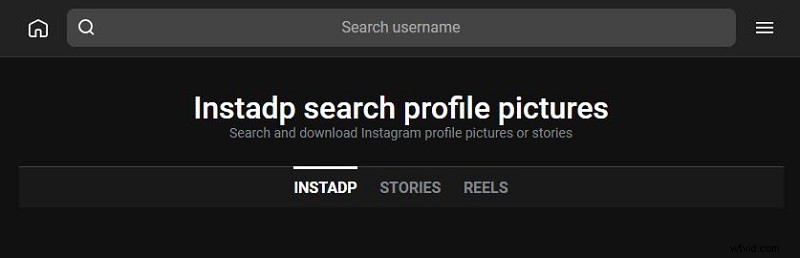
Follow the steps below to view and download anyone’s Instagram profile picture:
- Copy the Instagram profile username.
- Open your browser on your PC or mobile device.
- Go to instadp.com.
- Enter the username of the target profile picture and click the search icon.
- Once you see the profile picture in its original quality and size, click Download to save it to your device.
IZUUM
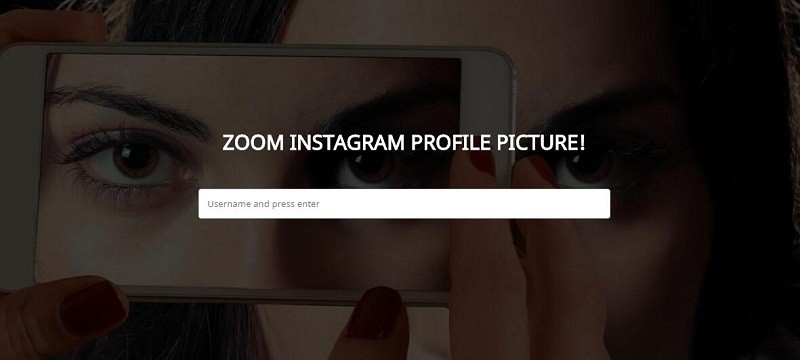
This tool, which is developed recently, works similarly to Instadp. Take the below steps to download Instagram profile pictures.
- Copy any Instagram profile username.
- Open your browser and go to the IZUUM site.
- Paste username in the blank box and press Enter.
- When the original profile picture appears, right-click to select Save image to and then download it.
Related article: How to Download Flickr Photos
Download Instagram Profile Picture with Third-Party Apps
Profile Picture Downloader & Zoom for Instagram (Android)
With the profile picture downloader, you can zoom and download any Instagram profile picture to view full size without logging in.
- Open the Instagram app and find the person whose profile picture you want to download.
- Press the Ctrl + C keys to copy the username.
- Go to the Google Play store and download Profile Picture Downloader & Zoom for Instagram.
- After installation, launch the app and paste the username that you copied before.
- Choose your preferred photo resolution and click the Download icon on the top right corner.
That’s all about downloading Instagram profile pictures.
You might be interested in: How to Animate a Picture
Bottom Line
Have you mastered how to download Instagram profile pictures after reviewing this post? If you have any questions or suggestions about it, please let us know via admin@wtvid.com or share them in the comments section below.