
M4V is a video container format, which is very similar to MP4. But only a few media players can play M4V videos. If you are looking for M4V media players, this post shares the 5 best M4V players with you.
What Is M4V
Developed by Apple Inc., M4V is a container format often used to store video files from the iTunes store. In this way, it protects videos from being reproduced without authorization. Some video converters and video editors also set M4V as the default output format.
M4V is not as popular as MP4, you may get the error like “video format is not supported” when playing M4V files. To solve this, you can use M4V players or convert M4V to another format like MP4 and play it with a video player like MiniTool MovieMaker.
5 Best M4V Players
This part offers you 5 M4V players that can open M4V videos without errors.
5 Best M4V Players to Play M4V Videos
- VLC Media Player
- KMPlayer
- PotPlayer
- Elmedia Player
- Cisdem Video Player
#1. VLC Media Player
VLC Media Player is a popular M4V player for Android, iOS, Windows, and macOS. It’s free and open-source. Besides playing M4V videos, VLC also supports playing videos in other formats like MKV, MOV, MP4, AVI, WMV, WebM, FLV, etc.
When playing M4V videos, you can control the video playback, alter the video speed, take a screenshot, and so on.
Related article: Solved - How to Fix Video Error Code 0xc10100be
#2. KMPlayer
KMPlayer is another free M4V player that can play M4V files effortlessly. It’s easy to use. Just open this media player, drag and drop the M4V file to KMPlayer and it will start playing the video. Right-click on the M4V video and you are able to load external subtitles, play the video in VR mode, take a picture from the video, and more.
This M4V video player works on Windows, Android, and iOS.
#3. PotPlayer
PotPlayer is one of the best M4V players because it’s free of charge, lightweight, and capable of opening all modern video formats. It’s simple to use but packed with lots of features to control the video playback. Another great feature of PotPlayer is that it enables you to bookmark your favorite scene when watching videos.
PotPlayer is only available for Windows.
#4. Elmedia Player
Fails to open M4V videos with QuickTime? You can try Elmedia Player. It’s a versatile video player for Mac and supports a wide range of video formats such as M4V, MP4, AVI, MOV, DAT, MKV, and many more. With Elmedia Player, you will get a smooth playback without losing quality.
#5. Cisdem Video Player
This is another M4V video player for Mac. It supports all popular formats and can play 4K/5K videos smoothly. This media player comes with everything you need in video playback. It’s free to use without ads.
How to Convert M4V Video Files
If the above M4V players still cannot open M4V files, then you should convert M4V videos to MP4 or other common formats. Here recommend a free M4V converter – MiniTool Video Converter. It has the ability to handle most video formats, record computer screen, and download YouTube videos.
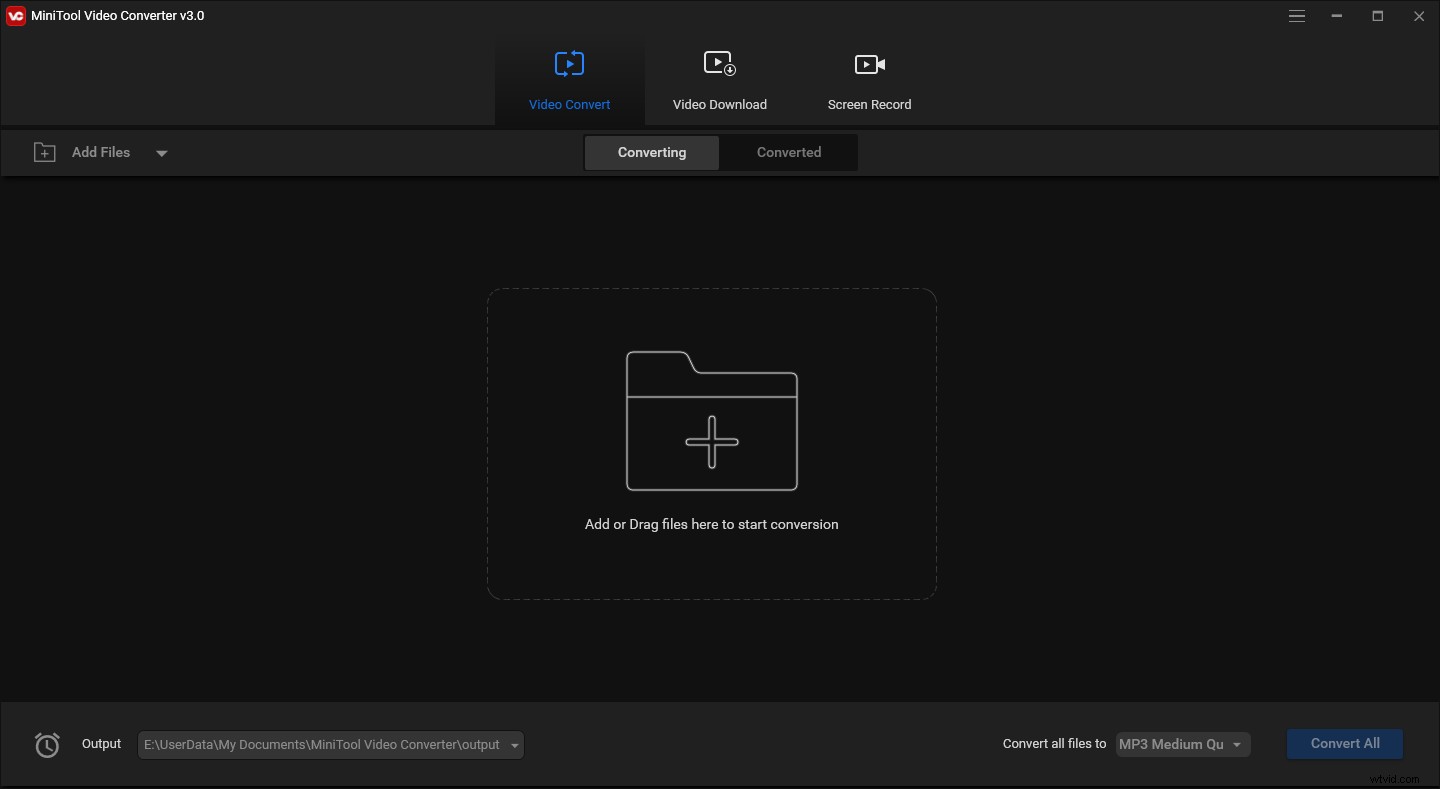
Here’s how to convert M4V videos.
- Launch MiniTool Video Converter after installing it on the PC.
- Click Add Files to import the M4V video.
- Click Convert all files to and choose an output format you want.
- Then click on Convert to convert M4V to another format.
Conclusion
To solve the “cannot play files with an .m4v extension” problem, you can try the above M4V players or use MiniTool Video Converter to convert M4V videos to another format.