
Slowing down music is a useful way for those who want to learn new songs or work out recorded music by ear. In this post, I’ve collected the 4 best apps to slow down music. Check out this post now!
You may want to transcribe a piece of music and play it on your instrument when listening to music that is not written down. To help you transcribe music quickly, here are some slow-down music apps for you (To slow down a video, try MiniTool MovieMaker).
4 Best Apps to Slow Down Music
- Audacity
- Anytune
- Transcribe!
- TimeStretch Player
#1. Audacity
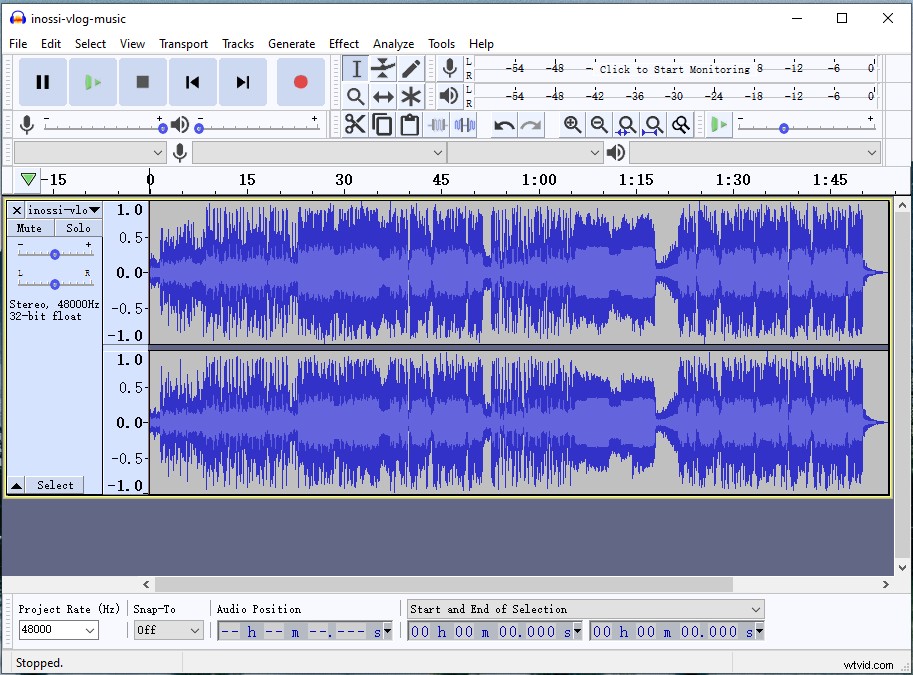
Audacity is a free and open-source audio editor developed by volunteers. It offers you the ability to change the tempo of music without changing the pitch. In addition to slowing down audio playback, Audacity lets you remove vocals from a song, split audio, combine audio, reduce background noise from audio, etc.
Here’s how to slow down a song with Audacity.
- Download and install Audacity.
- Launch the program, click on File and select Open… to import the music track.
- Press “Ctrl + A” to select the track.
- Click on Effect and choose Change Tempo… to slow down the song. You can also choose Change Speed..., but it will affect tempo and pitch.
- Move the slider to the left to make it slower. Preview the song and click OK.
- Then go to File > Export > Export as MP3 to save the modified song.
#2. Anytune
Anytune is a popular app to slow down music, which helps you pick the perfect pitch and learn to play by ear. Anytune can slow down music without changing the pitch and delivers outstanding audio quality. Other awesome features include time-stretching, pitch-shifting, marks and loops, etc. Anytune is now available on iOS and macOS.
Follow these steps to learn how to slow down music.
- Open the Anytune app after getting it installed on your device.
- Import the music file into Anytune.
- Then press the “-” to decrease the speed of the playback.
- Export the music track.
#3. Transcribe!
Transcribe! is another slow-down music app available for Windows, macOS and Linux. It helps you practice new songs and transcribe music recordings. This app also features speed transcription, markers and annotations, pitch changer, EQ filter and more. Transcribe! is not free but offers a 31-day free trial.
Here’s a guide on how to slow down music.
- Download Transcribe! and complete the installation.
- Open it and add the music file to Transcribe!
- Then you can control the speed of the playback with the presets at 25%, 35%, 50%, 70%, and 100%. Or move the slider to the left at the bottom.
- Then save the music file.
#4. TimeStretch Player
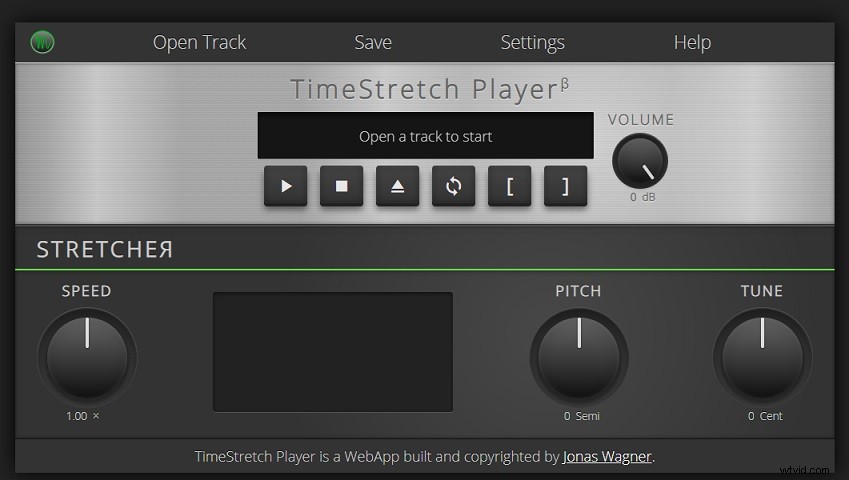
This is an online slow down music tool that allows you to speed up/ slow down music and alter the pitch & tune of the music.
Here’s how to slow down audio online for free.
- Visit the TimeStretch Player website.
- Click Open Track to load the music track.
- Then change the playback speed.
- Tap on Save to download the file.
Conclusion
After reading this post, you must know how to slow down music easily. If you have other suggestions about slowing down music, please leave a reply!