
GOM Player is a media player to play video in different formats. If you need more powerful video playback features, you may need to find GOM player alternatives. This post covers the top 5 GOM player alternatives for you.
If you are just searching for GOM player alternatives, you can read this post. Here are the 5 best GOM player alternatives recommended. Let’s explore them just now.
Want to create your own videos or edit the video footage? MiniTool MovieMaker is highly recommended. It is free and easy to use.
VLC Media Player (Windows, macOS, Linux)
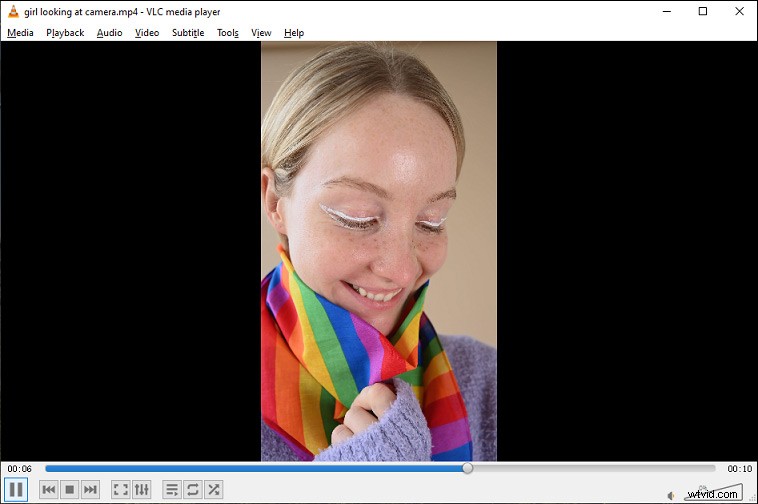
VLC Media Player is one of the best alternatives to GOM player that can handle whatever videos you want to play. It is a cross-platform, open-source, free, and lightweight audio and video player across the globe.
The main feature of this player is that it supports playing most multimedia files as well as DVDs, Audio CDs, VCDs, and streaming protocols. Moreover, it enables you to play 360-degree videos, movies and video clips in 8K resolution, and videos in compressed file formats.
You can also adjust your video settings to improve the playback or audio quality, as well as add video filters to make the videos look better. It also works with synchronous subtitles, which helps watch movies when the sound is turned off.
KMPlayer (Windows)
As one of the most popular multimedia players, KMPlayer is a great alternative to GOM player that can handle both audio and video, and support a wide range of different formats, including AVI, WMV, AVS, FLV, MKV, and more. You can enjoy the movies with high quality on DVD and Blu-ray.
There are lots of filters you can use when playing videos. You can also make changes to the 3D and VR settings and customize subtitles. Additionally, you have the option to use advanced processing functions to adjust the video and sound output. For instance, you can increase a video play speed or reduce the background noise.
DivX Player (Windows and macOS)

DivX Player is also a great free GOM player alternative for Mac and Windows. It lets you watch DivX, AVI, MKV, and HEVC up to 4K films. There is a media library where you can keep or organize all the videos.
Moreover, it offers the option for streaming. Using DLNA technology, you can stream content from your PC to other compatible devices. When compared to GOM player, DivX Player has better control over playlists and chapters.
If you are looking for DLNA players, you can check this post 5 Best DLNA Players You Are Just Searching for.
5KPlayer (Windows and macOS)
5KPlayer is also among the best GOM player alternatives that play 4K and 8K videos without any lags. It is a free and advanced media player that comes with downloading and mirroring capabilities.
It is a combination of a video and music player that comes with DLNA and AirPlay support. You can stream videos right from YouTube and use Apple’s AirPlay to display videos across multiple devices.
Furthermore, it isn’t limited to video player. It enables you to download videos from almost all popular video platforms and provides a multimedia library that you can sort, edit, and share your content with your friends easily.
PotPlayer (Windows)
PotPlayer is also one of the best GOM player alternatives that are compatible with several formats and codecs. And it supports 360-degree videos, 8K videos, and even 3D videos. If you throw a file format at this software that it doesn’t support, it will automatically download the needed codecs for you.
It can source files from URLs, FTP servers, local storage, digital and analog TV, and Blu-rays and DVDs. With it, you can download and sync subtitles, which makes it easier to watch videos in different languages.
Apart from the media player, it includes a screen recorder that supports live streaming. It also provides video editing tools. It lets you sharpen or blur the picture, rotate, warp, or reduce noise to make your video clips look comfortable.
Conclusion
After reading this post, you’ve learned 5 GOM players. You can pick the one which works for you based on your preference.