
Your LinkedIn cover photo matters more than you think because people with custom cover photos usually get more contact requests, more messages, and more job interviews. How to make a cover photo for LinkedIn? Don’t worry, we are here to help you! Want to make a LinkedIn video? Try MiniTool MovieMaker.
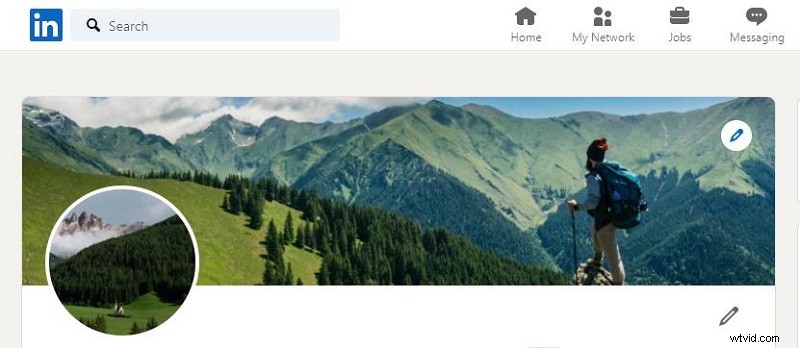
A LinkedIn cover photo looks like a banner and shows up behind your profile photo. In this post, we're going to walk through the correct size of LinkedIn cover photos, where to find awesome cover photo templates, and how to create a LinkedIn cover photo within minutes. Let's dive in!
Part 1. LinkedIn Cover Photo Size & Dimensions
Adding a cover photo to your profile can make your professional story more visually appealing. Before creating and uploading a cover photo, make sure it complies with LinkedIn’s guidelines. Otherwise, you may not be able to upload it to the site. According to LinkedIn’s official website, the recommended cover photo size is 1584 x 396 pixels.
Part 2. Ideas on How to Choose a Cover Photo
Like your LinkedIn profile, your LinkedIn cover photo also speaks for you. It shows your personality, interests, team moments, or notable milestones.
A good LinkedIn cover photo can help you stand out on LinkedIn. Here are some ideas to consider when choosing a LinkedIn background photo:
- A photo that reflects your personality and hobbies.
- A photo that captures some unforgettable moments of your team.
- A photo that highlights a special milestone in your career.
Part 3. Where to Find LinkedIn Cover Photo Templates?
What if you still don’t have the confidence to make great LinkedIn cover photos? Continue to read! Here are 3 popular sites that provide you with various LinkedIn cover photo templates.
Canva
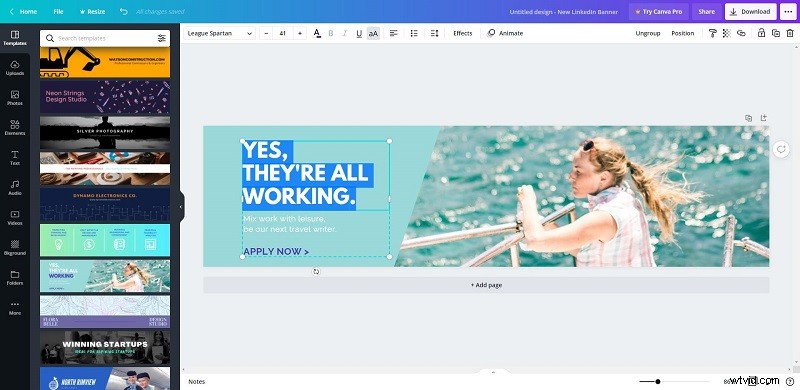
Canva is a graphic design platform for creating social media graphics, presentations, posters, documents, videos, and other visual content. It comes with countless templates, elements, photos, texts, audio tracks, videos, etc. Everyone can create amazing LinkedIn cover photos with Canva.
PicMonkey
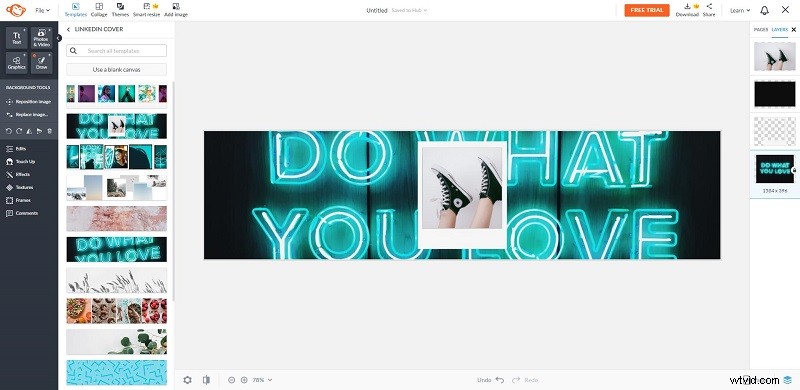
Another website where you can find LinkedIn cover photo templates is PicMonkey. It is an online photo editing and design service with countless graphics and textures, fonts, templates, stock photos, and videos. Although PicMonkey is a paid service, you can enjoy a free trial.
Crello
Crello is also a great place to search for LinkedIn cover photo templates. It is a simple online image editor that lets you create your own designs, posts, covers, animations, etc. Besides, it offers you numerous graphic design templates, images, videos, audio tracks, animated objects, etc.
How to Make a Cool LinkedIn Cover Photo?
Now, we’re going to show you how to make an eye-catching LinkedIn cover photo with Canva. Let’s get started!
Step 1. Visit the Canva site on your browser and sign in to your account.
Step 2. Click the Create a Design button next to your profile.
Step 3. Enter “LinkedIn” in the search box and select the LinkedIn Banner option.
Step 4. Select your desired LinkedIn cover photo template and add it to the blank canvas.
Step 5. Modify the text as you like. And you can also add elements to the banner here.
Step 6. Click the Download button, select your wanted file format, and then click Download again.
Bottom Line
That’s all about LinkedIn cover photos. Hope you can create a wonderful LinkedIn background photo after reviewing this guide! If you have any questions or suggestions about it, please let us know via admin@wtvid.com or share them in the comments section below.