
In this post, I’ve made a list of the 5 glitch GIF makers. With them, you can add glitch effects to photos, GIFs, and videos. These glitch GIF makers are free to use compatible with browsers, Android and iOS.
Best Glitch GIF Makers to Add Glitch Effect to GIF
The following glitch GIF makers offer a variety of glitch effects that you can use in GIFs, photos, and videos. (Try MiniTool MovieMaker to convert video to GIF or GIF to video!)
5 Best Glitch GIF Makers That You Can Try
- PhotoMosh
- VEED.IO
- Glitcho
- Glitch Video Effect
- 90s - Glitch VHS & Vaporwave Video Effects Editor
#1. PhotoMosh
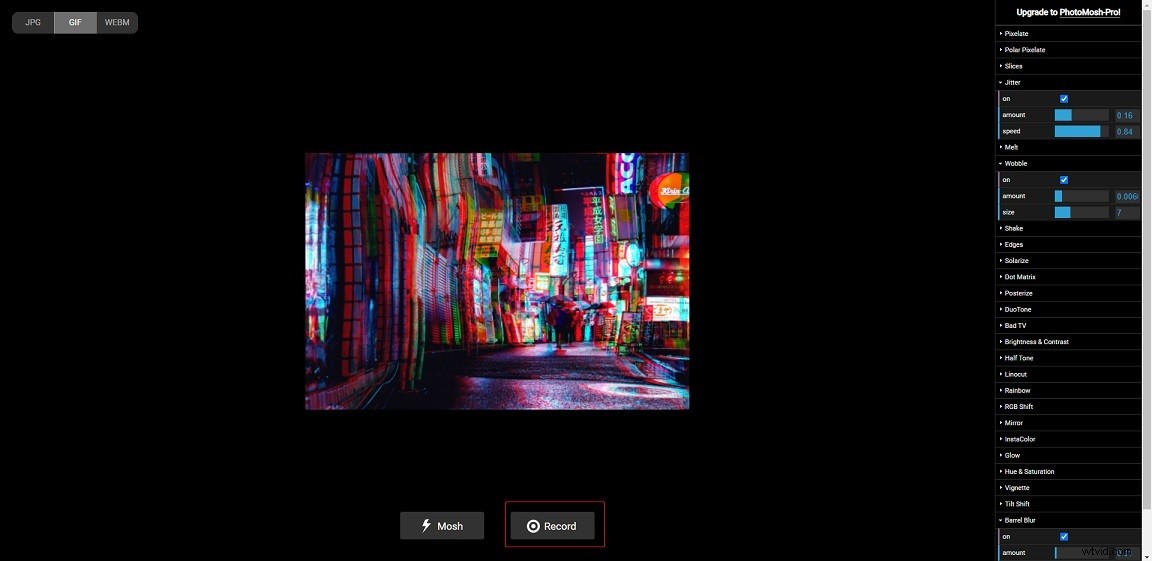
PhotoMosh, one of the best free online glitch GIF makers, has over 30 glitch effects. It not only lets you add glitch effects to images but also allows you to apply glitch effects to videos. You can export glitch files in GIF, JPG, or WEBM format.
#2. VEED.IO
Another tool to create glitch GIFs is VEED.IO. It’s an online free glitch GIF maker. You can add glitch effect to GIF/video and save glitch files in MP4 or GIF format. The drawback is VEED.IO will watermark your output file.
#3. Glitcho
Glitch is a free glitch GIF maker app with over 60 glitch effects. You can add glitch effect to your photo or video and generate a GIF from a photo. This app allows you to share glitch GIFs on Facebook, GIPHY, Snapchat, and other platforms.
#4. Glitch Video Effect
Glitch Video Effect is a great platform for making glitch videos. It offers VHS visual effects, glitch photo effects, and more than 60 filters to help you create unique videos. Also, Glitch Video Effect comes with basic editing tools and supports audio & video recording.
Related article: 7 Best Free GIF Recorders to Record a GIF
#5. 90s - Glitch VHS & Vaporwave Video Effects Editor
This app can create cool videos with various real-time filters, VHS effects, and animated text. As a video editor, it offers lots of cute dynamic memoji stickers that you can add to your video. After creating glitch videos, you can share them with your friends on social networks. To find out more glitch video editor, go to Google Play and search for “glitch video effect”.
How to Create Glitch GIF
Here’s how to make a glitch GIF with PhotoMosh.
Step 1. Open the PhotoMosh website.
Step 2. Tap on Load File > Choose File… to upload your image or video file.
Step 3. Then click on Mosh to add glitch effect to the uploaded file.
Step 4. When you find the desired glitch effect you want to apply, choose the GIF format and click the Record button to save the glitch GIF.
How to Add Glitch Effect to Photo
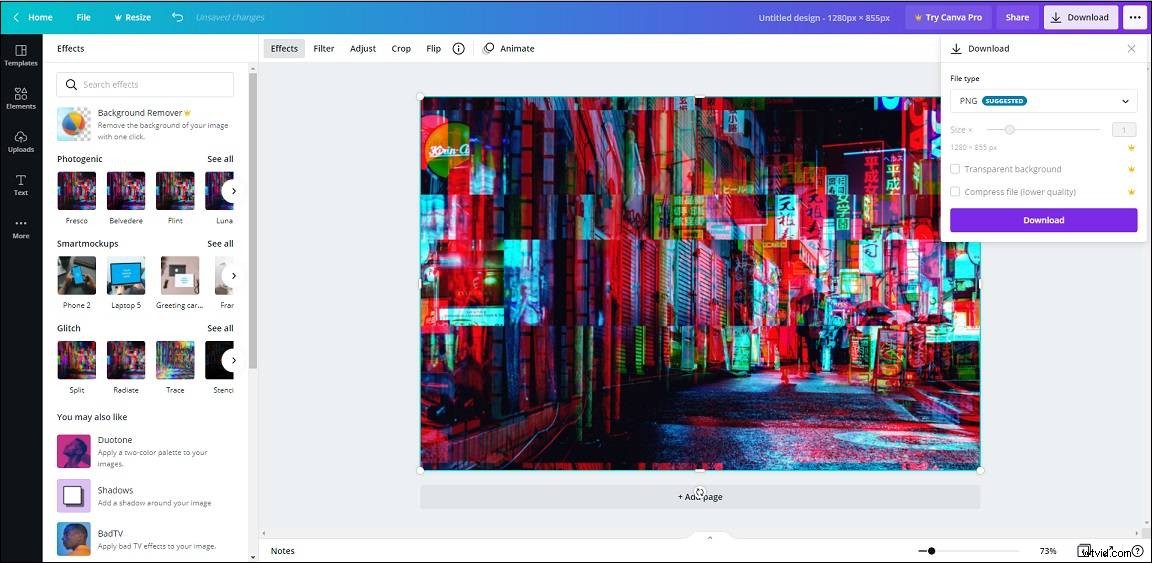
Need to add glitch effect to photo? Try the best online photo editor – Canva.
Here’s how:
Step 1. Log in to Canva.
Step 2. Click on Create a design and choose Edit photo from the drop-down menu. Then load the target photo.
Step 3. On the Edit window, choose the photo and tap on Effects. Find and click the Glitch effect and tap Connect.
Step 4. After that, select the glitch effect you like and click on it.
Step 5. Click on Download in the top right corner. From the drop-down menu, select the output format and download the glitch photo.
Conclusion
Here are the 5 best free glitch GIF makers listed in this post. Now, choose any of them and add glitch effect to GIF!