
Do you want to turn a TikTok video into a GIF? If yes, then you should take a look at this post. It will tell you how to convert TikTok to GIF in different ways and how to put GIFs on TikTok step by step.
Let’s dive into this post to see how to convert TikTok to GIF.
Save TikTok as GIF Directly
You directly save a TikTok video as a GIF without any TikTok to GIF converter (like MiniTool MovieMaker).
Here’s how to save TikTok as GIF on your mobile phone.
Step 1. Open the TikTok app and find the video you want to save as GIF.
Step 2. Tap the Share button, find the Share as GIF option and choose it.
Step 3. It will take a few seconds to convert TikTok to GIF.
Step 4. Once done, you can share the TikTok GIF via SMS, Messenger, WhatsApp, and Twitter. Tap on Others to share it to other social networks or save it to your phone.
Convert TikTok to GIF Online
Another fast method to convert TikTok to GIF is to use a TikTok to GIF converter. Here recommend TTDownloader to you. It’s designed to download TikTok videos and covert TikTok videos to GIFs. Just in a few steps, you can easily make a GIF from a TikTok video.
This tool is web-based, so there is no need to install third-party software.
Step 1. Visit the website: https://ttdownloader.com.
Step 2. Click TikTok To Gif to get the TikTok to GIF Converter page.
Step 3. Copy the TikTok video link and insert the link into the search bar. Click Get video to go on.
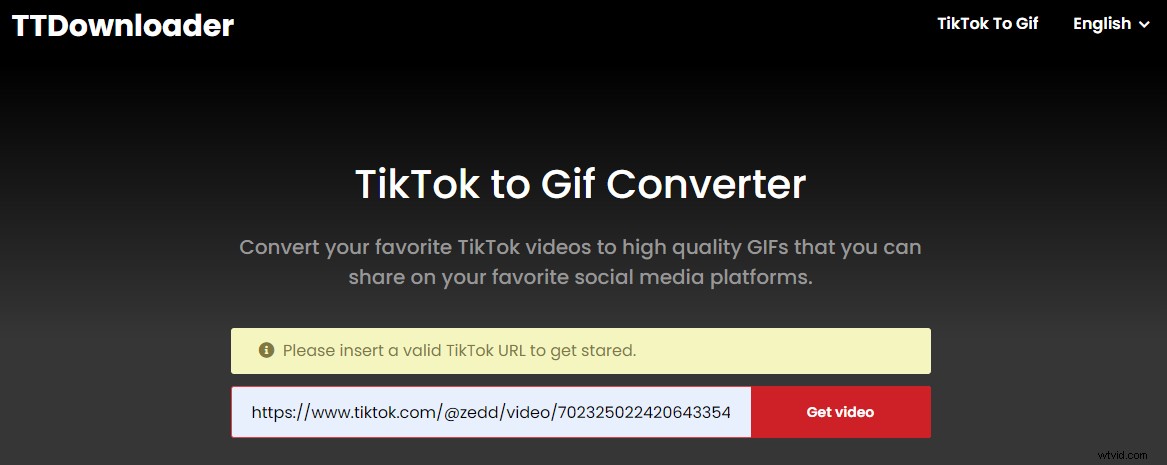
Step 4. Now, you need to trim the GIF to the desired length because TTDownloader only allows you to export a GIF between 1 and 10 seconds long.
Step 5. Lastly, hit the Done button to convert the TikTok video to GIF. Once is conversion done, download the TikTok GIF to your device.
Convert TikTok to GIF Desktop
The third method is to use a GIF maker like MiniTool MovieMaker. MiniTool MovieMaker is a GIF maker that can create a GIF from a video or a group of photos. You can trim GIF, split GFI, cut GIF, rotate GIF, and even reverse GIF. Adding text and applying filters are also allowed.
Let’s see how it works.
Step 1. Download, install and launch MiniTool MovieMaker.
Step 2. Import the downloaded TikTok video that you want to make a GIF from and add it to the timeline.
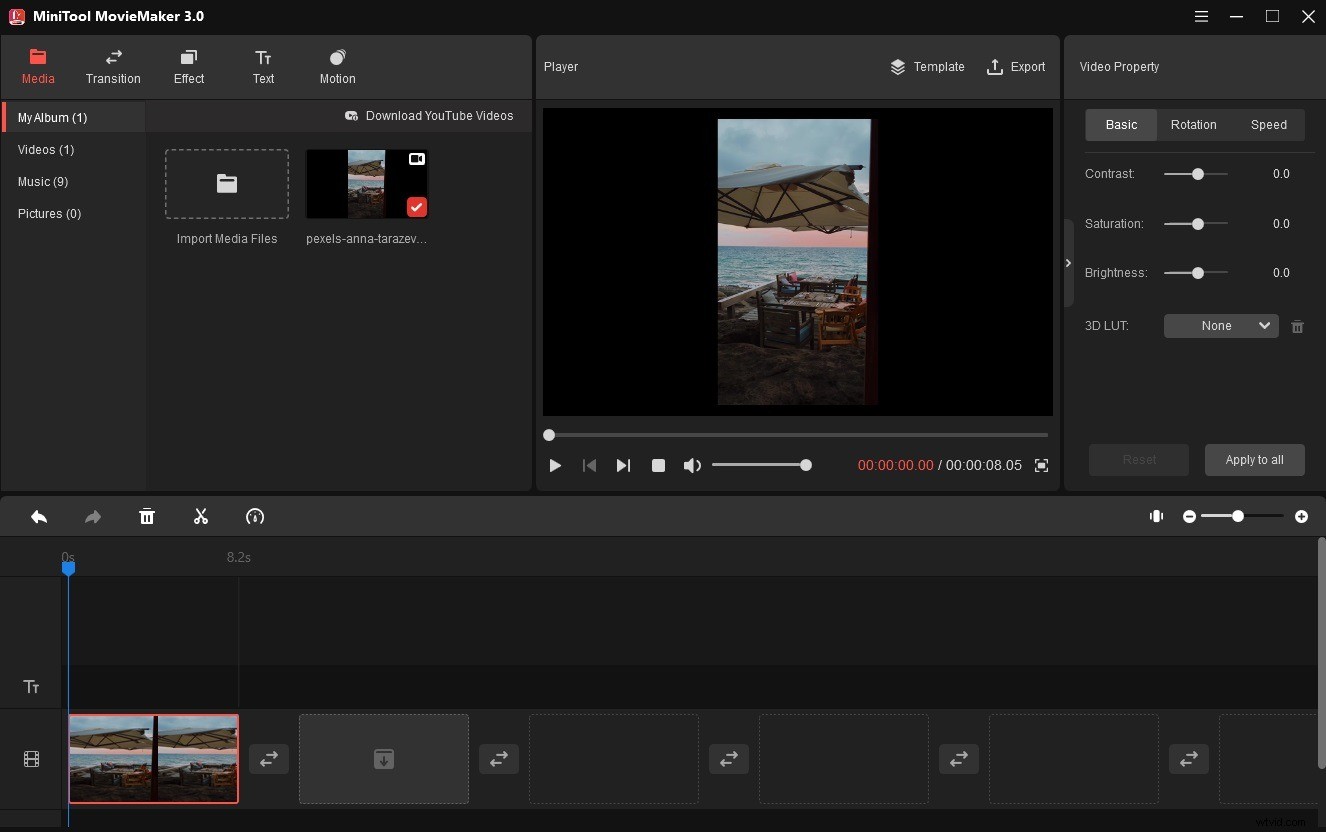
Step 3. Now, you can edit this clip and add text over it as needed.
Step 4. When you are done, click Export and select GIF as the output format.
Step 5. Tap on Export to start converting the TikTok video to GIF.
How to Put GIFs on TikTok
How to upload a GIF to TikTok? You can’t directly upload a GIF to TikTok but you can add GIFs on your TikTok video.
Here’s how to put GIFs on TikTok.
Step 1. Open TikTok and click the + to record a new video or upload a video from your phone.
Step 2. Click Stickers and go to search GIFs. Search for a GIF or choose a recommended GIF.
Step 3. Click the GIF and it will be added to your TikTok video. Adjust its position and upload your TikTok video!
Conclusion
Converting TikTok to GIF is so easy, right? Now, try to convert your TikTok video to GIF!