
When inspiration strikes, you often want to bring your idea to life immediately. But with a plethora of online editors available, selecting the right one can be overwhelming.
Choosing the best online video editor depends on your specific goals, whether you’re creating short clips for TikTok, producing polished marketing videos, or collaborating with a team. Below, we break down five of the most robust options available in 2026, highlighting their strengths, limitations, and pricing.
Table of contents
- Introduction to online video editors
- 5 best online video editors
- Tips for selecting the right editor
- Frequently asked questions
- Conclusion
Introduction to online video editors
For many creators, desktop software still offers depth and precision, yet modern online editors have closed the gap considerably. Their primary advantages include:
- Cross‑platform access – Cloud‑based accounts let you edit from any device with an internet connection.
- No installation required – Save disk space and avoid high system‑requirements.
- Auto‑saving and version history – Projects are stored in the cloud, protecting against crashes and enabling rollbacks.
- Instant sharing – Publish directly to social platforms without a separate download step.
- Collaboration – Share a project link for real‑time feedback or editing.
- Streamlined workflows – Focus on the task at hand without the clutter of advanced features you may never use.
Developers continuously roll out updates, so new tools, filters, and export formats appear automatically, keeping your workflow current.
5 best online video editors
Below is an evaluation of five leading online editors, tested on web and mobile platforms. Each review considers device compatibility, core features, editing experience, subtitle/voice‑over support, and unique extras.
Clideo Video Editor
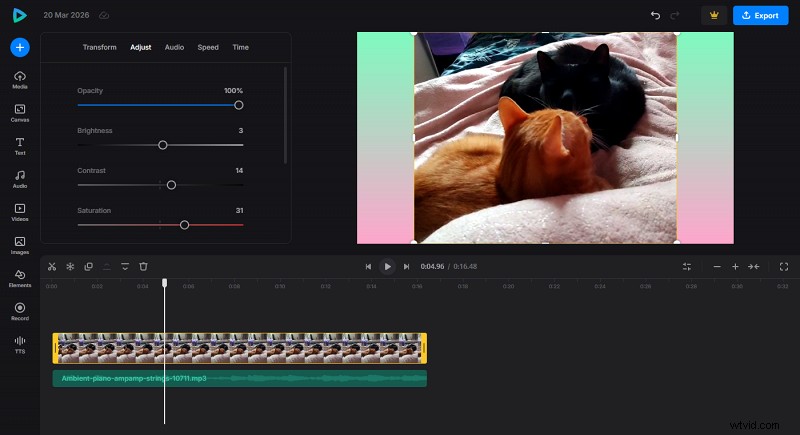
Clideo offers a comprehensive yet user‑friendly interface that caters to both beginners and professionals. Key highlights include:
- Cross‑platform compatibility, plus an iOS app for on‑the‑go editing.
- Support for modern audio and video formats.
- Aspect‑ratio presets tailored to platforms like TikTok, Instagram, and YouTube Shorts.
- Integrated library of music, sound effects, stock videos, images, GIFs, and stickers.
- Text‑to‑speech (TTS) and in‑browser screen recording for voice‑overs and demos.
- Auto‑subtitle and translation tools (additional subscription).
Advantages:
- Intuitive single‑panel interface.
- Versatile editing tools (crop, trim, split, ripple).
- Powerful add‑ons like TTS and screen capture.
- Built‑in media libraries.
- Subtitle and translation modules within the same subscription.
Disadvantages:
- Free tier limits large file uploads.
- Limited advanced audio editing.
Pricing: Free plan is sufficient for most casual users. The Pro plan at $9 /month removes watermarks, unlocks higher AI limits, and allows HD/4K export.
WeVideo
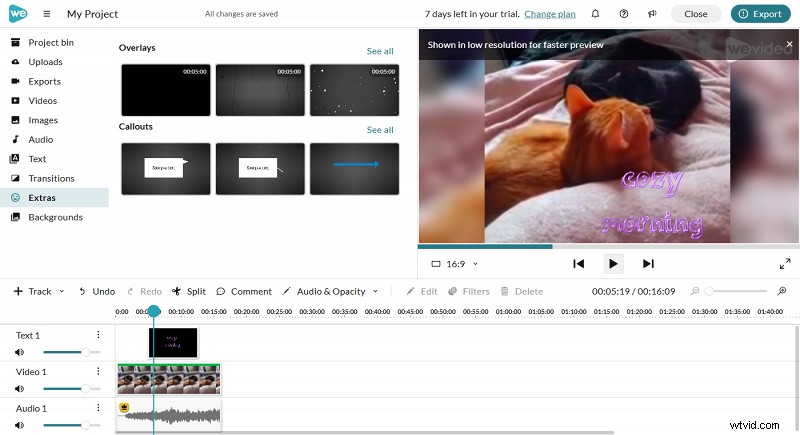
Designed for collaborative projects, WeVideo provides separate modes for beginners and advanced editors. Features include:
- Green‑screen (chroma key) functionality.
- Real‑time team collaboration via shared project links.
- Export options to cloud storage or direct YouTube upload.
- Cloud‑based workflow with auto‑save and version history.
Advantages:
- Integrated green‑screen editing.
- Dedicated team workflow.
Disadvantages:
- Interface feels dated compared to newer editors.
- Full stock asset library requires a subscription.
Pricing: $28 /month for Creator, $75 /month for Teams. Enterprise plans available for larger groups.
Animoto
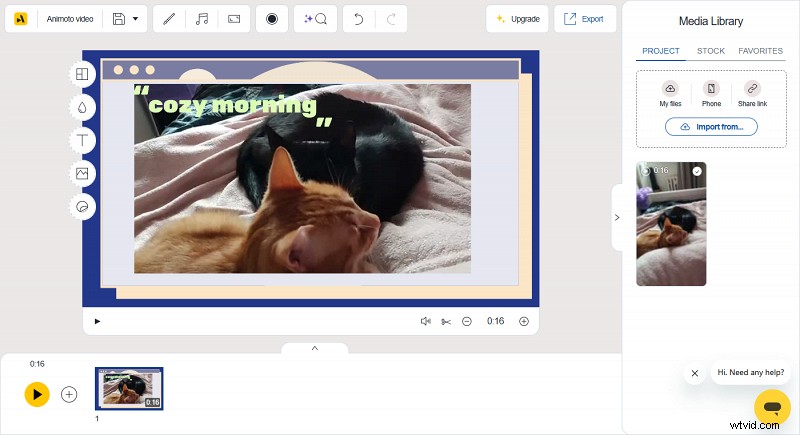
Animoto shines for quick, visually striking videos using customizable templates. Ideal for solo creators and small businesses.
Advantages:
- Extensive library of templates for events and marketing.
- Beginner‑friendly drag‑and‑drop interface.
Disadvantages:
- Limited control over underlying video content.
Pricing: $19 /month (Basic), $29 /month (Professional), $79 /month (Professional Plus) – the latter includes shared workspaces and role management.
FlexClip
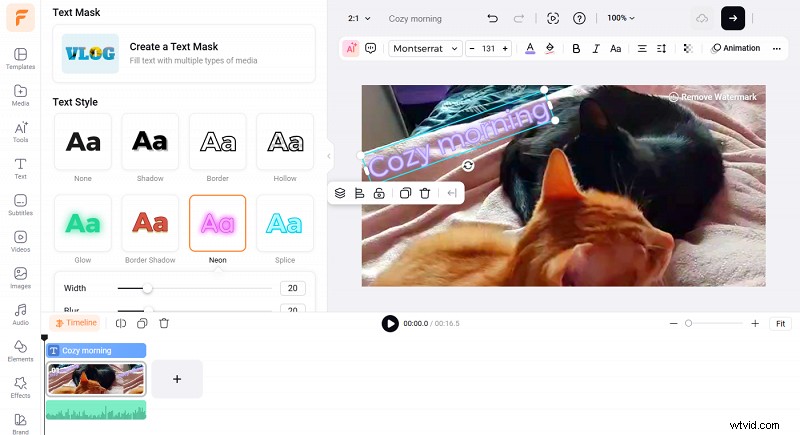
FlexClip blends traditional editing tools with AI‑powered features such as background removal, video effects, and sound‑effects generation.
Advantages:
- Starter templates for rapid video creation.
- Extensive stock footage library.
Disadvantages:
- Custom templates are unavailable on the free plan.
- AI features can be time‑consuming.
Pricing: $19.99 /month (Plus) and $29.99 /month (Business) – the Business plan offers unlimited stock media and 4K export.
VEED.io
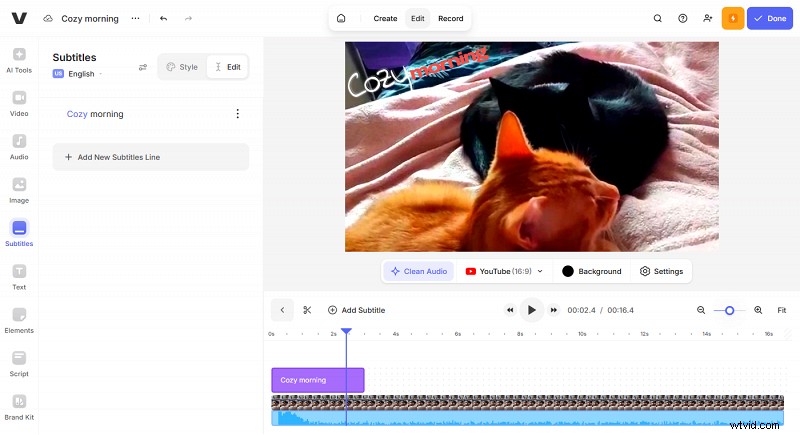
VEED.io excels at quick subtitling, transcription, and AI‑enhanced editing such as text‑to‑video generation and voice cloning.
Advantages:
- Automatic subtitles and clean‑up audio tools.
- Text‑based editing interface.
Disadvantages:
- Some AI features are restricted on the free tier.
Pricing: €21 /month (Lite) and €53 /month (Pro) – Pro unlocks unlimited AI generation and advanced tools.
Choosing the right editor depends on your primary objective, limitations, performance on your chosen browser, available aspect ratios, and budget. Test a few options to find the one that best fits your workflow.
Frequently asked questions
What features should I look for in an online video editor?
Reliability, responsiveness, and the specific tools you need (e.g., cropping, subtitles, AI effects). Simplicity often beats feature overload for quick projects.
What are the advantages of using a browser‑based editor over desktop software?
Zero installation, cross‑device editing, and instant cloud backups give you unmatched flexibility.
Which editor is best for quick edits?
Beginner‑friendly tools like Clideo are ideal for rapid, straightforward edits.
Which online editor offers the most advanced AI tools?
VEED.io leads with AI‑driven video generation, voice cloning, and automated subtitle creation.
Which editor is best for collaborative projects?
WeVideo’s Teams or Enterprise plans provide real‑time collaboration and shared workspace features.
Conclusion
Online video editors deliver mobility, accessibility, and sufficient power for most creators. While they may not match the granular control of premium desktop suites, their ease of use and continuous updates make them the preferred choice for everyday video production.