
At Adobe Max, the filmmakers behind Terminator: Dark Fate gave a master class in editing the mega-blockbuster movie franchise.
As far as mega-blockbuster movie franchises go, there may not be a bigger brand than Terminator. The original James Cameron sci-fi action thriller first premiered to audiences in 1984 with the low-budget indie The Terminator, which would go on to launch the career of Arnold Schwarzenegger and secure one of the largest box office draws of all time with Terminator 2: Judgement Day in 1991.
The franchise has seen several other films and many other iterations over the years; however, expectations haven’t been higher for the latest release — Terminator: Dark Fate — which sees James Cameron returning to produce, with Deadpool Director Tim Miller at the helm. While early box office results paint one picture, the film has received positive reviews, hosting a great blast of action and nostalgia for fans of the famous franchise.
Speaking at Adobe Max, director Tim Miller, editor Julian Clarke, ACE, associate editor Matt Carson, and visual effects editor Jon Carr shared a great deal of insight and details into how they were able to visually bring Dark Fate together with Adobe’s Creative Cloud tools — as well as their own editing ingenuity.
Dark Fate and the Terminator Legacy
Dark Fate picks up as a direct sequel to the original two James Cameron Terminator films, following Linda Hamilton‘s character Sarah Connor and Arnold Schwarzenegger’s T-800, now twenty-five years after the events depicted in Terminator 2, along with a new cast featuring Mackenzie Davis, Natalia Reyes, and Gabriel Luna as a new, advanced Terminator designated Rev-9. Tim Miller explains:
Director Tim Miller, who has a background in visual effects and animation, was tapped to direct Dark Fate after the success of his directorial debut feature Deadpool. An obvious choice for his ability to balance fandom expectations with quality storytelling. Speaking on taking on the Terminator legacy, Miller went on to say the following:
Editing in Premiere Pro and the Creative Cloud
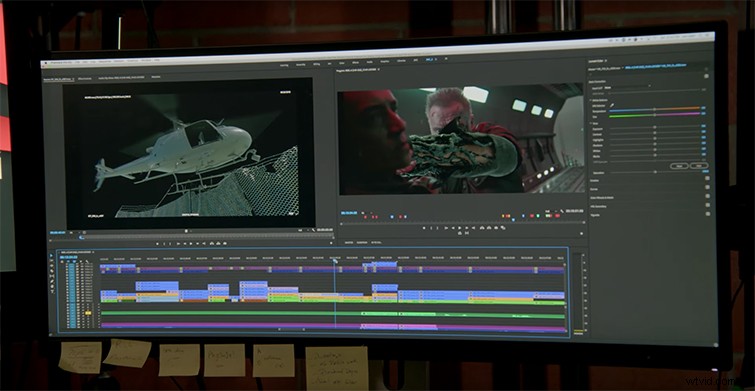
Editor Julian Clarke, who worked with Miller on Deadpool, says that the decision to work with Adobe again came down mostly to the shared project’s functionality and collaborative workflow.
Miller cites his previous relationship working with David Fincher, who has used Adobe on many of his most recent projects.
In addition, Jon Carr recalls the following:
For Carr, the Visual Effects Editor on a film that has a large amount of VFX shots, the integration between Premiere Pro and After Effects, and the editing efficiency, were the biggest points of concern going into their Adobe workflow.
Dark Fate Trailer Remix Challenge
Alongside having a conversation with the filmmakers of Dark Fate, Adobe also showcased the winners from their #CreateYourFate trailer remix challenge, where fans were invited to re-cut their own versions of the Dark Fate trailer using either Premiere Pro or Premiere Rush — the smartphone editing app.
The Grand Prize winner (by Brian Thuok) is included above, and you can check out the other finalists below:
- Young Creator Winner Diego Rivera
- Runner-up Tone Evans
- Runner-up Rémy Gente
Terminator: Dark Fate is currently in theaters across the world.
All images via Adobe.