
Sometimes you don’t need a long tutorial to pick up some new editing tricks. Check out our favorites from Editing Modulations.
When it comes to learning more about film editing, one of my favorite new internet finds is the Editing Modulations Tumblr page. It’s a great mixture of two-second clips with lessons and short insights on specific cuts, transitions, and editing techniques.
In this post, I’ve rounded up a selection of techniques that Editing Modulations has examined, and I added a few thoughts of my own with some additional links on the same topics. It’s absolutely worth clicking through to each of the examples to learn more about the editors involved and the context of the shot in the wider film.
We’ll be taking a look at the following.
- Match Cuts
- Dissolves
- Hidden cuts
- Wipes and transitions
- Combining techniques
As editors, we shouldn’t be afraid to get creative with our scene transitions, including the use of sound effects, wipes, and dissolves. If the director hates them, we can always take them out, but at least let’s try something a little different when we can.
Editing with Match Cuts
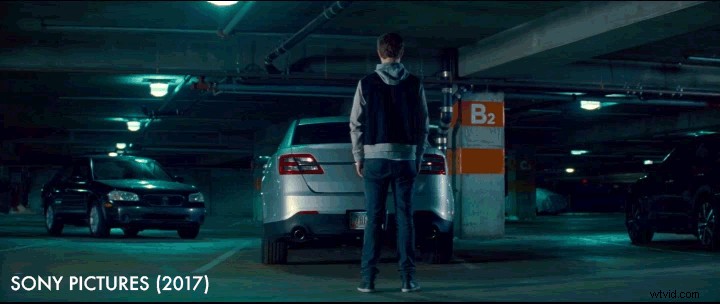
These match cuts from Baby Driver are a good example of an editing technique that is usually scripted. That’s not to say that it’s impossible to have an organic match cut in your project, but more often than not, they’re pre-planned to get the visuals to match up exactly.
There are a ton of other great examples of match cuts on Editing Modulations, so click through to see some from The Graduate, Snatch, and Schindler’s List.
In the example above, you can see that the position of the actor and the movement of the black car draws your eye to the left, which moves into the dangling car in the second shot. The match cut’s “join” is largely around the position of Baby in the foreground — although other compositional elements also match, such as the cars on the left and right, the crane, and the B2 column.
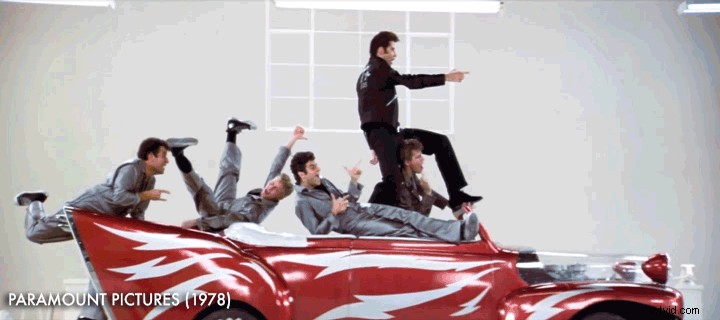
It’s also worth thinking about the meaning created by juxtaposing these two shots; it’s not just a nice visual transition.
This match cut from Grease (1978) contrast’s the group’s imagination with reality. For Baby, it’s supposed to be a turning point in his criminal career. In this example (click through) from The Lost World: Jurassic Park, we actually see a “black comedy” match cut.
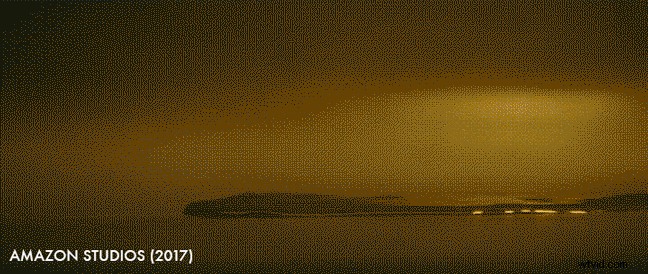
Match cuts can be visually similar, but they can also be more metaphorical — you can match compositions, movement, energy, and emotion.
In this example from The Lost City of Z, the movement and placement of the liquid moving from right to left matches the stream train traveling in the same direction. Although this could easily have been planned in production, it’s also a good example of a more organic match cut.
Keeping an eye out for these possibilities, either as a filmmaker or an editor, definitely adds a further layer of meaning for your audience.
If you want to see even more great examples of match cuts, check out the following PremiumBeat.com post, which includes this nicely edited supercut of match cuts from Celia Gomez.
Using Dissolves in Your Projects
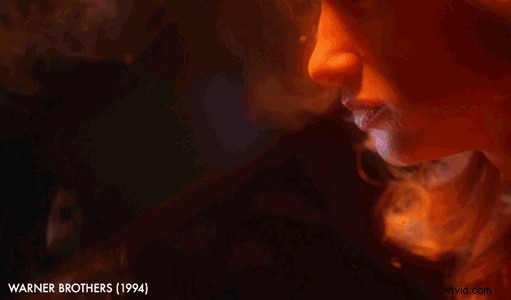
Sometimes a dissolve can seem like a cop-out. As the old editing saying goes, “When you can’t solve it, dissolve it” — meaning that when the editor couldn’t think of a good way to make a cut work, they could just slap a dissolve on it.
But in the right hands, and the right context, a dissolve can be a far more powerful transition — one that adds some visual connection and additional meaning.
In this great example from Natural Born Killers, the dissolve connects Mallory’s cigarette smoke to the dragon’s breath.
I think the challenge of the dissolve is that it actually requires extra thought to succeed. What is the sustained visual connection between the two shots? What meaning are you conveying with the juxtaposition?
Is it about communicating the passage of time? Internal thoughts? Connections between characters across time and space? Whatever it is, there has to be some meaning, or the transition will feel unnecessary.
When was the last time you successfully used a dissolve?
This Guy Edits (Sven Pape) created a nice video essay that contrasts the successful use of dissolves in film with those that are just plain lazy.
Pape argues that, in some ways, the dissolve is “the hardest cut” because it draws attention to itself, and so it really has to work — otherwise it will be drawing attention to its own failure.
In the comments, Brenn Film shared an interesting observation that I’ve yet to try out for myself, but it sounds plausible:
To learn more about using dissolves in your edit, check out this great post by PremiumBeat’s Logan Baker.
Hidden Cuts
Some of my favorite edits in films are those that you don’t see at all. These hidden cuts are often filmmaking necessities — say, for example, to link two different locations as if they were one.
In this tweet from Solo VFX Supervisor Rob Bredow you can see how well the filmmakers use this hidden cut — hiding in the black to connect the outside location shot of the Millennium Falcon with the interior set.
What I think makes this work particularly well is the brief two-frame flash of red as Han fires off his blaster in the midst of the blackout, making the darkness feel more intentional and the connection more seamless.
In this Twitter Moment, you can see all of Rob’s tweets on some specific VFX moments from his work on Solo: A Star Wars Story.
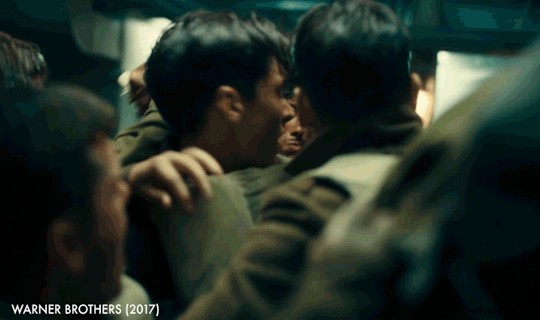
In this example from Editing Modulations, this hidden cut in Christopher Nolan‘s Dunkirk not only helps to add to the confusion but also increase the impact of the water blast. Again the inclusion of a little bit of light helps make the dark section of the sequence more believable.