
Want to learn how to loop video online in a few clicks? Here’s the perfect tutorial for you. VEED’s intuitive video editor allows you to loop videos in a super quick and easy way.
You’ll learn:
- How to loop video with VEED’s easy-to-use video editor in 3 easy steps
- 5 creative tips on how to loop your video in a super fun and engaging way
Let’s get started!
How To Loop Video In 3 Easy Steps
1. Go to VEED and upload the video you want to loop
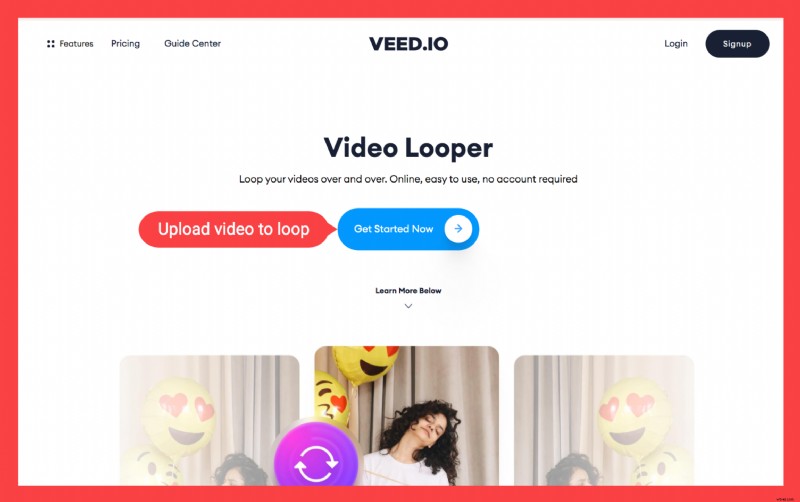
You can upload from:
- Your local files
- YouTube video (just enter the link)
- Your webcam
- Dropbox
2a. Click on Add Video button and upload the video to loop again
2a is if you want to loop video and save it as an MP4 video file.
The Add video button is located above the timeline, to the left. Upload the video the same number of times that you want the clip to loop. Place it next to the other video to merge both clips seamlessly.
2b. Leave the video file as it is
Alternatively, you can also just save the video as a GIF. In this case, you won’t need to upload the same video clip over and over again because GIFs loop on their own.
3. Download the video
Hit Export, wait for the video to render, and download it as an MP4 video or as a GIF. And you’re done!
You can loop video as many times as you have duplicated it. GIFs loop by themselves, but the result normally has a worse resolution than the MP4 video, and GIFs don’t have sounds in them.
You can share the download link, in case you want others to download this awesome video, too.
5 Tips On How To Seamlessly and Creatively use the video looper
Here are tips on how to seamlessly loop videos, too, and some inspirations for video loops that you can create with VEED’s video maker and video looper. Here are some examples of how to excellently loop videos.
Play with sentences for a clever looper
Building an online audience on Instagram, YouTube or other platforms out there? Make their heads spin by creating a clever video loop, in which your first and last sentences seamlessly blends together in a loop.
This can bring your engagement up by having a fun video that your audience will love! Here’s our Queen of Content, Diana, does it
Remove the original audio from video
If you want to have the fantasy of a video clip that never seems to end, then it’s best to remove the original audio from your video and replace it with music or something else.
Otherwise, if the sound doesn’t loop effortlessly as the video does, your viewers will end up figuring out when the loop ends and begins again.
Play with transitions...
The secret to a seamlessly looped video lies in having a perfect cut during a natural transition shot that naturally occurs in the video.
For example, this creative video Alex Ezorsky jumping into a pool gets looped just as he is about to splash into the water. This results in a perfectly looped video of him changing swimsuits as he gets out of the water:
Of course, VEED has more video editing options than being able to loop videos. It’s an online video editor that allows you to perfectly do fast video editing and trim your video clips for the perfectly seamless loop:
...And with perspectives
Otherwise, learning how to perfectly loop your video also depends on how adept you are at figuring out and playing with perspectives.
This perfectly looped video takes advantage of 2 recurring elements, the sand and the sky, to create the impression that the hula-hoop never stops rolling:
Another one: this perfectly looped video features Alex Ezorsky (again, this guy is really talented at creating loopers!) throwing a ball from the top of a wooden tower and then running down the stairs to get it.
The mirrored symmetrical cut merged into one video clip creates the impression that the kid is endlessly going up and down the stairs to throw the ball and catch it again.
Frequently Asked Questions
Where can I find inspiration for loop videos?
Head over to the subreddit perfectL∞ps that show amazing clips on infinite loops.
How to loop a YouTube video?
- Go to YouTube and find the video you want to loop
- Right-click and select loop in the pop-up
How to loop a YouTube video on mobile (iPhone and iPad)
- Open the YouTube app and go to the video you want to loop
- Tap on the screen to show the three dots in the top-right corner and tap on them
- Select loop video in the pop-up
How to make a video loop?
- Upload your video to VEED
- Keep uploading the same clip for as many repetitions you need
- Export and download!
How to make a video loop on iPhone?
- Download Boomerang (an app to make short looping videos)
- Open the app and upload your video
- Download the video
In this tutorial, you’ve learned how to very easily create video loops using VEED’s intuitive video editor and download it either as a video or as a GIF. Oh, and did I tell you that you can use VEED as a meme maker ;)?
Try VEED today to loop your next video!