What is aspect ratio
The aspect ratio usually looks like this, width:height, for example, 1:1, 4:3, 16:9, and so on. At that, these numbers are not actual width or height in pixels or any other specific units. Let’s have a look at some examples:
- 1:1 aspect ratio means that the width and height are the same. The actual image in pixels could be 200px by 200px or 500px by 500px, and so on.
- 8:5 aspect ratio means that the width is 1.6 times its height. The size could be 640px by 400px, or 1280px by 800px, and so on.
Moreover, the same proportion can be represented in various ways — 8:5, 16:10, 1.6:1 are all equal. It is a matter of conventions. They say it is easier to understand the difference between the screens that have 16:10 and 16:9 aspect ratios. The contrast between 8:5 and 16:9 is not so self-evident.
We are going to describe the most common aspect ratios and their typical usage across different social media.
- 16:9 aspect ratio
- 4:5 aspect ratio
- 4:3 aspect ratio
- 1:1 aspect ratio
- 9:16 aspect ratio
- How to change aspect ratio online
16:9 aspect ratio (widescreen)
This is an international widescreen standard format for HDTV, widescreen SDTV, laptops, computer monitors, and smartphones.
All major social media — Instagram, Facebook, Twitter, Youtube, LinkedIn, Pinterest — will accept this type of ratio for video, as well as image posts.
4:5 aspect ratio (portrait)
This proportion actually comes from photography — an 8x10 inch photo has it. Instagram at some point has introduced this aspect ratio for in-feed portrait photos and videos so that users have a more diverse and authentic experience.
4:3 aspect ratio (standard)
It is typically used for SDTV and video computer displays, digital cameras. The very first films had this aspect ratio and it was the standard for years. Nowadays it is more a stylistic choice used to add a cinematic effect to a movie. You can find this aspect ratio on YouTube when you see a video with pillarboxing.
1:1 aspect ratio (square)
While there are no widely spread devices with square screens, apps like Instagram or Facebook use this proportion for in-feed photos and videos. Moreover, almost any profile picture will also need to have this aspect ratio.
9:16 aspect ratio (vertical)
Overall usage of smartphones has increased the number of vertical videos and images with this proportion. And now, many applications, like Snapchat, Instagram, Facebook, TikTok, and Twitter have introduced Stories that need this aspect ratio.
How to change aspect ratio online
Clideo offers a powerful set of online tools for editing various types of media. The service can be used in any browser, on any device or platform, including, Windows, Android, Mac, iOS, and Linux.
One of the useful tools to manage the aspect ratio is our video resizer. It allows resizing video for Instagram, YouTube, Facebook, Twitter, and other social media with special presets.
Best of all, there is no need to register or pay anything if your files are up to 500 MB.
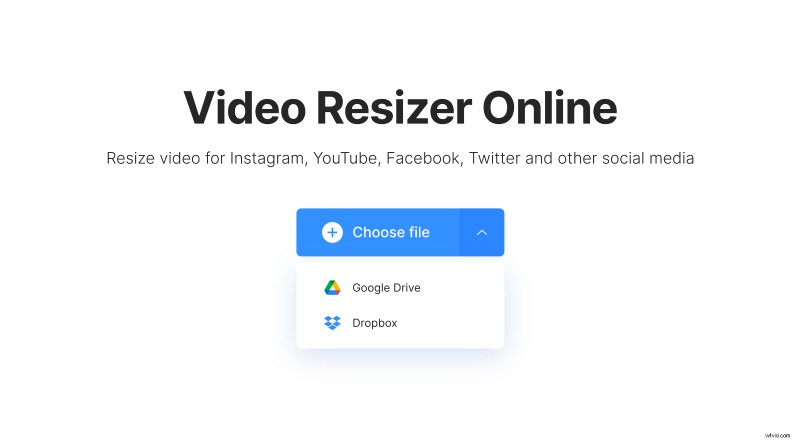
Go to the image and video aspect ratio changer to add your file from your device or cloud storage.
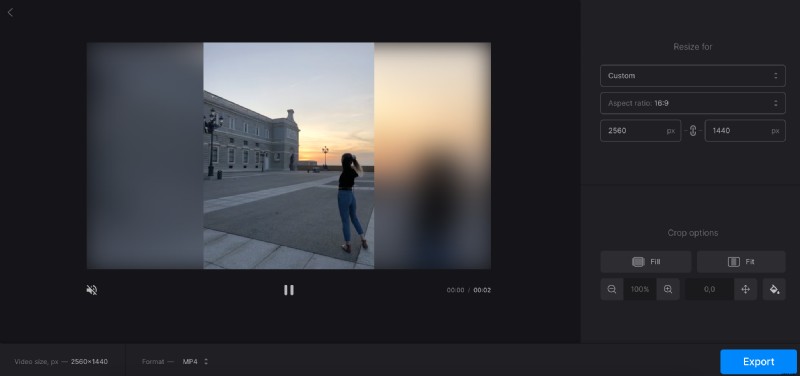
Once the file is uploaded, select any of the social media in the first drop-down menu. Then choose one of the predefined presets for a post type.
As an alternative, you can set a custom aspect ratio.
To put the finishing touches, use the “Crop options” settings, and once done, hit the “Export” button.
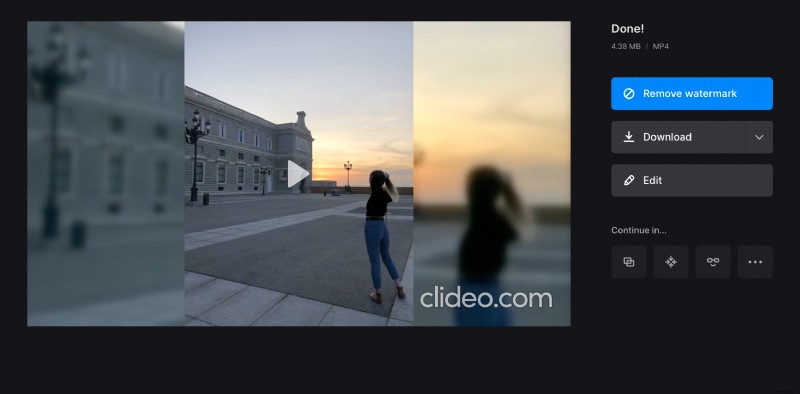
If everything looks good, you can download the file to your computer or phone, as well as save it to Google Drive or Dropbox.
To try other settings, hit “Edit” to get back to the previous screen.